|
Sweet Home 3D Forum » List all forums » » Forum: 3D problems » » » Thread: Rendering: Java Error |
|
| Print at Dec 19, 2025, 11:27:26 AM | View all posts in this thread on one page |
| Posted by vincemay at Jul 8, 2019, 8:14:23 PM |
|
Rendering: Java Error Dear Friends I have a big problem ! Please Help me. Using Sweethome3d, upon rendering of a very large file (400 MB) returns a JAVA error that I transcribe: "Java. Lang. OutOfMemoryError: GC OVERHEAD LIMIT EXCEEDED" And sometimes even a Heap Space exception At render time, if active artificial lighting, it produces the following error first. I don't think DAE models could cause the inconvenience because, do I render with daylighting without artificial lights or with those used for the Interior, the problem does not occur. I don't know how to fix it. Mainly use a mobile PC with an INTEL i5 processor and 8 GB of ram now a little dated. But even on an ASUS laptop Intel i7 8 Gb ram 8000 series and the problem returns. How do I fix. How to assign more memory to Java. Thank you in advance and I look forward. Kind regards. Vincenzo |
| Posted by Puybaret at Jul 8, 2019, 10:18:14 PM |
|
Re: Rendering: Java Error Please read the FAQ How can I adjust the memory used by Sweet Home 3D? ---------------------------------------- Emmanuel Puybaret, Sweet Home 3D creator |
| Posted by vincemay at Jul 9, 2019, 1:11:03 PM |
|
Re: Rendering: Java Error Thanks Emmanuel, Now everything is ok. I assigned -Xmx 4096m and seems to fly. |
| Posted by Mike53 at Jul 9, 2019, 3:25:53 PM |
|
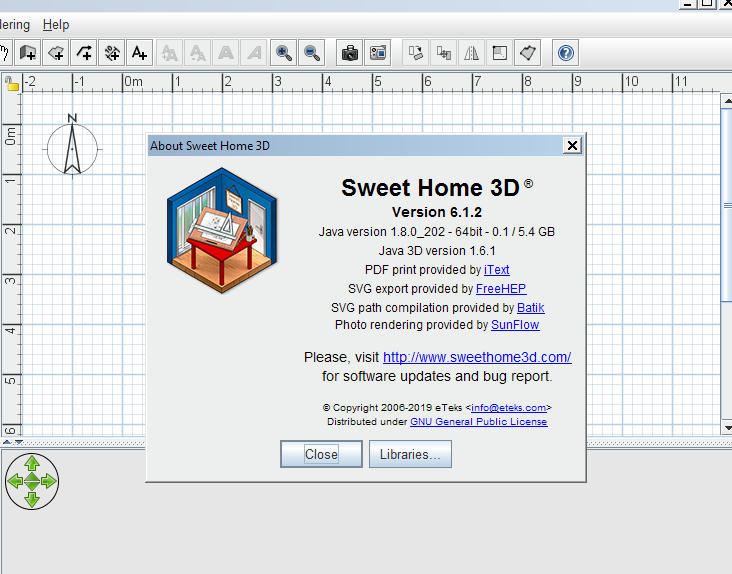
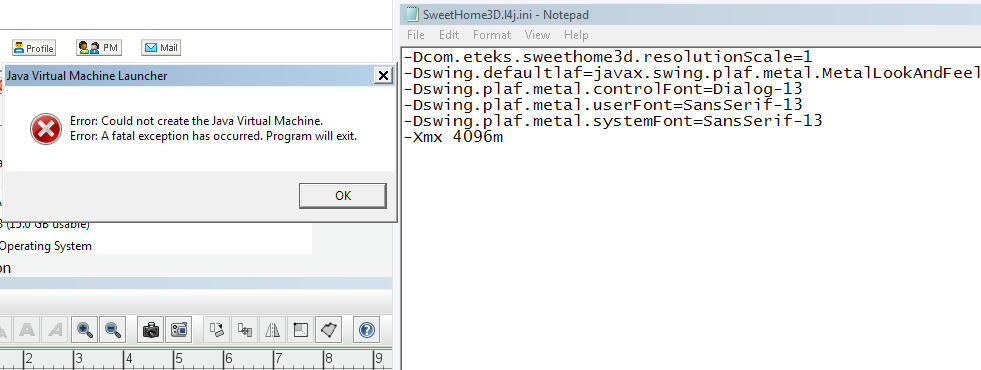
Re: Rendering: Java Error hi Emmanuel I tried the numbers vincemay used but but sweethome would not start, halved the value, then halved it again, neither allowed sweethome to start this is my pc this is my sweethome version ![]() Could you tell me what to add in the ini please. As my pc is set i cannot work with any sh3d file over approx 60'000 kb, pc lags way to much in the 3d view, it can take 2 or 3 mins for the view to change just moving to a different level. Thx Mike |

| Posted by Mike53 at Jul 9, 2019, 3:44:31 PM |
|
Re: Rendering: Java Error this is the error i am getting ![]() |
| Posted by Puybaret at Jul 10, 2019, 12:58:38 AM |
|
Re: Rendering: Java Error Mike, remove the space after -Xmx The memory size should come just after, like in -Xmx2048m ---------------------------------------- Emmanuel Puybaret, Sweet Home 3D creator |
| Posted by Mike53 at Jul 10, 2019, 11:32:32 AM |
|
Re: Rendering: Java Error thank you With my set up what is the highest value am i able to use |
| Posted by Puybaret at Jul 12, 2019, 2:11:57 PM |
|
Re: Rendering: Java Error The usable maximum depends on how much RAM is available in your computer and how much memory is used by the system and other programs. Beyond that limit, there are chances that the computer will have to swap more often, slowing down everything. If your computer has 16 GB RAM, I think -Xmx8g (8 GB) will let plenty of RAM for Sweet Home 3D. ---------------------------------------- Emmanuel Puybaret, Sweet Home 3D creator |
| Posted by Mike53 at Jul 12, 2019, 2:57:00 PM |
|
Re: Rendering: Java Error thk you i will try it shortly ![]() |
|
|
Current timezone is GMT Dec 19, 2025, 11:27:26 AM |