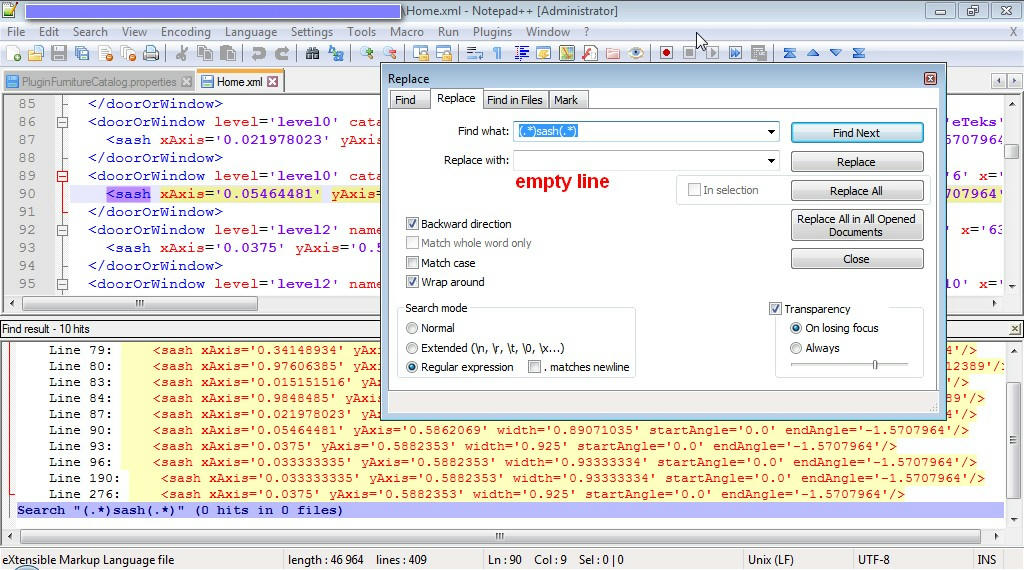
Copy your project, open in winrar, extract Home.xml. Open Home.xml in text editor, find all lines with word "sash" and delete them, save and add to your project.
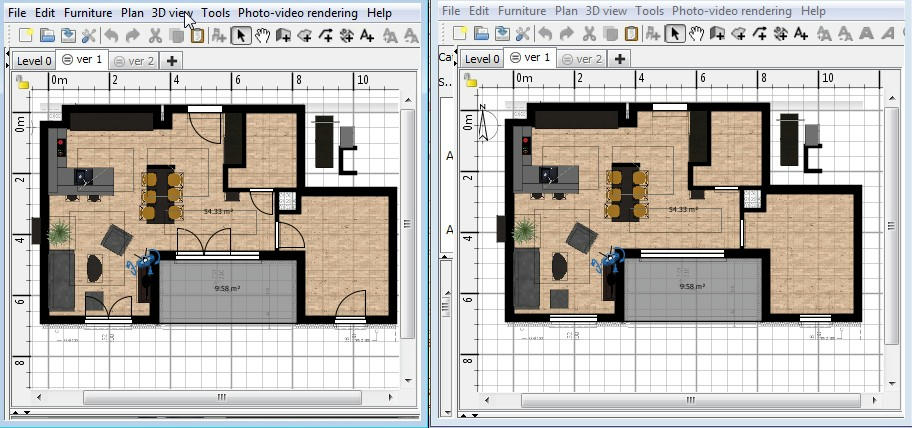
Before and after
|
Sweet Home 3D Forum » List all forums » » Forum: Forum in other languages » » » Thread: Alle/Mehrere Fenster auf einmal ersetzen |
|
| Print at Sep 26, 2026, 5:36:56 PM | View all posts in this thread on one page |
| Posted by jambaleiajambo at Sep 30, 2019, 11:07:17 AM |
|
Alle/Mehrere Fenster auf einmal ersetzen Hallo zusammen, ich brauche Hilfe bei folgendem Problem: Ich habe inzwischen schon einen recht umfangreichen Plan in Sweet Home 3D erstellt,mit sicherlich bald 100 Fenstern. Das Problem ist,dass ich einfach immer den Typ "Fenster" aus der Mobiliarliste hinzugefügt habe. Dieser stellt auch immer die Fensteröffnung mit dar, was den Plan extrem unübersichlich macht. Ich würde jetzt gerne für einen übersichtlicheren 2D-Plan alle Fenster durch "Durchreichen" ersetzen, aber ohne Position und Größe jedesmal neu anzupassen. Kennt jemand eine Lösung hierfür? schonmal Danke im vorraus! |
| Posted by alaX at Oct 1, 2019, 7:44:30 PM |
|
Re: Alle/Mehrere Fenster auf einmal ersetzen Copy your project, open in winrar, extract Home.xml. Open Home.xml in text editor, find all lines with word "sash" and delete them, save and add to your project. Before and after |
| Posted by jambaleiajambo at Oct 23, 2019, 9:24:11 AM |
|
Re: Alle/Mehrere Fenster auf einmal ersetzen Thank you! that worked! I Also found one thing to improve: instead of deleting the hole line with "sash" I just changed the endAngle from "-1,5707964" to "-0,01" for all Windows. I did that with the search and replace command of the editor. Now I can open/close Doors with "replace" in seconds, because all Doors still have -1,5707964 in and all windows -0,01. Thank you for your help! |

|
Current timezone is GMT Sep 26, 2026, 5:36:56 PM |