|
Sweet Home 3D Forum » List all forums » » Forum: Features use and tips » » » Thread: How to draw precisely -mini tip |
|
| Print at Dec 21, 2025, 6:06:14 PM | |
| Posted by dorin at Nov 10, 2019, 11:17:57 AM |
|
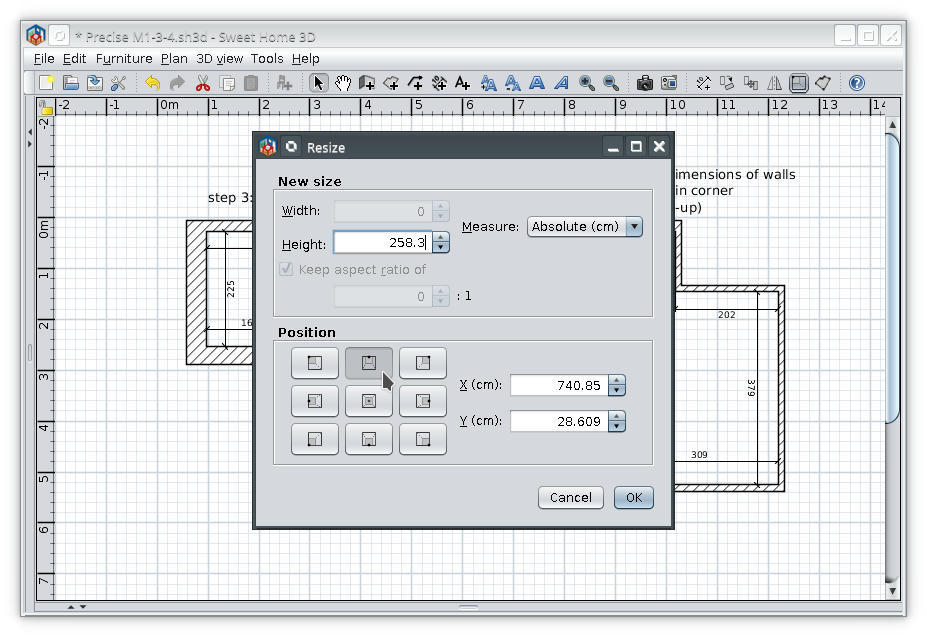
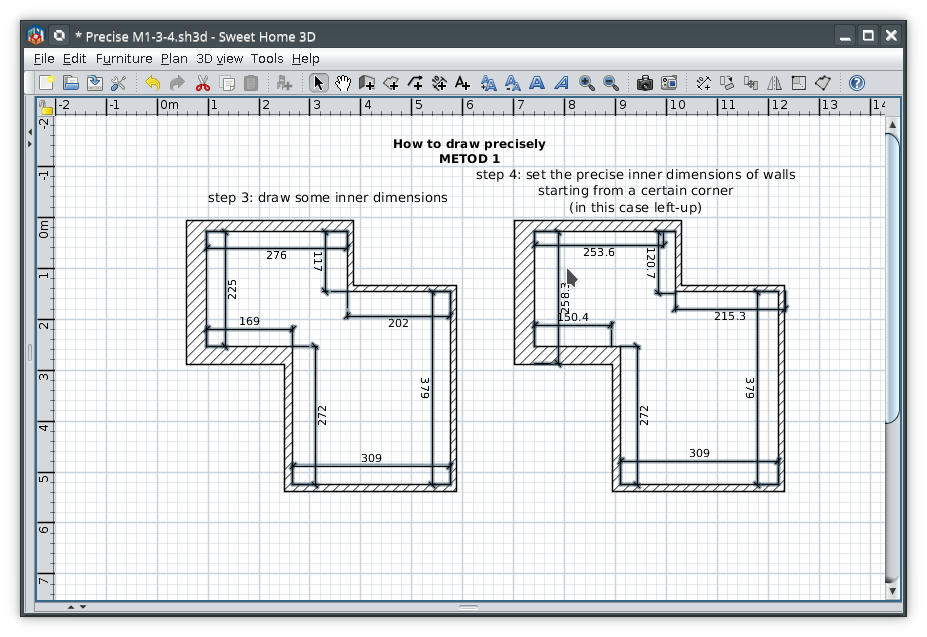
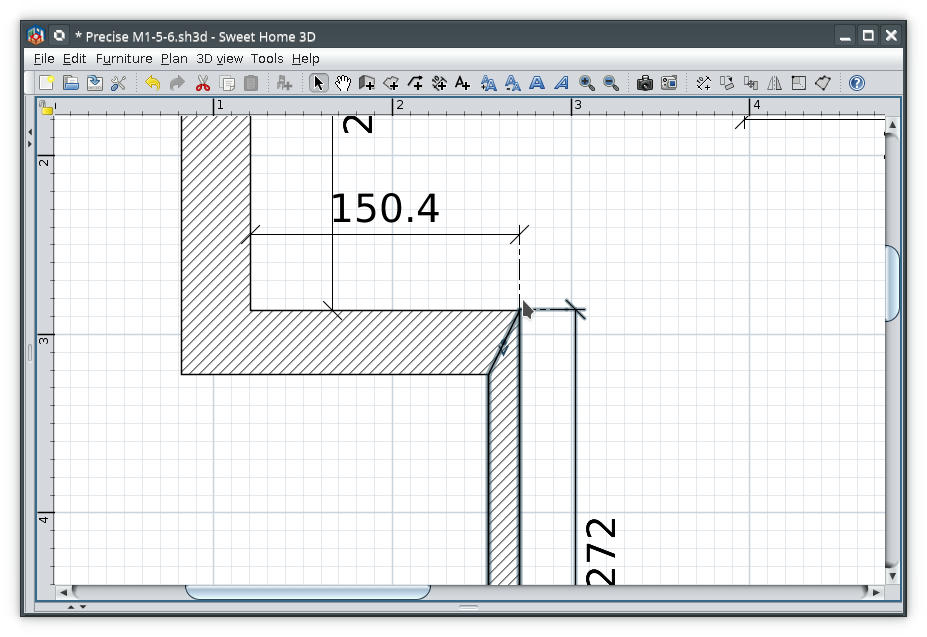
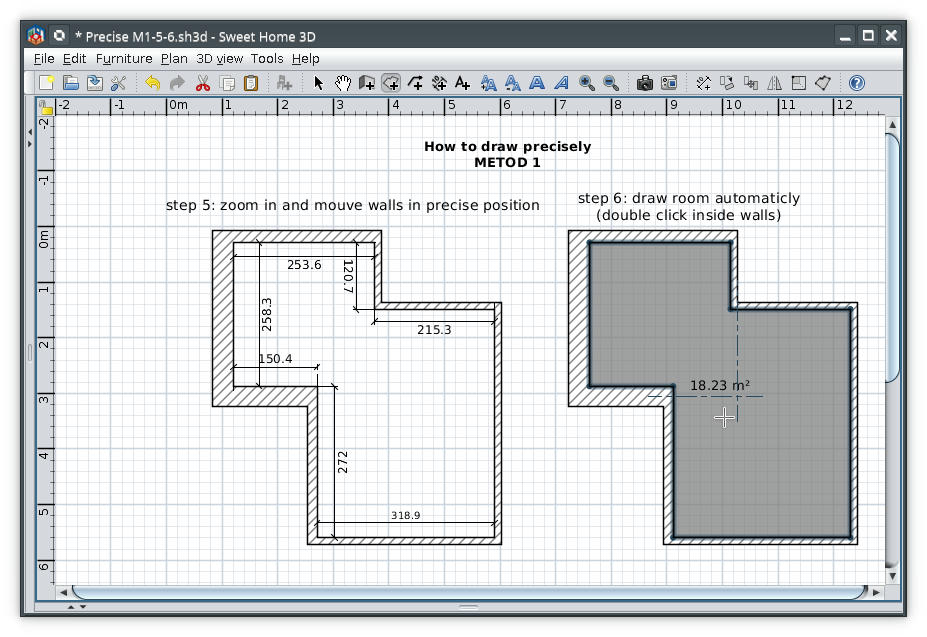
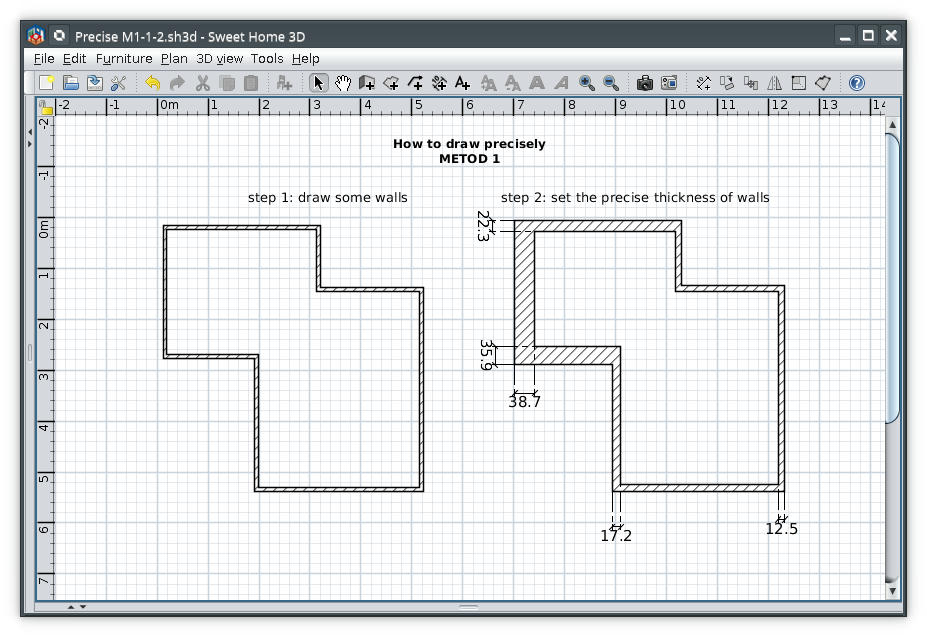
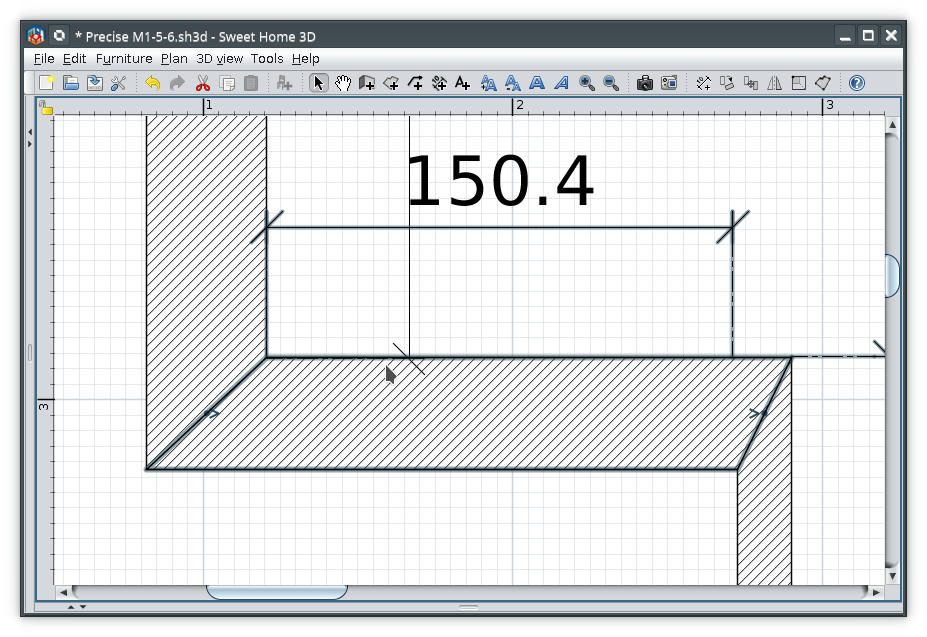
How to draw precisely -mini tip I want to share my method to draw precisely. I use it mainly for existing buildings where surrounding rooms with walls are not an option wile walls could have different thickness. ![]() Set the precise dimensions ![]() ![]() Zoom in and mouve walls in precise position ![]() ![]() I use Advanced Editing plugin. Note 1: For high accuracy use high zoom Note 2: The accuracy is at least 1mm with this program which is enough for any one who want to build a house and not a space shuttle. ---------------------------------------- A computer program does what you tell it to do, not what you want it to do. Murphy's Law When all else fails, read the instructions. Murphy's Law If you don't like "AS IS", DIY. Dorin's law |
| Posted by VeroniQ at Nov 10, 2019, 7:36:40 PM |
|
Re: How to draw precisely -mini tip Many thanks, Dorin! Very clear |
| Posted by decard at Aug 20, 2022, 2:20:55 PM |
|
Re: How to draw precisely -mini tip hi, these screen shots are out of the Advancing Editing Plugin, right? |
| Posted by dorin at Aug 20, 2022, 6:58:20 PM |
|
Re: How to draw precisely -mini tip these screen shots are out of the Advancing Editing Plugin, right? You got me! Take a flower from my avatar! ---------------------------------------- A computer program does what you tell it to do, not what you want it to do. Murphy's Law When all else fails, read the instructions. Murphy's Law If you don't like "AS IS", DIY. Dorin's law |
|
|
Current timezone is GMT Dec 21, 2025, 6:06:14 PM |