Re: How to Delete Textures
by Puybaret » Fri Apr 14, 2017 5:19 pm
Display the dialog box that allows you to choose a texture, for example by selecting
3D view > Modify 3D view menu item and clicking on the texture button for the ground.
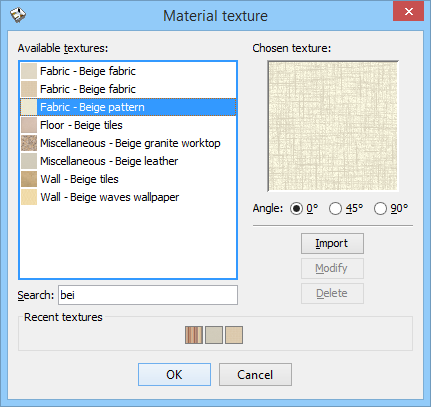
Then select an imported texture you want to delete and click on the
Delete button.