More useful example (i hope):
Create your own sign using walls, floors and other objects (furniture).
(If you want your floor to have thickness create next level with elevation>0)
Apply different colors to parts of your sign (for walls - top and both sides).
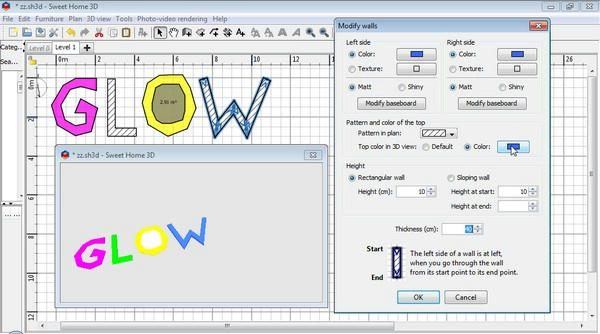
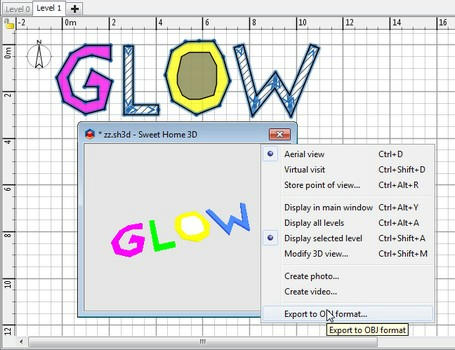
Select all parts* and Export to OBJ.
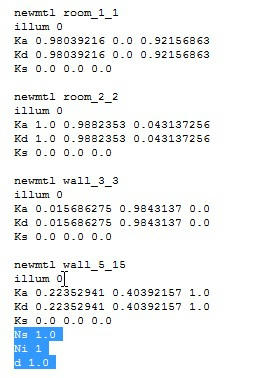
Modify .mtl - illum to "0" (You can remove some parameters - i think you can leave only newmtl, illum and Kd).
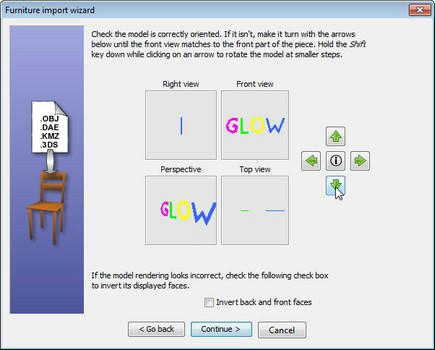
Import .obj - rotate, change size if needed, etc.
Place in your home and render Q4 (or with plugin - set gI to "path")**
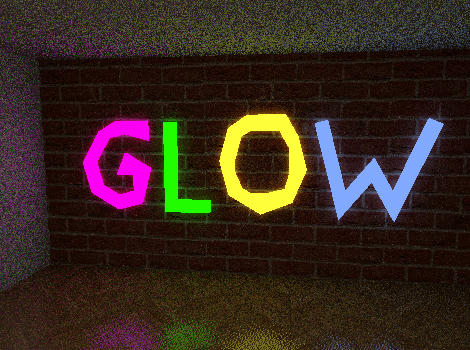
*If you want to cut hole in floor draw smaller floor shape inside(on it) and don't select it for exporting (see "O" in "GLOW")
** No glowing when sky has texture
Download glow.sh3d