In belowed picture, I show you how see them.
First, with any object in your project, you click twice (A1),
a window appears (A2),
click on 'texture' button and a second window appears (A3) with all available textures.
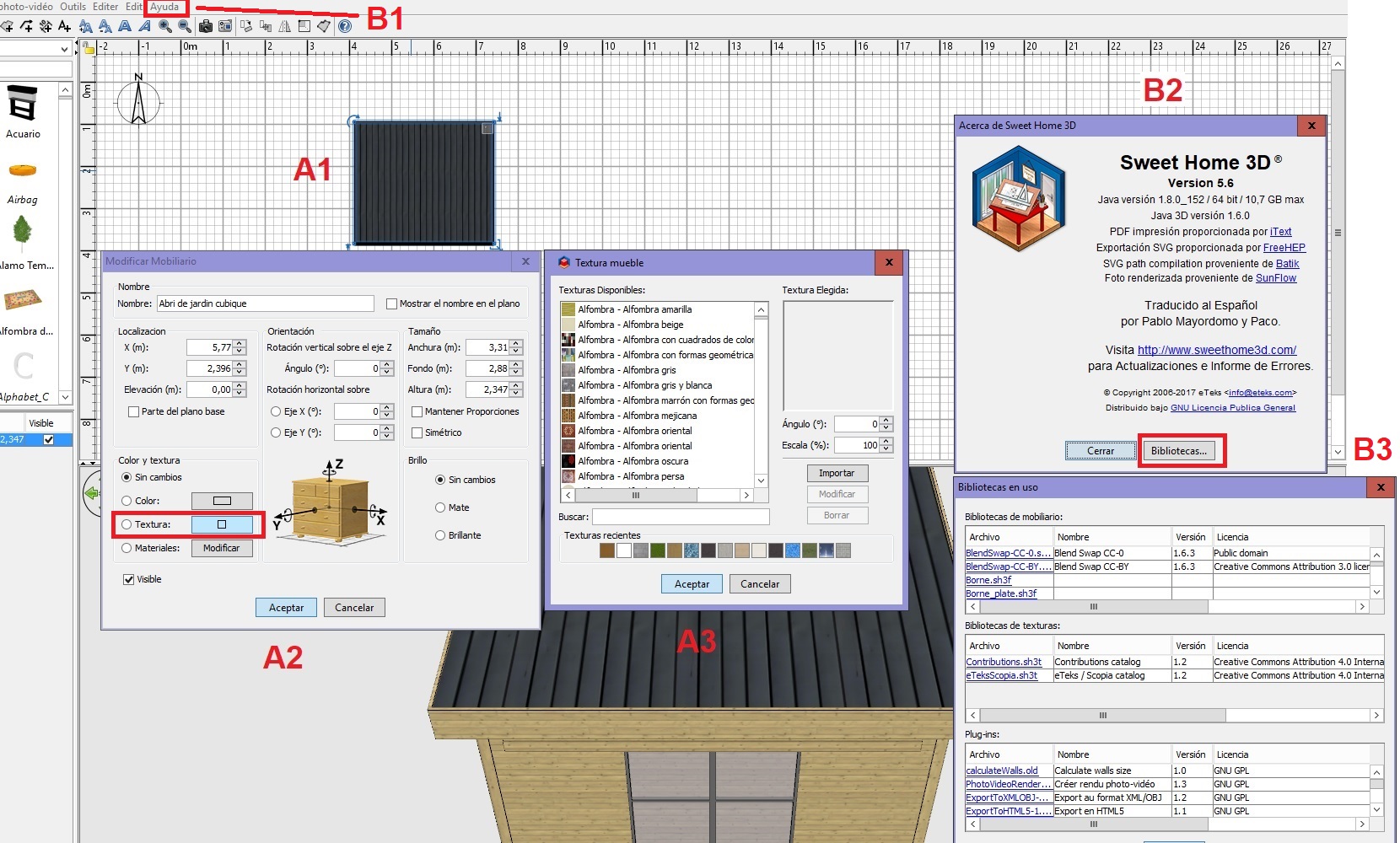
Second, with the top menu click on 'Ayuda' option (spanish mode) - B1,
a window appears (B2), click on 'bibliotécas' button,
a second window appears with all loaded librairies in your sh3d (B3).
Happy new year.
[:)]