I will try.I do not understand how should I use the image you posted in order to obtain similar results, can you explain better?
I have used demoproject#3 for this purpose:
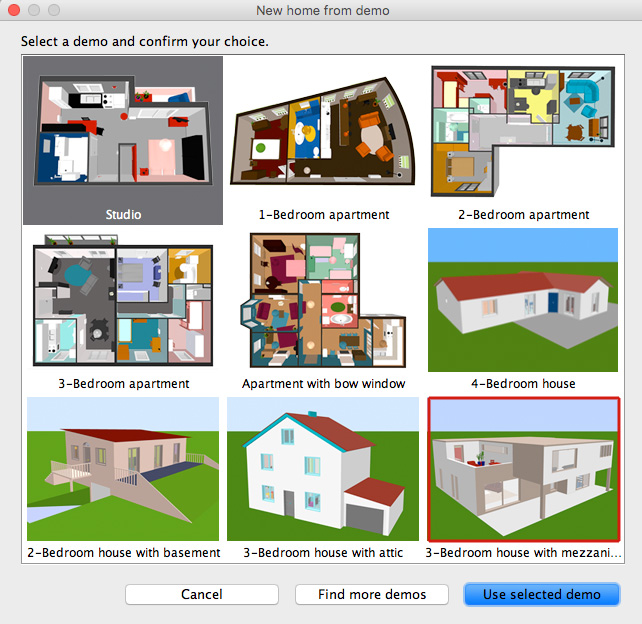
Please download the modified project file HERE
When you open the project go to this view:
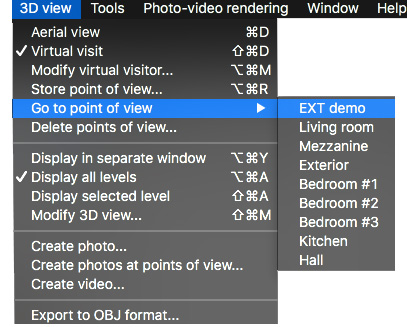
As you might notice, I have made some quick ( and dirty) modifications to the project file,
like replacing the sky with my sky template and adding a swimming pool (to get a reflective surface).
I have also added some other stuff that you might find useable.
Now you can render a preview where you will see the coordinates for the part of the sky that will be visible in the final rendering.
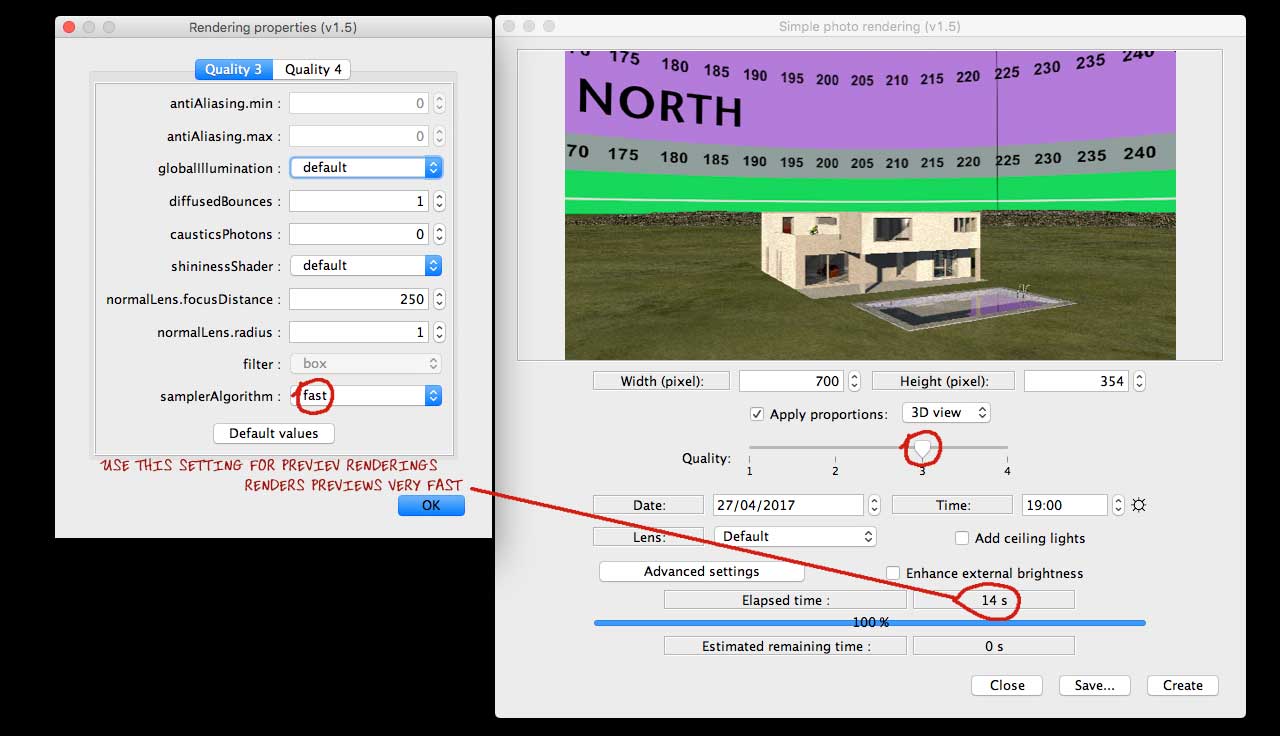
Find an image that you would like as background, and open the sky template in a suitable editor.
Don't choose a small image – choose an image that is at least 1024 px wide, but preferably bigger.
The best size is an image you don't have to stretch in order to make it fit inside the coordinates,
and remember that if you have an horizon in your sky image, it should preferably not exceed the green
area on the bottom of the sky template.
Make sure that your image is aligned at the bottom ( preferably moved a few pixels below) so you're absolutely sure there's no gap,
as a gap at the bottom will create an ugly line along the horizon.
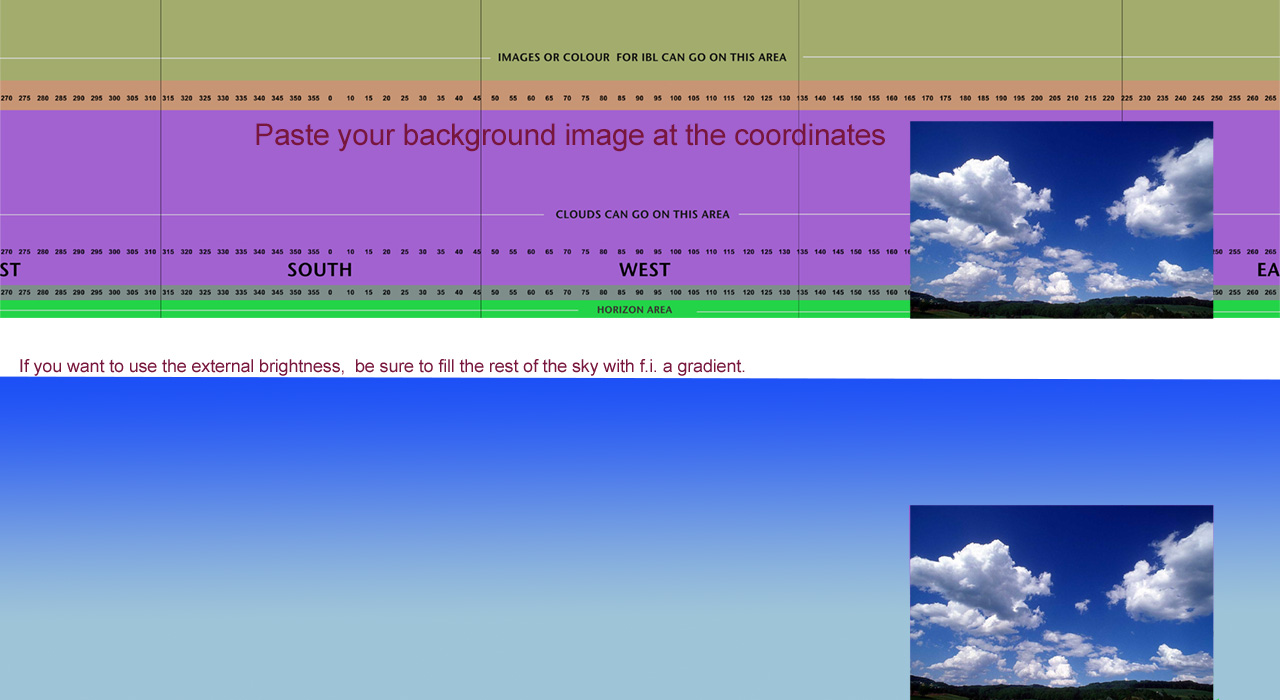
Save the edited sky template under a different name. Use jpg @ high or maximum quality.
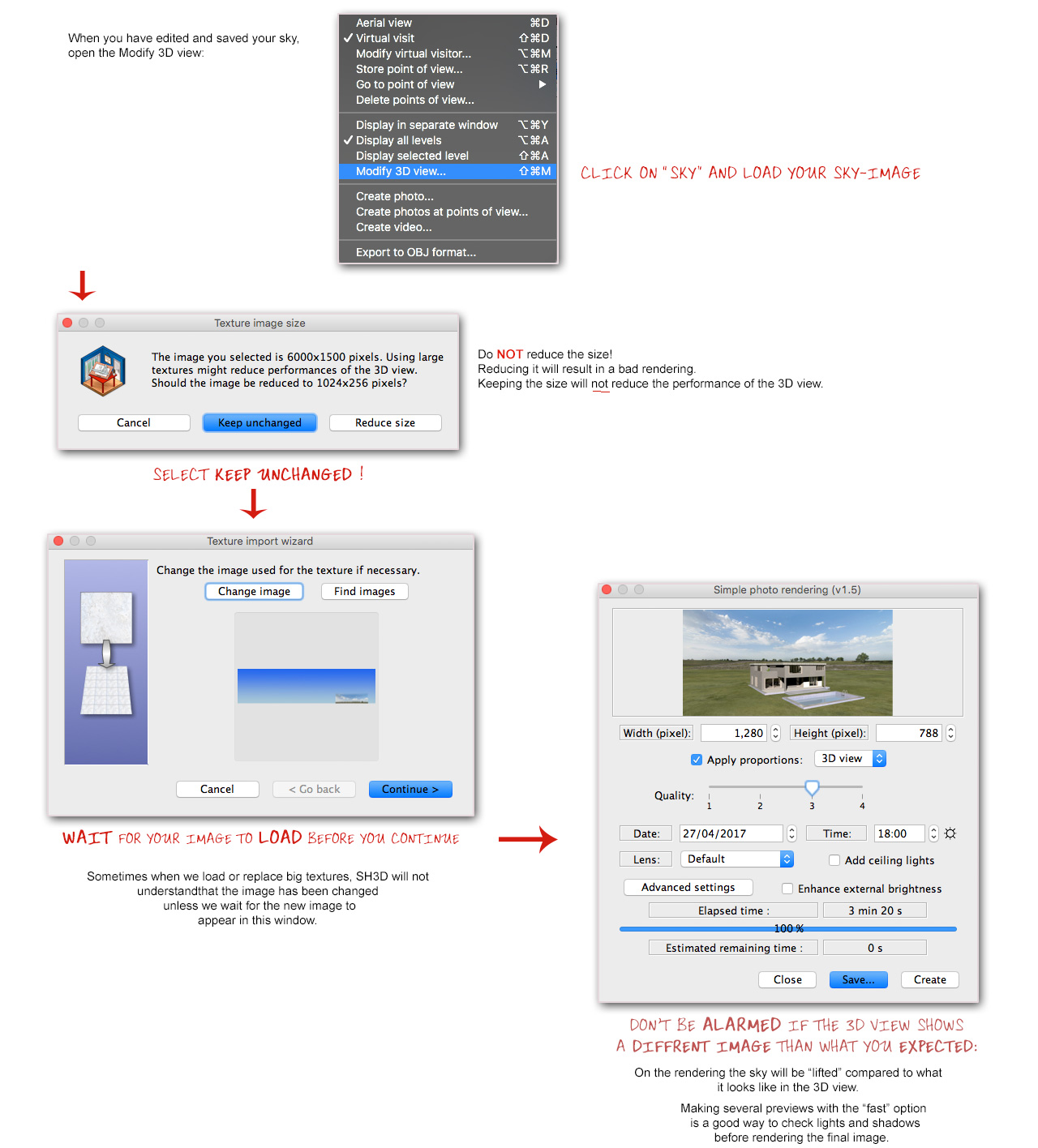
Hope this was helpful.
Cec
______________________
Oh yes, almost forgot,
my final image:
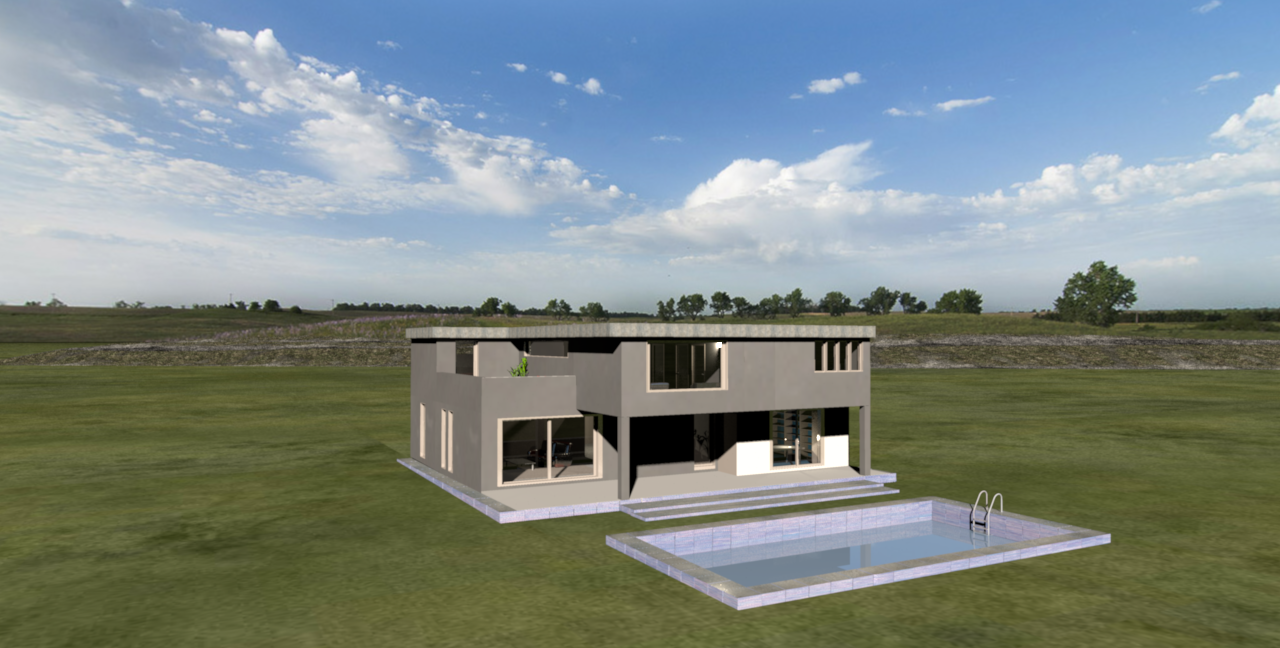
Lots of luck, and don't hesitate to ask if something is unclear.
c