If this is messing with my thread, you are welcome to mess as much as you like!
Me too!I suspect quite a few of us have struggled with getting a (mountainous) horizon right.
But there are, I assume, two reasons for wanting this:
One is the aesthetic reason – to get a nicer illustration.
The other is to make close to realistic predictions of the views framed by the windows – using a backdrop as aid when deciding placement and angle of a house.
Achieving the latter (accurately), I think, will not be possible with the simple template I have made, In fact I don't think it's possible to make any template that can be used to completely compensate for the equirectangular distortion. But to perform an inversion might be a possible compensation –at least to a certain extent.
A matching view between the 3D preview and the rendered image would be great!Maybe, it is just me, but it would be a great help if 3D view and rendering were the same.
And even better if I could understand the projection and manage to make a reasonably accurate template... smile
Tsk tsk tsk... isn't it just a 4 by 1 rectangle projected on a hemisphere? So all we have to do is make an attempt to invert the distortion... right?
Sounds easy... but I know it isn't.
Anyway, let's try a quick & dirty inversion-method:
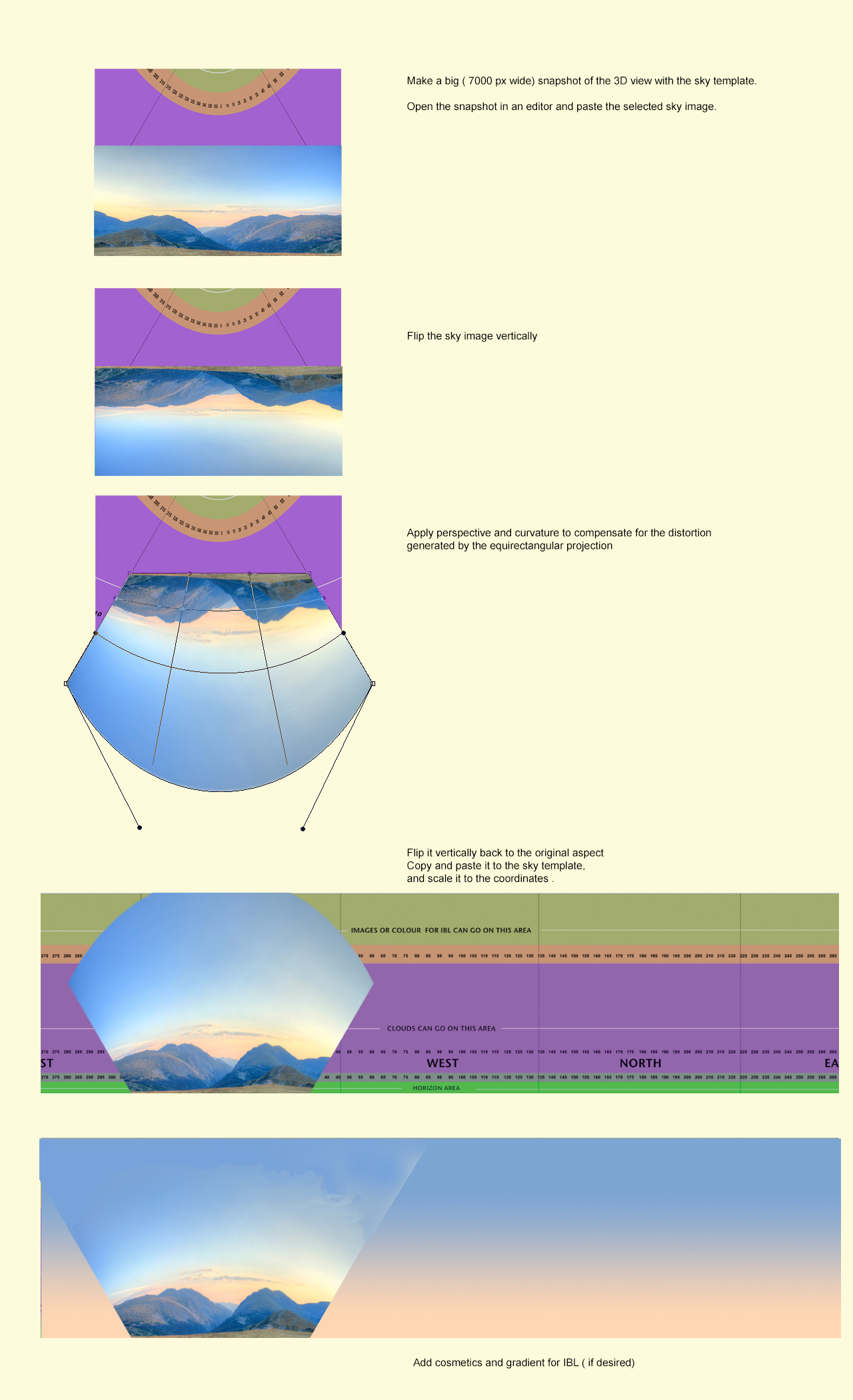
Example rendering:
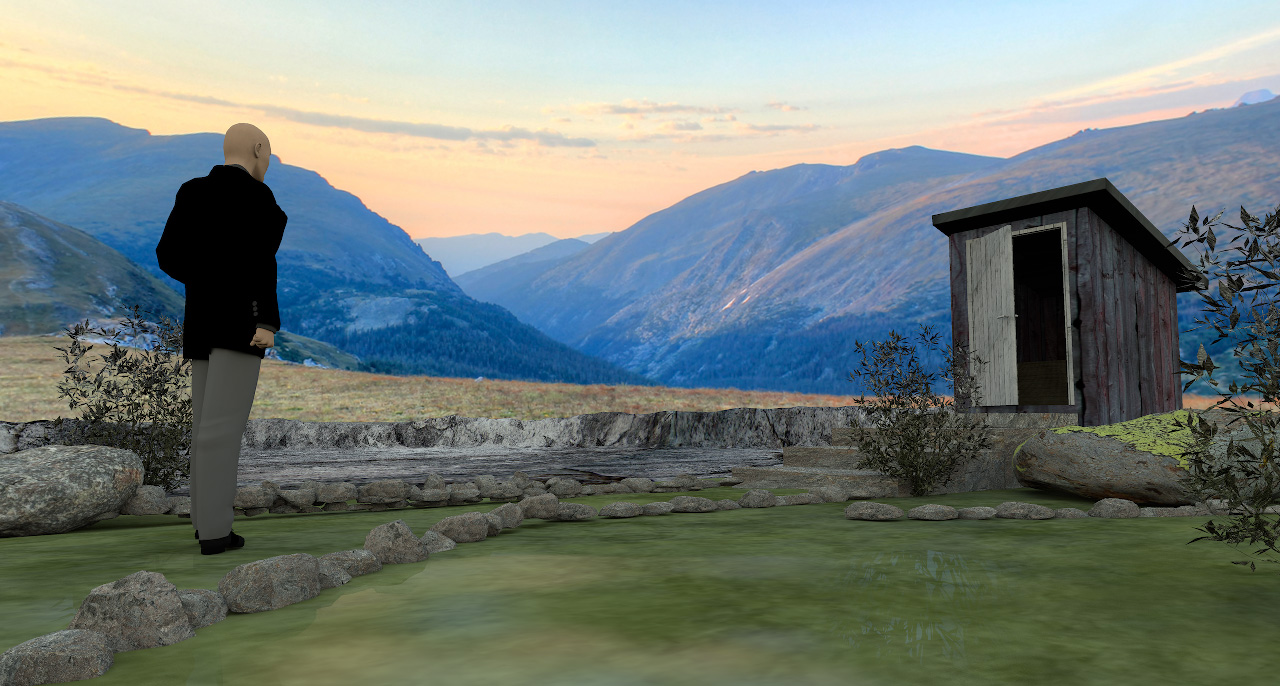
It seems I could have curved the sky image bit a bit more. Try and fail is the name of the game. But it seems to work – to a certain extent [:)]
______________
For illustrational purposes, the challenge with using sky images containing mountainous formations or other sizeable objects, is to match light and shadows, exposure, tint and blurriness.
A quick rendering shows that the sunlight is too bright.
And I have noticed that the colour of the sunlight varies, not only by the time of day, but also by the time of year – and so do the shadows. So colour-matching by changing time and date will not work.
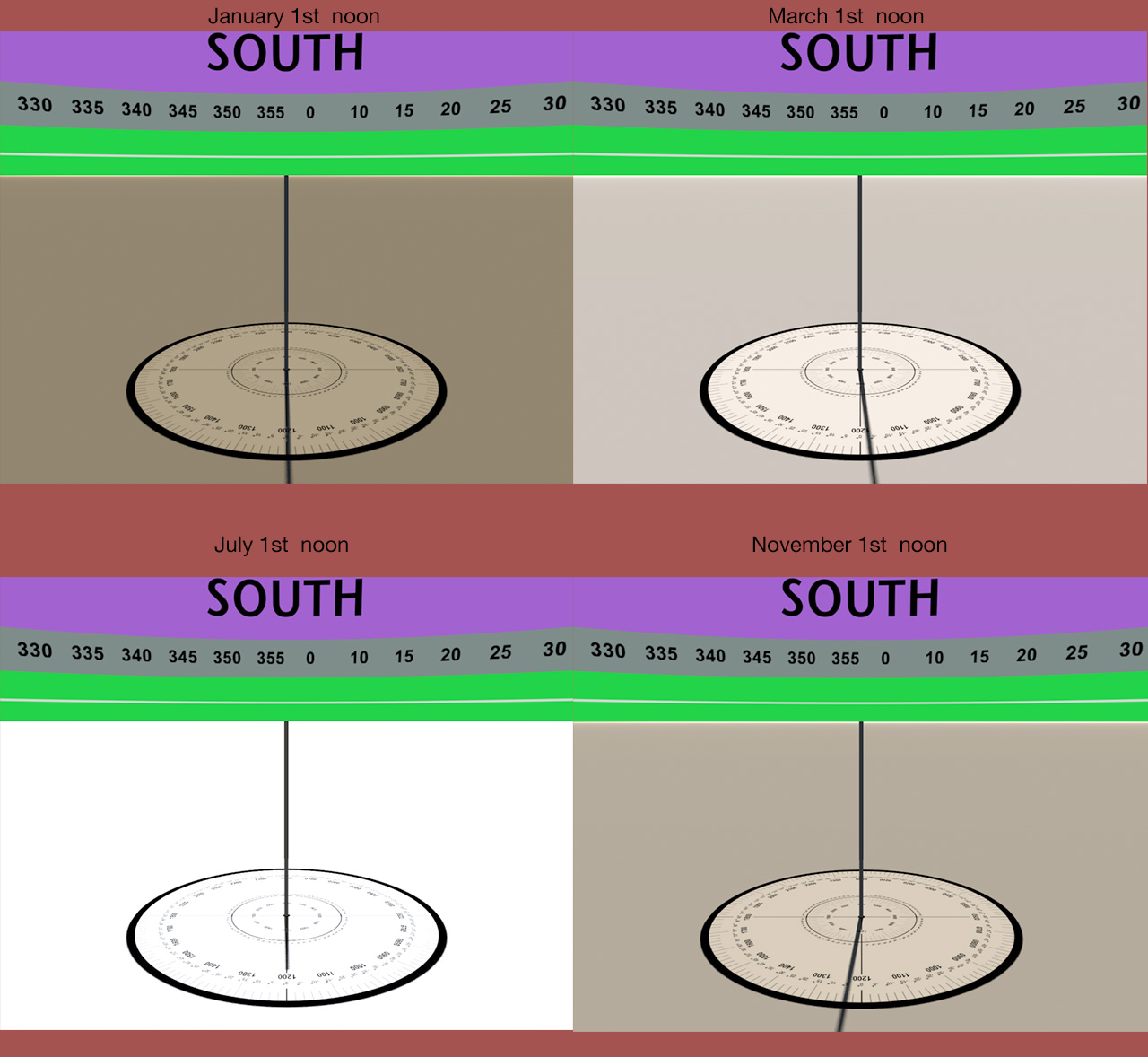
Since the colours and the exposure will be a complete mismatch with sunlight, IBL is the solution. Using IBL, I can colourize the upper part of the sky image to make a better colour-match. The drawback is that the shadow-map will be quite dull and render a lifeless image.
So if I have to use this sky image, I have to add shadows by using a fake sunlight – that I can create with light panels. Like this:
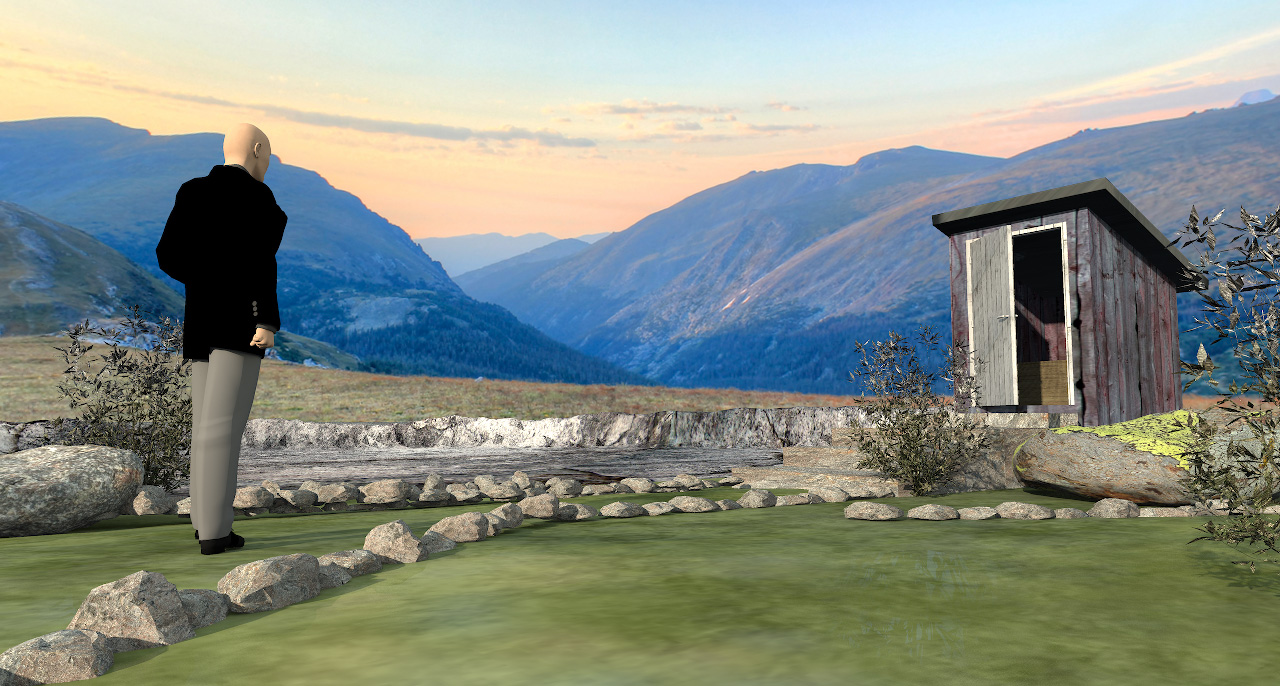
OK, so now the rendering is a bit closer to useable – a bit – but it's not quite there yet.
If I put in a few hours of work, I just might make it work.
I will discuss lighting in a later post – and show examples.
Cec