First of all: Make a new directory for the export.
Then export a Collada file ([font=courier new]dae[/font] ),using the default mode. Be sure to select the preset:[font=courier new]default[/font] . Left unchecked, Poser will most likely crash.
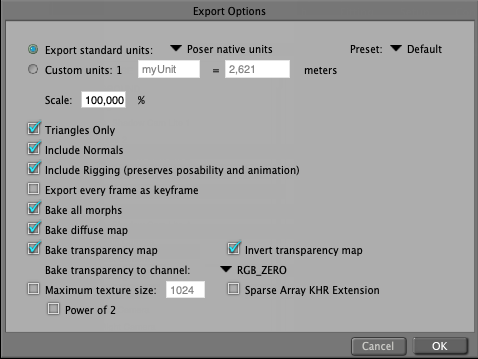
After exporting the [font=courier new]dae[/font] , export an [font=courier new]obj[/font] file, into the same directory.

Importing the [font=courier new].obj[/font] file to SH3D, the textures will be "sort of" correct.
You will most likely have to edit the eyelashes of human models, replacing white with transparent.
If you're lucky, the body part names will be displayed correctly in the Modify furniture window, but don't count on it. Poser is a great piece of software, but it sometimes performs a bit unpredictable when exporting files.
The [font=courier new]dae [/font] export creates all the textures, so you can create various poses and save only the [font=courier new].obj[/font] file to the same directory and re-use the textures.
If this doesn't work the first time, try again.
AND BE SURE TO SAVE YOUR POSER PROJECT PRIOR TO EXPORTING!
Courage!
Cec