Rest assured, I didn't hit myself overly hard.
Sweet Home 3D 6.0
This topic has been viewed 1206164 times and has 196 replies
Re: Sweet Home 3D 6.0
I just copied the new files in the beta-11 directory, thinking that was all I needed to do. I forgot that I needed the Xmx-thing to change memory usage.
Rest assured, I didn't hit myself overly hard.
Re: Sweet Home 3D 6.0
I have been doing some extensive testing of v6 β14 using OSX Mojave, and have found a couple of things I would like to mention:
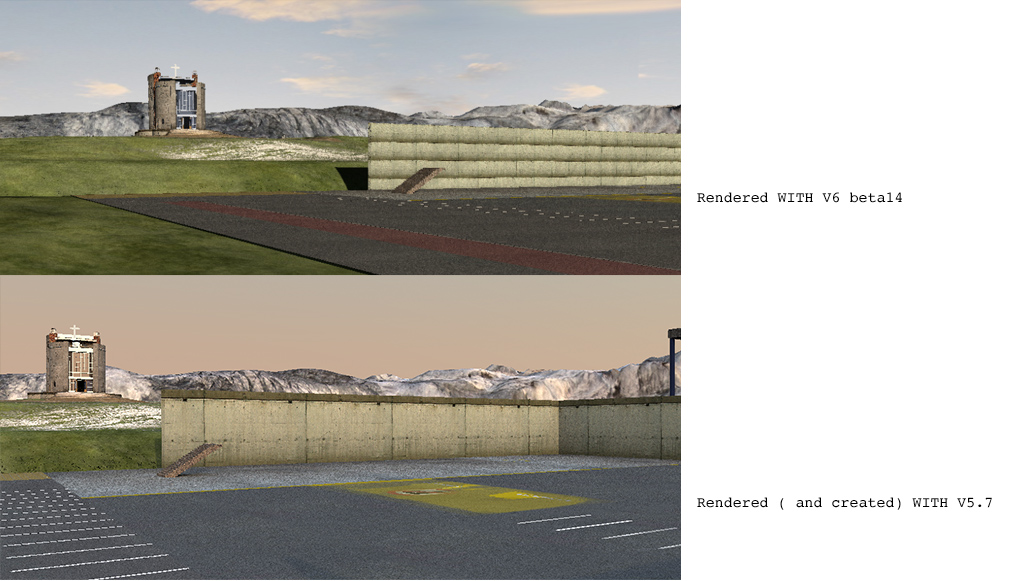
1) β14 does not read textures correct for files created with older versions:

2) When importing furniture, the status of the Continue-button changes before the model has loaded.

3) When cancelling a rendering by mistake, the rendering just stops without offering a chance to reconsider your choice. It's very easy to cancel a render process unintentionally and loose hours of rendering, so this is important!
Part from this: All thumbs up!
Cec
1) β14 does not read textures correct for files created with older versions:

2) When importing furniture, the status of the Continue-button changes before the model has loaded.

3) When cancelling a rendering by mistake, the rendering just stops without offering a chance to reconsider your choice. It's very easy to cancel a render process unintentionally and loose hours of rendering, so this is important!
Part from this: All thumbs up!
Cec
Re: Sweet Home 3D 6.0
3) Rendering stopping without asking can happen also under other OS's, especially in the beginning of the rendering process.
Re: Sweet Home 3D 6.0
Cecilia, thanks for your report.
1) Could you [url=mailto:[email protected]]send me[/url] a demo file with textures that don't behave as in version 5.7?
2) I don't think it's very serious, moreover in the 3rd step of the furniture import wizard.
3) The stop button starts to warn you once the rendering has already lasted 30s.
1) Could you [url=mailto:[email protected]]send me[/url] a demo file with textures that don't behave as in version 5.7?
2) I don't think it's very serious, moreover in the 3rd step of the furniture import wizard.
3) The stop button starts to warn you once the rendering has already lasted 30s.
Emmanuel Puybaret, Sweet Home 3D creator
Re: Sweet Home 3D 6.0
Could you send me a demo file with textures that don't behave as in version 5.7?
I have unfortunately already re-textured all the walls and saved the project with v6.
This IS serious:2) I don't think it's very serious, moreover in the 3rd step of the furniture import wizard.
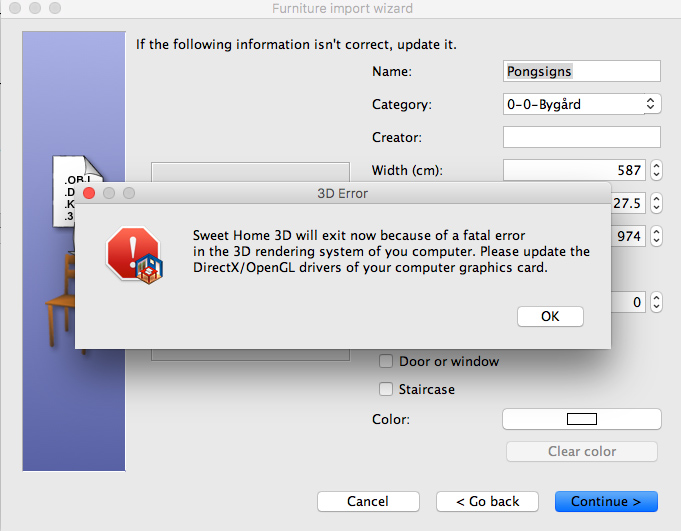
This happens if you press Continue too early.
3) The stop button starts to warn you once the rendering has already lasted 30s.

I noticed. But the warning pop-up is hidden behind the render window.
Cec
- bdfd
- Posts: 2614
- Joined: Sat Mar 29, 2014 7:17 am
- Country: LILLE, Les Hauts de France, Western Europa
Re: Sweet Home 3D 6.0
Hi,
At this day, none problem with v6 beta14 ! [=D>]
1. Furniture import wizard : OK
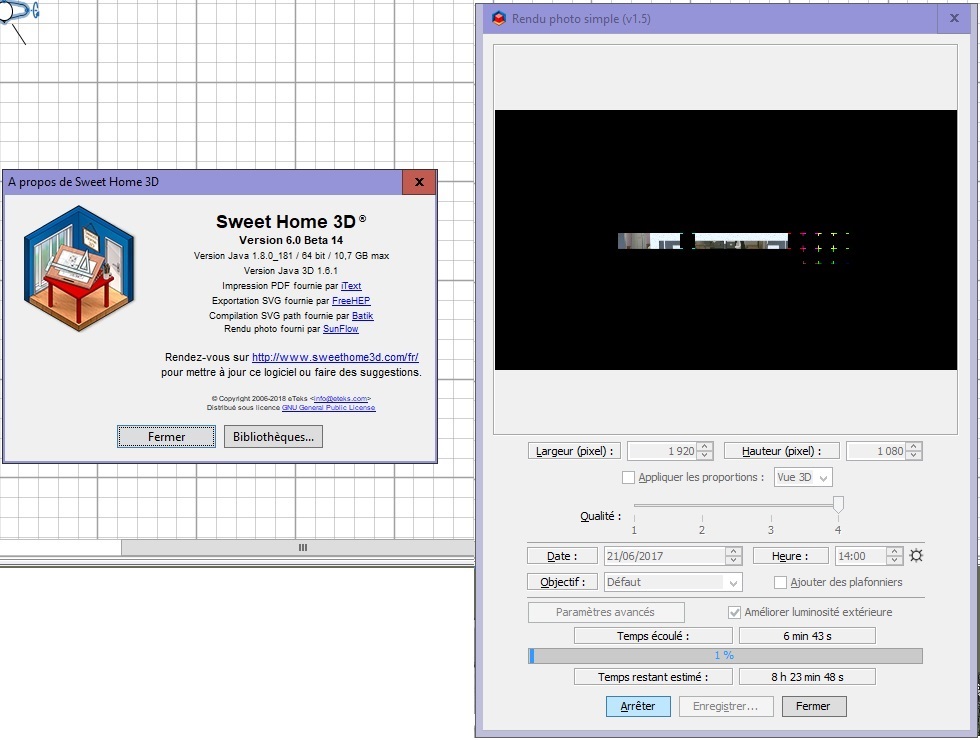
2. Renderings
with standard Q4 : OK.
with PVR 1.5 Q4 : OK (0 to 100%).
=> estimated time given at 1% : 08h23mn. [:(]
=> estimated time given at 2% : 07h01mn. [:D]
=> estimated time given at 3% : 08h13mn ??? [:-/]
[:)]
.
At this day, none problem with v6 beta14 ! [=D>]
1. Furniture import wizard : OK
2. Renderings
with standard Q4 : OK.
with PVR 1.5 Q4 : OK (0 to 100%).
=> estimated time given at 1% : 08h23mn. [:(]
=> estimated time given at 2% : 07h01mn. [:D]
=> estimated time given at 3% : 08h13mn ??? [:-/]
[:)]
.
Evil progresses when good people do nothing!
---
SH3D 7.1 and nothing else - W11 64b in 4K
---
SH3D 7.1 and nothing else - W11 64b in 4K
Re: Sweet Home 3D 6.0
That's what I noticed, so no problem for me.3) The stop button starts to warn you once the rendering has already lasted 30s.
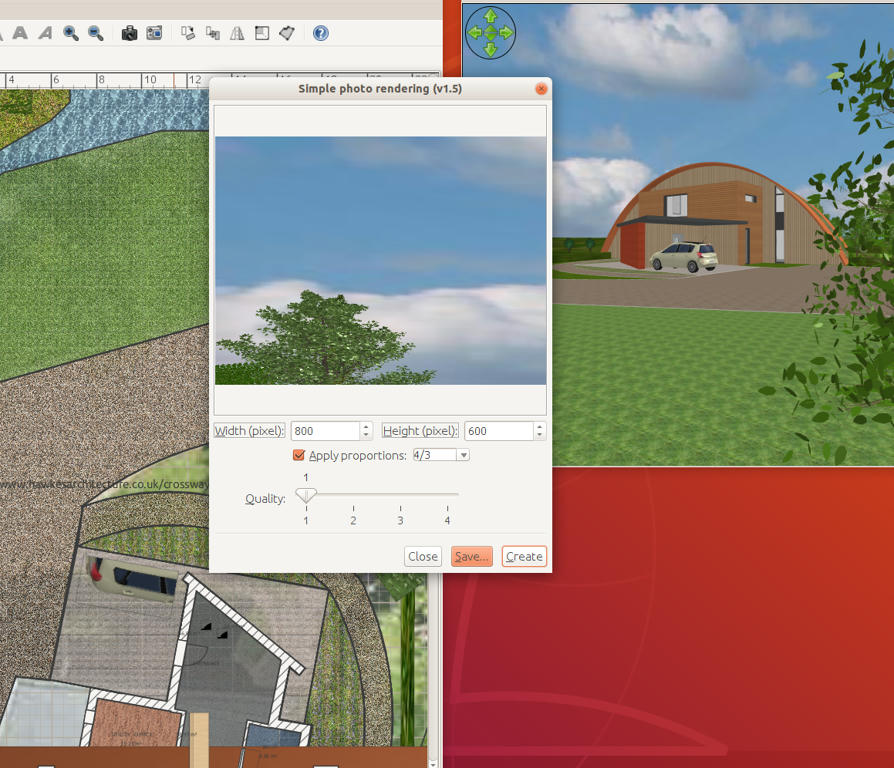
But... I did notice some strange behavior. When I make a quick render using Q1, I get a different picture from what I expect. (See screenshot). However, when I make the same render in Q3 everything is normal.

Re: Sweet Home 3D 6.0
@ Puybaret
Can you check copy/paste from other projects?
I'm unable to copy /paste anything from this project with beta 14.
In v5.7 it works fine.
Cec
Can you check copy/paste from other projects?
I'm unable to copy /paste anything from this project with beta 14.
In v5.7 it works fine.
Cec
Re: Sweet Home 3D 6.0
Cec, I couldn't reproduce the 3D error during furniture wizard. I already saw it happen rarely, but I could force the error myself during the past days. I even tried to press <enter> to continue very quickly between each step, but even this behavior didn't cause problems. Does it happen each time in your case?
I also successfully tested the copy/paste between projects. I suspect you tried to copy something from Sweet Home 3D 5.7 then paste it in a new project running with Sweet Home 3D 6.0 Beta, in which case it can't work. Copy/Paste works only within the same Sweet Home 3D program.
Hans, I couldn't reproduce your issue too. There must be an additional parameter...
I also successfully tested the copy/paste between projects. I suspect you tried to copy something from Sweet Home 3D 5.7 then paste it in a new project running with Sweet Home 3D 6.0 Beta, in which case it can't work. Copy/Paste works only within the same Sweet Home 3D program.
Hans, I couldn't reproduce your issue too. There must be an additional parameter...
Emmanuel Puybaret, Sweet Home 3D creator
Re: Sweet Home 3D 6.0
More or less each time. I can reproduce this error every time I'm importing bigger models. Not so often with smaller.Does it happen each time in your case?
It would be nice if continue didn't work until it was safe to use.
Copy/Paste works only within the same Sweet Home 3D program.
Of course. I even saved the linked project with v6 and re-opened it. After copying a spotlight, the only option I get is to Paste Style – Paste is greyed out on the menu.
Cec
Who is online
Users browsing this forum: No registered users and 1 guest