Sash openings

This topic has been viewed 13930 times and has 27 replies
Thread status: Active
How can I do this? [img]http://www.sweethome3d.com/images/flags/en_small.gif[/img]
Mike53
Posts: 678
Joined: Sat Jan 06, 2018 1:02 am
Country: UK

Re: Sash openings

Post by Mike53 »

Hi Pascal, cheers [:)]

I sussed the additional line, the little bugger was hiding from me.

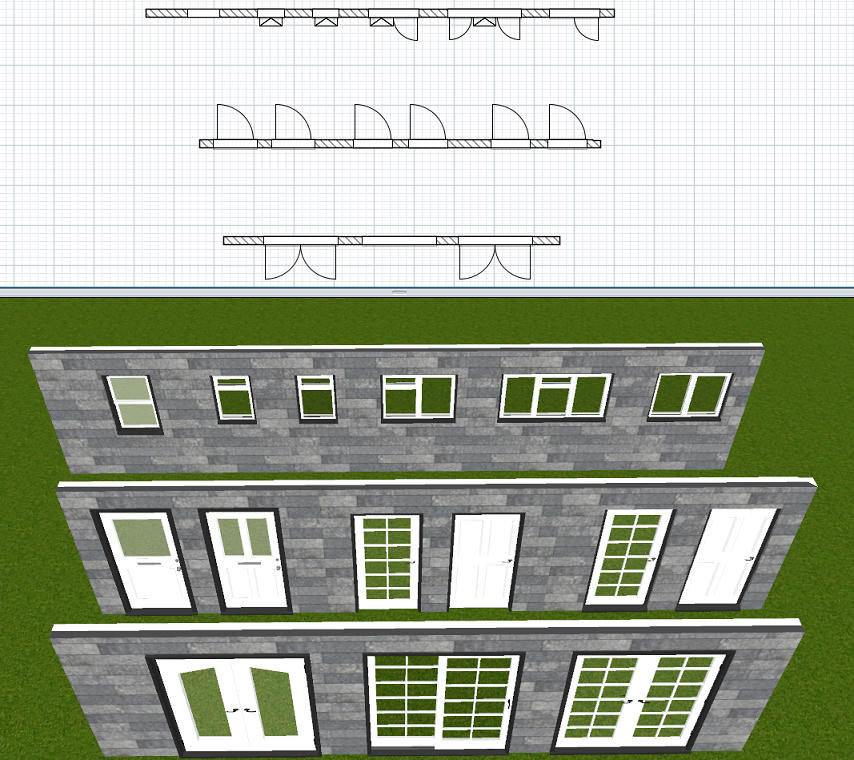
This is now about done, i think the i's are dotted and t's crossed, here is an image and brief description.
Image

3 patio doors 1 sliding, 2 with doors that open out.
Doors, 2 are designated front and back and have frosted glass, though in truth the letter box can be hidden so they act as either, 2 interior, no bottom sill, glazed and panelled, and 2 others with a sill.
Windows, Double glazed windows, bathroom window has 1 layer of frosted glass, The others have a variety of openings.

All the items have inner and outer frames, windows have inner and outer cage, handles and hinges are described as "metal" on nearly all and the glass units in the windows have an outer edging, i believe this is to help prevent condensation.

I'll have another quick look through the sh3f file tomorrow just to check i've missed nothing, then share it here.

Mike. [:)]
okh
Posts: 1545
Joined: Sun May 12, 2013 9:43 pm

Re: Sash openings

Post by okh »

Thanks for the story. I'm aware that editing sash values is difficult for a beginner, and a graphical tool would be more handy than editing values with a text editor.
Please, understand that I'm more motivated to improve Sweet Home 3D than the Furniture Library Editor.
Glad to hear that. Actually, I think I would turn this around. How many other pieces of software uses data-structures where even amateurs with no coding experience can customise like this - and succeed.

Is editing advanced SH3D furniture properties difficult? Well, yes and no. This kind of customisation is more difficult than the beautifully simple interface when using SH3D for normal purposes. And as Mike humorously points out, it can be a bit overwhelming at first. Especially when one little character is wrong. At the same time, it is not that difficult either. Many examples in the forum bear witness to that. Once you know how, it is reasonably straightforward - and very pleasing to get the result you want.

ok
Mike53
Posts: 678
Joined: Sat Jan 06, 2018 1:02 am
Country: UK

Re: Sash openings

Post by Mike53 »

Who you calling amateur, i'll have you know that in the last 53 years i have amassed minutes of experience [:p]

I guess the point i was trying to make, is that if an old fart with dyscalculia like me can.....anyone can......with a little patience and/or ranting.
With the software as it is, in about 48 hrs, i was able to not only, use it to interpret the swings, with a lot of forum and email help, but also to take it a stage further and add the small window attributes that, not only have i never read mentioned here but never seen on a model.
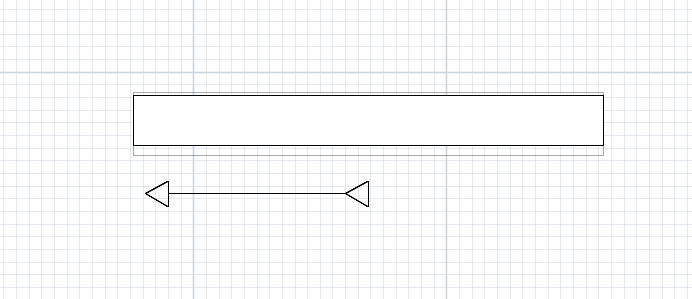
Now i have the bug. I am trying to figure a way to create an arrow, with either 3 or 4 lines, positioned in front of a sliding door/window that will show both its start and finish positions, never satisfied lol.

Mike
Dadv
Posts: 51
Joined: Sat Nov 24, 2018 2:07 pm

Re: Sash openings

Post by Dadv »

Hi Mike53,
I have done a little app that should help you in doing what you want : Here

It's Windows only, and my localization is not completely done sorry...
But have a look on it and tell me if it could do the job :)

BR,

Dadv
Mike53
Posts: 678
Joined: Sat Jan 06, 2018 1:02 am
Country: UK

Re: Sash openings

Post by Mike53 »

Hi Dadv
Thank you for the offer, i will give it a go if the language can be changed in future.

Result of arrow test

Image

It's not on the model, but it's a thought.

Mike
Dadv
Posts: 51
Joined: Sat Nov 24, 2018 2:07 pm

Re: Sash openings

Post by Dadv »

No pb,

Well if someone want to translate it in different language here the csv file : CSV

Send me the translate file with country code (ex: US-en).

Thx to all :)
Dadv
Posts: 51
Joined: Sat Nov 24, 2018 2:07 pm

Re: Sash openings

Post by Dadv »

Finally you can find my last version on this post

Now translate in English [:)] (and also in French)
shakeel
Posts: 2
Joined: Fri Jul 14, 2023 8:02 am
Country: Pakistan

Re: Sash openings

Post by shakeel »

Correct, forget about it; I give up. Eight hours of my life have been spent, and I now have to recreate the sh3d file because it has vanished for what seems like the millionth time. sad .
Regarding building a sash window...
Post Reply New Topic

Who is online

Users browsing this forum: No registered users and 2 guests