interior rendering... photorealistic ?
This topic has been viewed 54554 times and has 33 replies

Re: interior rendering... photorealistic ?
Very nice Martin. This soft light gives a nice winter atmosphere [:)]
Emmanuel Puybaret, Sweet Home 3D creator

Re: interior rendering... photorealistic ?
Thank you so much @Emmanuel. I still try to find the best combination for sh3d and Thea. [:)]

Re: interior rendering... photorealistic ?
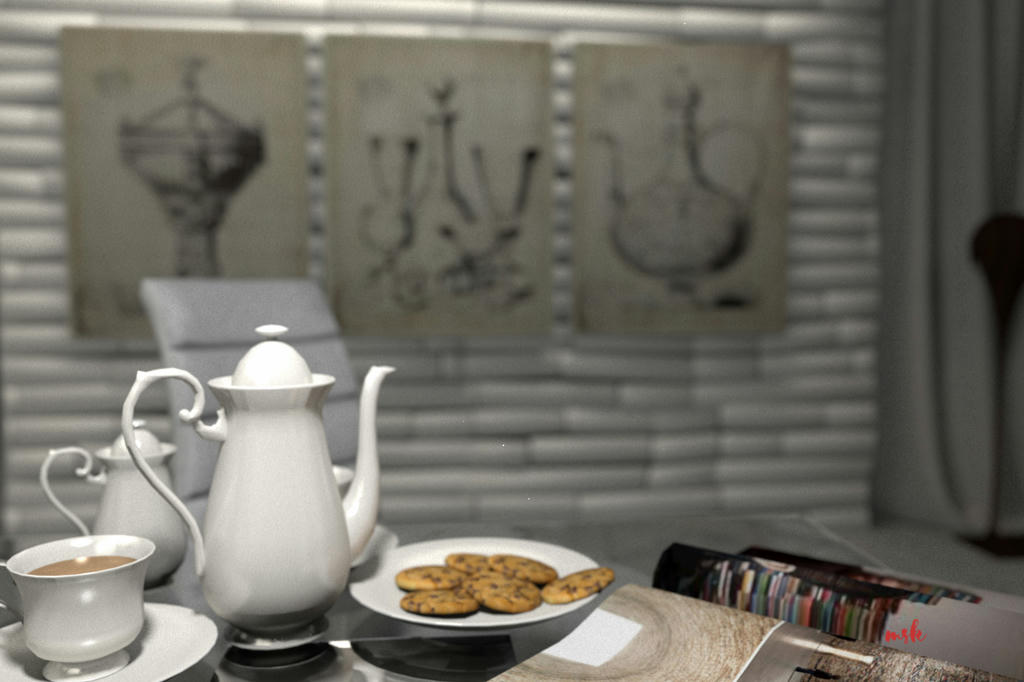
Hi Martin,Dear users... There is no philosophy here... There is no story here... Just rendering fun. I decide to create this new thread because I still try to create new pictures with 1.3.2 renderer with a lots of different settings and still looking for the best results. With my new comp with faster and better graphic cards I am able to use more difficult settings here and try to find the way how to make the best of everything what sweet home 3d offers to all of us...and share some of my results here... I am not professional user and the graphic of my comp is mid ranged. The technical parameters of system are intel core i7 6700HQ and NVIDIA GEFORCE GTX 960M [for IT specialists] and are installed in Lenovo ideapad Y700...
I read and watch a lots of good projects,ideas and pictures of you so I hope it could be interesting for you to see this new thread with some new pics... And maybe you put some comments or good advicess here how to make it better.
I start this new thread with this 'proto picture"
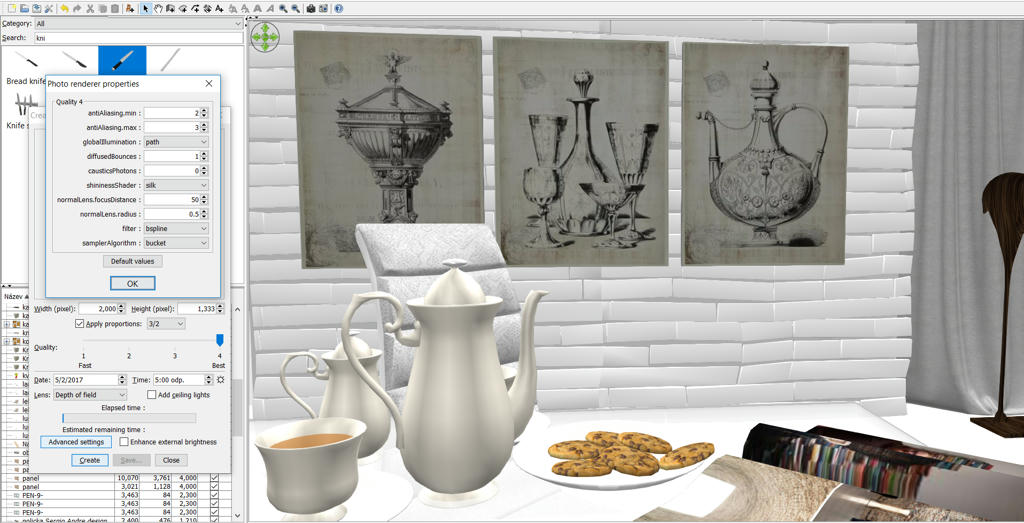
And for all of you I made a screenshot with complete settings of renderer... Maybe it will be benefical for some of you who are still trying to find the best look of your projects.
And I am so sorry to @bdfd that there is not very big greenpeace theory or ideology here. [:x] Just only the ambition how to create some design...and transform it from 2D to 3D without the help of Blender,Lumion or other rendering systems...
I know I am late on this post but I discovered your amazing renderings only now in this forum. I would like to realize something similar one day... but I imagine it the road to reach this day will be hard...
Anyway, I tried to use the advanced rendering setting your parameter shown in the image, but when I choose global illumination to path the results are:
1) the rendering process does not start;
2) the rendering process starts but the image seems to be very dark.
Can you tell me how did you use the indirect lights in this rendering and in general? How can I find the right combination of lights to realize something similar, even remotely similar?
Thank you, and love your designs!

Re: interior rendering... photorealistic ?
Hi... I was not here on this forum for ages. Huh... the only answer if the picture seems to be dark for me is...you have to use stronger lights maybe....
Martin
Martin
Who is online
Users browsing this forum: No registered users and 1 guest