Is it possible to get the image larger?
If I open the 3D view and zoom in and then render, I get the pixelation again and it doesn't seem any larger?
I'm probably doing it incorrectly!
https://www.dropbox.com/s/ol5nlzs1yn397 ... 2.png?dl=0
Thanks.
Re: Background Pixelation
This topic has been viewed 19250 times and has 43 replies
-
UbuntuBirdy

- Posts: 421
- Joined: Thu Aug 31, 2017 10:31 pm
- Country: Switzerland
- Contact:
Re: Background Pixelation
It's faster than my Ryzen system (8 core / 16 threads but 3.6 - 4.0 GHz)It's faster than my fathers new 7000€ Dell 18 core on both CPU and GPU rendering.
Eventually your 128GB memory (I have only 32GB) are the key for fast renderings...
Pascal
SH3D 6.6 / Ubuntu 22.04 (Mainline-Kernel) / Radeon RX580 / Ryzen 7 5800x
SH3D 6.6 / Ubuntu 22.04 (Mainline-Kernel) / Radeon RX580 / Ryzen 7 5800x

Re: Background Pixelation
Just rendered 3440 x 1440. No pixelation.
KWS-4K.png
It's impossible to say what you are doing wrong.
Cec
KWS-4K.png
It's impossible to say what you are doing wrong.
Cec
-
UbuntuBirdy
- Posts: 421
- Joined: Thu Aug 31, 2017 10:31 pm
- Country: Switzerland
- Contact:
Re: Background Pixelation
Cec, I can reproduce the pixelation on my system even with your fixed file.
If I delete all the floors, the problem has gone. If I recreate the floors, the problem reappears.
If I delete all the floors, the problem has gone. If I recreate the floors, the problem reappears.
Pascal
SH3D 6.6 / Ubuntu 22.04 (Mainline-Kernel) / Radeon RX580 / Ryzen 7 5800x
SH3D 6.6 / Ubuntu 22.04 (Mainline-Kernel) / Radeon RX580 / Ryzen 7 5800x
-
UbuntuBirdy
- Posts: 421
- Joined: Thu Aug 31, 2017 10:31 pm
- Country: Switzerland
- Contact:
Re: Background Pixelation
Cec, this is your file, just opened and directly rendered:
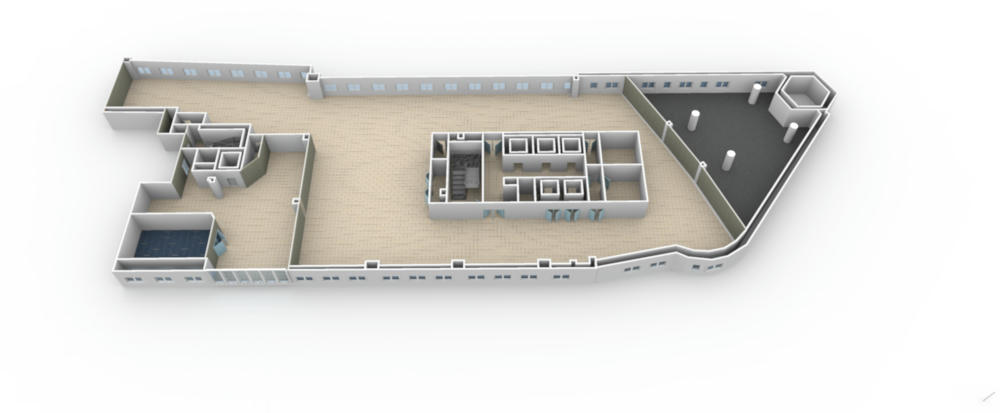
...as you said, no problem.
But zoomed in only a little bit:
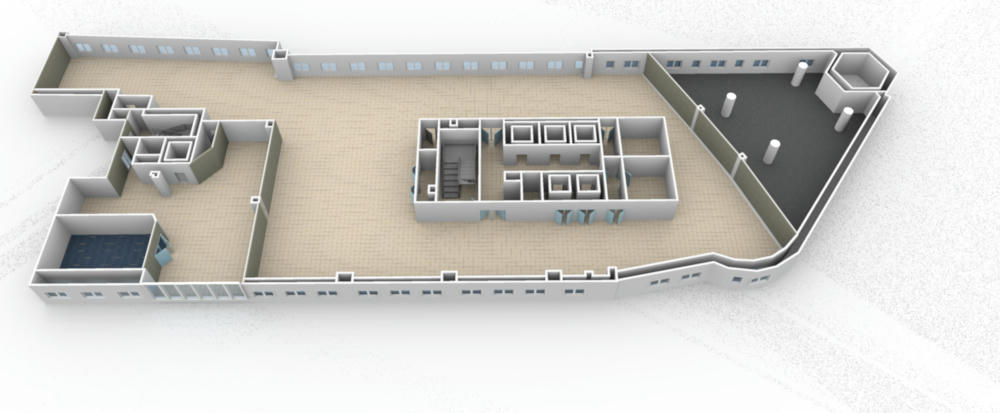
... the problem reappears.
The biggest floor is a little bit displaced, so I tested if this can be the problem. But neither push it to the right position, nor delete the floor and rebuild it helps.
If you create a second level and then increase the original level by 1mm, you can see strange "rays" on the floors in the 3d view:
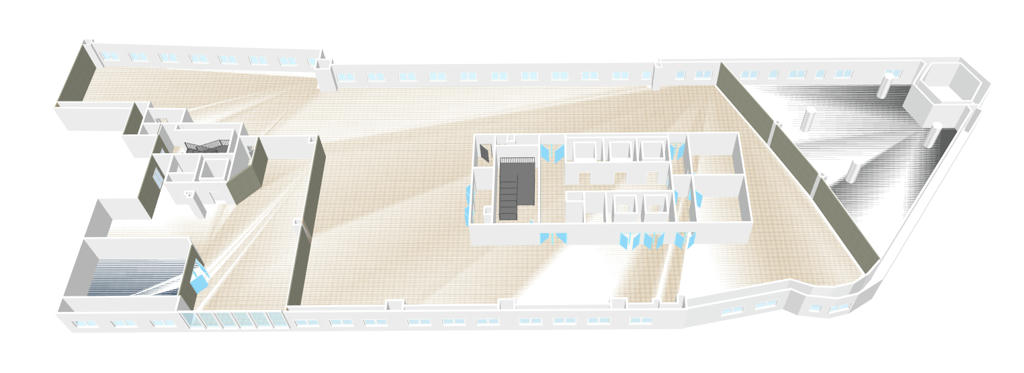
I suspect this has something to do with the problem, but I still can not figure out what exactly caused it.
...as you said, no problem.
But zoomed in only a little bit:
... the problem reappears.
The biggest floor is a little bit displaced, so I tested if this can be the problem. But neither push it to the right position, nor delete the floor and rebuild it helps.
If you create a second level and then increase the original level by 1mm, you can see strange "rays" on the floors in the 3d view:
I suspect this has something to do with the problem, but I still can not figure out what exactly caused it.
Pascal
SH3D 6.6 / Ubuntu 22.04 (Mainline-Kernel) / Radeon RX580 / Ryzen 7 5800x
SH3D 6.6 / Ubuntu 22.04 (Mainline-Kernel) / Radeon RX580 / Ryzen 7 5800x
Re: Background Pixelation
Try THIS file, and see if it helps.
I'm just guessing now, since I'm not able to reproduce the problem.
Cec
I'm just guessing now, since I'm not able to reproduce the problem.
Cec
Re: Background Pixelation
I suspect this has something to do with the problem, but I still can not figure out what exactly caused it.
Maybe deleting the background image will help?
C
-
UbuntuBirdy
- Posts: 421
- Joined: Thu Aug 31, 2017 10:31 pm
- Country: Switzerland
- Contact:
Re: Background Pixelation
No luck, as before, just opened the file, switched from q3 to q4 and rendered:
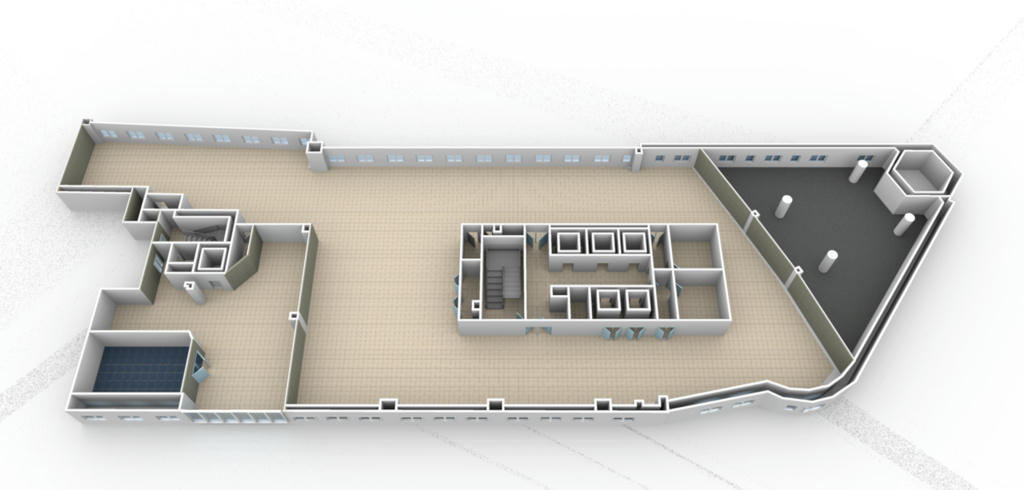
Deleting the bg-image does not change anything.
I do not know what else to try, so I have to give up for the moment...
Deleting the bg-image does not change anything.
I do not know what else to try, so I have to give up for the moment...
Pascal
SH3D 6.6 / Ubuntu 22.04 (Mainline-Kernel) / Radeon RX580 / Ryzen 7 5800x
SH3D 6.6 / Ubuntu 22.04 (Mainline-Kernel) / Radeon RX580 / Ryzen 7 5800x


Re: Background Pixelation
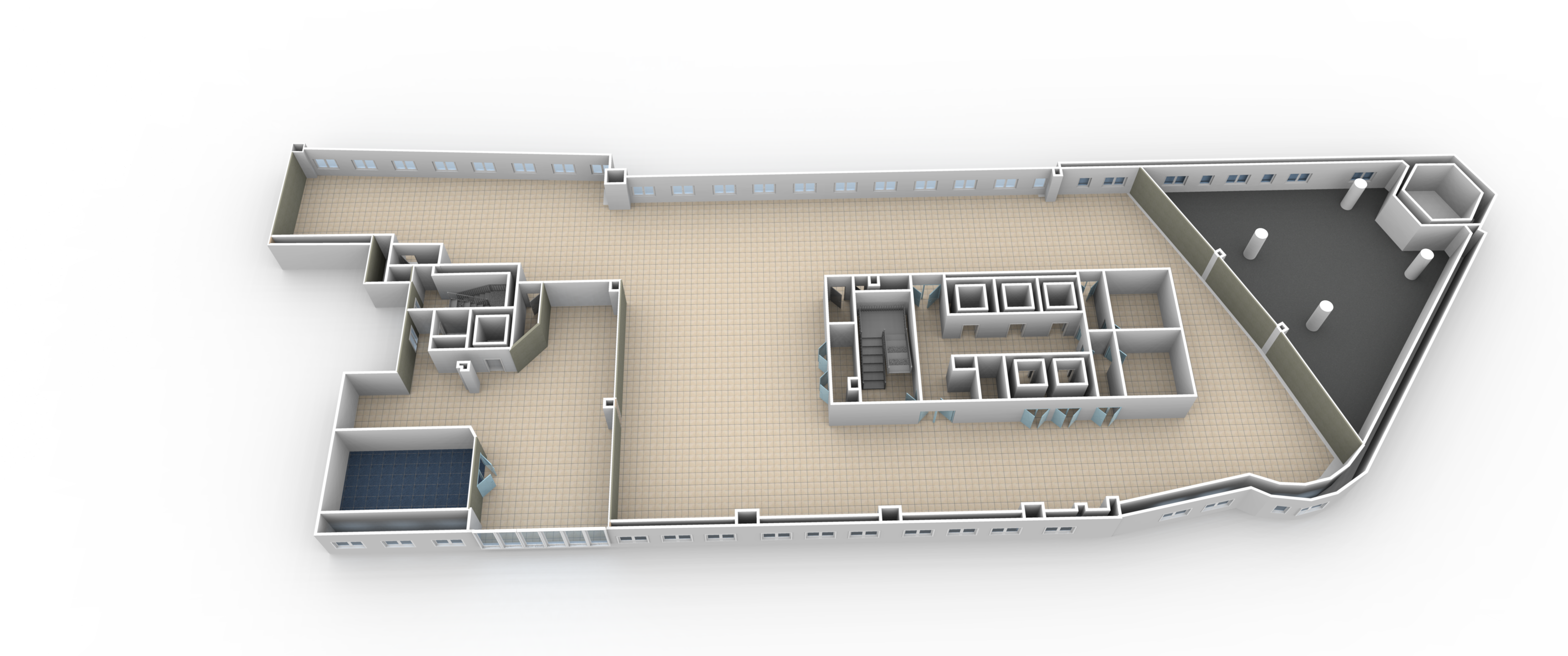
Simpler than that: create a rectangle room that surrounds all your design as in the attached file.Do you mean create a large white image .png and use this as the background, then copy and paste everything on to that?I would suggest to create a large white zone around you building, and cut / paste everything else on top of that.
- Attachments
-
- KWS_1stFloor - TEST.sh3d
- (825.34 KiB) Downloaded 79259 times
Emmanuel Puybaret, Sweet Home 3D creator
Re: Background Pixelation
I'm pretty sure that these "noisy rays" come from how the ground is cut around your home with large triangles that goes from the house border to the far away border of the scene.
I noticed that kind of noisy effect in other situations with SunFlow at very high points of view, and it's a reason why I limited the eyes elevation to 100m.
Introducing a rectangle room will produce a much simpler cut out in the ground around that rectangle, with smaller triangles around the house which will remain in that rectangle.
I noticed that kind of noisy effect in other situations with SunFlow at very high points of view, and it's a reason why I limited the eyes elevation to 100m.
Introducing a rectangle room will produce a much simpler cut out in the ground around that rectangle, with smaller triangles around the house which will remain in that rectangle.
Emmanuel Puybaret, Sweet Home 3D creator
Who is online
Users browsing this forum: No registered users and 1 guest