Yes I know.
It was showing what it looked like when I made the face invisible.
A Better Render
This topic has been viewed 70113 times and has 51 replies

Re: A Better Render
For example, if you hide the materials named "edge_color0002555", "edge_color353535255", "material" and "material_0" of "Data Server Tower" objects, it will render correctly.
Emmanuel Puybaret, Sweet Home 3D creator
-
stef.salmon
- Posts: 117
- Joined: Tue Apr 17, 2018 1:53 pm
- Country: UK
Re: A Better Render
I did what you suggested and it has rendered correctly apart from the object at the top of the image, but I guess that is also to do with something inside the object? See image.
https://www.dropbox.com/s/84lf35m0oxbvw ... 1.png?dl=0
How did you know that was the problem and how can I avoid this in the future?
Thanks.
https://www.dropbox.com/s/84lf35m0oxbvw ... 1.png?dl=0
How did you know that was the problem and how can I avoid this in the future?
Thanks.
Re: A Better Render
DAE files exported from SketchUp have often this problem.
Emmanuel Puybaret, Sweet Home 3D creator
-
stef.salmon
- Posts: 117
- Joined: Tue Apr 17, 2018 1:53 pm
- Country: UK
Re: A Better Render
which model files are better?
Do you know of anyone that can produce decent models for use in SH3D?
Do you know of anyone that can produce decent models for use in SH3D?
Re: A Better Render
Aren’t the 3D models that you found decent enough, once you adjusted their materials?
You could ask to Scopia but I don’t think they will design them for free. Designing 3D models is a long task.Do you know of anyone that can produce decent models for use in SH3D
Emmanuel Puybaret, Sweet Home 3D creator
-
stef.salmon
- Posts: 117
- Joined: Tue Apr 17, 2018 1:53 pm
- Country: UK
Re: A Better Render
Yeah I guess they are good enough.
Our company would pay to have them modelled.
I will contact Scopia.
Thanks.
Our company would pay to have them modelled.
I will contact Scopia.
Thanks.
-
stef.salmon
- Posts: 117
- Joined: Tue Apr 17, 2018 1:53 pm
- Country: UK
Re: A Better Render
The object at the top of the image that hasn't rendered correctly only has 3 editable items. What can I do in this case as I've tried to hide the edge_color585858255 but that makes no difference to the render?
https://www.dropbox.com/s/84lf35m0oxbvw ... 1.png?dl=0
https://www.dropbox.com/s/84lf35m0oxbvw ... 1.png?dl=0
Re: A Better Render
The faces associated to Color_007 material are probably double sided and fight with the face using PDU material. You should duplicate the object, move it 1 mm away and view only PDU material on the copy.
Emmanuel Puybaret, Sweet Home 3D creator


Re: A Better Render
Your models are really very simple constructions, thus very easy to re-construct in SH3D.
Select a model, like the Data Server Tower. Export it as an obj-file.
Choose a box, import it to your project, and select modify.
Apply the same dimensions to the box, as the dimensions of the Data Server Tower, and select Modify.
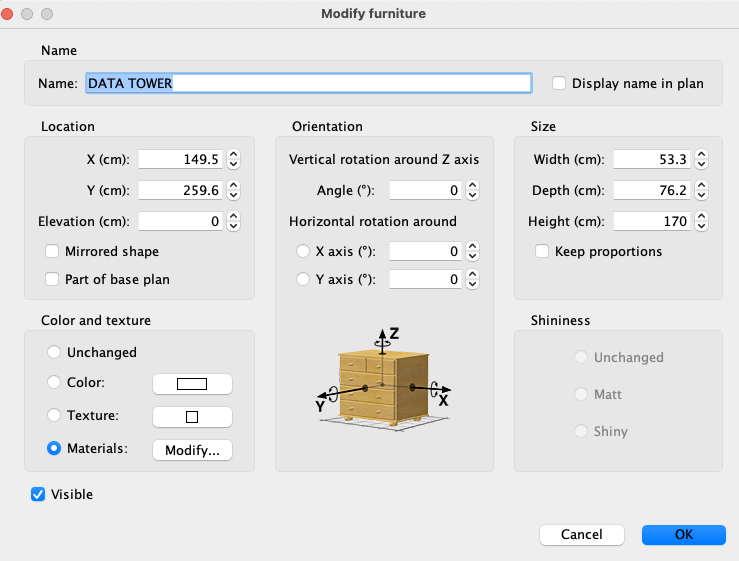
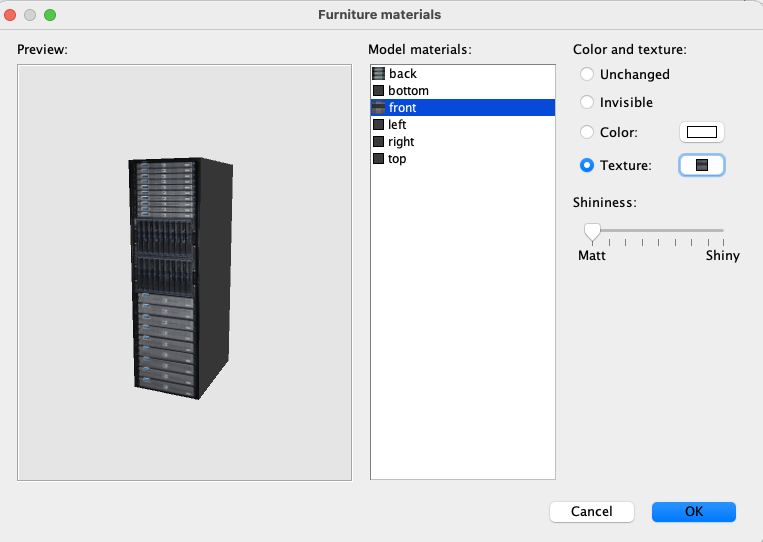
Apply a grey colour ( or whatever colour you prefer) to everything but the front and the back, and then select front. Click on texture, and select import. Find the image file that was exported with your model, and apply it to the front. Then do the same with the back. Make sure to set all shininess to zero.
Select OK.
Do the same for the PDU, and voila: Your models will now render just fine.
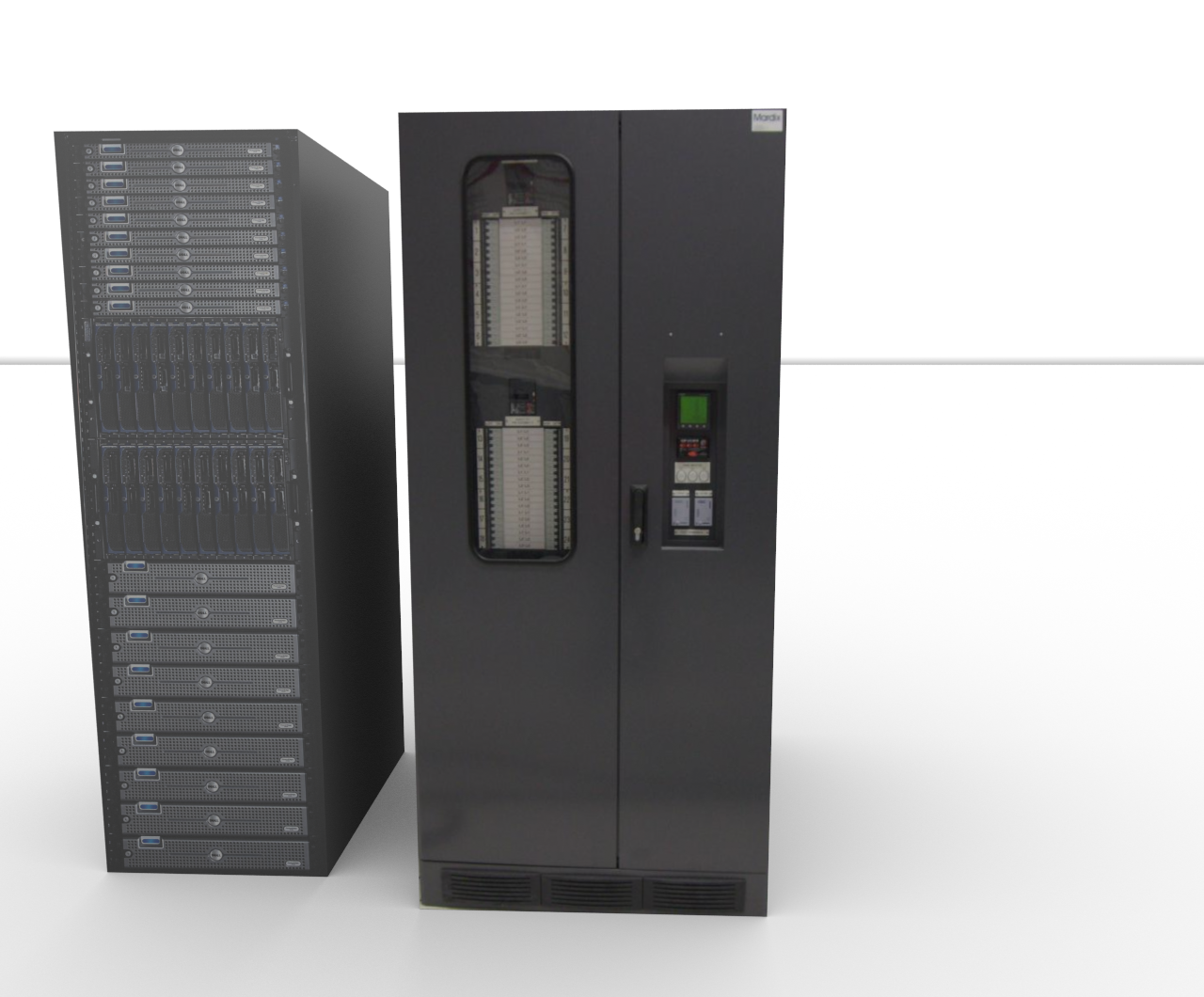
I have already done it for you: PDU+ServerTower
.
Select a model, like the Data Server Tower. Export it as an obj-file.
Choose a box, import it to your project, and select modify.
Apply the same dimensions to the box, as the dimensions of the Data Server Tower, and select Modify.
Apply a grey colour ( or whatever colour you prefer) to everything but the front and the back, and then select front. Click on texture, and select import. Find the image file that was exported with your model, and apply it to the front. Then do the same with the back. Make sure to set all shininess to zero.
Select OK.
Do the same for the PDU, and voila: Your models will now render just fine.
I have already done it for you: PDU+ServerTower
.
Who is online
Users browsing this forum: No registered users and 1 guest