|
Sweet Home 3D Forum » List all forums » » Forum: Developers » » » Thread: Multiplier plugin |
||
| Print at Dec 16, 2025, 3:25:22 AM |
|
|
| Posted by dorin at Sep 29, 2020, 6:48:03 PM |
|
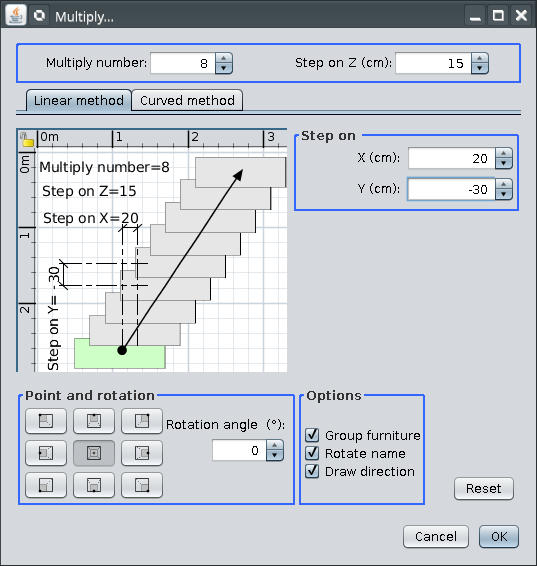
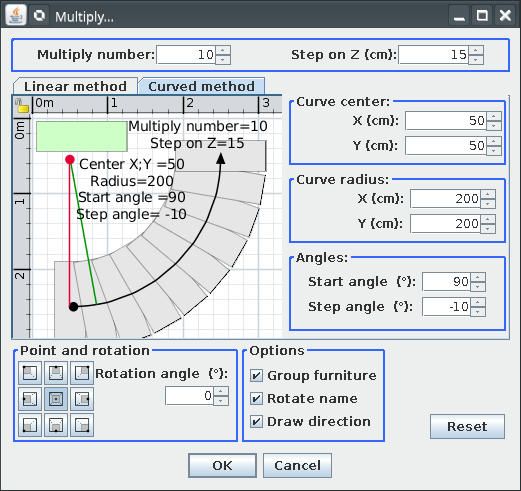
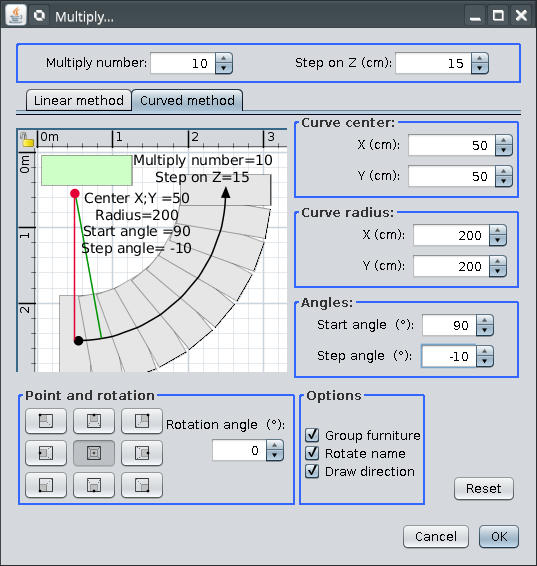
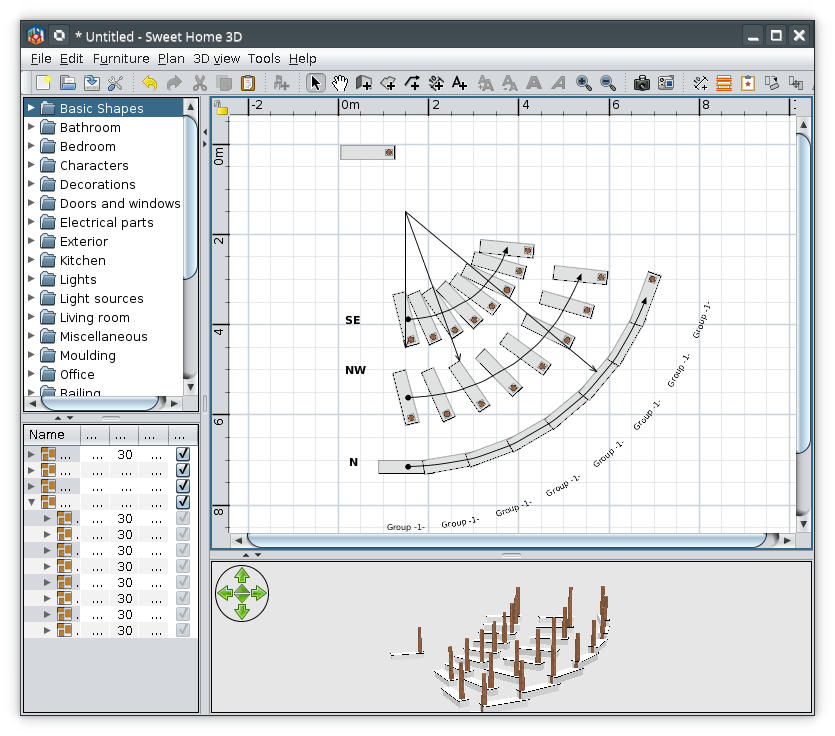
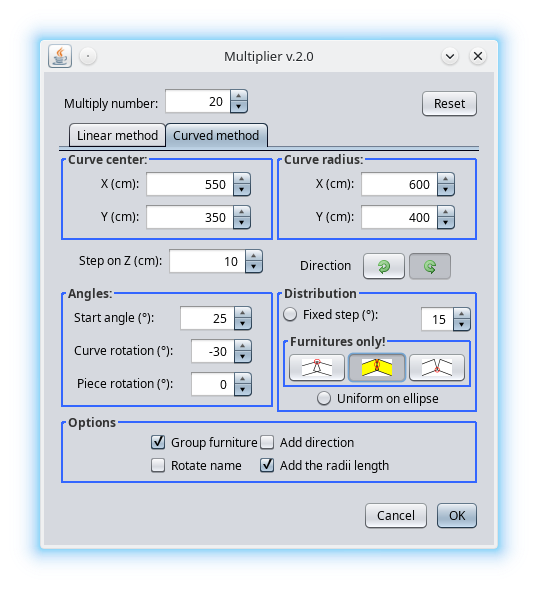
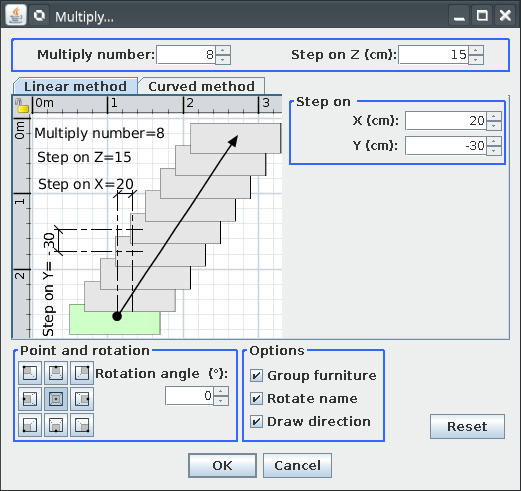
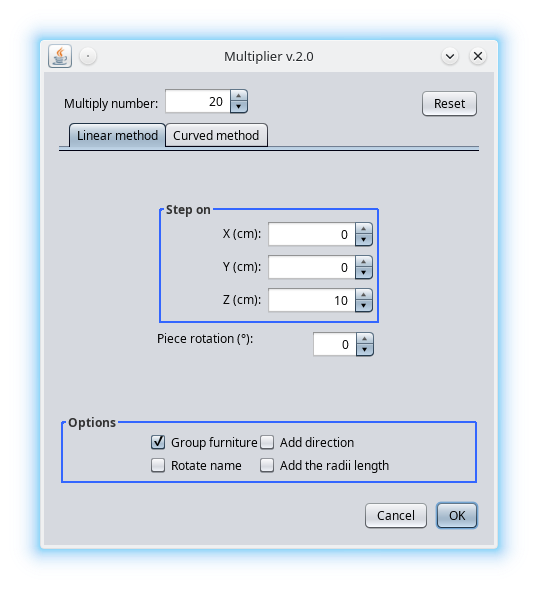
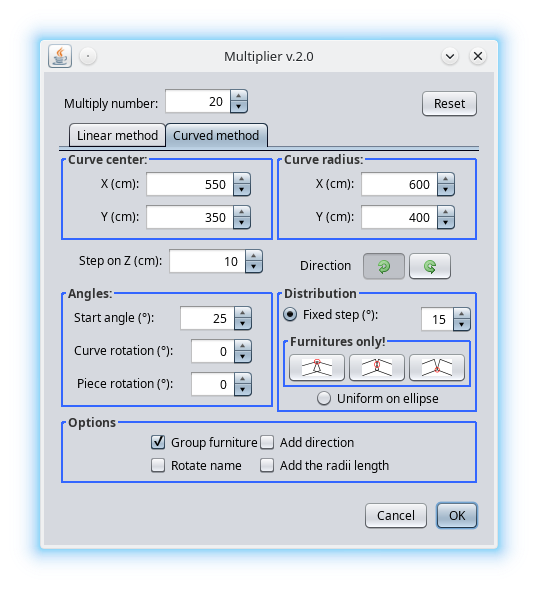
Multiplier plugin Preamble: I'm not a programmer, almost all line of cods are stolen (including from me), especially from Emmanuel and Tobias. I've rewrite it from scratch. So, I've split the Paste special and distribute plugin on two separate plugins. This one is Multiplier plugin v1 which replace Paste special action. Also have some news: 1. The most important: it work with selection and no more with copy; 2. Are under Tool->Multiply... 3. I've add some improvement which I invite You to discover. It look like this (on default and nimbus look&fill) ![]() ![]() and here are a screenshot: ![]() I must mention the point position are relevant only for curved method. You are invited to risk and discover bugs but don't make illusion from me to solve them. ---------------------------------------- A computer program does what you tell it to do, not what you want it to do. Murphy's Law When all else fails, read the instructions. Murphy's Law If you don't like "AS IS", DIY. Dorin's law |
| Posted by Gildaniel at Sep 30, 2020, 11:01:58 AM |
|
Re: Multiplier plugin Dear Dorin! Thank you for very usefull plugin! I often need to copy log walls to exact distance (to next building axis) - this tool is more handy for this Is it possible to make user button on button bar somehow? |
| Posted by dorin at Sep 30, 2020, 11:30:56 AM |
|
Re: Multiplier plugin Look on the toolbar and You will find it (something yellow with a red star) ---------------------------------------- A computer program does what you tell it to do, not what you want it to do. Murphy's Law When all else fails, read the instructions. Murphy's Law If you don't like "AS IS", DIY. Dorin's law |

| Posted by Gildaniel at Sep 30, 2020, 2:55:35 PM |
|
Re: Multiplier plugin Great, found it! |
| Posted by harbinger at Sep 30, 2020, 9:21:10 PM |
|
Re: Multiplier plugin This is a wonderful intermediate workaround until we get a standard feature in SH3D (as I wished for here). I intend to be using this alot, and hope you keep perfecting it! ![]() |
| Posted by dorin at Nov 21, 2020, 8:16:58 PM |
|
Re: Multiplier plugin New version Multiplier v1.1 on mediafire and Multiplier v1.1 on sourceforge. I fixed a bug in the order of creation. Thanks Emmanuel to open my eyes .---------------------------------------- A computer program does what you tell it to do, not what you want it to do. Murphy's Law When all else fails, read the instructions. Murphy's Law If you don't like "AS IS", DIY. Dorin's law |
| Posted by dorin at Apr 24, 2021, 9:05:13 AM |
|
Re: Multiplier plugin New version 1.2 -add a better undo/redo -add a "M" on icon to avoid confusion Also on Source Forge ---------------------------------------- A computer program does what you tell it to do, not what you want it to do. Murphy's Law When all else fails, read the instructions. Murphy's Law If you don't like "AS IS", DIY. Dorin's law |
| Posted by Puybaret at Apr 24, 2021, 1:28:42 PM |
|
Re: Multiplier plugin Thank you Dorin for this update ![]() ---------------------------------------- Emmanuel Puybaret, Sweet Home 3D creator |
| Posted by dorin at Dec 7, 2023, 7:55:54 PM |
|
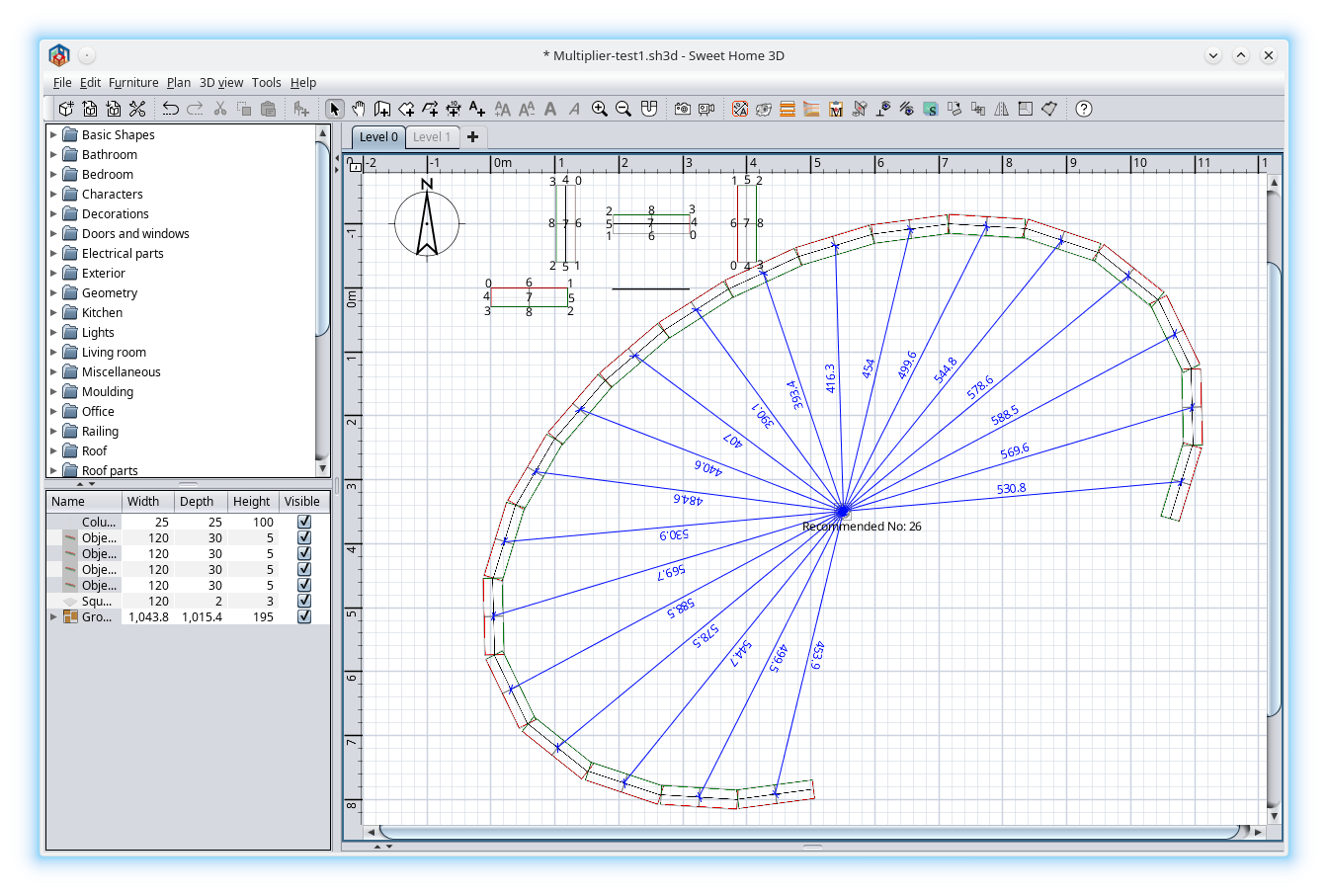
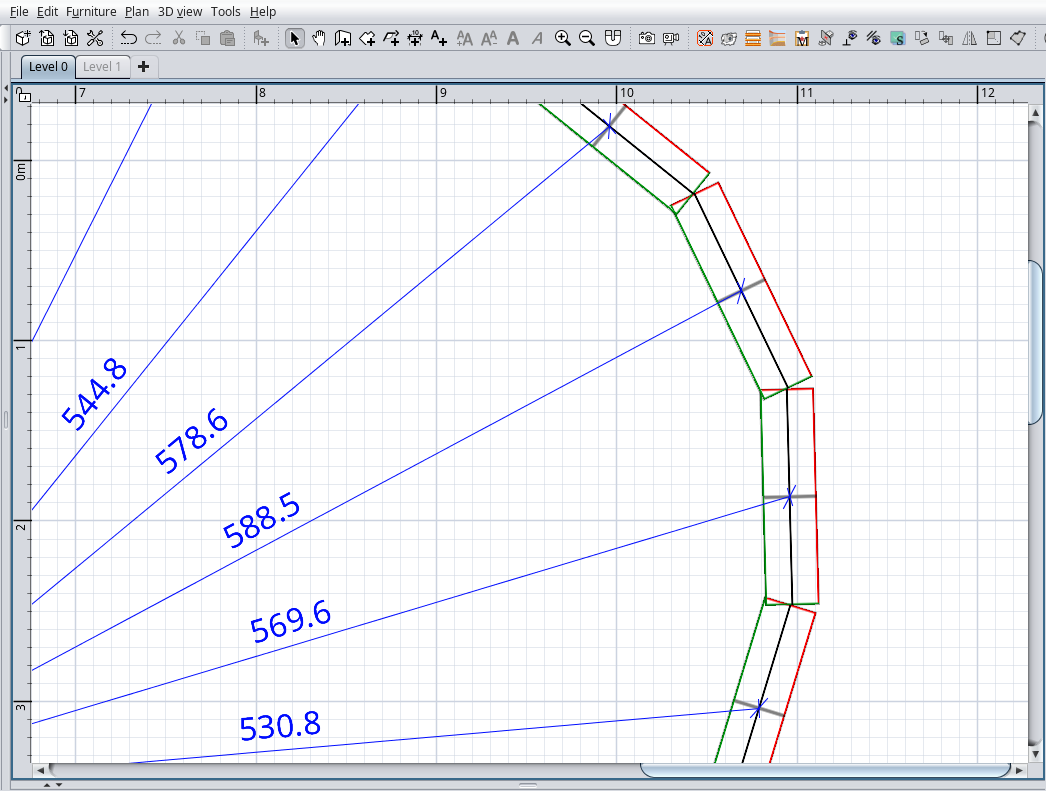
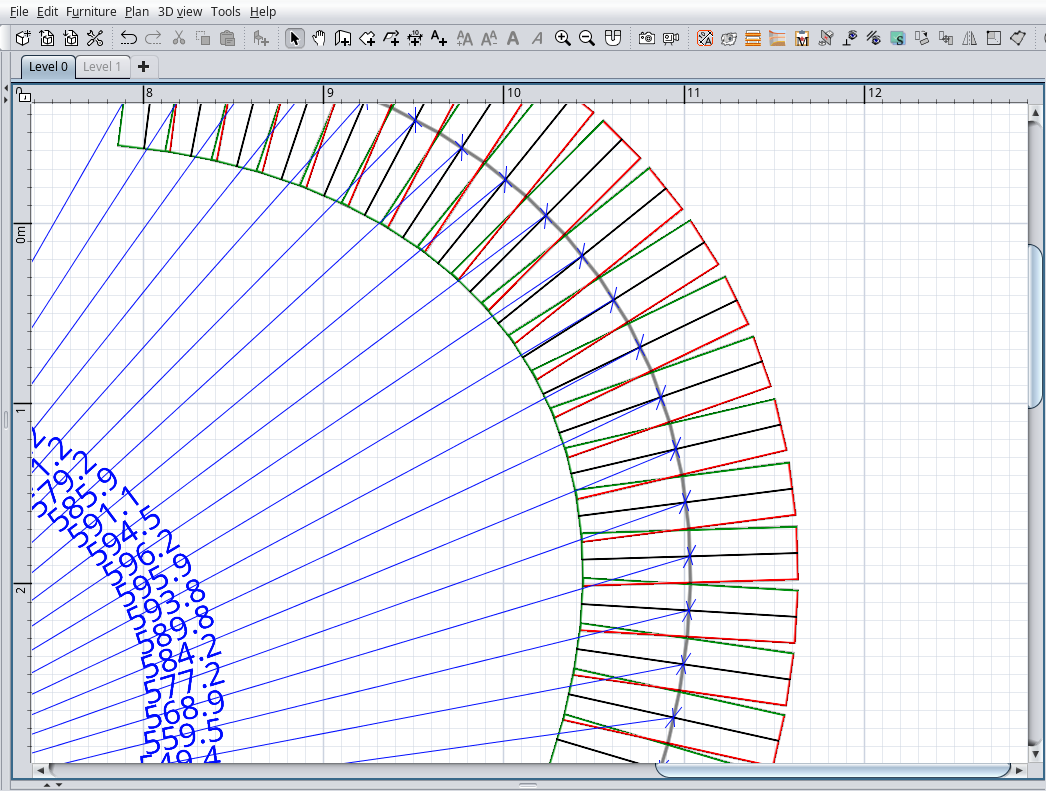
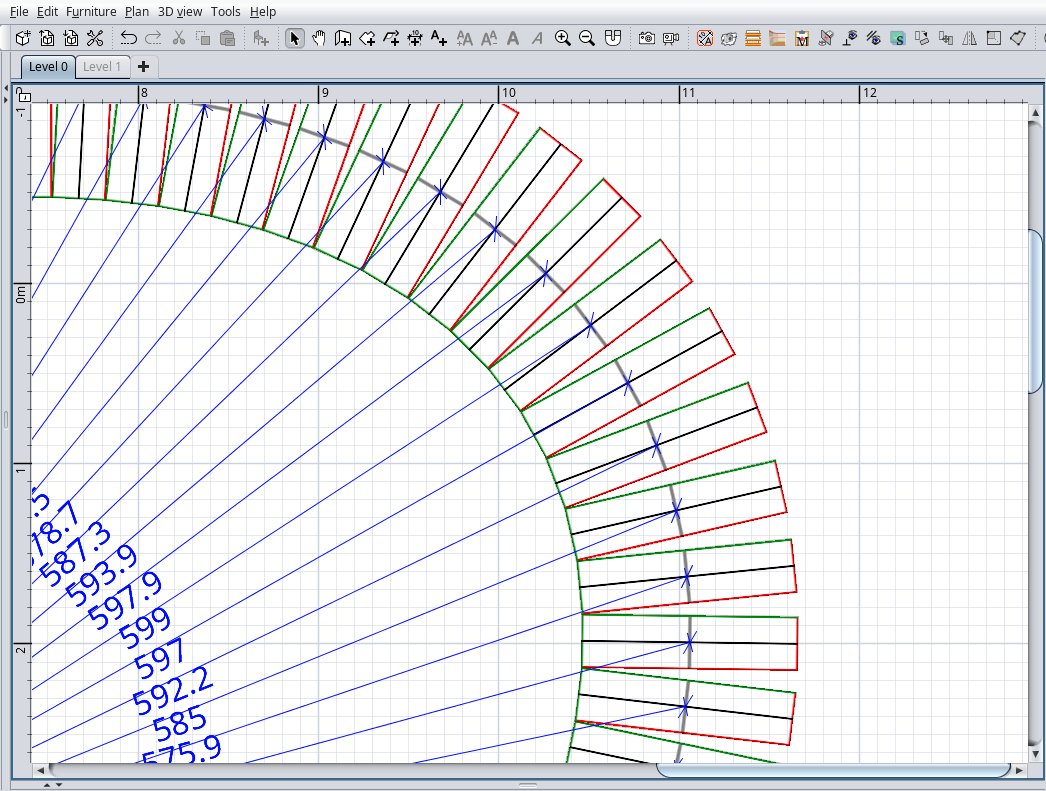
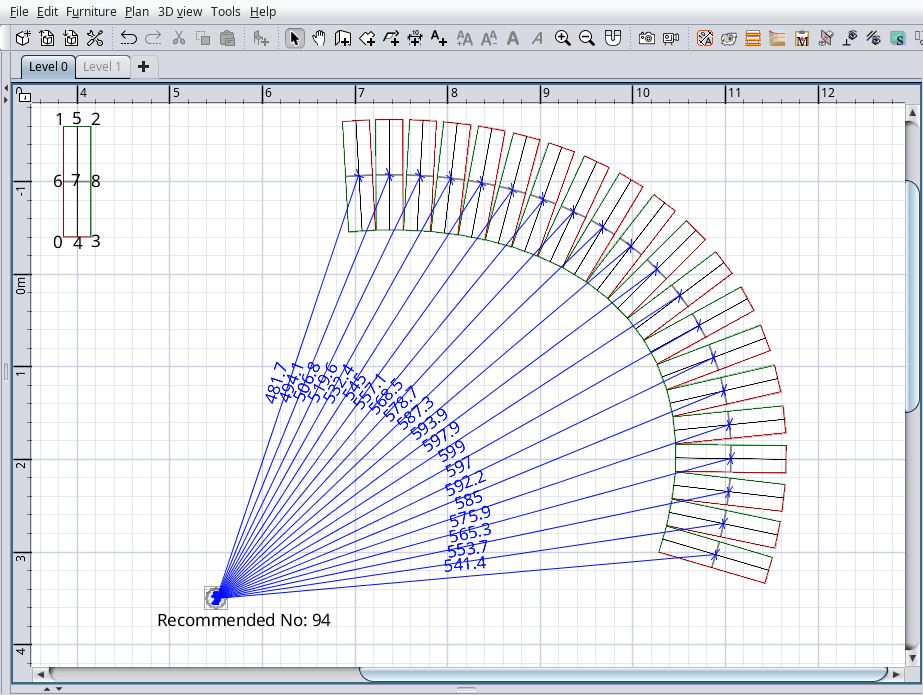
Re: Multiplier plugin New version 2.0 Special thanks to @Daniels118 who have made the entire hard work. A lot of math problems to which the answers can not be found even on the net. My part on this plugin was to confused him as much as possible. Not too much news for about four months of work: -Rewrite it from scratch; -Made the UI to look more austere by eliminating some useless items; -Add rotate for all items and rotate name; -Added few new features on curved method: --two direction buttons, CCW and CW; --curve rotate angle; --five radio buttons: ---1.Fixed step; ---2.Touch on top; ---3.Touch at middle; ---4.Touch on bottom; ---5.Uniform on ellipse; --Add the radii length; For options 2, 3, and 4, on plan, near the ellipse center, will appear a label with recommended number of pieces to exactly cover the entire ellipse. How to use it? Your imagination is the limit. Some screenshots: ![]() ![]() Good lack! Also on SourceForge ---------------------------------------- A computer program does what you tell it to do, not what you want it to do. Murphy's Law When all else fails, read the instructions. Murphy's Law If you don't like "AS IS", DIY. Dorin's law |
| Posted by Keet at Dec 7, 2023, 10:24:29 PM |
Re: Multiplier plugin That's is probably what was needed in this thread: https://sweethome3d.com/support/forum/viewthread_thread,12794As I had to use two different calculators to get the numbers for the segment coordinates I can understand that the math was not easy. I use this plugin quite often. Thank you to the both of you! ---------------------------------------- Dodecagon.nl 1300+ 3D models, manuals, and projects |
|
|
|
Current timezone is GMT Dec 16, 2025, 3:25:22 AM |