Print at Dec 19, 2025, 2:41:43 AM
Posts: 49   Pages: 5   [ Previous Page | 1 2 3 4 5 ]
View all posts in this thread on one page
Posted by Puybaret at Mar 15, 2024, 10:57:35 AM
Re: Plugins manager
The "Replace furniture" is incompatible with Java 1.8, the reason why it blocks Sweet Home 3D launch for you Keet.
I reported this issue to Olivier Martinez, and even if there's a property foreseen in plug-ins to handle incompatibilities, I made a change in Sweet Home 3D to avoid blocking the program if this property is not correctly set.
----------------------------------------
Emmanuel Puybaret, Sweet Home 3D creator

Posted by Keet at Mar 15, 2024, 12:33:27 PM
Re: Plugins manager
Would it be possible to display a modal dialog with an error message when a plugin fails to load (or produces an error) and after clicking an OK button continue loading Sweet Home 3D without loading the offending plugin?
This has the benefit that Sweet Home 3D continues to load and the user knows which plugin is not loaded because of an error.
----------------------------------------
Dodecagon.nl
1300+ 3D models, manuals, and projects

Posted by Puybaret at Mar 15, 2024, 1:20:22 PM
Re: Plugins manager
I don’t think that this dialog box is such a good idea but the error will appear in the logs.
This error is due to the plug-in programmer who didn’t pay attention to Java compiler options and plug-in parameters before delivering his plug-in. There’s a warning in plug-ins developer’s guide about this and I just improved the comment in case developer’s environment doesn’t support Java 1.5 target anymore.
----------------------------------------
Emmanuel Puybaret, Sweet Home 3D creator

Posted by PeterW at May 14, 2025, 5:36:36 PM
Re: Plugins manager
Is this still a valid plugin manager?
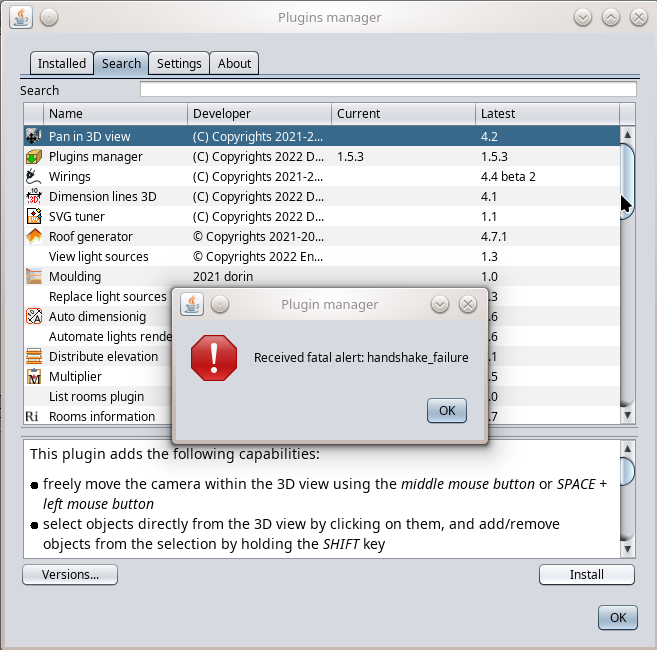
Mine indicates updates needed on 2 plugins (autodimensioning and multiplier) but when I click update I get a popup:

X Received fatal alert:Handshake_failure

Posted by Keet at May 15, 2025, 10:42:52 AM
Re: Plugins manager
This error message has nothing to do with the Plugin Manager, it's an SSL certificate error. There are several possible reasons for this but it will probably resolve itself when a new certificate is issued on the originating server. It can also be caused by the browser that can't resolve the trusted certificate path which can be resolved with a browser update (which updates the trust store).

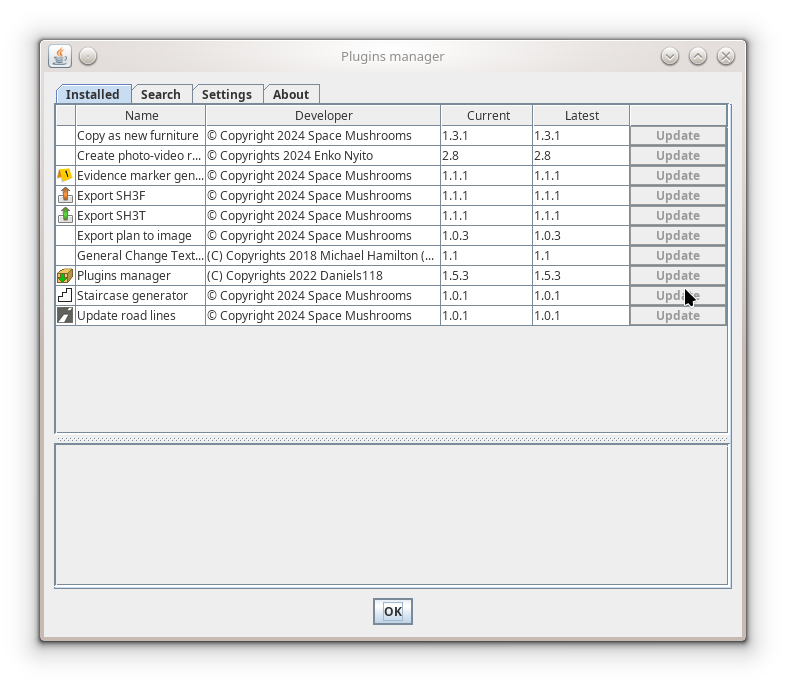
Also check that you have the latest Plugin Manager: version 1.5.3.

@Daniels118: check if the SSL certificate on your site is up-to-date and valid.
----------------------------------------
Dodecagon.nl
1300+ 3D models, manuals, and projects

Posted by Daniels118 at May 17, 2025, 9:37:57 AM
Re: Plugins manager
If the plugin manager tells you that there are plugins/updates available, it means that the program communicates without problems with my own website.
When you click install/update, the plugin is downloaded directly from it's original source (with very few exceptions).
Both Auto dimensioning and Multiplier plugins are downloaded from SourceForge, so the handshake problem should lie there.

Try to download the plugin directly using this link, and check if you get the same alert from your browser:
https://sourceforge.net/p/sweethome3d/plug-in...AutoDimensioning-1.6.sh3p

If you get the error, that means that you have to install the CA certificate which has released the certificate for SourceForge; usually this is not required, most of the times it's because the whole system is outdated and needs an upgrade.

If you get no error, then the problem is that the JRE you are using to run SH3D uses it's own truststore, and this is outdated. Since nobody else has faced this problem, it could be that you have installed SH3D from the system package manager; if this is the case, please uninstall SH3D, and then download and install the one from the official website.

Posted by sjb007 at May 17, 2025, 1:56:32 PM
Re: Plugins manager
Actually, I had to D/L a couple of plugins manually because of this handshake error. I'm using Ubuntu Linux, 22.04 release. SweetHome3D 7.5 directly downloaded from the website, and I'm using the standard start script which uses the bundled JRE which is 1.8.0_202-b08.

Perhaps there is some commonality with PeterW's system.

Posted by sjb007 at May 17, 2025, 5:01:50 PM
Re: Plugins manager
Hmmm. Should add that it was Dorin's plugins that caused me issues (not that I'm blaming him, it's just another data point). StairBuilder-1.0.sh3p and GenerateRoof-4.7.1.sh3p

Posted by dorin at May 20, 2025, 8:24:41 AM
Re: Plugins manager
I tried it on a fresh SH3D 7.5 installation under Linux.
Plugin manager plugin was successfully installed by opening it with SH3D.
After rebooting I tried to install, one by one each plugin.
They were installed:

All the rest give:

----------------------------------------
A computer program does what you tell it to do, not what you want it to do. Murphy's Law
When all else fails, read the instructions. Murphy's Law
If you don't like "AS IS", DIY. Dorin's law

Posts: 49   Pages: 5   [ Previous Page | 1 2 3 4 5 ]