|
Sweet Home 3D Forum » List all forums » » Forum: 3D problems » » » Thread: Is there any way we can turn on the anti aliasing features? |
||
| Print at Dec 20, 2025, 1:18:44 PM |
|
|
| Posted by hansmex at Feb 8, 2011, 10:12:53 AM |
|
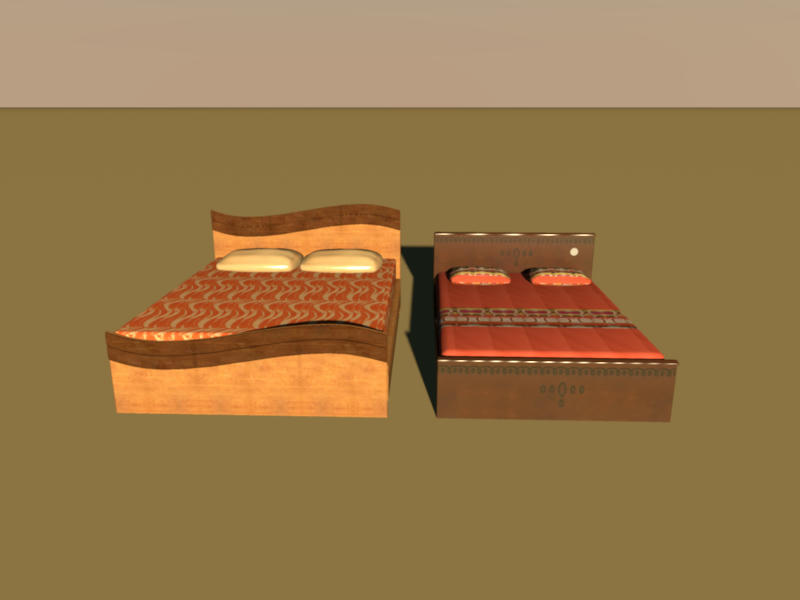
Re: Is there any way we can turn on the anti aliasing features? Tanvir, Your models give crisp and sharp objects in the 3D preview. When I render an image in high quality, the result is also excellent. I can't see any jagged lines. However, the images for the textures have been badly chosen. The wood textures are far too big (2487x1500 pixels) and may cause problems. I propose you reduce these images to approx. 512x512 pixels. On the other hand, some of the other images are too small, e.g. the blanket on the left bed. I hope this answers your question. Hans ![]() ---------------------------------------- Hans new website - under constuction hansdirkse.info |
| Posted by TanvirAlam at Feb 8, 2011, 10:37:38 AM |
|
Re: Is there any way we can turn on the anti aliasing features? You are right it gives excellent result if you do rendering in in high quality. but I want it with out rendering! in the 3D preview. I will make all my texture image 512X512. in the 3d preview it shows the Jagged lines. how can I solve that. |
| Posted by hansmex at Feb 8, 2011, 1:09:04 PM |
|
Re: Is there any way we can turn on the anti aliasing features? Tanvir, pre·view    /ˈpriˌvyu/ [pree-vyoo ] –noun 1. an earlier or previous view. 2. an advance showing of a motion picture, play, etc., before its public opening. 3. an advance showing of brief scenes in a motion picture, television show, etc., for purposes of advertisement. 4. anything that gives an advance idea or impression of something to come. @4: That means that a high quality rendering is meant to be high quality. A preview is a preview and may be low(er) quality. That includes jagged lines. Hans ---------------------------------------- Hans new website - under constuction hansdirkse.info |
| Posted by TanvirAlam at Feb 9, 2011, 5:11:54 AM |
|
Re: Is there any way we can turn on the anti aliasing features? Nicely explained! Thank you! it explains it all! |
|
|
|
Current timezone is GMT Dec 20, 2025, 1:18:44 PM |