インデックス  | 最近のスレッド  | List Attachments  | 検索
 ようこそ Guest  |  登録  |  ログイン
ログイン名  パスワード
 

Sweet Home 3D フォーラム


No member browsing this thread
スレッドの状態: Active
このスレッドの投稿数: 52
投稿数: 52   ページ数: 6   [ 前のページ | 1 2 3 4 5 6 | 次のページ ]
[ Jump to Last Post ]
新しいスレッドの投稿
投稿者
前のスレッド このトピックの表示は 47213 回 で 51 通の返信があります。 次のスレッド
stef.salmon
Advanced Member


UK
登録日: 2018/04/17
Post Count: 105
状態: オフライン
返信  引用つき返信 
Re: A Better Render

Yes I know.
It was showing what it looked like when I made the face invisible.
[2021/06/16 11:11:53] 投稿印刷用ページの表示    メンバーのプロフィール    個人宛メッセージの送付 [リンク] 問題のある投稿の報告:まずログインしてください。  トップへ 
Puybaret
Expert
メンバーのアバター

France
登録日: 2005/11/07
Post Count: 9432
状態: オフライン
返信  引用つき返信 
Re: A Better Render

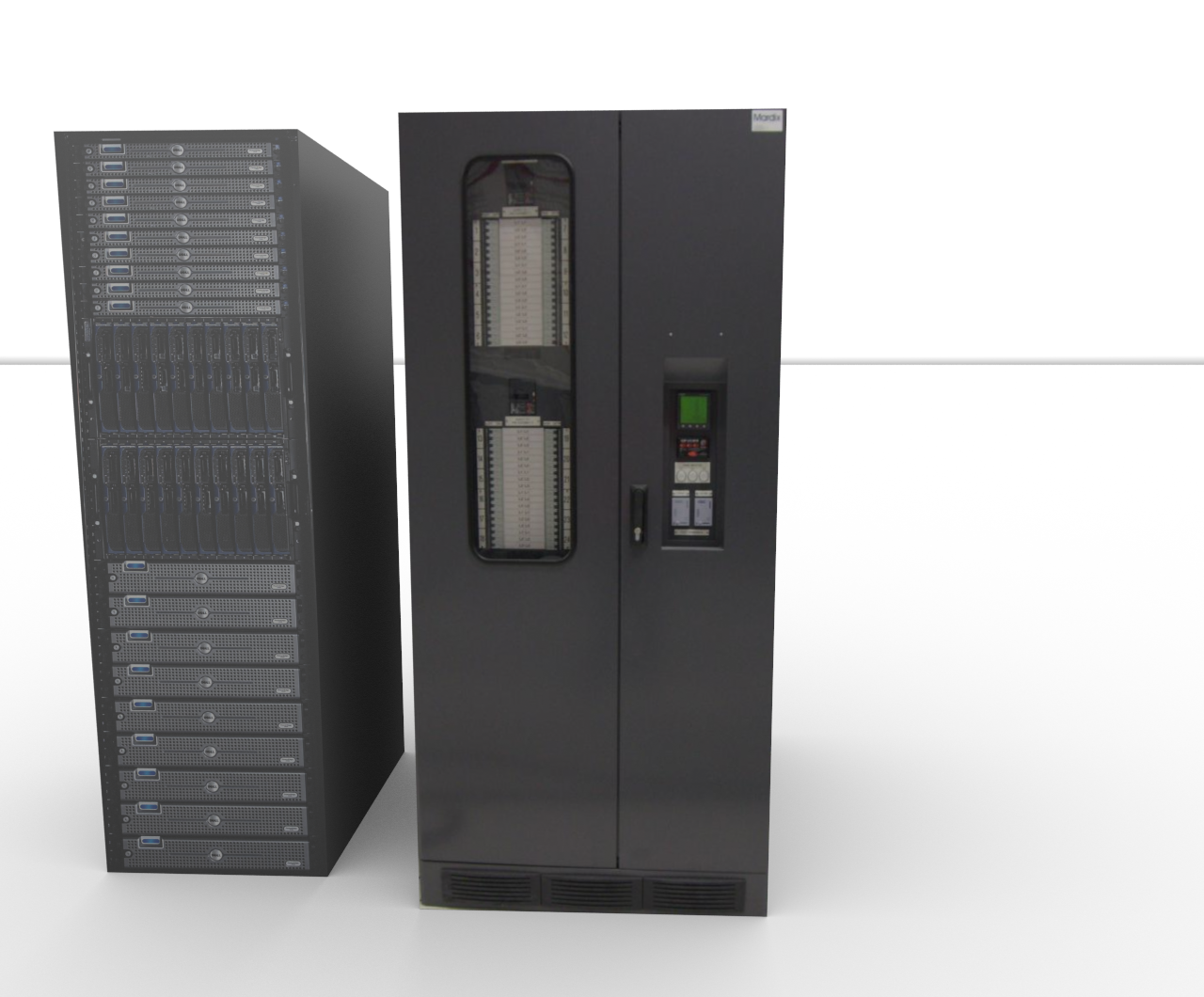
For example, if you hide the materials named "edge_color0002555", "edge_color353535255", "material" and "material_0" of "Data Server Tower" objects, it will render correctly.
----------------------------------------
Emmanuel Puybaret, Sweet Home 3D creator
[2021/06/16 11:12:59] 投稿印刷用ページの表示    メンバーのプロフィール    個人宛メッセージの送付 [リンク] 問題のある投稿の報告:まずログインしてください。  トップへ 
stef.salmon
Advanced Member


UK
登録日: 2018/04/17
Post Count: 105
状態: オフライン
返信  引用つき返信 
Re: A Better Render

I did what you suggested and it has rendered correctly apart from the object at the top of the image, but I guess that is also to do with something inside the object? See image.

https://www.dropbox.com/s/84lf35m0oxbvww7/IBM_Data%20Centre%20-%20SRS1.png?dl=0

How did you know that was the problem and how can I avoid this in the future?

Thanks.
[2021/06/16 11:30:52] 投稿印刷用ページの表示    メンバーのプロフィール    個人宛メッセージの送付 [リンク] 問題のある投稿の報告:まずログインしてください。  トップへ 
Puybaret
Expert
メンバーのアバター

France
登録日: 2005/11/07
Post Count: 9432
状態: オフライン
返信  引用つき返信 
Re: A Better Render

DAE files exported from SketchUp have often this problem.
----------------------------------------
Emmanuel Puybaret, Sweet Home 3D creator
[2021/06/16 12:04:06] 投稿印刷用ページの表示    メンバーのプロフィール    個人宛メッセージの送付 [リンク] 問題のある投稿の報告:まずログインしてください。  トップへ 
stef.salmon
Advanced Member


UK
登録日: 2018/04/17
Post Count: 105
状態: オフライン
返信  引用つき返信 
Re: A Better Render

which model files are better?

Do you know of anyone that can produce decent models for use in SH3D?
[2021/06/16 13:45:54] 投稿印刷用ページの表示    メンバーのプロフィール    個人宛メッセージの送付 [リンク] 問題のある投稿の報告:まずログインしてください。  トップへ 
Puybaret
Expert
メンバーのアバター

France
登録日: 2005/11/07
Post Count: 9432
状態: オフライン
返信  引用つき返信 
Re: A Better Render

Aren’t the 3D models that you found decent enough, once you adjusted their materials?

Do you know of anyone that can produce decent models for use in SH3D
You could ask to Scopia but I don’t think they will design them for free. Designing 3D models is a long task.
----------------------------------------
Emmanuel Puybaret, Sweet Home 3D creator
[2021/06/16 14:39:45] 投稿印刷用ページの表示    メンバーのプロフィール    個人宛メッセージの送付 [リンク] 問題のある投稿の報告:まずログインしてください。  トップへ 
stef.salmon
Advanced Member


UK
登録日: 2018/04/17
Post Count: 105
状態: オフライン
返信  引用つき返信 
Re: A Better Render

Yeah I guess they are good enough.

Our company would pay to have them modelled.
I will contact Scopia.

Thanks.
[2021/06/16 15:17:10] 投稿印刷用ページの表示    メンバーのプロフィール    個人宛メッセージの送付 [リンク] 問題のある投稿の報告:まずログインしてください。  トップへ 
stef.salmon
Advanced Member


UK
登録日: 2018/04/17
Post Count: 105
状態: オフライン
返信  引用つき返信 
Re: A Better Render

The object at the top of the image that hasn't rendered correctly only has 3 editable items. What can I do in this case as I've tried to hide the edge_color585858255 but that makes no difference to the render?

https://www.dropbox.com/s/84lf35m0oxbvww7/IBM_Data%20Centre%20-%20SRS1.png?dl=0
[2021/06/16 15:55:00] 投稿印刷用ページの表示    メンバーのプロフィール    個人宛メッセージの送付 [リンク] 問題のある投稿の報告:まずログインしてください。  トップへ 
Puybaret
Expert
メンバーのアバター

France
登録日: 2005/11/07
Post Count: 9432
状態: オフライン
返信  引用つき返信 
Re: A Better Render

The faces associated to Color_007 material are probably double sided and fight with the face using PDU material. You should duplicate the object, move it 1 mm away and view only PDU material on the copy.
----------------------------------------
Emmanuel Puybaret, Sweet Home 3D creator
[2021/06/16 18:41:05] 投稿印刷用ページの表示    メンバーのプロフィール    個人宛メッセージの送付 [リンク] 問題のある投稿の報告:まずログインしてください。  トップへ 
Ceciliabr
Advanced Member
メンバーのアバター

Denmark
登録日: 2013/07/07
Post Count: 637
状態: オフライン
返信  引用つき返信 
Re: A Better Render

Your models are really very simple constructions, thus very easy to re-construct in SH3D.

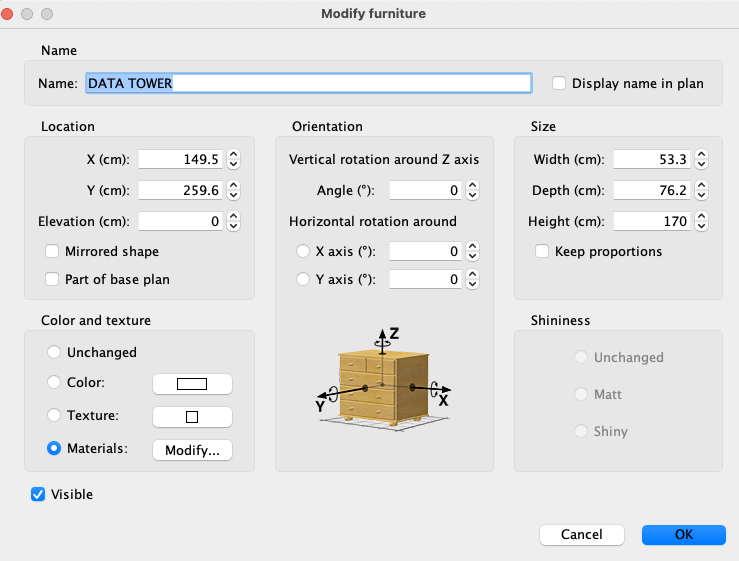
Select a model, like the Data Server Tower. Export it as an obj-file.

Choose a box, import it to your project, and select modify.
Apply the same dimensions to the box, as the dimensions of the Data Server Tower, and select Modify.


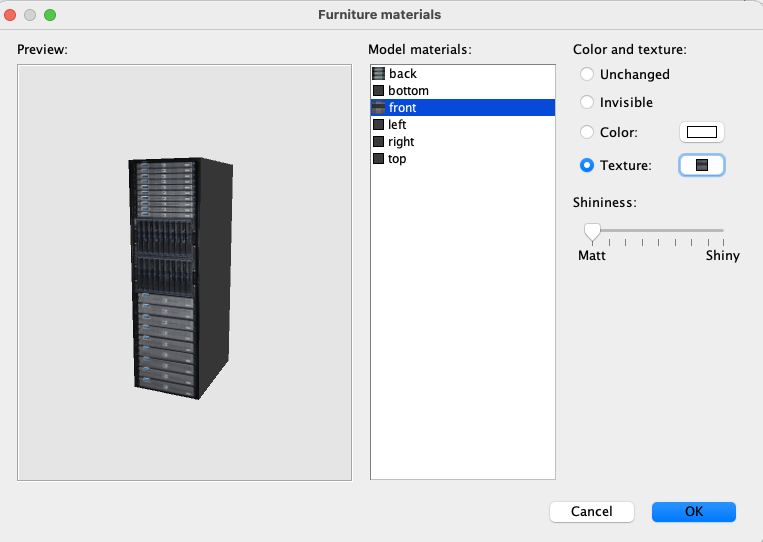
Apply a grey colour ( or whatever colour you prefer) to everything but the front and the back, and then select front. Click on texture, and select import. Find the image file that was exported with your model, and apply it to the front. Then do the same with the back. Make sure to set all shininess to zero.
Select OK.

Do the same for the PDU, and voila: Your models will now render just fine.


I have already done it for you: PDU+ServerTower


.
[2021/06/16 18:47:30] 投稿印刷用ページの表示    メンバーのプロフィール    個人宛メッセージの送付 [リンク] 問題のある投稿の報告:まずログインしてください。  トップへ 
投稿数: 52   ページ数: 6   [ 前のページ | 1 2 3 4 5 6 | 次のページ ]
[ Jump to Last Post ]
スレッド印刷用ページの表示  新しいスレッドの投稿

  Get Sweet Home 3D at SourceForge.net. Fast, secure and Free Open Source software downloads  
© 著作権 2024 Space Mushrooms - がすべて保有します