Netherlands
Joined: Apr 8, 2022
Post Count: 1807
Status:
Offline
Re: création de bibliothèque
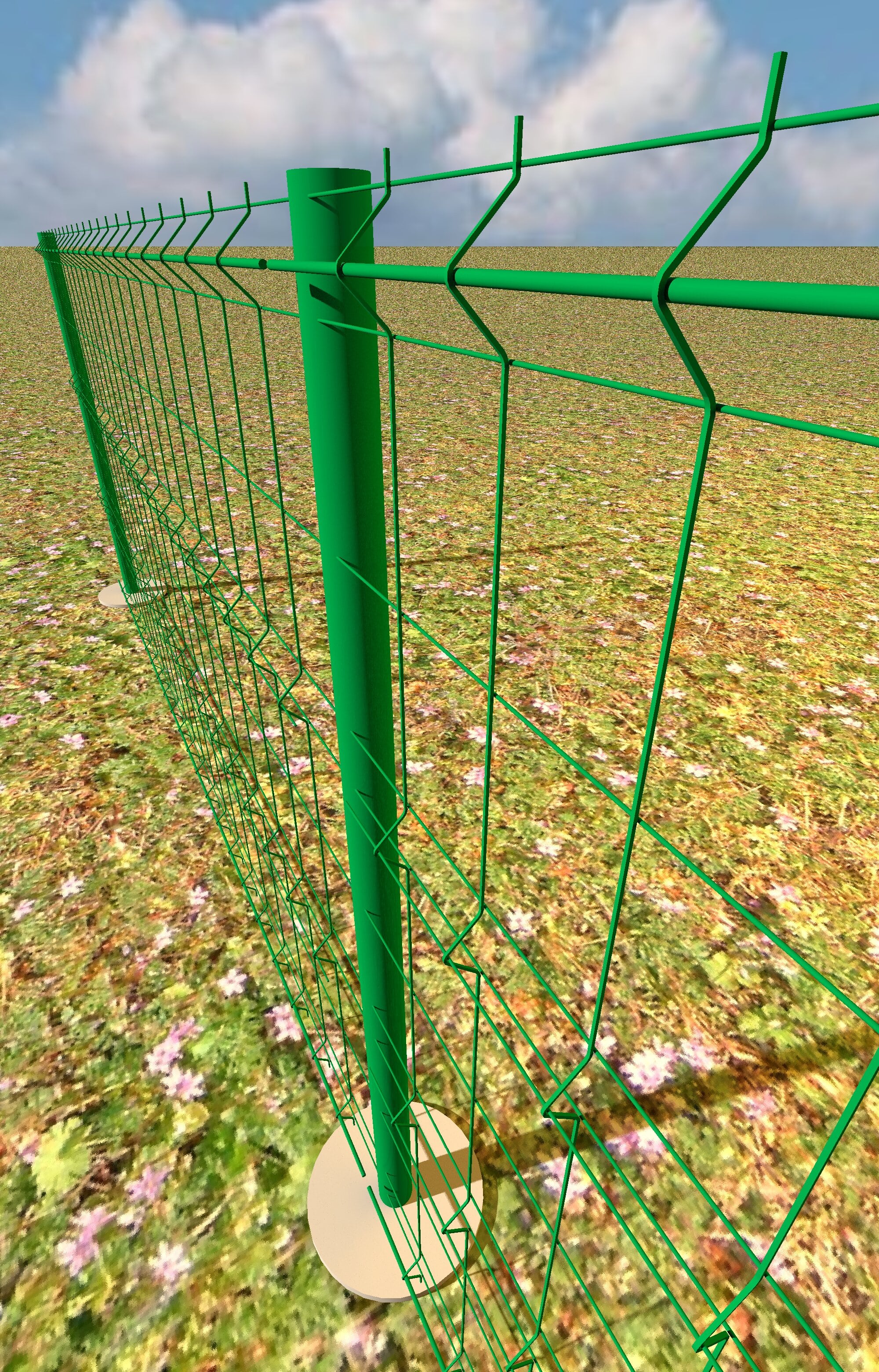
Vous ne pouvez pas créer complètement le premier avec Sweet Home 3D parce que vous ne pouvez pas créer les deux coins arrondis du tuyau avec Sweet Home 3D. A part cela, il semble que le reste des deux modèles puisse être créé en combinant des cylindres et des boîtes redimensionnés.
Pour les deux coins arrondis, vous aurez besoin d'un programme comme Blender pour créer les coins des tuyaux. Le plus simple est de créer un donut de la bonne taille et de supprimer les trois quarts des faces pour obtenir un quart de tuyau arrondi. Exportez au format OBJ et utilisez-le pour connecter les cylindres de votre barrière.
Si vous connaissez un peu Blender, je vous suggère d'utiliser les cylindres à 12 faces de ma bibliothèque Shapes plutôt que des cylindres normaux car ils sont beaucoup plus petits en taille d'objet. Parce que vous avez besoin de beaucoup de cylindres, le résultat final peut être beaucoup plus petit. Avec Blender, il est facile de lisser les cylindres et vous ne verrez pas la différence avec des cylindres normaux.
Il y a un manuel sur dodecagon.nl sur la façon de changer les noms des matériaux si vous voulez le faire aussi.
Je vais voir si je peux ajouter quelques coins de tuyaux à la bibliothèque Shapes. ETA J'ai ajouté quelques coins de tuyaux quart et huit à la bibliothèque DodecagonShapes. Si vous ne pouvez pas créer de coins vous-même, vous pouvez utiliser l'un de ces coins comme coin de tuyau. Lors du redimensionnement, assurez-vous de cocher la case "Conserver les proportions". Utilisez ensuite le diamètre de l'angle comme diamètre pour le reste des cylindres.
Traduit avec DeepL.com (version gratuite)
[English] You can't completely create the first one with Sweet Home 3D because you can't create the two rounded pipe corners with Sweet Home 3D. Apart from that it looks like the rest of both models can be created by combining resized cylinders and boxes.
For the two rounded corners you will need a program like Blender to create the pipe corners. The easiest way is to create a donut in the correct size and delete three quarters of the faces to get the quarter rounded pipe. Export to OBJ and use it to connect to cylinders for your barrier.
If you know a little about Blender I suggest you use the 12-sided cylinders from my Shapes library instead of regular cylinders because they are much smaller in object size. Because you need a lot of cylinders that can keep the end result a lot smaller. With Blender it is easy to smooth the cylinders and you will not see the difference with regular cylinders.
There is a manual on dodecagon.nl about how to change material names if you want to do that too.
I'll see if I can add a few pipe corners to the Shapes library. ETA I added a few quarter and eight pipe corners to the DodecagonShapes Library. If you can't create corners yourself you can use one of these to use as a pipe corner. When resizing make sure to use check "Keep proportions". Then use the corner diameter as the diameter for the rest of the cylinders.
---------------------------------------- Dodecagon.nl 1300+ 3D models, manuals, and projects
----------------------------------------
[Edit 1 times,
last edit by Keet at Apr 2, 2025, 11:39:42 AM]
Russia
Joined: Aug 13, 2022
Post Count: 729
Status:
Offline
Re: création de bibliothèque
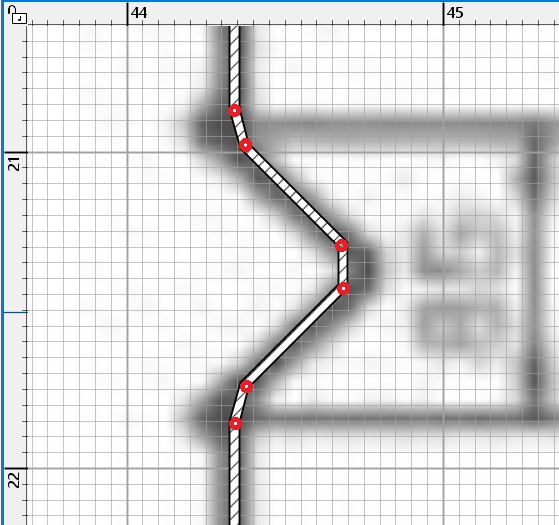
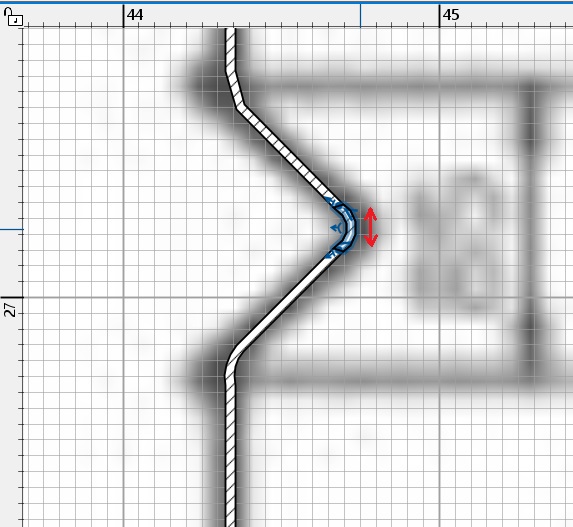
les éléments de clôture en fil fin ne peuvent pas être fabriqués à l'aide de cylindres, mais à l'aide de formes rectangulaires. Des murs à SH3D. Vous devez faire une image de fond avec des dimensions 10 fois plus grandes, en centimètres. Il sera donc plus pratique de travailler avec les murs. Besoin de faire la paroi de réglage de la hauteur de 3 cm, la largeur de 3 cm.à l'avenir, il deviendra un fil de 3 mm. besoin d'inclure un aimant, parce que tous les fils de flexion est de 0 ou 45 degrés. Et entourez soigneusement la ligne de clôture, en faisant de petites zones pour les plis ronds. Ensuite, vous devez sélectionner cette zone et la tirer dans un arc. Vous obtiendrez un fil de section rectangulaire, qui ne sera pas visible dans la clôture. Comme si elle était ronde.
Cette section doit être sauvegardée dans OBJ et ramenée, avec une rotation de 90 degrés. Pour qu'elle soit debout. la taille de cette section de fil devrait maintenant être de 172 cm, garder les proportions. Ensuite, vous devez utiliser des boîtes de 14,7 cm de large pour composer 22 de telles sections, les aligner sur le dessus. Ajouter des fils cylindriques horizontaux (2 morceaux de 8mm et le reste de 3mm). Vous obtiendrez une grande section, qui peut être recueillie dans une grande clôture avec des colonnes.