Netherlands
Joined: Sep 26, 2009
Post Count: 4027
Status:
Offline
Re: Sweet Home 3D 3.4
Emmanuel,
I'm glad to report that the problems I reported don't exist anymore. Of course I don't understand what caused them, it's as if half of my computer was asleep.
Hans
----------------------------------------
Hans
France
Joined: Nov 7, 2005
Post Count: 9440
Status:
Offline
Re: Sweet Home 3D 3.4
Great to read it now works for you Hans.
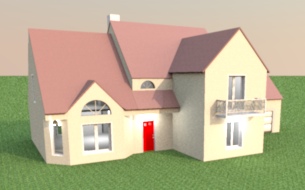
Tonight, Beta 6 fixes a few bugs found in level management, while trying to build the attached file, built from the house plan available on this site. For your information, it took me more than 6 hours to reproduce the plan and the roof of this quite complicated house with 2 levels.
Netherlands
Joined: Sep 26, 2009
Post Count: 4027
Status:
Offline
Re: Sweet Home 3D 3.4
Hello all,
If you're using Ubuntu 11.10, 64 bits, you may have difficulties using the newest beta. Install the original Sun Java and your problem will be solved. Here is a help page for easy installation. These are the commands I used:
France
Joined: Nov 7, 2005
Post Count: 9440
Status:
Offline
Re: Sweet Home 3D 3.4
Today's Beta 7 brought 3D view > Display all levels and 3D view > Display selected level menu items, and improved magnetism during rooms drawing (you should have much less problem to draw a simple rectangle). I also increased a little the sensitivity of magnetism.
----------------------------------------
Emmanuel Puybaret, Sweet Home 3D creator
France
Joined: Nov 7, 2005
Post Count: 9440
Status:
Offline
Re: Sweet Home 3D 3.4
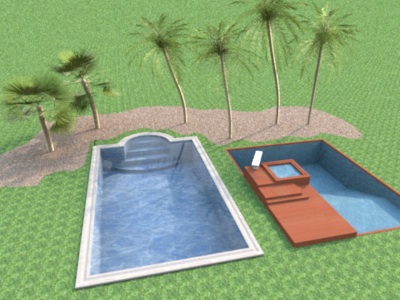
Tonight's Beta 9 adds support for levels at a negative elevation. Hope you like it. As soon as you place an object, a room or a surface surrounded by walls at a level with a negative elevation, Sweet Home 3D will compute a hole that will surround the added item. Multiple underground levels containing items of different sizes are supported.
Note that the virtual visitor can't go below elevation 0, and I'm not sure I'll add that in the next update (keeping the visitor location in the home when underground isn't so easy).
----------------------------------------
Emmanuel Puybaret, Sweet Home 3D creator
----------------------------------------
[Edit 1 times,
last edit by Puybaret at Nov 4, 2011, 9:43:42 PM]
France
Joined: Nov 1, 2011
Post Count: 53
Status:
Offline
Re: Sweet Home 3D 3.4
I prefer the left one.
Though "underground elevation" sounds a bit strange , anyway it's a huge step upgrade. Great job ! How can you make it so quickly ?
----------------------------------------
---------------------- Pierre
France
Joined: Nov 7, 2005
Post Count: 9440
Status:
Offline
Re: Sweet Home 3D 3.4
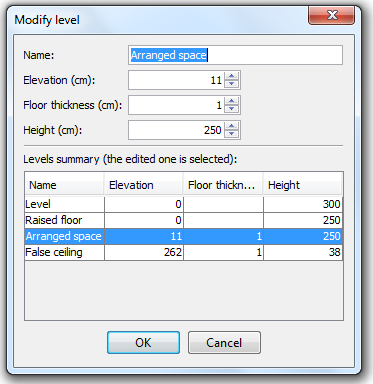
The Beta 11 brings a few new small features and improvements: - Added New floors thickness field in preferences pane, - Added a button to import language libraries in preferences pane to make it easier to install SH3L files when file association doesn't work (there are now 3 SH3L available files: Traditional Chinese , Korean and Finnish), - Added some tooltips to show the current angle on rotation axis in the 2nd step of the Import furniture wizard, - Added a table in the Level modification dialog to help users compare the values of the edited level with the ones of other levels.
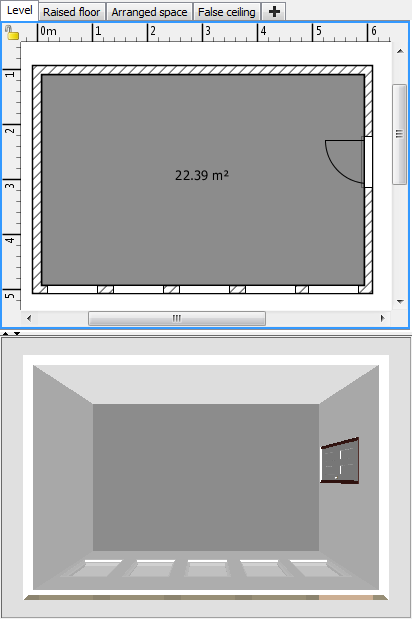
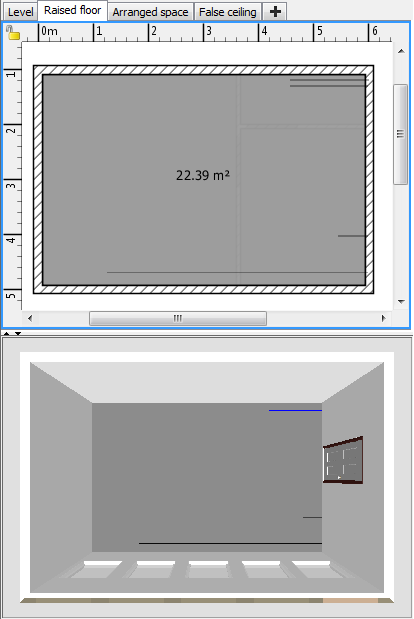
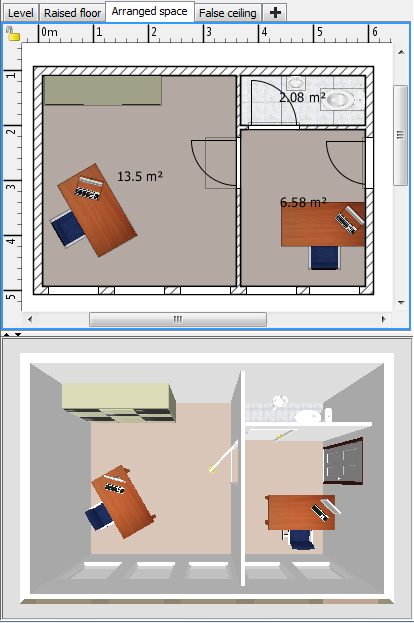
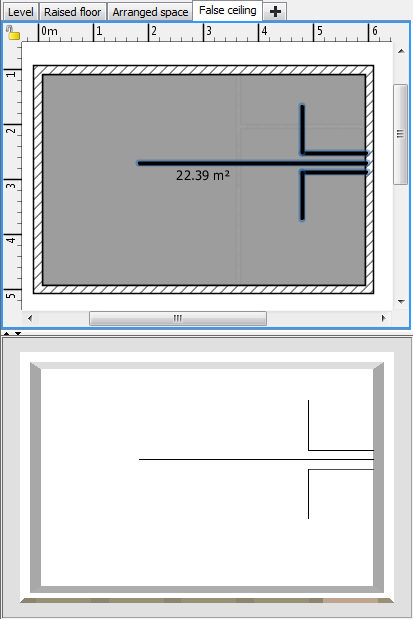
And as showed in the previous dialog, I checked that the new level feature was able to handle correctly raised floor and false ceiling. This test was made on the attached example that shows the 4 following levels when 3D view > Display selected level menu item is checked (the outer level isn't mandatory but still nice to have).
Raised floor:
Arranged space:
False ceiling:
I guess that a few ones among you are going to be happy because levels actually behave like layers when they are at the same elevation, excepted that walls are always displayed when they are at the same elevation as a level elevation, but I don't feel it's annoying for a software like Sweet Home 3D.
Like always your comments will be appreciated.
---------------------------------------- OfficeWithRaisedFloorAndFalseCeiling.sh3d
(969045 bytes)
(Download count: 200918)
(Office with raised floor and false ceiling)
----------------------------------------
Emmanuel Puybaret, Sweet Home 3D creator
Netherlands
Joined: Sep 26, 2009
Post Count: 4027
Status:
Offline
Re: Sweet Home 3D 3.4
Emmanuel,
I think I found a small bug in v3.4 b11 that concerns creating a room. In the attached file the outline of a building is drawn. You will find that it is impossible to create a room by double-clicking inside this shape.
If you inspect the connection of the two wall segments marked with a red circle, you will see that this connection isn't at a 90 degree angle, but is slanted or skewed. It looks a bit like a problem you fixed earlier.
Now, if you bisect the room, you will find that you can create a room by double-clicking in the part without the red circle, but NOT in the part where the slanted connection is.
Hans
---------------------------------------- bug in Draw Room.sh3d
(60201 bytes)
(Download count: 1055)
----------------------------------------
Hans
new website - under constuction hansdirkse.info
----------------------------------------
[Edit 1 times,
last edit by hansmex at Nov 7, 2011, 4:42:11 PM]










 ,
,