hi, little problem with sw 3.2. first time the I have this problem.
create a room, apply a texture to the pavement ok, apply a texture to the wall sometimes work only on the left side wall sometimes work only on the the right side wall. I close the project and reopen the project, well no texture on the wall, reopen the project and I have a texture on the right or on the left without any logical idea.... is this a well know bug of SH?
regards to everyone
texture bug
This topic has been viewed 3434 times and has 7 replies
Re: texture bug
fifth attempt,now work without changement. only stop the rendering and restart the rendering..............

Re: texture bug
Please check you don't have two superimposed walls at that place.
Emmanuel Puybaret, Sweet Home 3D creator
Re: texture bug
TESTED. UNFORTUNATELY THE PROBLEM IS ALWAYS PRESENT. START A RENDERING AND THE TEXTURE IS ONLY ON THE WALL ON THE LEFT SIDE OF THE MONITOR. RESTART THE RENDERING AND i HAVE THER TEXTURE ONLY ON THE RIGHT SIDE OF THE MONITOR,START ANOTHER TIME AND NO TEXTURE ON THE WALLS. ALL WITHOUT ORDER. RESTART THE PC, RESTART SH AND THE PROBLEM IS ALWAYS PRESENT.

Re: texture bug
Rino,
I remember we had a similar problem somewhere around version 2.6, but I can't find that thread now.
What is the size of your texture (in pixels) ? If it's larger than 512x512 pixels, try to reduce it to a smaller size and apply it again. Or better, share the texture image with us, so we can try it out as well.
Hans
I remember we had a similar problem somewhere around version 2.6, but I can't find that thread now.
What is the size of your texture (in pixels) ? If it's larger than 512x512 pixels, try to reduce it to a smaller size and apply it again. Or better, share the texture image with us, so we can try it out as well.
Hans
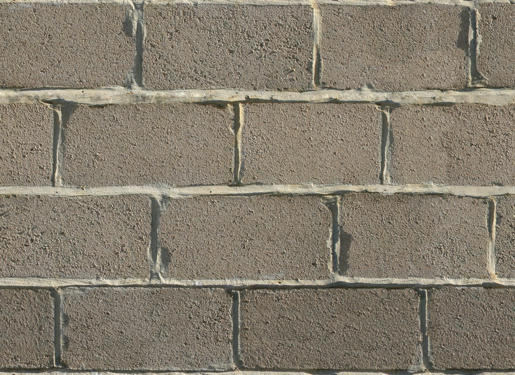
Re: texture bug
rino,
The texture renders fine every time: I tried at least 20 times without any problem.
I suggest you follow Puybarets suggestion:
- move a wall to check that there aren't two walls on top of each other
- if two walls are on top, delete one wall
- if not, move the wall back with Undo
- go to the next wall
- if you find a double wall, make a few renders to check if this solves the problem.
Hans
The texture renders fine every time: I tried at least 20 times without any problem.
I suggest you follow Puybarets suggestion:
- move a wall to check that there aren't two walls on top of each other
- if two walls are on top, delete one wall
- if not, move the wall back with Undo
- go to the next wall
- if you find a double wall, make a few renders to check if this solves the problem.
Hans
Re: texture bug
thank you, now work. there was another couple of walls....
Who is online
Users browsing this forum: No registered users and 2 guests