
Hello, [:)]
I go proposed 25 models of work-top without openings for kitchen sinks.
Is it possible to create these openings afterward ?
Or is it necessary that I to create 25 plans of work in more with openings ?
Thank you for your help.
Cordially
David Barros
To create an opening in a work-top ?
This topic has been viewed 6934 times and has 12 replies
To create an opening in a work-top ?
On www.composant-dynamique.com create the kitchen of your dreams.

Re: To create an opening in a work-top ?
David,
In SH3D you can't add holes in worktops.
So, you would have to create separate worktops with holes in a 3D modelling program.
To make live a bit easier, maybe you could make your worktops modular, creating sections of worktop for different sizes of sinks and stoves.
H
In SH3D you can't add holes in worktops.
So, you would have to create separate worktops with holes in a 3D modelling program.
To make live a bit easier, maybe you could make your worktops modular, creating sections of worktop for different sizes of sinks and stoves.
H
Re: To create an opening in a work-top ?
That you want to say by modular work-top ?
On www.composant-dynamique.com create the kitchen of your dreams.
Re: To create an opening in a work-top ?
Examples:
End piece straight and rounded
Middle piece, one size can be stretched to any size
Sink piece, for sinks in various sizes
Corner piece
You then use several pieces (modules) to make your worktop.
H
End piece straight and rounded
Middle piece, one size can be stretched to any size
Sink piece, for sinks in various sizes
Corner piece
You then use several pieces (modules) to make your worktop.
H
Re: To create an opening in a work-top ?

What do you think of this solution ?
On www.composant-dynamique.com create the kitchen of your dreams.
Re: To create an opening in a work-top ?
I think that is what I meant... 
Re: To create an opening in a work-top ?
Just re-installing a worktop with sink today (broken washing machine [:(]). I will use a round Ø 45 cm sink, mounted in the very corner of the work-top.
So I agree, the solution is good, but suspect
1) many users would find it difficult to combine the pieces of the model (?).
2) and it would not fit special needs (like mine).
I guess that is why the 3D models: sink are all ready assembled. And that works if you can be bothered to put together at least the most common combinations.
ok
So I agree, the solution is good, but suspect
1) many users would find it difficult to combine the pieces of the model (?).
2) and it would not fit special needs (like mine).
I guess that is why the 3D models: sink are all ready assembled. And that works if you can be bothered to put together at least the most common combinations.
ok
Re: To create an opening in a work-top ?
I understands but I wish to propose 25 models of work-top with 10 kitchen sinks in choices.
Who makes 25 x 10 = 250 possible combinations.
Maybe that I too much want to make it ?
To facilitate the use of my products, I am going to make a video of demonstration or I realize a kitchen from A to Z.
Thank you for your recommendations.
Who makes 25 x 10 = 250 possible combinations.
Maybe that I too much want to make it ?
To facilitate the use of my products, I am going to make a video of demonstration or I realize a kitchen from A to Z.
Thank you for your recommendations.
On www.composant-dynamique.com create the kitchen of your dreams.
Re: To create an opening in a work-top ?
The image below, presents a kitchen sink in 2D and an other one in 3D:
What solution to choose knowing that the 2D kitchen sink is much easier to use?
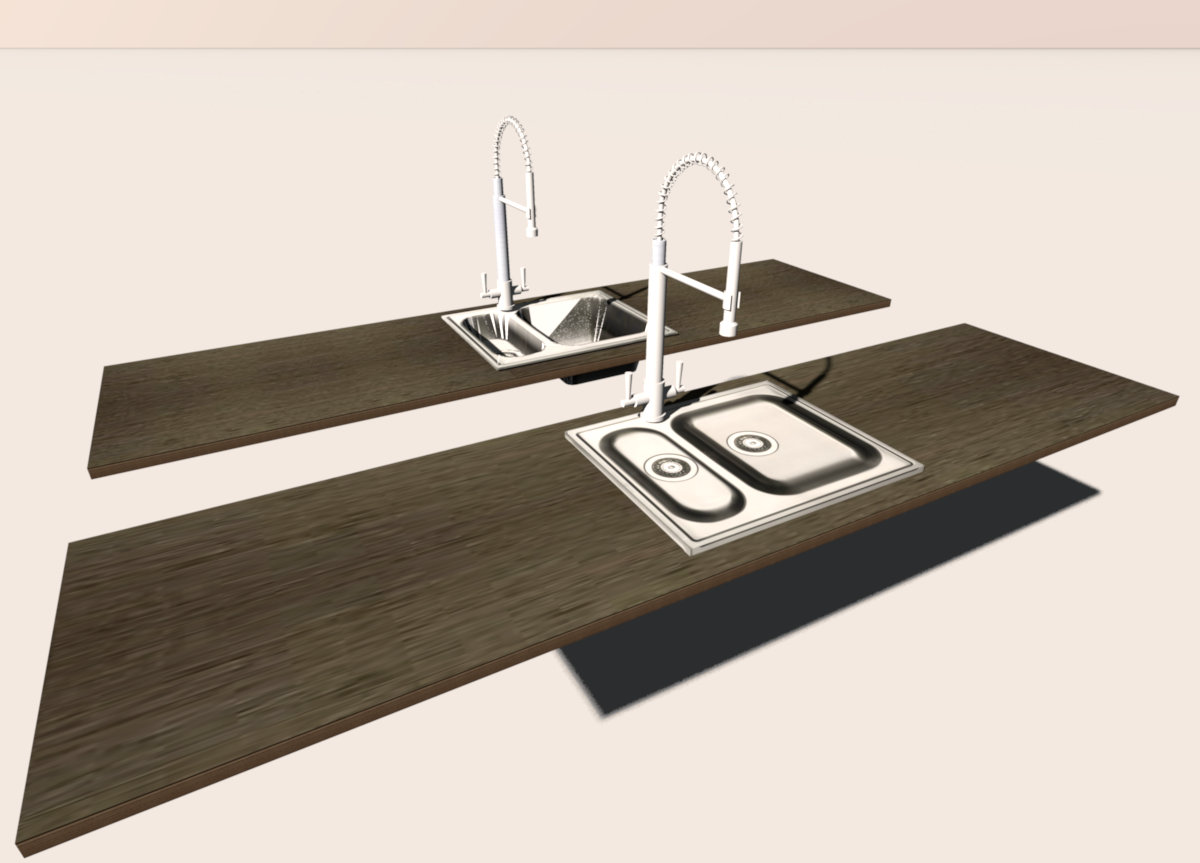
Thank you for expressing your opinion.
What solution to choose knowing that the 2D kitchen sink is much easier to use?
Thank you for expressing your opinion.
On www.composant-dynamique.com create the kitchen of your dreams.

Re: To create an opening in a work-top ?
I vote for 3D but you can try to make it show bather in 2D (top view).
A computer program does what you tell it to do, not what you want it to do. Murphy's Law
When all else fails, read the instructions. Murphy's Law
If you don't like "AS IS", DIY. Dorin's law
When all else fails, read the instructions. Murphy's Law
If you don't like "AS IS", DIY. Dorin's law
Who is online
Users browsing this forum: No registered users and 1 guest