Hi,
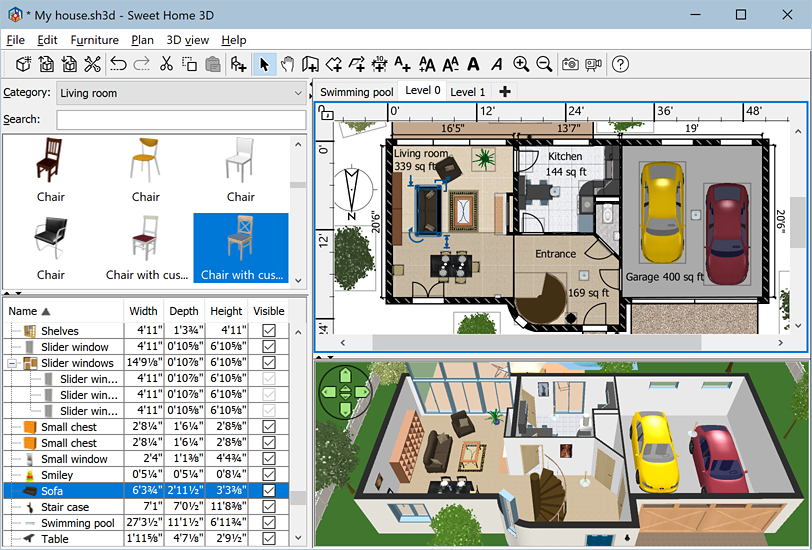
I see in this image, the top-left panel display search input field.
http://www.sweethome3d.com/images/Sweet ... indows.png
Why I don't have that. My top left-panel is a tree-menu displaying the furnitures without search capabilities?
Regards,
How To Get The Search Panel In Top Left Area
This topic has been viewed 6568 times and has 2 replies
Re: How To Get The Search Panel In Top Left Area
File-Preferences-Furniture catalog view, set to Searchable list. ok
Re: How To Get The Search Panel In Top Left Area
Awesome, that works.
Thank you
Thank you
Who is online
Users browsing this forum: No registered users and 1 guest