Vehicle lights

This topic has been viewed 18746 times and has 16 replies
Thread status: Active
Share your snapshots made with Sweet Home 3D here [img]http://www.sweethome3d.com/images/flags/en_small.gif[/img]
enkonyito
Posts: 607
Joined: Thu May 28, 2015 4:52 pm

Vehicle lights

Post by enkonyito »

Vehicles with lights on.

Image Image

Image Image

Image Image
EnkoNyito
User avatar
HawkDawg
Posts: 199
Joined: Tue Oct 06, 2015 11:06 pm
Country: Georgia, USA
Contact:

Re: Vehicle lights

Post by HawkDawg »

Looks good. [:)]
Hawk
User avatar
hansmex
Posts: 4027
Joined: Sat Sep 26, 2009 11:36 am
Country: Netherlands

Re: Vehicle lights

Post by hansmex »

NICE!!
Hans

new website - under constuction
hansdirkse.info
enkonyito
Posts: 607
Joined: Thu May 28, 2015 4:52 pm

Re: Vehicle lights

Post by enkonyito »

Image Image
EnkoNyito
User avatar
bdfd
Posts: 2614
Joined: Sat Mar 29, 2014 7:17 am
Country: LILLE, Les Hauts de France, Western Europa

Re: Vehicle lights

Post by bdfd »

Original for the night sceneries. [=D>]

But hard in time to place the lights, right ?
Evil progresses when good people do nothing!
---
SH3D 7.1 and nothing else - W11 64b in 4K
VeroniQ
Posts: 886
Joined: Tue Mar 03, 2015 9:01 am
Country: France

Re: Vehicle lights

Post by VeroniQ »

Fiat lux, Enkonyito. So sweet! Can you tell us how to do that? thank you very much.
User avatar
bdfd
Posts: 2614
Joined: Sat Mar 29, 2014 7:17 am
Country: LILLE, Les Hauts de France, Western Europa

Re: Vehicle lights

Post by bdfd »

Can you tell us how to do that?
Dear Lady Vero,
As you see on my example, it was so easy to make like enkonyito.
The most hard has been his idea (we must salute this) and that I said it was the time to place the lights (I suppose)...

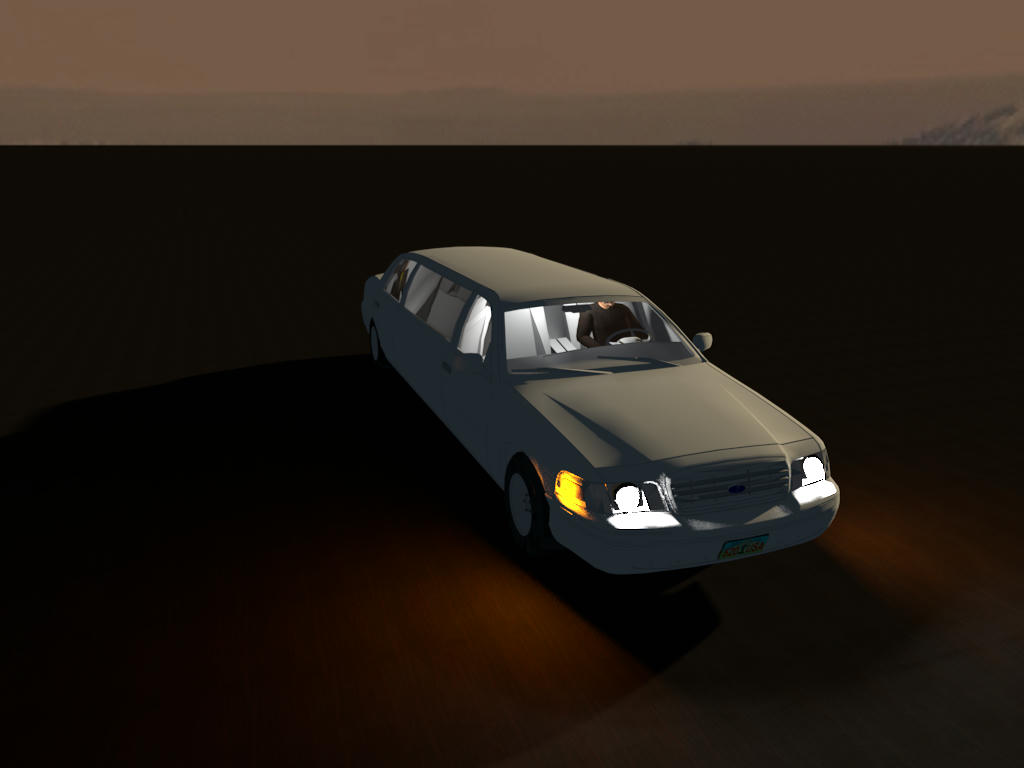
Front
Image
1920 x 1080 in Q4 with R1.3.2 in 08mn50s.

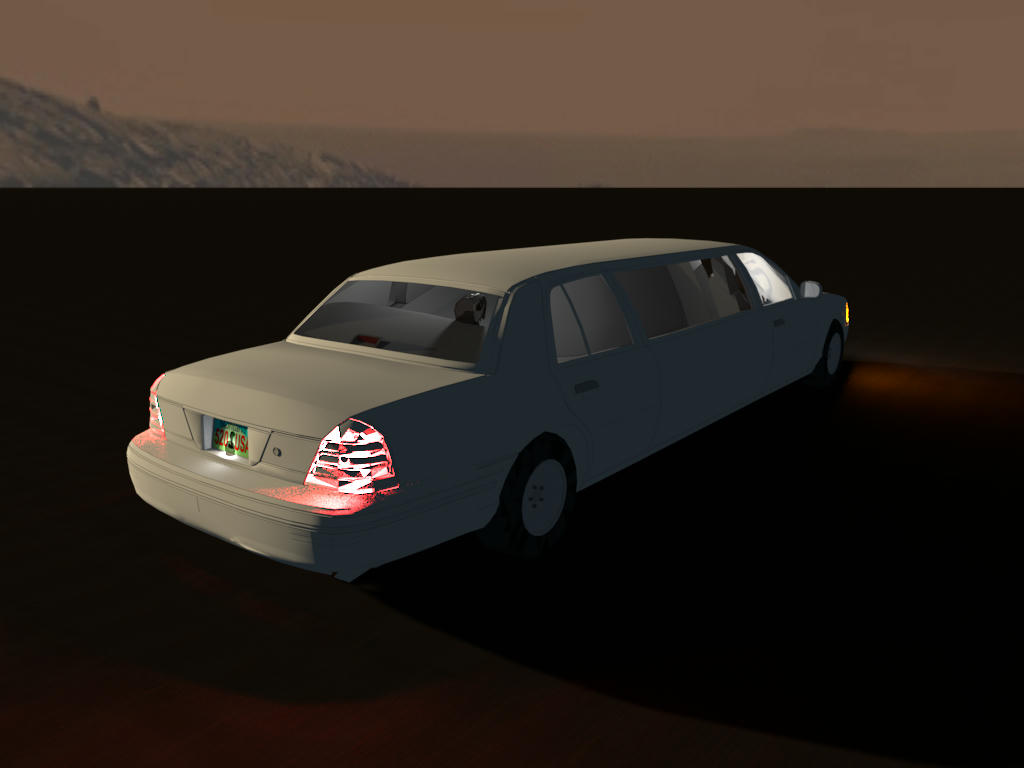
Rear
Image
1920 x 1080 in Q4 with R1.3.2 in 10mn05s.

To do more realistic, I added driver and rear passanger as well as 2 internal ceiling lights and the light on the rear license plate.
[:)]

It can be the challenge of this weekend... [;)]
Evil progresses when good people do nothing!
---
SH3D 7.1 and nothing else - W11 64b in 4K
enkonyito
Posts: 607
Joined: Thu May 28, 2015 4:52 pm

Re: Vehicle lights

Post by enkonyito »

Thank you all!

@bdfd
But hard in time to place the lights, right ?
The placement of the lights requires precision and takes time even if I limit myself to 4 per side of the vehicle.

@VeroniQ
Can you tell us how to do that?
First, I choose vehicles with transparent headlights (it does not work with textures).
To place the small white light sources, I choose the aerial view centered on selection and the furniture icons in plan set to top view.
The night lighting environment is made with 4 large halogen light sources placed around the vehicle.

Here are some illustrations of my remarks.
Image
Image
EnkoNyito
VeroniQ
Posts: 886
Joined: Tue Mar 03, 2015 9:01 am
Country: France

Re: Vehicle lights

Post by VeroniQ »

Thank you, very kind of you.
enkonyito
Posts: 607
Joined: Thu May 28, 2015 4:52 pm

Re: Vehicle lights

Post by enkonyito »

Part 2
Main Lighting: ImageBasedLight enabled

Ford Focus
Image Image

Concept Sedan 01
Image Image

Concept Sedan 02 Sport
Image Image
EnkoNyito
Post Reply New Topic

Who is online

Users browsing this forum: No registered users and 2 guests