textures and resizing objects

This topic has been viewed 20632 times and has 11 replies
Thread status: Active
Questions about extending features and developing plug-ins [img]http://www.sweethome3d.com/images/flags/en_small.gif[/img]
mirakels
Posts: 40
Joined: Mon Jul 06, 2015 12:45 pm

textures and resizing objects

Post by mirakels »

I have an issue with textures. Not sure if I'm doing something wrong.
This is what I see:

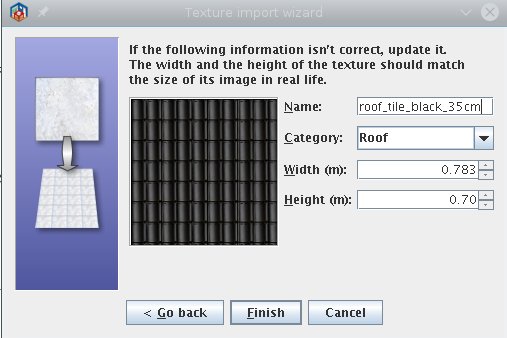
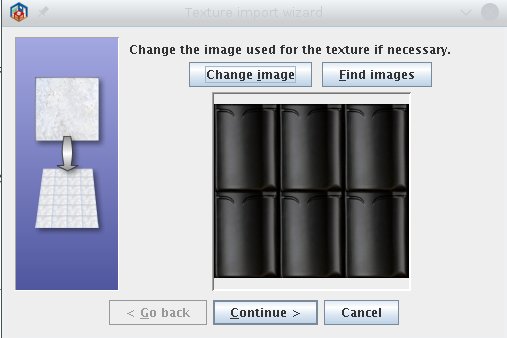
I have this image showing 3x2 roof tiles. The tiles are 35 cm high and 26 cm wide.
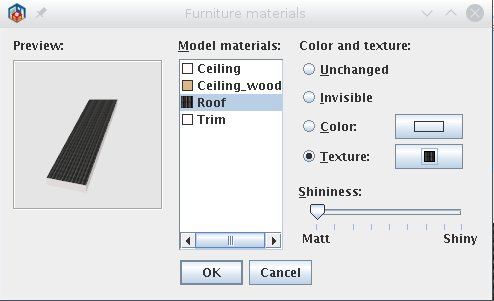
So the image is 78x70 cm in real life. See first two images.
Image
Image

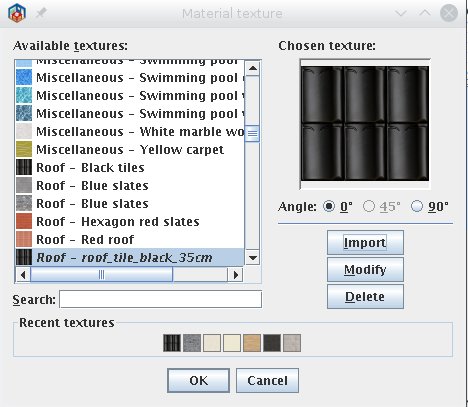
I select a roof object and in image 3 and 4 change materials to this rooftile texture.
Image
Image


The object is 2m wide, 5.25m deep and 3.925m high, making the.
sloped surface around 6.57 meters long (sqrt(5.25^2+3.925^2)).
So horizontally I would expect to see 200/26 = 8 rooftiles
and vertically 657/35 = 19 rooftiles. However image 5 shows 12x25 tiles.
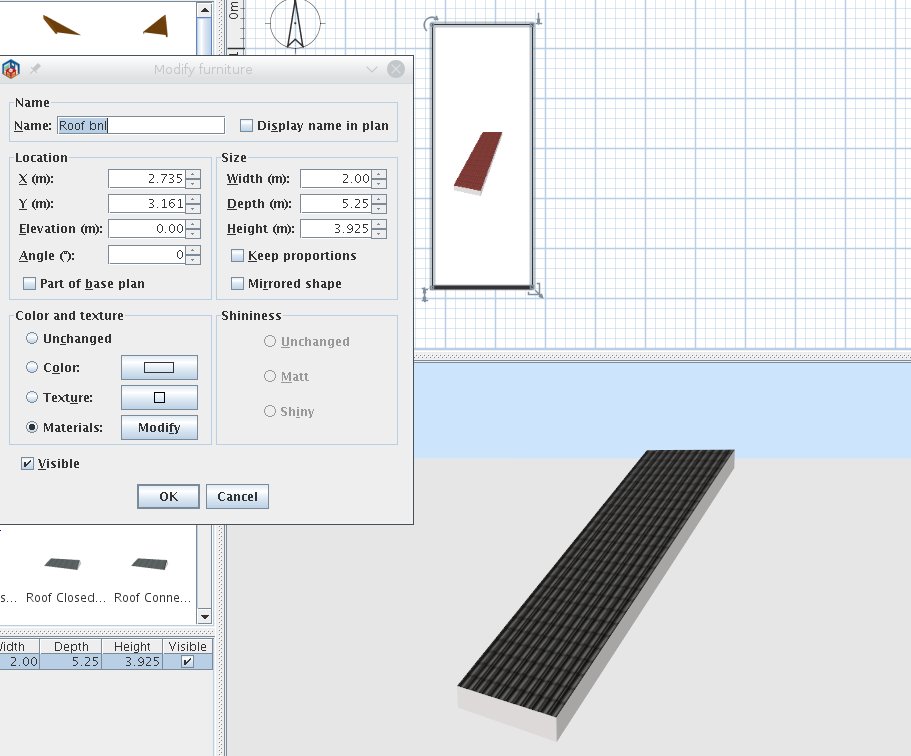
Image


In image 6 I make the roof 2 times the width and would expect to see more tiles.
Instead it seems the tiles are scaled to still show 12x25 tiles.
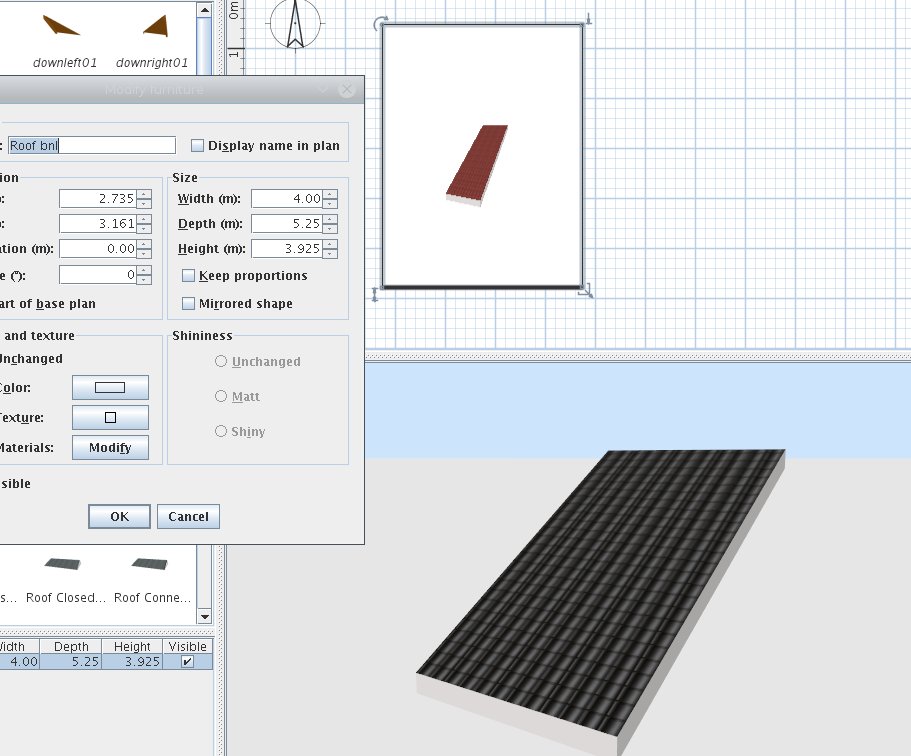
Image


Changing the general texture instead of materials gives a different behaviour.
Image 7 shows 8x25 tiles. So horizontally it is ok but vertically it is not.
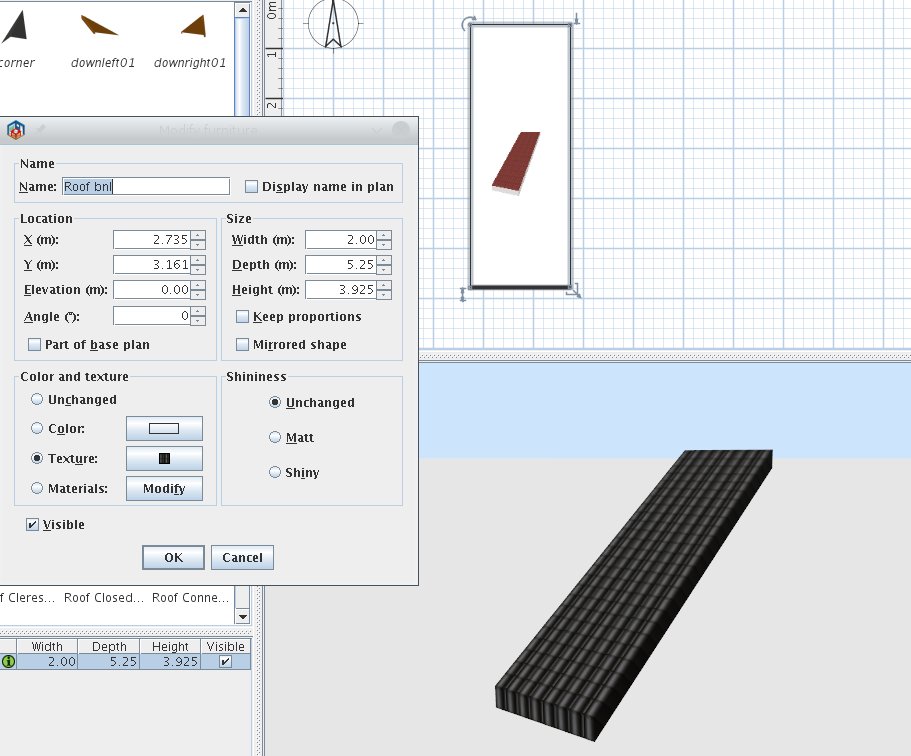
Image


Making the roof wider again in this case again shows the correct number of tiles
horizontally. So in this case the tiles are not scaled.
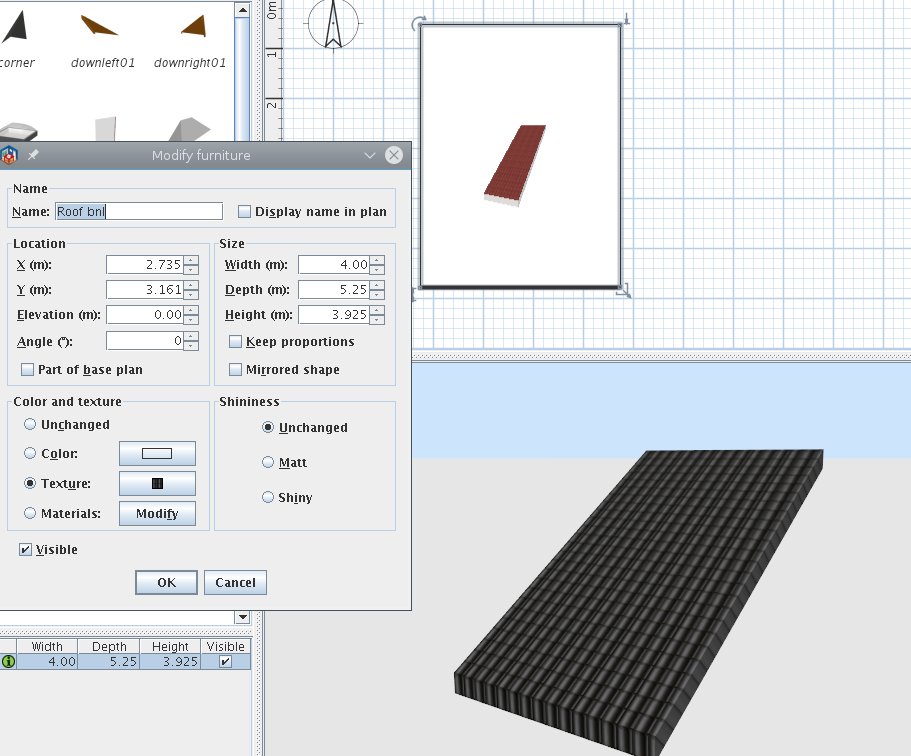
Image
Miker777
Posts: 426
Joined: Sun May 08, 2016 7:30 pm
Country: UK

Re: textures and resizing objects

Post by Miker777 »

hi mirakels, sorry i cannot help you on sorting this issue, but if you do suss it out i would love to know how, roof textures are a pain and can ruin a design.
mirakels
Posts: 40
Joined: Mon Jul 06, 2015 12:45 pm

Re: textures and resizing objects

Post by mirakels »

Hi Miker777, I posted here cause I don't know how to solve this. So I'm counting on the experienced users/developers... [:">]
alaX
Posts: 73
Joined: Tue May 24, 2016 4:26 pm
Country: Poland

Re: textures and resizing objects

Post by alaX »

Did you create this roof yourself? You should apply final texture(its size determines number of texture tiles) before you export your model.

With already imported models I think it works this way:

"Materials" option doesn't change original mapping (including number of tiles), new texture image replaces original one but takes its properties, such as tile size and proportions (square image is stretched and/or squeezed if original tile is rectangular etc.).

"Textures" option ignores original mapping(number of tiles depends on new texture size and model size), but applies texture to each part of model. Texture might be distorted if "face" is not parallel to front or top side of bounding box - I think that's why you have too many tiles vertically.

But I could be wrong...
mirakels
Posts: 40
Joined: Mon Jul 06, 2015 12:45 pm

Re: textures and resizing objects

Post by mirakels »

Hi Alex, yes, It could be that the material textures are handled in this way, and that this normally is the proper way to do it. On the other hand I can imagine shapes that are resized for which you don't want the textures to be resized along with it.

For instance I used the box object and resized it to make it occupy a specific area as a raised floor. Then I applied a texture on the top of the box and it looked awfull because the textures was completely blown up.

I think an extra option to each object material may be useful to allow it to resize the texture or not with resizing the object, but just replicate the pattern.

Oh, The roof elements are from the "Roof BNL" set made by Ola-kristian Hoff.
okh
Posts: 1545
Joined: Sun May 12, 2013 9:43 pm

Re: textures and resizing objects

Post by okh »

Oh, The roof elements are from the "Roof BNL" set made by Ola-kristian Hoff.
Ah yes, it did look familiar. Now, it has been a while, and I cannot find the original model. It was for a specific house using several roof models next to each other (grouped) instead of stretching the roof.

So if I remember correctly, issue comes from the way the textures are defined for the roof surface in the model, there is a set number of texture tiles and they will stretch with model. I think, the original was intended for the roof (at original size) to use a texture 60×60. The advantage of the tiles being locked that way is that the texture will align with surface edges so you do not end up with half tiles. Maybe I miss something in what you wrote, but did you try changing the texture you use?

If you tile the texture (with the GIMP or some other editing software), you should get more tiles on the same surface.

ok

PS - yes, there is a difference in how SH3D treats textures depending on whether a texture is applied to the model as such, or to defined surfaces.
okh
Posts: 1545
Joined: Sun May 12, 2013 9:43 pm

Re: textures and resizing objects

Post by okh »

Suddenly occurred to me where I put the model. Changed that specific element. See new post in SF Models 330 . Posted one that does not stretch the texture. However, I do not feel like doing that with all the different roof elements (for various reasons).

roof_bnl_notxt.zip

ok
mirakels
Posts: 40
Joined: Mon Jul 06, 2015 12:45 pm

Re: textures and resizing objects

Post by mirakels »

Thanks okh, will have a look at it later on.

PS: what tool do you use to create these models?
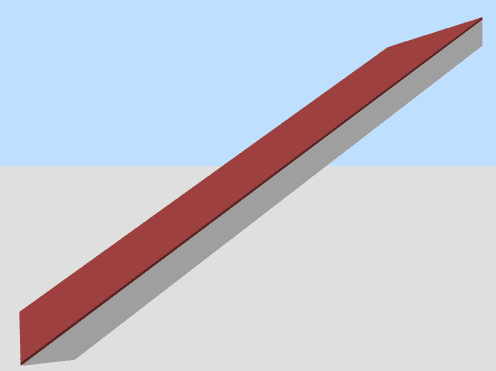
I like to add another small change ;) the bottom part of the roof element now extends vertically with the white border. I'd like to have them with the roof tiles going all the way down, so basically cutting of the small border triangle at the bottom. (hope you understand what I mean...)
okh
Posts: 1545
Joined: Sun May 12, 2013 9:43 pm

Re: textures and resizing objects

Post by okh »

...roof tiles going all the way down, so basically cutting of the small border triangle at the bottom. (hope you understand what I mean...)
Not sure. The roof modules were hastily designed and kept simple for a very specific building. Simple elements that do not have too much geometry to interfere when combining sections. That, of course, means a couple of compromises - and lack of elegance and detail.

If I get your point, your alternative would be something like this (same thread SF):
roof_bnl_special_notxt.zip
Image
But it is no longer a match with the other roof elements...

ok

PS Basic geometry like this can be made with pretty much any tool - including the Generate 3D shape plugin (see thread 6600) - or even by drawing walls in SH3D, exporting as .obj and import/rotate.
User avatar
HawkDawg
Posts: 199
Joined: Tue Oct 06, 2015 11:06 pm
Country: Georgia, USA
Contact:

Re: textures and resizing objects

Post by HawkDawg »

This thread may be of some help to you in creating a roof.

http://www.sweethome3d.com/support/foru ... hread,5100

There's also this tutorial by Hans Dirkse.

http://www.sweethome3d.com/slopingCeilingGuide.pdf
Hawk
Post Reply New Topic

Who is online

Users browsing this forum: No registered users and 2 guests