How can i solve my problem with the iron rail that i want to add to an inclined wall side of a garden stair.
I was trying to make a custom rail , but when i failed i tried to get a 3d model of rail but i have a new problem.Can i get some help,Thanks.
http://www.mediafire.com/view/fnfrm3lrb ... _Rails.jpg
Stair Rail
This topic has been viewed 5213 times and has 5 replies
-
bdfd

- Posts: 2614
- Joined: Sat Mar 29, 2014 7:17 am
- Country: LILLE, Les Hauts de France, Western Europa
Re: Stair Rail
Hi,
You must export the rail (in obj format) and re-import it.
When you will be with the box and the green arrows, push it in right direction
with SHIFT and green Arrow like you want...
Or find a good model in 3D Warehouse.com
[:)]
You must export the rail (in obj format) and re-import it.
When you will be with the box and the green arrows, push it in right direction
with SHIFT and green Arrow like you want...
Or find a good model in 3D Warehouse.com
[:)]
Evil progresses when good people do nothing!
---
SH3D 7.1 and nothing else - W11 64b in 4K
---
SH3D 7.1 and nothing else - W11 64b in 4K
-
honywell162
- Posts: 2
- Joined: Fri Dec 23, 2016 11:10 pm
- Country: Egypt
Re: Stair Rail
My Problem is to align it with the inclined wall
I found inclined rail but the problem with me to complete with the same rail in the horizontal
So if i find the inclined one i can't continue with the same one on the horizontal wall and vice versa
I found inclined rail but the problem with me to complete with the same rail in the horizontal
So if i find the inclined one i can't continue with the same one on the horizontal wall and vice versa
-
bdfd
- Posts: 2614
- Joined: Sat Mar 29, 2014 7:17 am
- Country: LILLE, Les Hauts de France, Western Europa
Re: Stair Rail
If it's too hard for you, find a good model for your project in 3D Warehouse.com
try this : HERE in general
or HERE in detail
[:)]
try this : HERE in general
or HERE in detail
[:)]
Evil progresses when good people do nothing!
---
SH3D 7.1 and nothing else - W11 64b in 4K
---
SH3D 7.1 and nothing else - W11 64b in 4K


Re: Stair Rail
If this is what You want
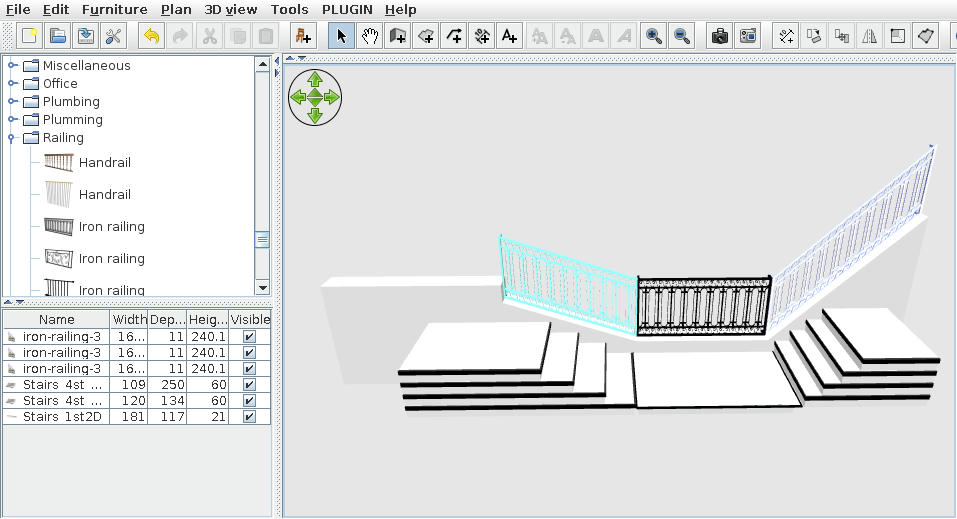
then follow next steps otherwise... ask again
-download this furniture
-import them in SH3D and then in 2D plan
-will look strange
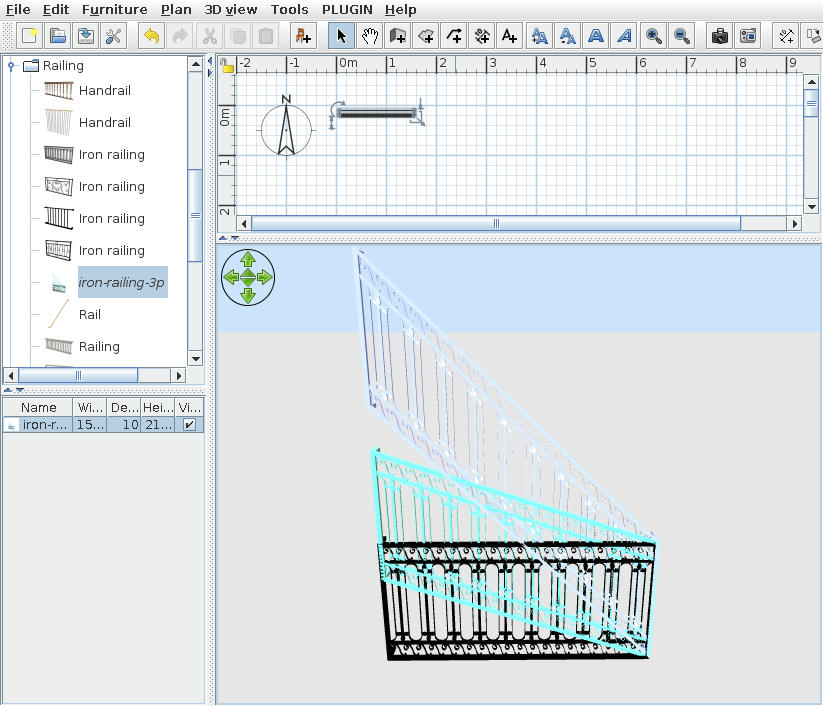
It's a 3 in 1 furniture.
-right clik -> Modify furniture -> Materials:Modify
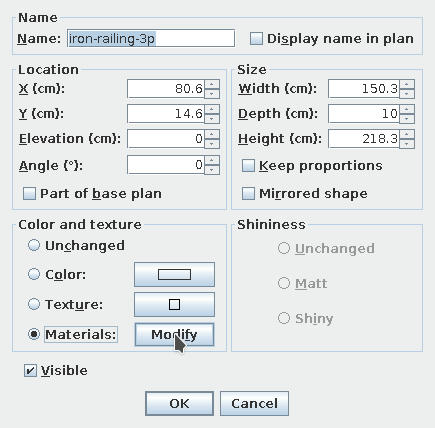
-on materials dialog
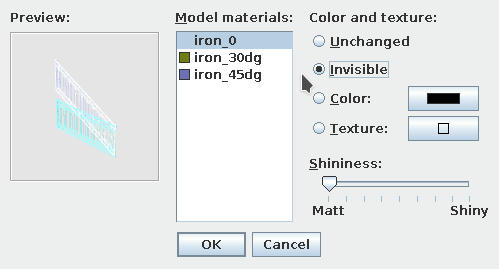
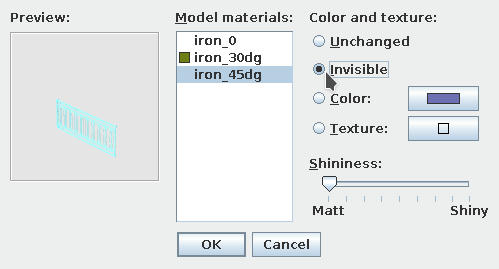
select which You don't need and make them invisible.
In this case I chose to keep 30 deg. Will look like this in the end
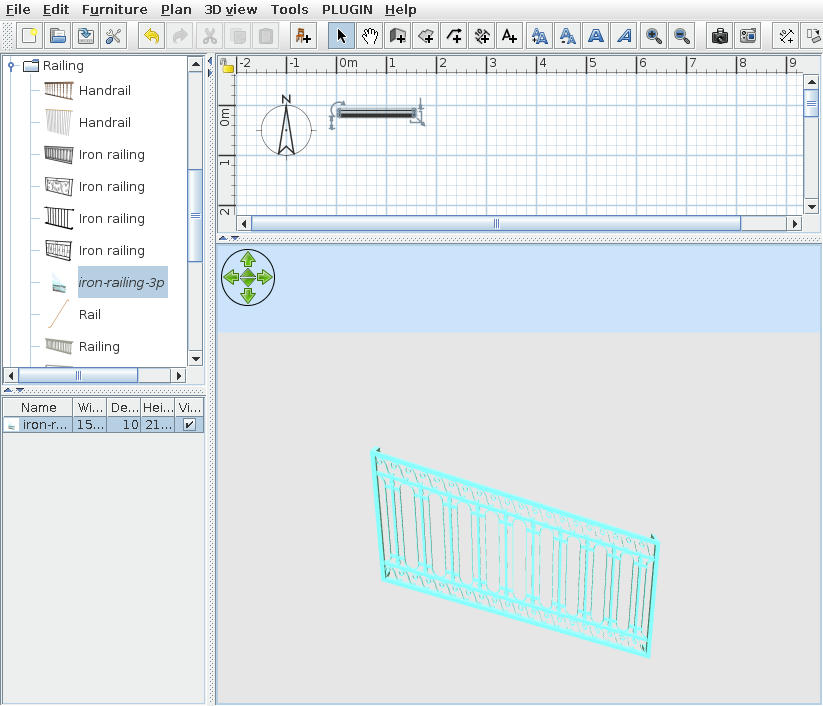
For this task I use the original furniture and modify them in AOI
P.S. Off course You can change the color(texture) and don't forget to use the mirror shape when You need.
Hope to be helpful and HAPPY NEW YEAR to Everibody [:o)]
then follow next steps otherwise... ask again
-download this furniture
-import them in SH3D and then in 2D plan
-will look strange
It's a 3 in 1 furniture.
-right clik -> Modify furniture -> Materials:Modify
-on materials dialog
select which You don't need and make them invisible.
In this case I chose to keep 30 deg. Will look like this in the end
For this task I use the original furniture and modify them in AOI
P.S. Off course You can change the color(texture) and don't forget to use the mirror shape when You need.
Hope to be helpful and HAPPY NEW YEAR to Everibody [:o)]
A computer program does what you tell it to do, not what you want it to do. Murphy's Law
When all else fails, read the instructions. Murphy's Law
If you don't like "AS IS", DIY. Dorin's law
When all else fails, read the instructions. Murphy's Law
If you don't like "AS IS", DIY. Dorin's law
Re: Stair Rail
Nice tip, Dorin. Thank you!
Who is online
Users browsing this forum: No registered users and 2 guests