In need of assistance

This topic has been viewed 6336 times and has 16 replies
Thread status: Active
Looking for a particular 3D model or texture? [img]http://www.sweethome3d.com/images/flags/en_small.gif[/img]
Mike53
Posts: 678
Joined: Sat Jan 06, 2018 1:02 am
Country: UK

In need of assistance

Post by Mike53 »

Hi

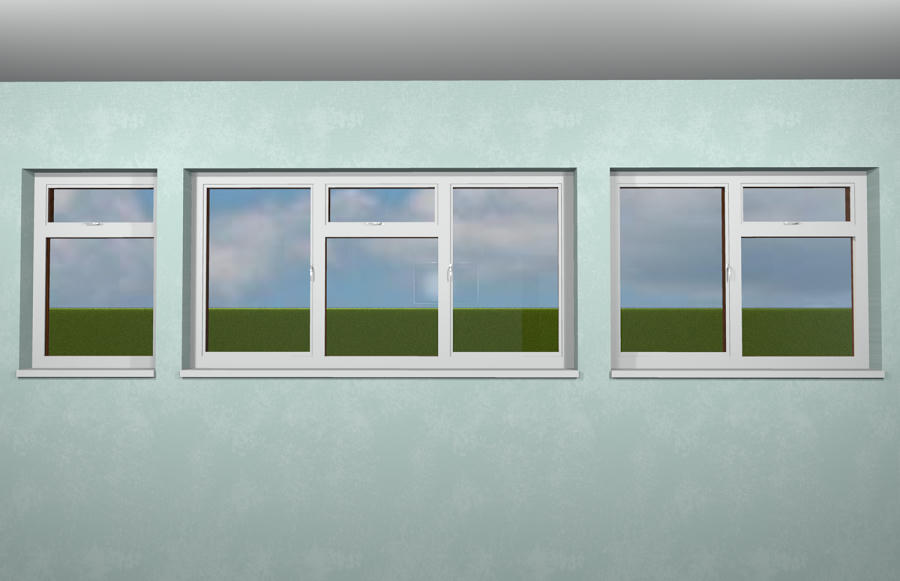
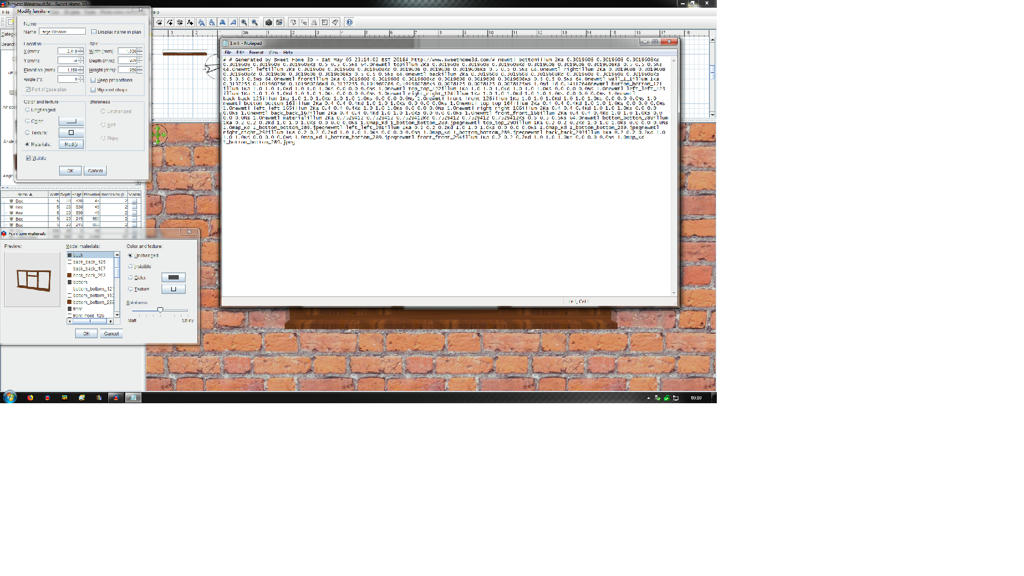
I have made some new windows, which i hope to use and share. Unfortunately i have no idea at all what to do to make them user friendly, they are at present just an assembly of box's.
Here are the windows :-

Image

Image

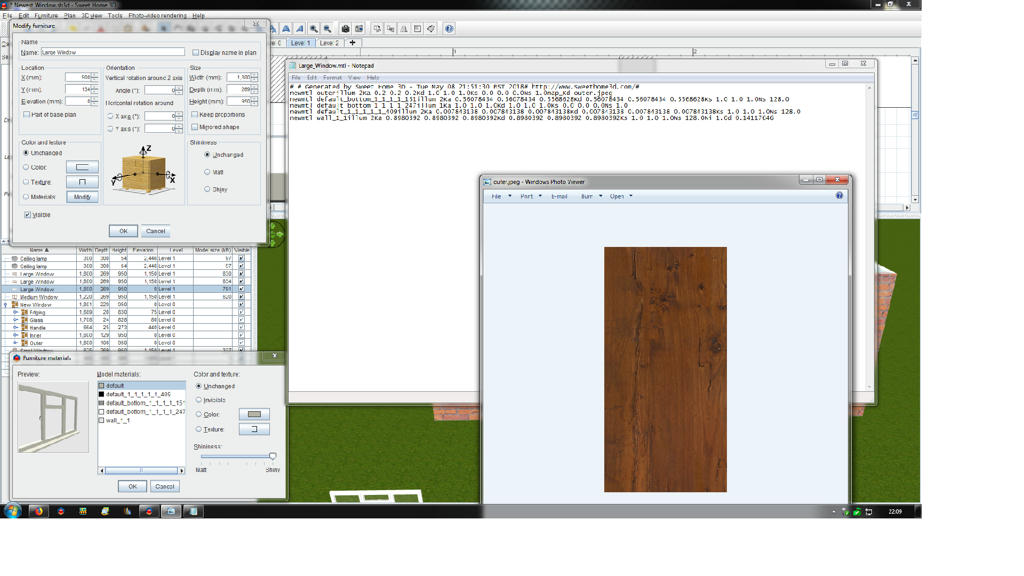
and here is the issue

Image
If i (well someone else [:)] ) could get the modify box to show inner, outer, glass, handles and edge, or explain why i cannot get it to work this way, then i would be eternally grateful.

Mike
User avatar
dorin
Posts: 824
Joined: Thu Apr 24, 2014 9:14 am
Country: Vatra Dornei, Suceava, Romania

Re: In need of assistance

Post by dorin »

The trick is to name the texture or color with the name of object part.
e.g. The 4 boxes from window frame must have the texture name "frame" or whatever and so on.
I do this usually in AOI to modify all in one step but I think is possible too in SH3D but in multiple steps.
So, You have 2 options:
1. Try to do it Your self (I seen Your work in Gallery and I think You can do it) or
2. Put the obj and mtl file somewhere to be downloaded for modification.
A computer program does what you tell it to do, not what you want it to do. Murphy's Law
When all else fails, read the instructions. Murphy's Law
If you don't like "AS IS", DIY. Dorin's law
Mike53
Posts: 678
Joined: Sat Jan 06, 2018 1:02 am
Country: UK

Re: In need of assistance

Post by Mike53 »

Hi Dorin.
Thank you for the quick response, i would like to have a go, i don't believe i will be successful as i am no good with numbers. That said, looking at the mtl, what part defines that objects color/texture, here is an example :-


0
map_Kd Small_Window_bottom_bottom_87.jpeg

newmtl right_right_90
illum 1
Ka 0.2 0.2 0.2
Kd 1.0 1.0 1.0
Ks 0.0 0.0 0.0
Ns 1.0
map_Kd Small_Window_bottom_bottom_87.jpeg

newmtl back_back_91
illum 1
Ka 0.2 0.2 0.2
Kd 1.0 1.0 1.0
Ks 0.0 0.0 0.0
Ns 1.0
map_Kd Small_Window_bottom_bottom_87.jpeg

newmtl front_front_92
illum 1
Ka 0.2 0.2 0.2
Kd 1.0 1.0 1.0
Ks 0.0 0.0 0.0
Ns 1.0
map_Kd Small_Window_bottom_bottom_87.jpeg

newmtl wall_1_1
illum 2
Ka 0.8980392 0.8980392 0.8980392
Kd 0.8980392 0.8980392 0.8980392
Ks 0.5 0.5 0.5
Ns 64.0
Ni 1
d 0.14117646

newmtl bottom_bottom_195
illum 2
Ka 0.3019608 0.3019608 0.3019608
Kd 0.3019608 0.3019608 0.3019608
Ks 0.5 0.5 0.5
Ns 64.0

newmtl top_top_196
illum 2
Ka 0.3019608 0.3019608 0.3019608
Kd 0.3019608 0.3019608 0.3019608
Ks 0.5 0.5 0.5
Ns 64.

mmmmm that looks different than the note pad version.

Looking at the way that now appears, am i right in assuming that each side of each box starts with the word "new" and those that have a jpeg are therefor textured?
I think from what you said i could rename each white part to inner, instead of back back or front front etc and each textured part to outer, or start all over again.

Here is a link the the 3 obj's and mtl's.

Just had a thought , is there a better thingy for viewing the mtl than notepad?

Mike
User avatar
dorin
Posts: 824
Joined: Thu Apr 24, 2014 9:14 am
Country: Vatra Dornei, Suceava, Romania

Re: In need of assistance

Post by dorin »

Is not so simple.
1. MTL file (material textures library) is OK to open/edit with notepad.
- newmtl is a kind of tag; the name came after (right_right_90)
- this name are used several times in OBJ file; You must modify both.
- don't care about numbers; it's some codes for color except dose for glass which describe the transparency (d 0.14117646)
- indeed the JPG is the texture but I suggest to not set it until the final step wile we can modify when we use it; use only colors to be more easy identifiable.
2. If You want to use only SH3D and the texturable box You must build step by step: e.g.For simple window:
-fist make the frame (5 boxes), align them correctly, GROUP them and then export as obj.
-edit the MTL and OBJ file by renaming all the textures "frame".
-re import as furniture and in modify texture You must have only one entry "frame".
3. Repeat these procedure for "window", "glass", "knob", "ledge" and "hinge".
4. At the end import them all, arrange correctly, group and export as obj.
5. Import the furniture and see what You do [:">]
Otherwise learn AOI and make it there.
I will tray to make a library with windows You suggest; I'm interested in this.
PS. I suppose the knob must be on the other side to be usable.
A computer program does what you tell it to do, not what you want it to do. Murphy's Law
When all else fails, read the instructions. Murphy's Law
If you don't like "AS IS", DIY. Dorin's law
Mike53
Posts: 678
Joined: Sat Jan 06, 2018 1:02 am
Country: UK

Re: In need of assistance

Post by Mike53 »

Thank you Dorin
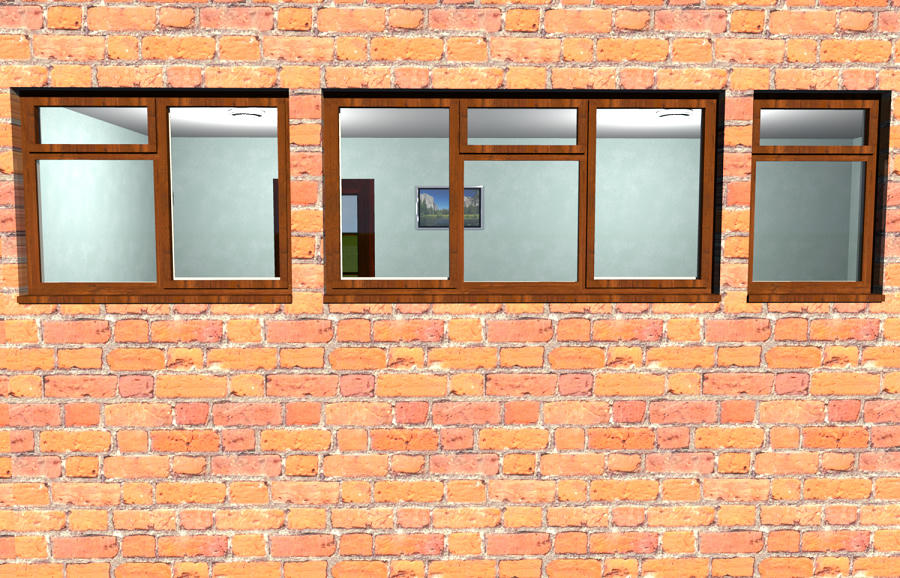
Very very helpful, but, i am missing something. Here is an image of the progress i have made Image
so when i now open the "modify" box i see the 5 items i want, but they are all called Default, which is probably my fault [:)] . hopefully you can see the top line on the mtl which reads :-

newmtl outer
illum 2
Ka 0.2 0.2 0.2
Kd 1.0 1.0 1.0
Ks 0.0 0.0 0.0
Ns 1.0
map_Kd outer.jpeg

and the image named "outer".
What have i missed?
Thx
Mike
Mike53
Posts: 678
Joined: Sat Jan 06, 2018 1:02 am
Country: UK

Re: In need of assistance

Post by Mike53 »

I also noticed that if i change the last line to read glass or window instead of wall it loses its transparency??????/
User avatar
dorin
Posts: 824
Joined: Thu Apr 24, 2014 9:14 am
Country: Vatra Dornei, Suceava, Romania

Re: In need of assistance

Post by dorin »

1. You've made good progresses [=D>]
2. On notepad You've right -it looks bad. Verify the notepad settings because don't interpret correctly the end of line and the spaces.
You can use other text editor (LO writer or MSWord).
3. My advice is to NOT use any texture in that stage, only different colors. The user could set their own preferences after insert it in plan.
4. If You modify the name ONLY in mtl file of course You've loose the transparency; You MUST also modify the name in obj file (in text editor). e.g.:
in Window.mtl
#Produced by Art of Illusion 3.0.3, Tue May 08 14:32:53 EEST 2018
newmtl window
illum 1
Ka 0.2 0.2 0.2
Kd 1.0 1.0 1.0
Ks 0.0 0.0 0.0
Ns 1.0
Ni 1.0
d 0.26666665 #this indicate the transparency

in Window.obj
#Produced by Art of Illusion 3.0.3, Tue May 08 14:32:53 EEST 2018
mtllib Window.mtl
s 0
g Window
usemtl window #this indicate which texture to use for next object
v 0 0 0
v 0 0 10
.....
..... etc

Hope is useful.
A computer program does what you tell it to do, not what you want it to do. Murphy's Law
When all else fails, read the instructions. Murphy's Law
If you don't like "AS IS", DIY. Dorin's law
Mike53
Posts: 678
Joined: Sat Jan 06, 2018 1:02 am
Country: UK

Re: In need of assistance

Post by Mike53 »

Does that mean i need to add it to my liary and the use the furniture editor?
User avatar
dorin
Posts: 824
Joined: Thu Apr 24, 2014 9:14 am
Country: Vatra Dornei, Suceava, Romania

Re: In need of assistance

Post by dorin »

No, that mean You need to modify BOTH files in notepad to use the same name for texture in .mtl and in .obj.
A computer program does what you tell it to do, not what you want it to do. Murphy's Law
When all else fails, read the instructions. Murphy's Law
If you don't like "AS IS", DIY. Dorin's law
Mike53
Posts: 678
Joined: Sat Jan 06, 2018 1:02 am
Country: UK

Re: In need of assistance

Post by Mike53 »

Ok, just looked at the obj in text, i think its gonna remain "default". [:D]
Post Reply New Topic

Who is online

Users browsing this forum: No registered users and 1 guest