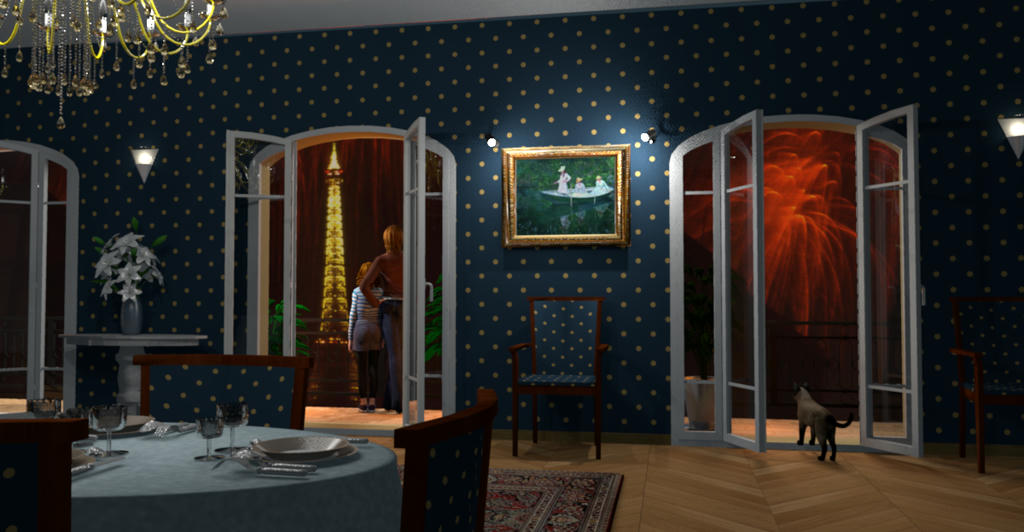
The
Beta 4 brings some more expected features than articulated mannequins and opening doors [;)]
- First, objects placed at an underground level now individually dig the ground when they belong to a group (see
Holes in the ground thread).
- It's possible to select more than a material in the list shown in materials modification pane to change faster a group of materials that should look the same. Multi selection can be done with the
shift key for a single interval, and with
ctrl /
shift ctrl keys to select/unselect an individual material (
cmd /
shift cmd keys under macOS).
- All spinners showing numbers are able to compute the math formula you'll enter, except for lengths using foot/inch/fraction notation.

If the value can't be computed, the text of the spinner will be displayed in red. The result of the formula replaces the entered text as soon as the focus is transferred to an other field. The syntax of the formulas supports the operators + - * / ^ (power) and the functions LN, LOG, EXP, SQR, SQRT, COS, SIN, TAN, ARCCOS, ARCSIN, ARCTAN. It isn't case sensitive and functions may be followed directly by a number without any brackets (except of course if you want to change the priority of a part of the calculus).
This feature was programmed with a simplified version of
JeksParser, a library I programmed a long time ago.
- Prices can now be entered in the furniture modification pane
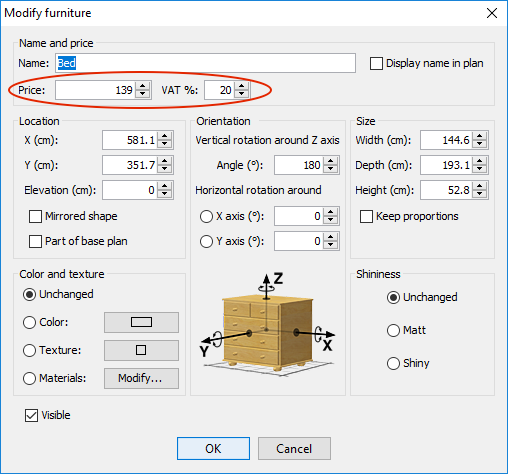
once you chose a currency with a new drop down list available in the preferences pane
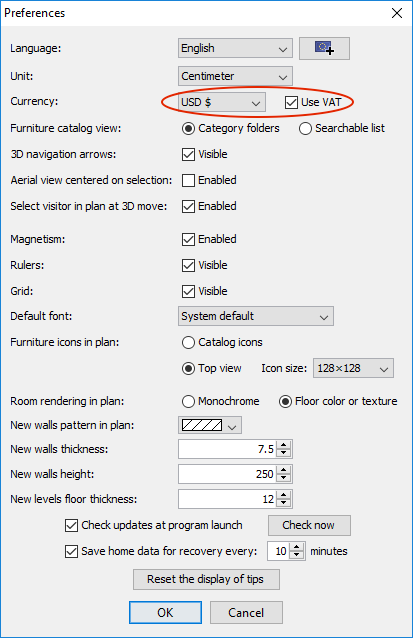
As the previous images show, it's also possible to activate VAT management (or more generally any tax percentage that should apply to the price), if you want or need to show the difference between price without tax and price with tax included. When this option is selected, the furniture modification proposes a default 20% VAT value as soon as you enter a price. You may change this percentage, and the new % value will be reused for next price change.
Total price, and
Total VAT with
Total VAT included values appears at the bottom of the furniture list, as soon as a currency is selected in the preferences pane (only
Total price appears if the
Use VAT preference is unselected).
The furniture list may also display the price, the VAT %, the VAT and the price VAT included of each piece, if you request to display the matching columns with
Furniture > Display column menu.
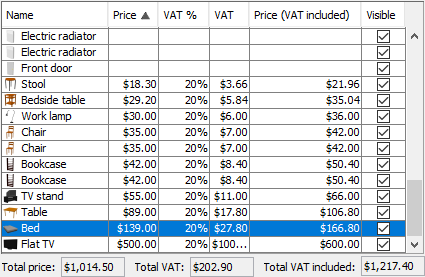
These columns and the
Price /
VAT % fields of the furniture modification pane are available only when a currency is selected in the preferences pane.
If you don't want to use prices, simply choose the option
Ignore price in the preferences pane (or leave it unchanged).

Each time the price of a piece of furniture is set or changed, its associated currency is set from the currency currently selected in the preferences pane. This allows to use different currencies in the same project (in which case the totals below the furniture list are blank), and more likely, to distribute a SH3D file to other people without worrying about the currency they use.
Note that currency symbols like $, €, £, ¥... are used only when it's the symbol used in your language and country, otherwise the three letters currency code is generally used. For example, USD will appear instead of the $ symbol if the application is used in Europe, and US$ will appear in Canada.
I hope you'll like how I managed prices and currencies in Sweet Home 3D, even if this beta may not have resolved some subjects, like the prices of services and other things different from furniture. Are there some cases when using dummy furniture could be an unacceptable workaround? I wondered also if negative prices should be accepted for rebates, and if printings should include totals, since furniture prices can already be exported to CSV or to the clipboard. Please, test these new features and post your suggestions.
Rontant, the Photo-Video Rendering and the default photo creation option in Sweet Home 3D can give different results. Sorry, it's not the right thread to discuss about that subject, as you can't compare the results of the two tools in Sweet Home 3D Beta.