@AdeleAlli
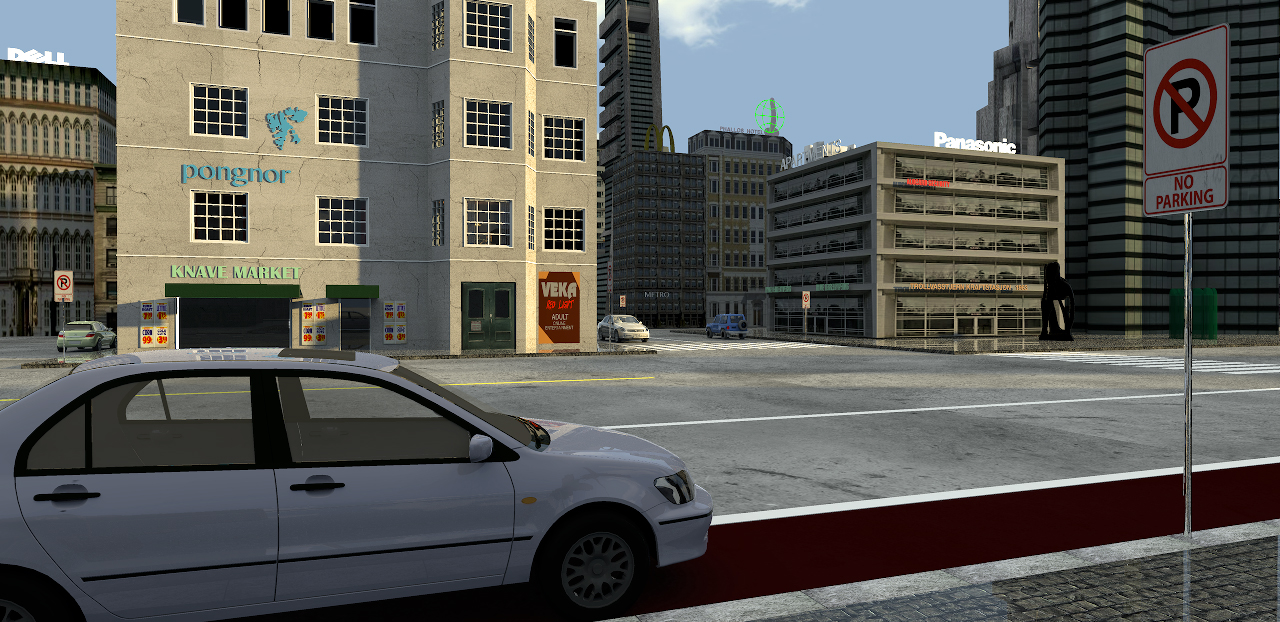
I love the road sign that is saying "No parking" and the car leaved in that area.

Thank you! I like it when a picture tells a story.
does the building with the sign "Panasonic" has a wall texture of a building that you found in the web? And also the building with the sign "Dell" is made in the same way?
Not quite sure where these textures come from. I have a huge library of textures, mostly bought/home-made, but these might well come from some free download site in the net. This tiny town is not entirely my construction. I have just modified it a bit in order for it to function as temporary surroundings for preview purposes. It will be replaced by my own construction – in a style I would call
"Urban pseudo-futuristic Eastern-European post-functionalism", dated sometime around the 1980's
The building in the foreground with the sign "Knave Market" is also realized in the same way?
No, the Knave Market building is a “real“ building, constructed in SH3D, the building where i shot the glass box illustration.
If it is, how did you put the transparent area exactly where the windows are?
I have made a quick illustration to show you what I mean:
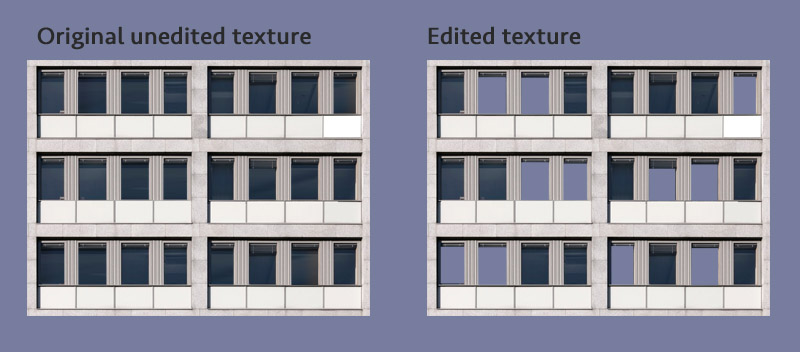
As you can see, all the windows are there on the original, so what I do is to cut out some of the windows from the texture – making them transparent, so that a light source placed inside will shine through the opening – creating an illusion of a lighted room behind the window.
In a city at night, there are some windows with light, and some windows without. I could of course create this in SH3D, and end up with an even better illusion, but it would take a lot more time, it would create a bigger file-size, and it would be more difficult to handle than just textured boxes.
What I prefer to do, is to make what can best be described as "sections", where a "section" consists of seven - eight boxes and one or two textures. Then I use these "sections" as building blocks for a whole city.
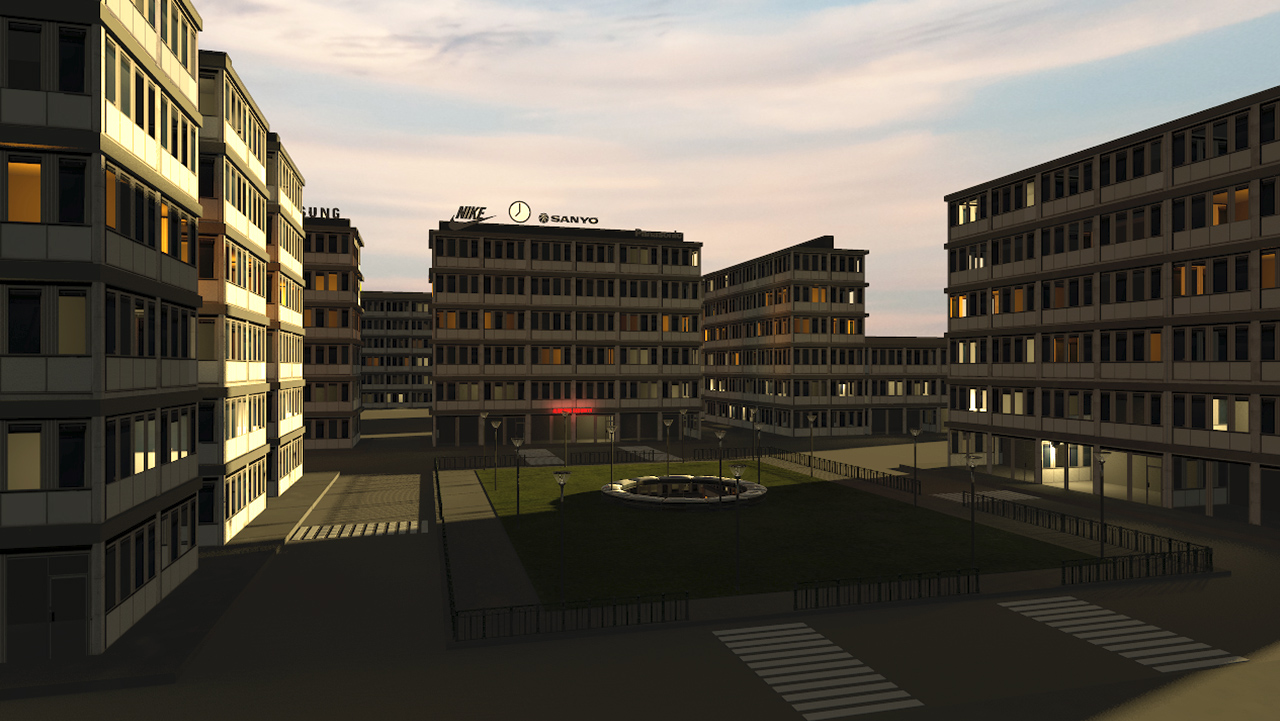
The buildings in this fake city are made from only one section with two textures.
It illustrates my impression of revitalized Urban pseudo-futuristic Eastern-European post-functionalism – anno 2010:
 Here is a zip-file
 that you ( or anyone interested) can download.
It includes a project file with a textured and lighted "section", plus a small assembly, exactly the same section and assembly that I used to create the above illustration.
In the zip-file you will find two quite usable sky textures:
One is a nice rural morning texture with clouds and a hazy horizon ( do not downsize), that works best with early morning or late evening sun positions, but also works for rendering a shadowless exterior, using moon symbol and [font=courier new]external brightness[/font].
The other is a dark night texture with an upper level of light blue. This texture works okay for rendering night shots using the [font=courier new]external brightness[/font] option (IBL), and will give a sort of moonlight atmosphere. Darkness can be added by setting the [font=courier new]global illumination[/font] to zero.
PS,
I’m using SH3D only for illustrational purposes, so accurate dimensions are quite irrelevant in my work. You might notice that the section is only 60 - 70% of “normal” size, and that is intentional. Distant objects don’t have to be placed far away on the plan to appear distant. Since any known object already has it’s size recorded in the inventory of our consciousness, it’s the perceived size – the way an object appears in there perspective of our viewpoint – that creates the sensation of near or far. So a small object , like a downsized city, placed close to the camera, can appear to be just as far away as a bigger sized city placed “ realistically” far away from the camera.
Cec