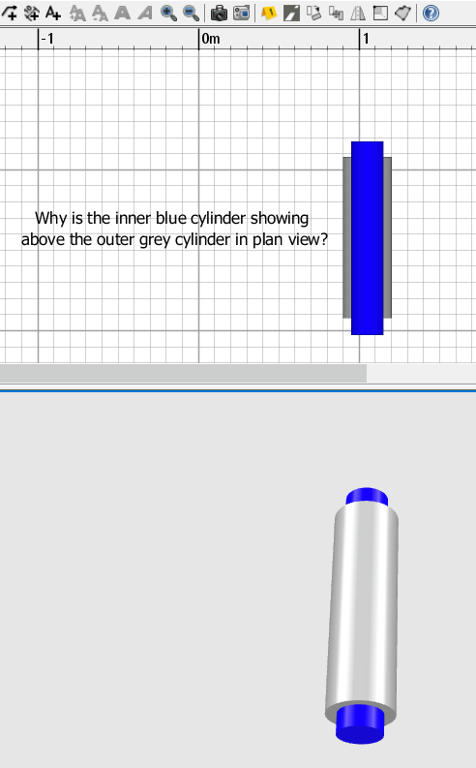
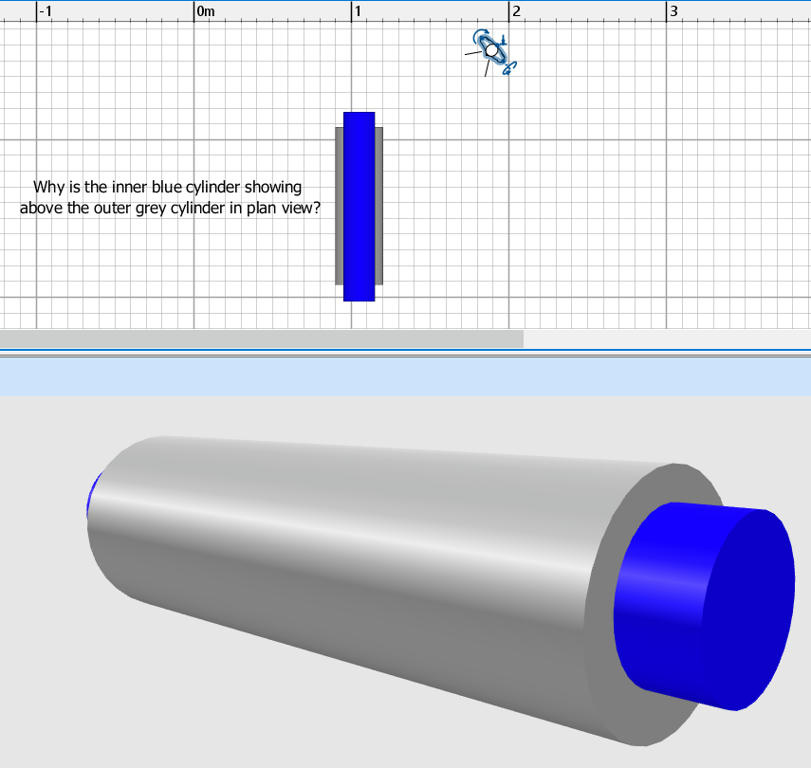
Please can someone advise how to make the plan view of concentric cylinders display correctly? The inner blue cylinder appears above the outer grey cylinder in plan view. But in 3D view it displays correctly.
Is there something wrong with cylinder model I'm using, which is the texturablecylinder from the Sweethome 3D eTeks library?
In the plan, the objects are drawn in the order of the smallest to the highest elevation, then if at the same elevation, in the order they were added to the plan. There’s no hidden faces computation like in the 3D view.
If you want to hide the inner blue parts, you should create one 3D model containing both cylinders, for example by selecting the 2 cylinders, then choosing 3D view > Export to OBJ format menu item (click on Export selection when prompted) and reimporting the exported OBJ file with Furniture > Import furniture menu item.