software crash

This topic has been viewed 3537 times and has 7 replies
Thread status: Active
Still a problem with your graphic card? [img]http://www.sweethome3d.com/images/flags/en_small.gif[/img]
Post Reply New Topic
Mike53
Posts: 678
Joined: Sat Jan 06, 2018 1:02 am
Country: UK

software crash

Post by Mike53 »

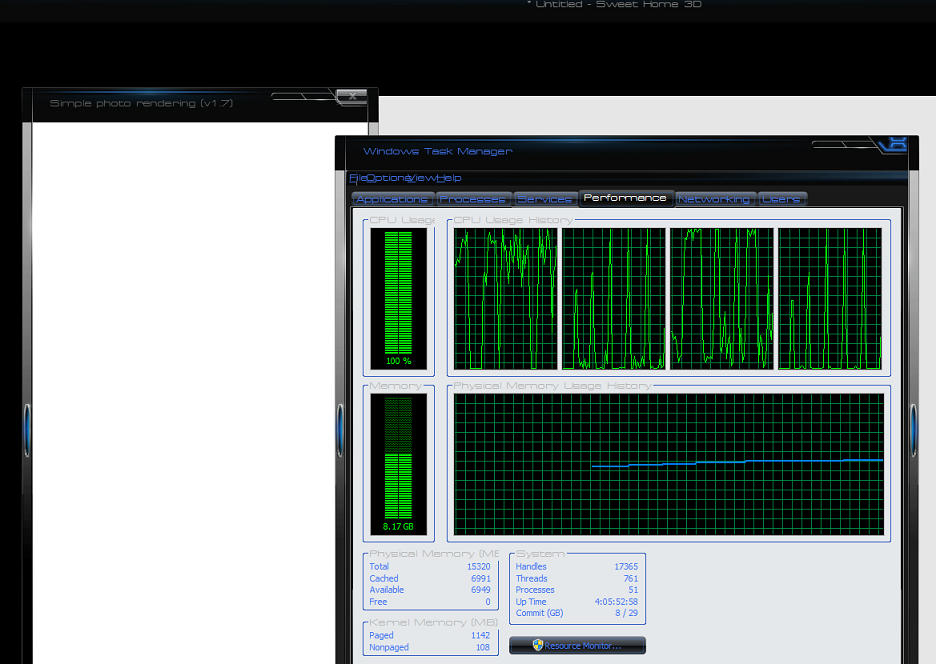
Hi, anyone have an idea why i would have SH3d lock up when i tried to change the "time" for a render

Image

My pc just sat there for 45 mins before i could do anything, when i tried again, the same thing happened, ended up closing the unsaved project using task manager. [:(]
User avatar
Puybaret
Posts: 9440
Joined: Mon Nov 07, 2005 12:00 pm
Country: Paris, France
Contact:

Re: software crash

Post by Puybaret »

Does it happen at the moment you change the time in the user interface or when you launch the rendering process? Does it happen only on a particular file or all the time?
Emmanuel Puybaret, Sweet Home 3D creator
Mike53
Posts: 678
Joined: Sat Jan 06, 2018 1:02 am
Country: UK

Re: software crash

Post by Mike53 »

i made 2 renders yesterday, 1st time set to 12 the 2nd at 7 AM
the 3rd i tried to change it to 7pm, nothing happened when i clicked the up button, then all went white. Tried again today and got the same, all good until i try to alter the time. [:(]

Using Sweet Home version 6.3,
java 1.8.0_202 - 0.1/4.9 GB,
java 3D 1.6.1
Mike53
Posts: 678
Joined: Sat Jan 06, 2018 1:02 am
Country: UK

Re: software crash

Post by Mike53 »

The cpu usage is at 100 % when i normally render but the memory bar graph shows less than 4 usually, including when i checked today.
Mike53
Posts: 678
Joined: Sat Jan 06, 2018 1:02 am
Country: UK

Re: software crash

Post by Mike53 »

Still having difficulty here, software has frozen twice today, once while changing between levels and once when trying to save a render. Had to use task manager on both occasions to close the programme. Luckily auto save meant i had not lost much. Fault showing is something about java binary. [:(]
User avatar
Puybaret
Posts: 9440
Joined: Mon Nov 07, 2005 12:00 pm
Country: Paris, France
Contact:

Re: software crash

Post by Puybaret »

Mike, does it happen on any SH3D file?
Emmanuel Puybaret, Sweet Home 3D creator
Mike53
Posts: 678
Joined: Sat Jan 06, 2018 1:02 am
Country: UK

Re: software crash

Post by Mike53 »

I have tried 3 different projects and started a new one, it froze when changing levels.
Any help appreciated
Mike53
Posts: 678
Joined: Sat Jan 06, 2018 1:02 am
Country: UK

Re: software crash

Post by Mike53 »

Uninstalled 6.3, went back to 6, tried 4 different files, 2 renders from each - all ok.
Uninstalled 6, installed 6.1.2, same procedure - all ok.
Sticking with this one, downside is that i do seem to be missing quite a few library items. [:(]
Post Reply New Topic

Who is online

Users browsing this forum: No registered users and 1 guest