Multiplier plugin

This topic has been viewed 26880 times and has 23 replies
Thread status: Active
Questions about extending features and developing plug-ins [img]http://www.sweethome3d.com/images/flags/en_small.gif[/img]
User avatar
dorin
Posts: 824
Joined: Thu Apr 24, 2014 9:14 am
Country: Vatra Dornei, Suceava, Romania

Multiplier plugin

Post by dorin »

Preamble:
I'm not a programmer, almost all line of cods are stolen (including from me), especially from Emmanuel and Tobias.
I've rewrite it from scratch.
So, I've split the Paste special and distribute plugin on two separate plugins.
This one is Multiplier plugin v1 which replace Paste special action.
Also have some news:
1. The most important: it work with selection and no more with copy;
2. Are under Tool->Multiply...
3. I've add some improvement which I invite You to discover.
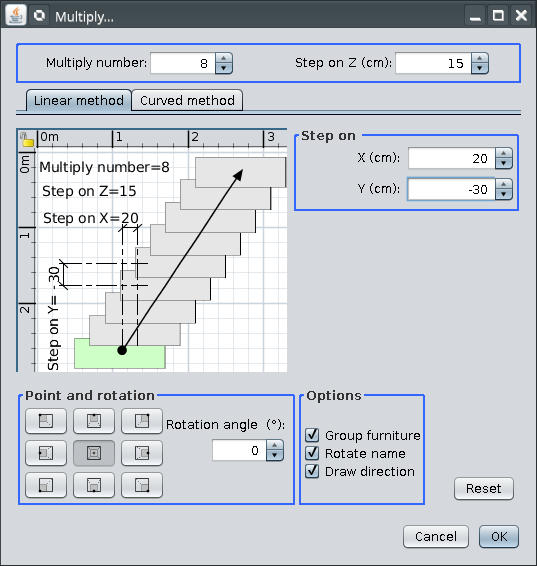
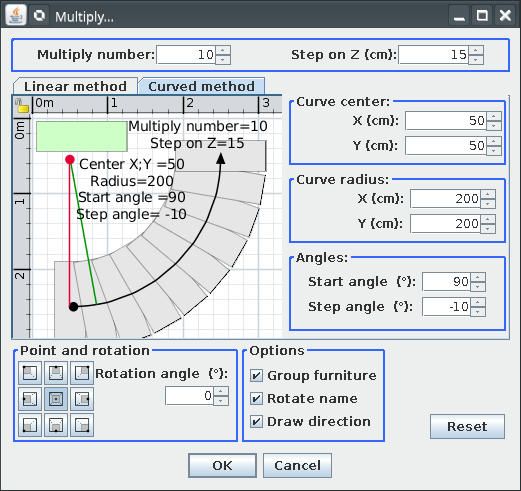
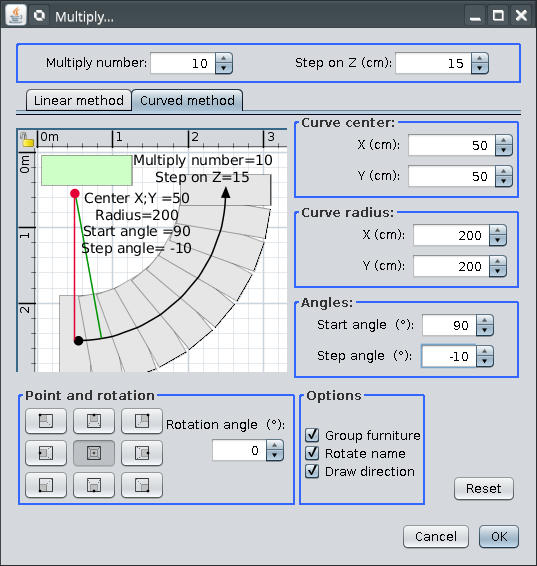
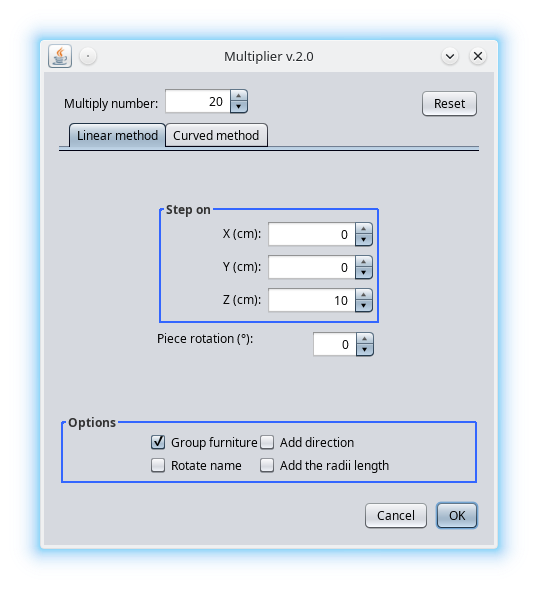
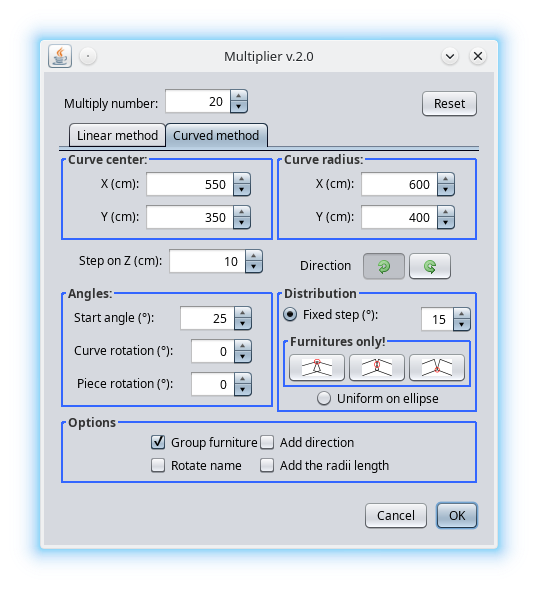
It look like this (on default and nimbus look&fill)
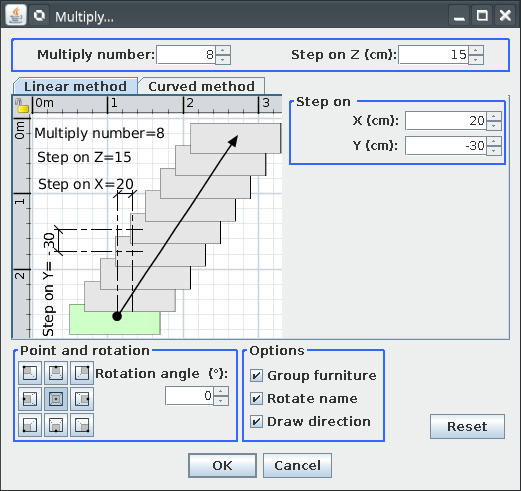
Image Image
Image Image
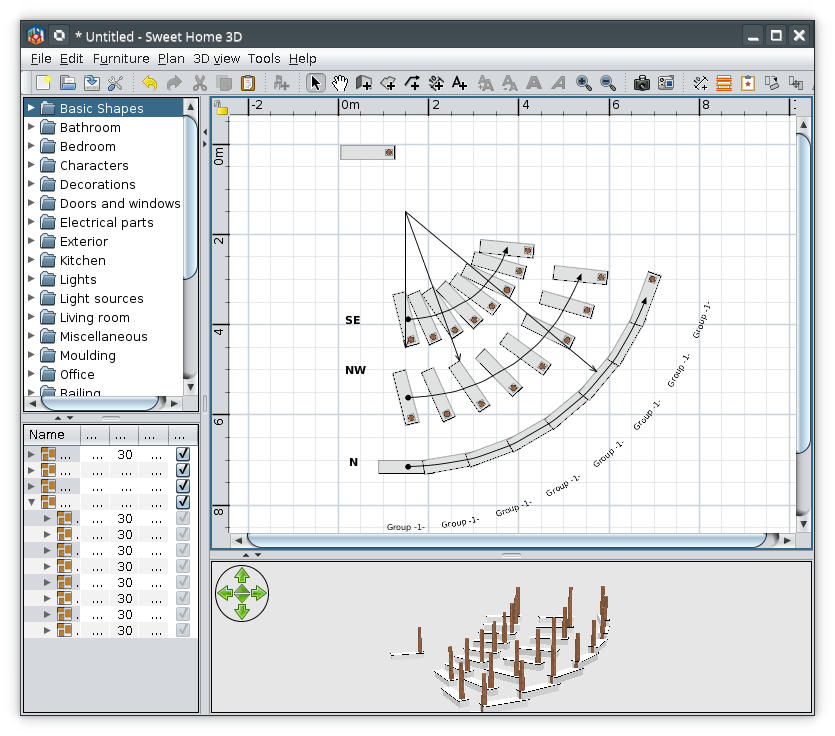
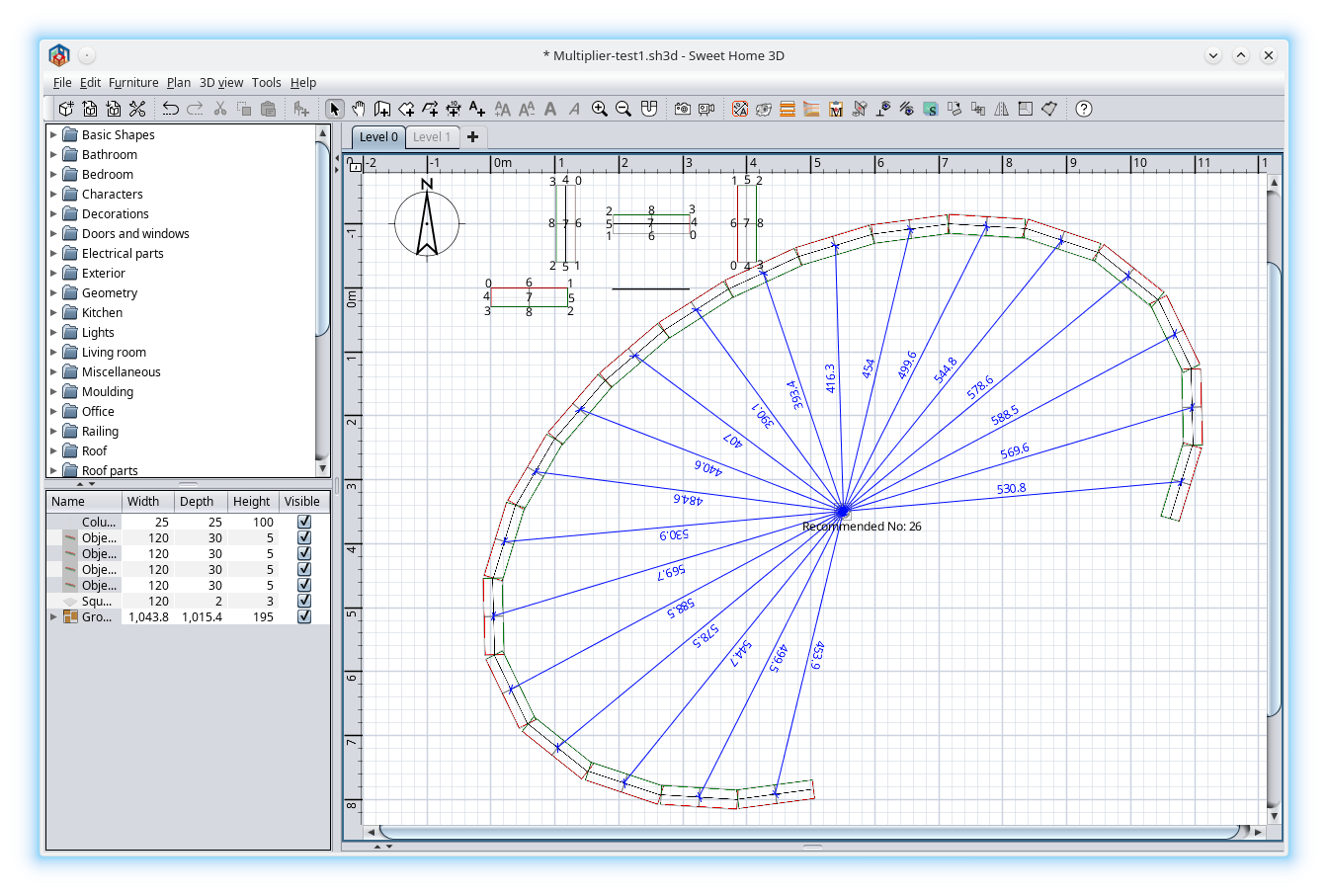
and here are a screenshot:
Image
I must mention the point position are relevant only for curved method.
You are invited to risk and discover bugs but don't make illusion from me to solve them.

A computer program does what you tell it to do, not what you want it to do. Murphy's Law
When all else fails, read the instructions. Murphy's Law
If you don't like "AS IS", DIY. Dorin's law
User avatar
Gildaniel
Posts: 135
Joined: Fri Aug 11, 2017 10:57 am
Country: Russia

Re: Multiplier plugin

Post by Gildaniel »

Dear Dorin!
Thank you for very usefull plugin!

I often need to copy log walls to exact distance (to next building axis) - this tool is more handy for this

Is it possible to make user button on button bar somehow?
User avatar
dorin
Posts: 824
Joined: Thu Apr 24, 2014 9:14 am
Country: Vatra Dornei, Suceava, Romania

Re: Multiplier plugin

Post by dorin »

Look on the toolbar and You will find it (something yellow with a red star)
A computer program does what you tell it to do, not what you want it to do. Murphy's Law
When all else fails, read the instructions. Murphy's Law
If you don't like "AS IS", DIY. Dorin's law
User avatar
Gildaniel
Posts: 135
Joined: Fri Aug 11, 2017 10:57 am
Country: Russia

Re: Multiplier plugin

Post by Gildaniel »

Great, found it!
User avatar
harbinger
Posts: 87
Joined: Thu Feb 27, 2014 4:48 pm
Country: Clearwater, FL, US

Re: Multiplier plugin

Post by harbinger »

This is a wonderful intermediate workaround until we get a standard feature in SH3D (as I wished for here). I intend to be using this alot, and hope you keep perfecting it! [B-)]
User avatar
dorin
Posts: 824
Joined: Thu Apr 24, 2014 9:14 am
Country: Vatra Dornei, Suceava, Romania

Re: Multiplier plugin

Post by dorin »

New version Multiplier v1.1 on mediafire and Multiplier v1.1 on sourceforge.

I fixed a bug in the order of creation.
Thanks Emmanuel to open my eyes [B-)] .
A computer program does what you tell it to do, not what you want it to do. Murphy's Law
When all else fails, read the instructions. Murphy's Law
If you don't like "AS IS", DIY. Dorin's law
User avatar
dorin
Posts: 824
Joined: Thu Apr 24, 2014 9:14 am
Country: Vatra Dornei, Suceava, Romania

Re: Multiplier plugin

Post by dorin »

New version 1.2
-add a better undo/redo
-add a "M" on icon to avoid confusion
Image

Also on Source Forge
A computer program does what you tell it to do, not what you want it to do. Murphy's Law
When all else fails, read the instructions. Murphy's Law
If you don't like "AS IS", DIY. Dorin's law
User avatar
Puybaret
Posts: 9440
Joined: Mon Nov 07, 2005 12:00 pm
Country: Paris, France
Contact:

Re: Multiplier plugin

Post by Puybaret »

Thank you Dorin for this update [:)]
Emmanuel Puybaret, Sweet Home 3D creator
User avatar
dorin
Posts: 824
Joined: Thu Apr 24, 2014 9:14 am
Country: Vatra Dornei, Suceava, Romania

Re: Multiplier plugin

Post by dorin »

New version 2.0
Special thanks to @Daniels118 who have made the entire hard work.
A lot of math problems to which the answers can not be found even on the net.
My part on this plugin was to confused him as much as possible.
Not too much news for about four months of work:
-Rewrite it from scratch;
-Made the UI to look more austere by eliminating some useless items;
-Add rotate for all items and rotate name;
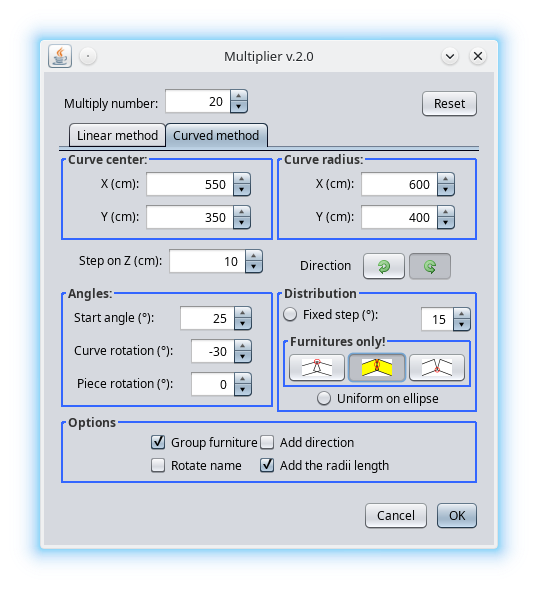
-Added few new features on curved method:
--two direction buttons, CCW and CW;
--curve rotate angle;
--five radio buttons:
---1.Fixed step;
---2.Touch on top;
---3.Touch at middle;
---4.Touch on bottom;
---5.Uniform on ellipse;
--Add the radii length;

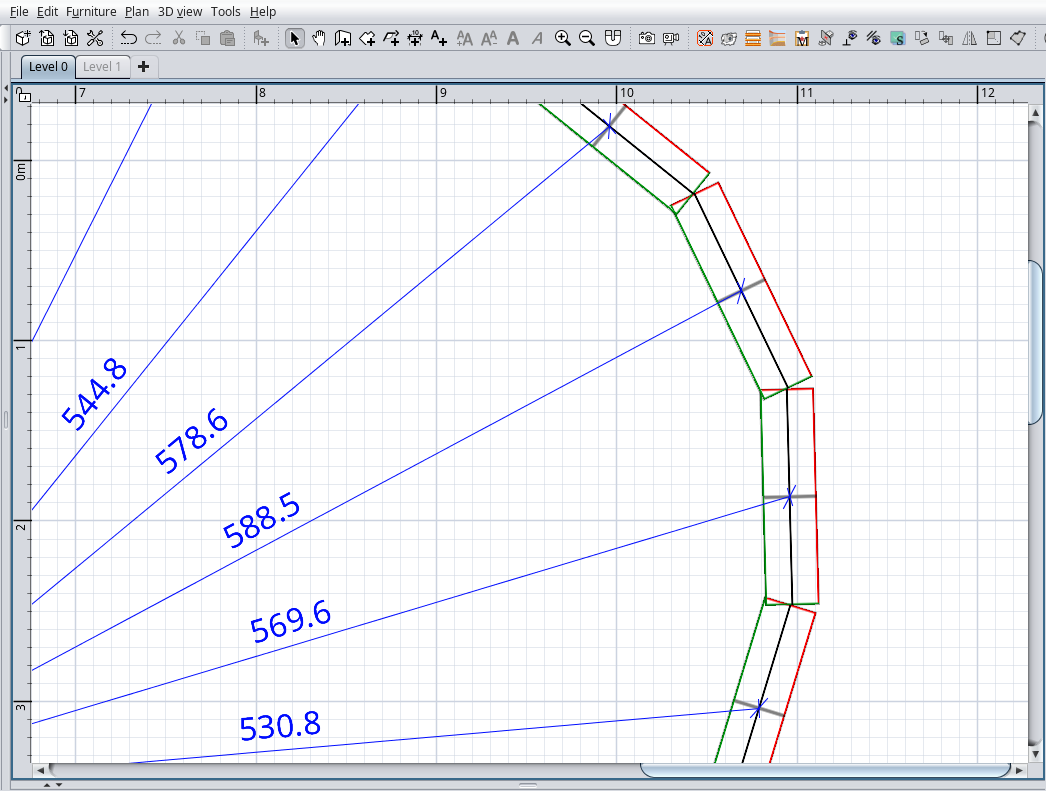
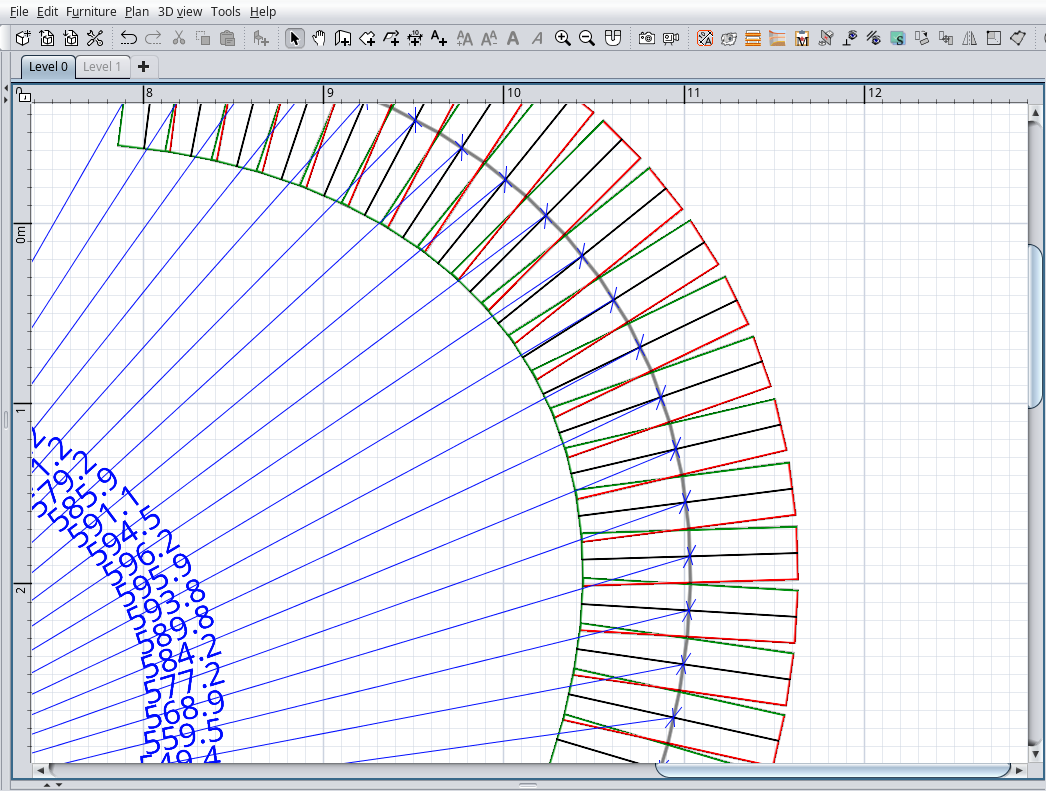
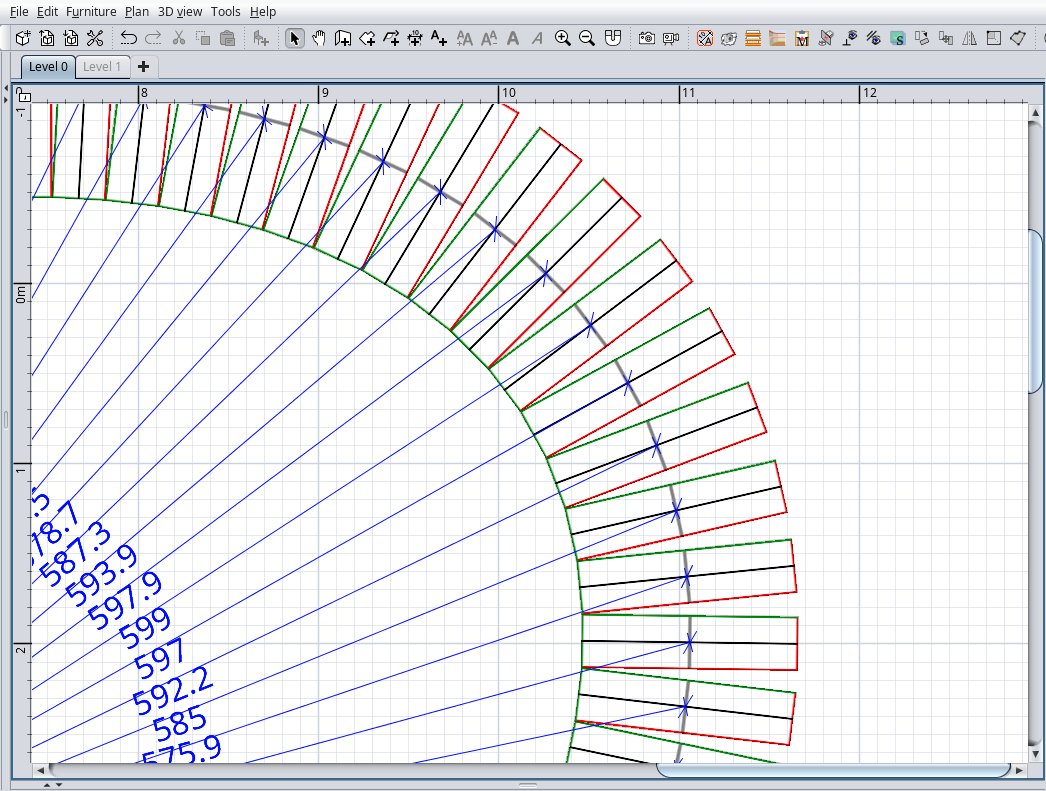
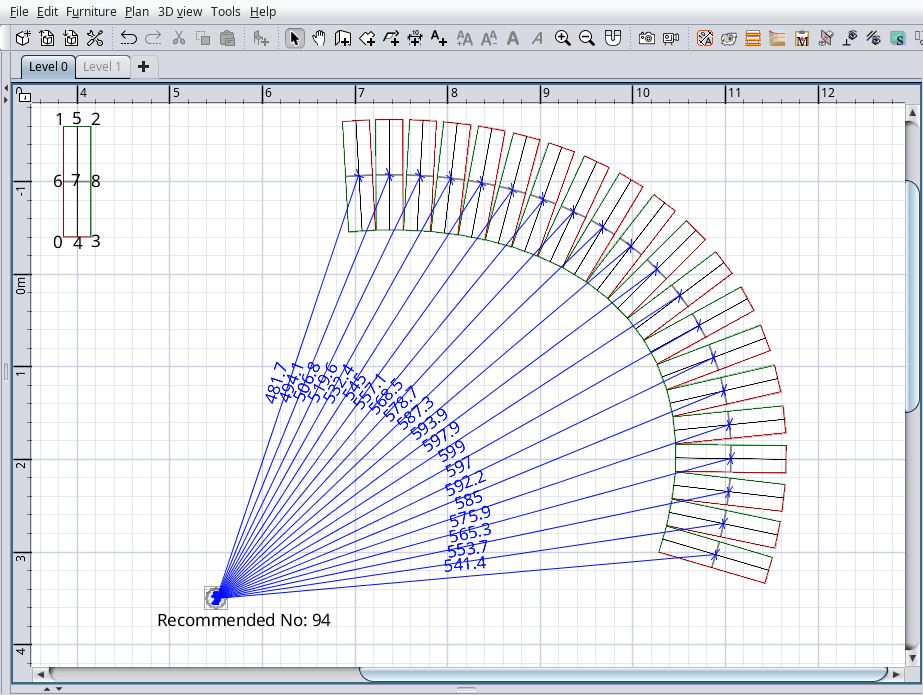
For options 2, 3, and 4, on plan, near the ellipse center,
will appear a label with recommended number of pieces to exactly cover the entire ellipse.

How to use it?
Your imagination is the limit.

Some screenshots:
ImageImageImage
Image
Image
Image
Image
Image

Good lack!

Also on SourceForge
A computer program does what you tell it to do, not what you want it to do. Murphy's Law
When all else fails, read the instructions. Murphy's Law
If you don't like "AS IS", DIY. Dorin's law
User avatar
Keet
Posts: 1807
Joined: Fri Apr 08, 2022 7:13 am
Country: Netherlands

Re: Multiplier plugin

Post by Keet »

[:))] That's is probably what was needed in this thread: https://sweethome3d.com/support/forum/v ... read,12794
As I had to use two different calculators to get the numbers for the segment coordinates I can understand that the math was not easy.
I use this plugin quite often. Thank you to the both of you!
Dodecagon.nl
1300+ 3D models, manuals, and projects
Post Reply New Topic

Who is online

Users browsing this forum: No registered users and 2 guests