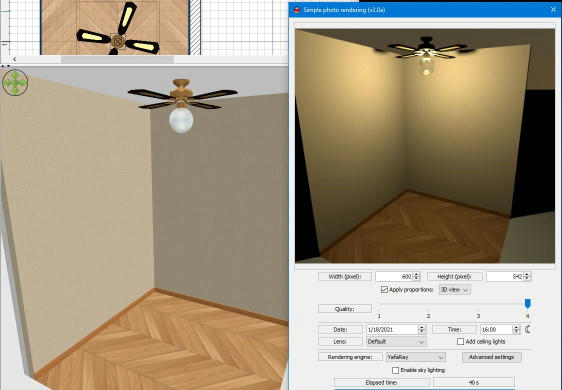
I'm modeling my house and although there is a similar fan design in SH3D it does not have a light option built-in. I can't seem to add lights around it without making the globe look black in areas. Is there a free model compatible with SH3D of a ceiling fan similar to this that lights? If not a globe light fan, a separate cluster of lights might be acceptable but I prefer a 4-bladed fan. I've been looking all over the place.
Or any tips for properly lighting the stock SH3D fan without looking fake would be appreciated. I wish it's ball was translucent so I could put a single light inside.
Quick and dirty solution:
- make ceiling fan ball material (CeilingFan6900_4_4) invisible
- replace ball with transparent ball (same place and dimensions)
Transparent balls can be found from SketcUp 3D Warehouse and they seem to be problematic but here are one result:
Hmm... Can't get rid of that black hole chrome ball effect and any brighter than 25% washes out the fan blades. After studying what you guys did, I simply made the fan's light globe invisible and added the SH3D pendant hanging ball with it's ceiling cable invisible. I haven't tried different renderers yet. What's the best to use?
This is to visualize our kitchen remodel to be scheduled soon, but I'm working on modeling my whole townhouse.
Yafaray is my favourite render, usually it handles lighting better but is also slower in some cases.
I still have problems with that same 'black hole chrome ball effect', I try something new.
As explained in this thread, you could try to set [font=courier new]illum[/font] to [font=courier new]0[/font] for the material [font=courier new]CeilingFan6900_4_4[/font] in the MTL file of the fan that you use.
I read parts of that thread about using illum=0 although with an exported ball pendant lamp and Kd 1.0 1.0 1.0 for white in the MTL. I get this effect at least with a white-ish light ball in the "original" pendant ball lamp. I got this result but now that I'm re-reading Puybaret's suggesting again I should go back and export the fan model itself! What I did was easy but too many steps and no glow effect. Let me test this again your way since I misread it slightly.
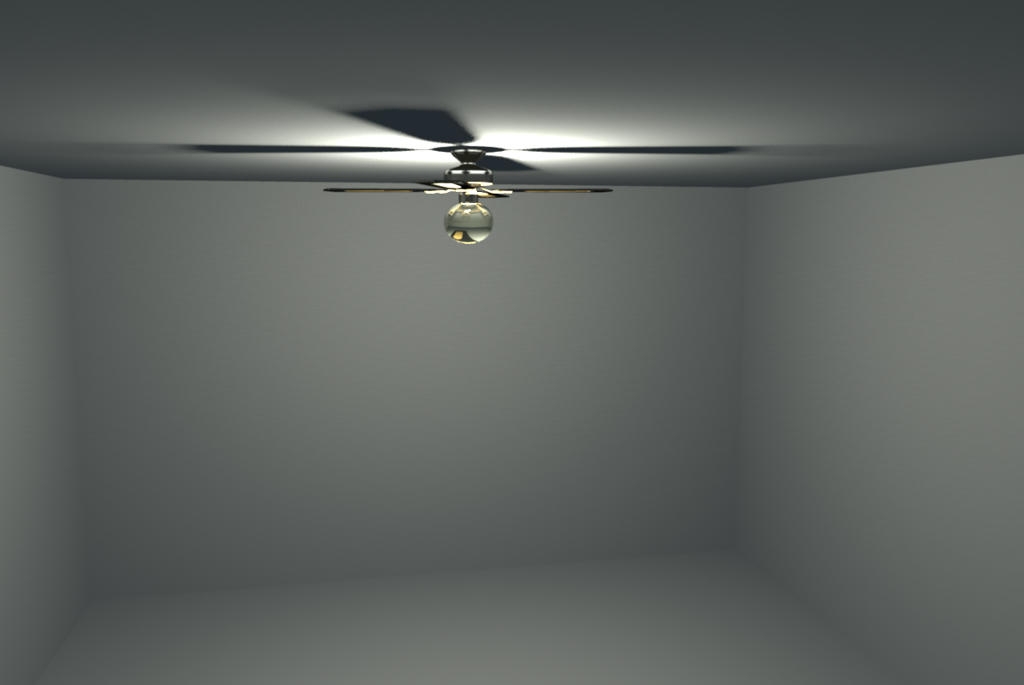
Editing the MTL file of the exported ceiling fan directly gave me this undesired result - only downward lighting. I'm not sure what the other default parameters are in the CeilingFan6900_4_4 section:
newmtl CeilingFan6900_4_4
illum 0
Ka 1.0 0.964706 0.815686
Kd 1.0 1.0 1.0
Ks 1.0 1.0 1.0
Ns 128.0