Auto Dimensioning plugin

This topic has been viewed 159924 times and has 35 replies
Thread status: Active
Questions about extending features and developing plug-ins [img]http://www.sweethome3d.com/images/flags/en_small.gif[/img]
User avatar
dorin
Posts: 824
Joined: Thu Apr 24, 2014 9:14 am
Country: Vatra Dornei, Suceava, Romania

Auto Dimensioning plugin

Post by dorin »

As usual, YAUP.
"The Hell are paved with good intentions"
This subject was on this tread but without source code.
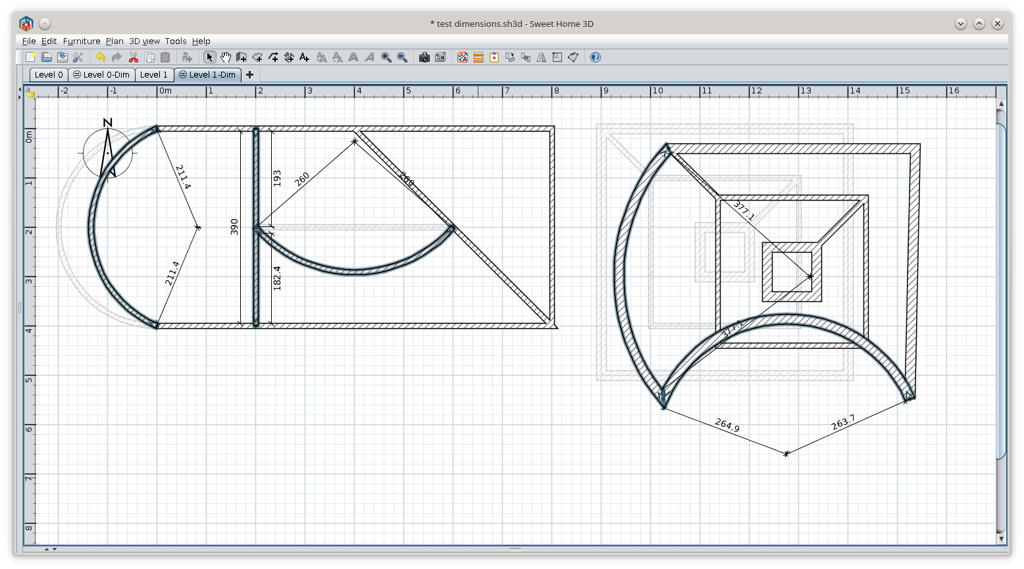
I tray to reproduce and ad inner radius for curved walls.
Wile I'm not a programmer, use it with care!
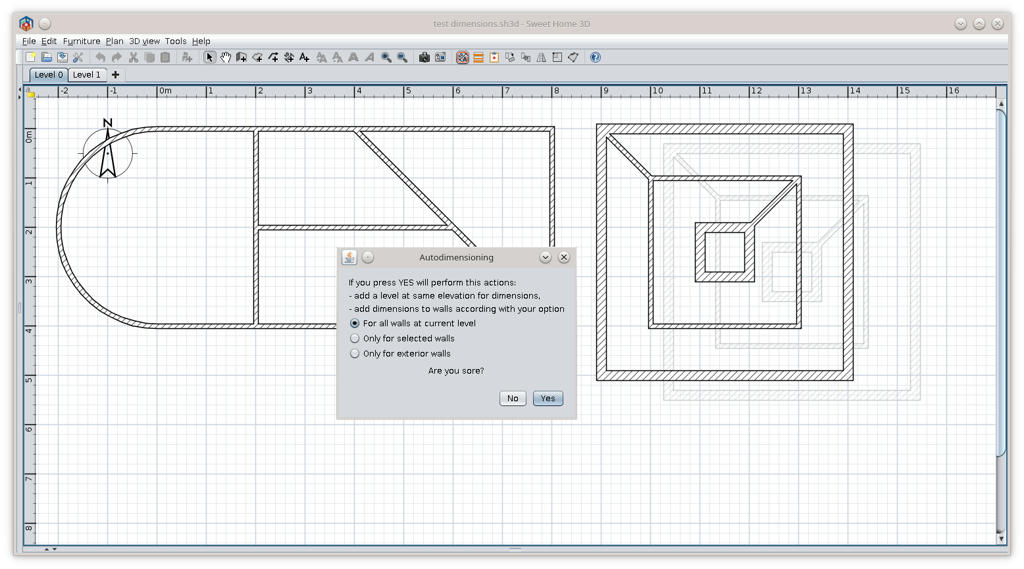
Could be launch from Tools->AutoDimensioning... or from icon on toolbar.
The plugin with source code could be downloaded from AutoDimensioning plugin or from sourceforge
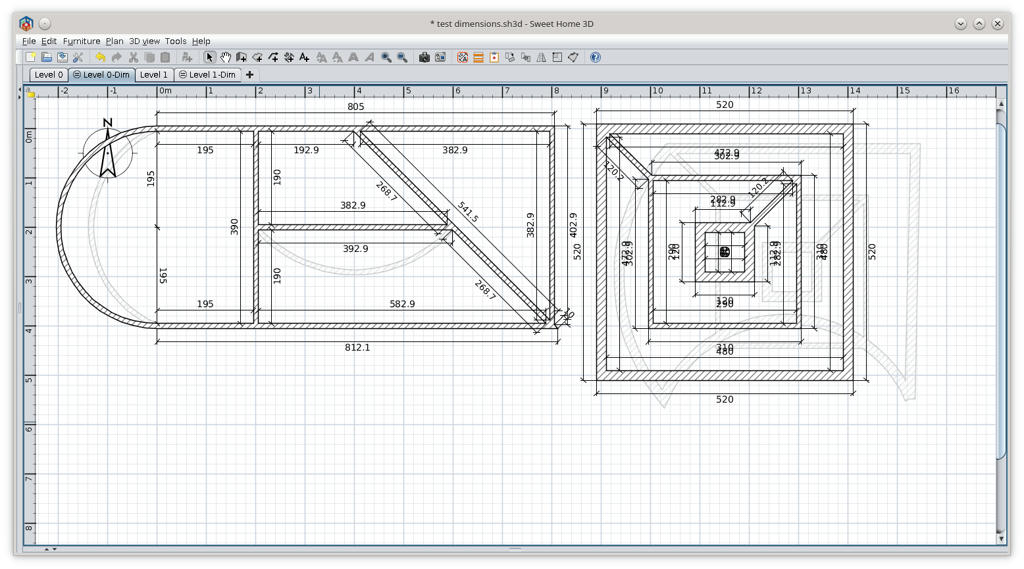
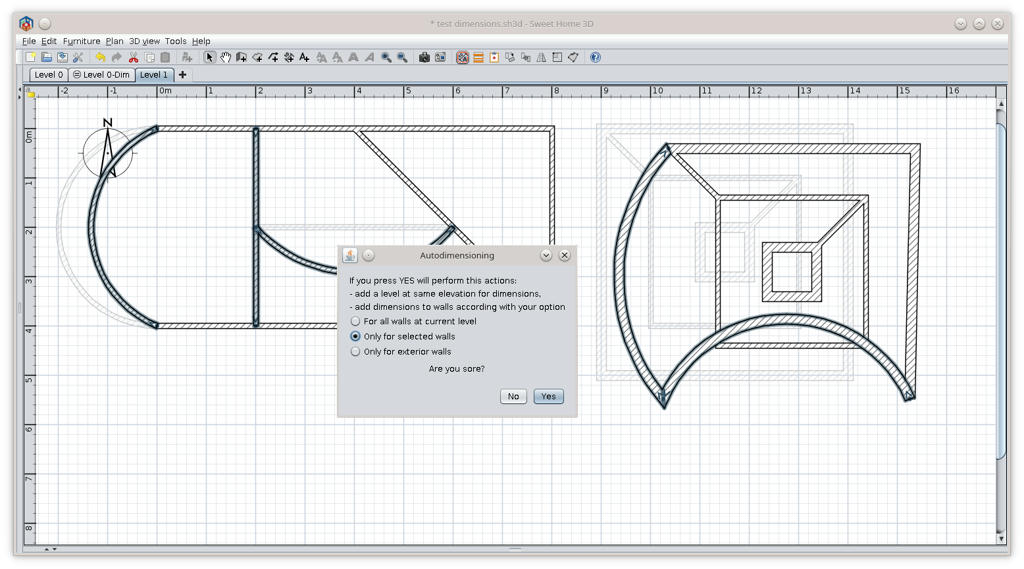
Some screenshots:
Image
Image
Image
Image
Good luck!
A computer program does what you tell it to do, not what you want it to do. Murphy's Law
When all else fails, read the instructions. Murphy's Law
If you don't like "AS IS", DIY. Dorin's law
User avatar
SeppoV12
Posts: 50
Joined: Thu Mar 28, 2019 2:40 pm
Country: Finland

Re: Auto Dimensioning plugin

Post by SeppoV12 »

After quick try: this works for me (and for others, I am sure)!
And when we think of these days there is a gem, really nice question 'Are you sore?' [:)]

Very usefull plugin, thanks again Dorin!

Seppo
User avatar
dorin
Posts: 824
Joined: Thu Apr 24, 2014 9:14 am
Country: Vatra Dornei, Suceava, Romania

Re: Auto Dimensioning plugin

Post by dorin »

Thanks Seppo!
really nice question 'Are you sore?'

Wasn't with intention. On next version will be "Are you sure?" [:(]
TODO also in next version:
- implement somehow the exterior walls;
- to align exterior dimensions;
- to add walls thickness.
At that moment, to align dimension lines, I don't see other solution than select the lines and than align them with another plug-in.
I will see what I can do or maybe someone else could do this.
A computer program does what you tell it to do, not what you want it to do. Murphy's Law
When all else fails, read the instructions. Murphy's Law
If you don't like "AS IS", DIY. Dorin's law
User avatar
hansmex
Posts: 4027
Joined: Sat Sep 26, 2009 11:36 am
Country: Netherlands

Re: Auto Dimensioning plugin

Post by hansmex »

There's something to be learned everywhere.

yawp (v.) (or yaup)
c. 1300, yolpen, probably echoic variant of yelpen (see yelp ). Related: Yawped; yawping. The noun, in reference to speech, is recorded from 1835, now used chiefly in conscious echo of Whitman (1855).

yelp (v.)
Old English gielpan (West Saxon), gelpan (Anglian) "to boast, exult," from Proto-Germanic *gel- (source also of Old Saxon galpon, Old Norse gjalpa "to yelp," Old Norse gjalp "boasting," Old High German gelph "outcry"), from PIE root *ghel- (1) "to call, cry out." Meaning "utter a quick, sharp, bark or cry" is 1550s, probably from the noun. Related: Yelped; yelping.

Source
Hans

new website - under constuction
hansdirkse.info
User avatar
dorin
Posts: 824
Joined: Thu Apr 24, 2014 9:14 am
Country: Vatra Dornei, Suceava, Romania

Re: Auto Dimensioning plugin

Post by dorin »

YAUP=Yet Another Useless Plugin
A computer program does what you tell it to do, not what you want it to do. Murphy's Law
When all else fails, read the instructions. Murphy's Law
If you don't like "AS IS", DIY. Dorin's law
User avatar
hansmex
Posts: 4027
Joined: Sat Sep 26, 2009 11:36 am
Country: Netherlands

Re: Auto Dimensioning plugin

Post by hansmex »

That's what I said: There's something to be learned everywhere.

Hahahahaha - Hans
Hans

new website - under constuction
hansdirkse.info
User avatar
dorin
Posts: 824
Joined: Thu Apr 24, 2014 9:14 am
Country: Vatra Dornei, Suceava, Romania

Re: Auto Dimensioning plugin

Post by dorin »

@ Hans
My unique neuron is a little bit lazy. [:">]
I need a new test_dimensions file and I know You can do this.
Maybe a screenshot with how to look Your desire dimension lines. Especially for curved walls.
As You've already observe I've use one of Your file for my sample.
I need one or more files to cover as many possibly situations but also not too unavailing complex.
A computer program does what you tell it to do, not what you want it to do. Murphy's Law
When all else fails, read the instructions. Murphy's Law
If you don't like "AS IS", DIY. Dorin's law
User avatar
dorin
Posts: 824
Joined: Thu Apr 24, 2014 9:14 am
Country: Vatra Dornei, Suceava, Romania

Re: Auto Dimensioning plugin

Post by dorin »

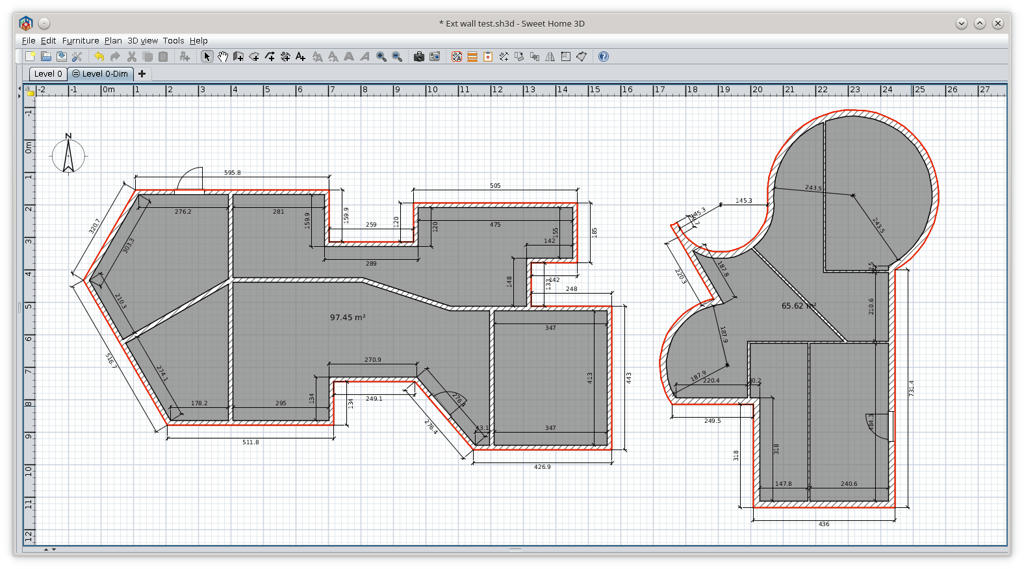
New version 1.1
Download AutoDimensioning v1.1 and from SourceForge .
@hansmex Many thanks for help!
You have to download this version because is a little bit different.
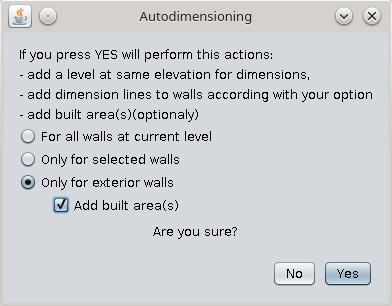
News:
- fix some bug in message and translations;
- implement exterior walls;
- add built area(s);
- all adds are in separate level at same elevation.
Some explanations:
Image
Image
Hint:
To have ONLY the built area chose "Only selected walls" with NO walls selected and check the "Add built areas"

The built area are composed by a room and a poly-line.
I need it probably for a roof plugin.

PS. Please verify my translations in English and french. I usually make a lot of mistakes.
A computer program does what you tell it to do, not what you want it to do. Murphy's Law
When all else fails, read the instructions. Murphy's Law
If you don't like "AS IS", DIY. Dorin's law
reddy.shyam
Posts: 28
Joined: Tue Feb 09, 2021 4:56 am

Re: Auto Dimensioning plugin

Post by reddy.shyam »

Hi dorin,

Great plugin there! I was looking for something like this where I can see the dimensions of my entire plan. 👍🤝👌👏

May be a stupid question but is there a way where we can toggle this? I mean if dimensions visible, we should be able to turn off too. I would not want to see it on all the time but to check if anything altered. Hence checking. 🙂
User avatar
Puybaret
Posts: 9440
Joined: Mon Nov 07, 2005 12:00 pm
Country: Paris, France
Contact:

Re: Auto Dimensioning plugin

Post by Puybaret »

Just make unviewable / viewable the level where dimensions are added.
Emmanuel Puybaret, Sweet Home 3D creator
Post Reply New Topic

Who is online

Users browsing this forum: No registered users and 1 guest