
Rendering with Mac Preview
This topic has been viewed 2370 times and has 1 replies
Rendering with Mac Preview
I noticed you can "Export to OBJ Format" in SweetHome3d and then double click the .OBJ file to see it in the Preview app on a mac. The quality is great and you can adjust the camera for the best shots.

Re: Rendering with Mac Preview
I noticed this feature has been added to Preview application for a while. But as it didn't take MTL files into account, I thought it wasn't so interesting.
After your post, I tried Preview application again, but remembered that it's sandboxed, the reason why this application wouldn't have the right to open MTL and images if the user doesn't explicitly open them with Preview too. Therefore, I selected all the files exported by Export to OBJ Format menu item (OBJ+MTL+images), dropped them on Preview icon, and hurray, it worked this time! [:)]
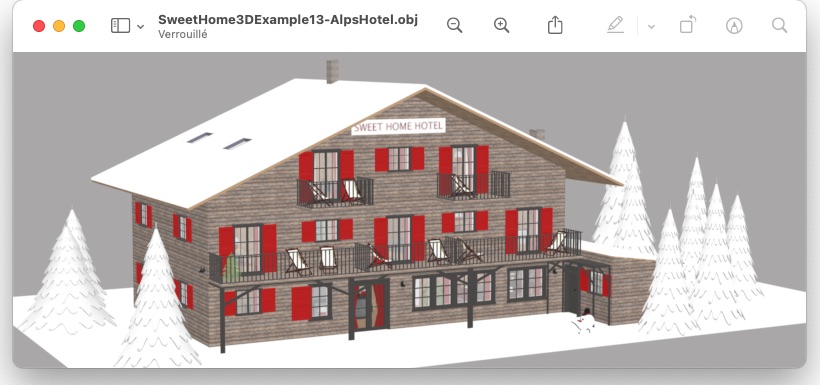
(but with no transparencies under Mojave)
After your post, I tried Preview application again, but remembered that it's sandboxed, the reason why this application wouldn't have the right to open MTL and images if the user doesn't explicitly open them with Preview too. Therefore, I selected all the files exported by Export to OBJ Format menu item (OBJ+MTL+images), dropped them on Preview icon, and hurray, it worked this time! [:)]
(but with no transparencies under Mojave)
Emmanuel Puybaret, Sweet Home 3D creator
Who is online
Users browsing this forum: No registered users and 2 guests