confused High priority Floor without patio ?

This topic has been viewed 1858 times and has 2 replies
Thread status: Active
How can I do this? [img]http://www.sweethome3d.com/images/flags/en_small.gif[/img]
Post Reply New Topic
User avatar
bdfd
Posts: 2614
Joined: Sat Mar 29, 2014 7:17 am
Country: LILLE, Les Hauts de France, Western Europa

Floor without patio ?

Post by bdfd »

Hi,

I come back to a problem that was already detected a few years ago.
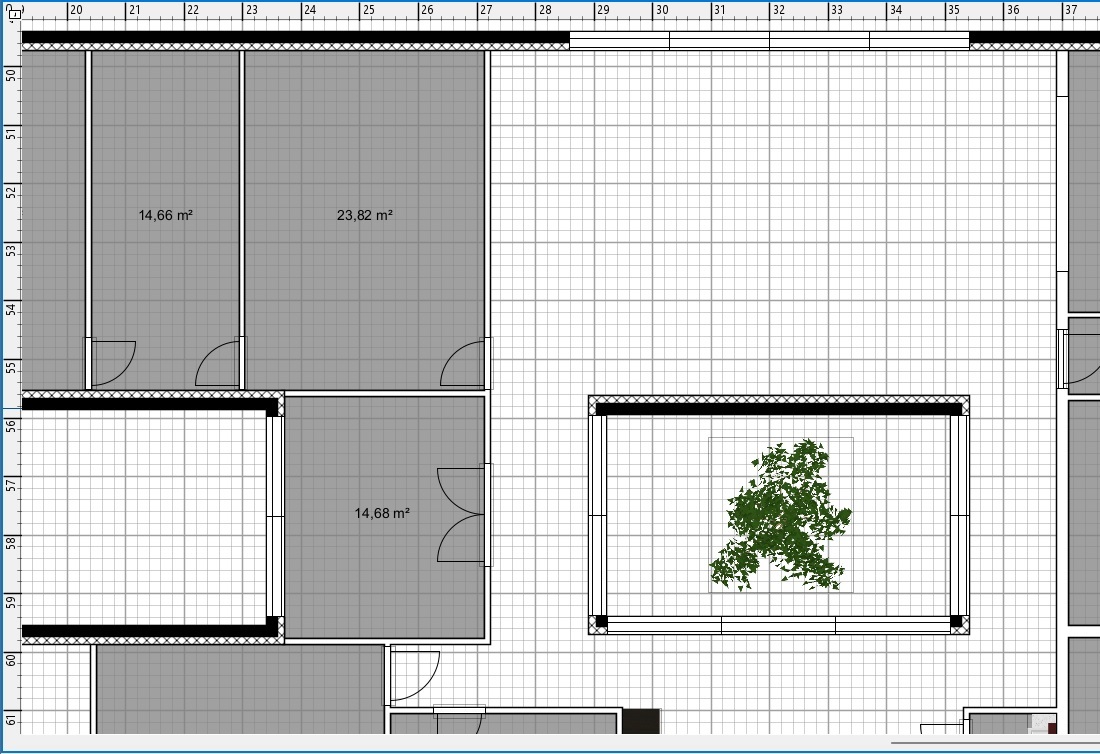
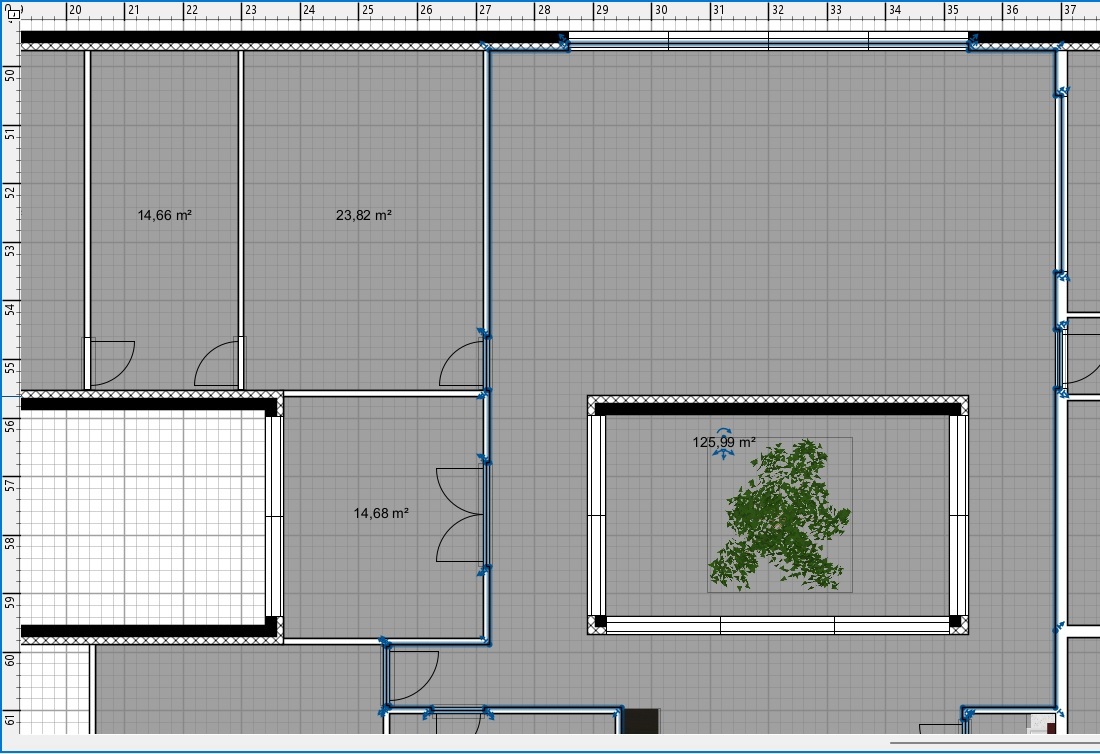
This is the floor and ceiling of a patio (room with a tree).
Image
Here without the floor.

Impossible automatically to take into account the interior walls of the patio with doors and windows.
Image
Here with the floor.

It seems to me that this is a bug or an undeveloped feature.

Do you have a quick tip to exclude the patio ?

Regards.
[:-/]
.
Evil progresses when good people do nothing!
---
SH3D 7.1 and nothing else - W11 64b in 4K
User avatar
Puybaret
Posts: 9440
Joined: Mon Nov 07, 2005 12:00 pm
Country: Paris, France
Contact:

Re: Floor without patio ?

Post by Puybaret »

Add a temporary wall joining the exterior wall to a wall of the patio, so the room created with a double-click within that space will take into account the patio walls. Then remove the temporary wall and move the room points which touched that wall.
You may also use the tip used to draw the garden in this video.
Emmanuel Puybaret, Sweet Home 3D creator
User avatar
bdfd
Posts: 2614
Joined: Sat Mar 29, 2014 7:17 am
Country: LILLE, Les Hauts de France, Western Europa

Re: Floor without patio ?

Post by bdfd »

while waiting for an automatism, this tip (temporary wall) works very well. [:)]
thank you !

[;)]
.
Evil progresses when good people do nothing!
---
SH3D 7.1 and nothing else - W11 64b in 4K
Post Reply New Topic

Who is online

Users browsing this forum: No registered users and 2 guests