 View your homes in VR mode
This topic has been viewed 28655 times and has 16 replies
Re: View your homes in VR mode
Another option (only for personal use due to licensing) is to use Unreal Engine, but it does take a lot of effort to learn enough about UE to get any results. I had a demo of a basic building I could walk around in VR. It could build an apk for sideloading to an Android handset, and then used Google Cardboard as the viewer. A bluetooth mouse for movement (left button to walk, wheel to change speed forward/backward). I had doors that swung open and shut by proximity, I could climb the stairs. I got a bit stuck trying to get a UI to work that would allow me to control the Sun position in the sky, and then I moved on to other things. I also never got very realistic results, but that is down to me, not the engine obviously. You can look at the Unreal based Twinmotion to see how well Unreal can do ArchViz stuff.

Re: View your homes in VR mode
The answer is Twinmotion2022, which is free for individualsHello,
My solution so far is to export to .obj and to open the model in 'VR Model Viewer', available on Steam (https://store.steampowered.com/app/8914 ... el_Viewer/)
Sweet Home 3D model is rotated down once and exported OBJ to Twinmotion2022 to be displayed directly. And the result is much better than the Sweet Home 3D display. If the graphics card is good, it also supports ray tracing for real-time display. It also supports importing to UE4.27
I think Sweet Home 3D should get a plug-in or better support Twinmotion, that's the key.
It would be better to support Twinmotion's batch replacement function. It's better to support Twinmotion's batch replacement function, so you can quickly replace light sources in Twinmotion.
Re: View your homes in VR mode
By importing the FBX model file in Twinmotion 2022, which retains the hierarchy, batch replacement is possible
The question is whether Sweet Home 3D can give the FBX format a middleware
The question is whether Sweet Home 3D can give the FBX format a middleware
Re: View your homes in VR mode
Many years ago, it was asked whether Sweet Home 3D painting scenes can generate real-time games. If we could have a project template in UE4, export it to Twinmotion 2022 via Sweet Home 3D, and export it to UE4 via Twinmotion 2022, then we would be very close to realizing the dream of playing scenes edited in Sweet Home 3D.
Re: View your homes in VR mode
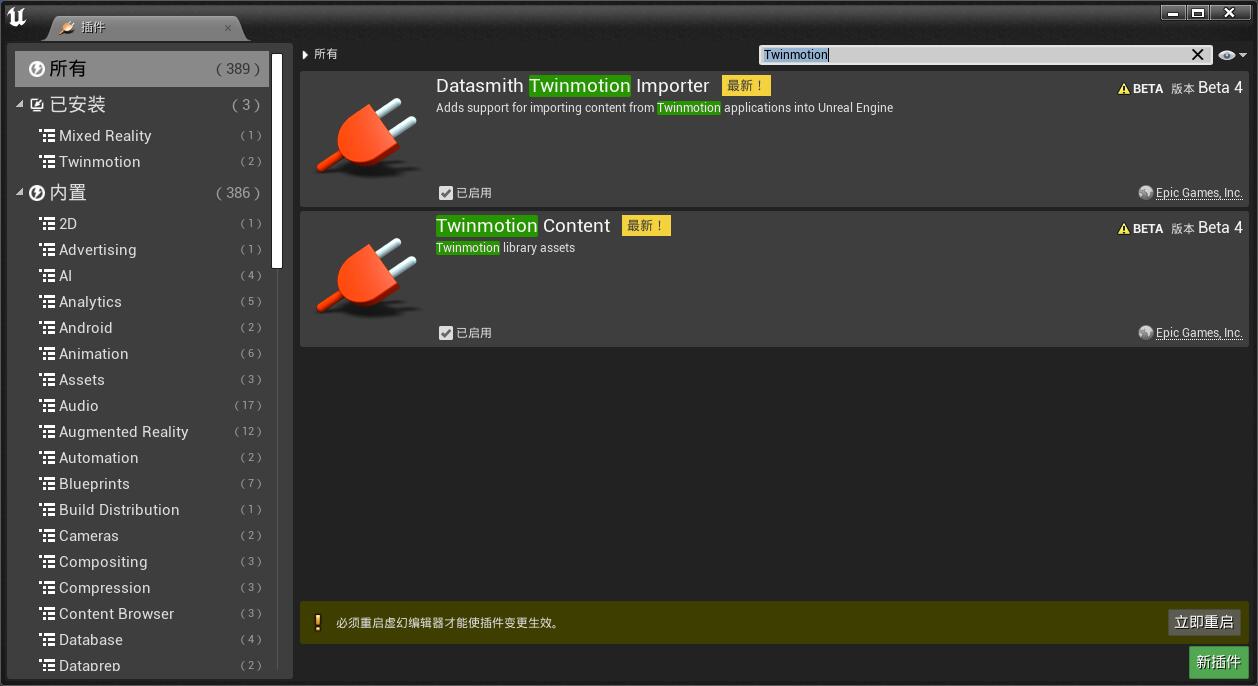
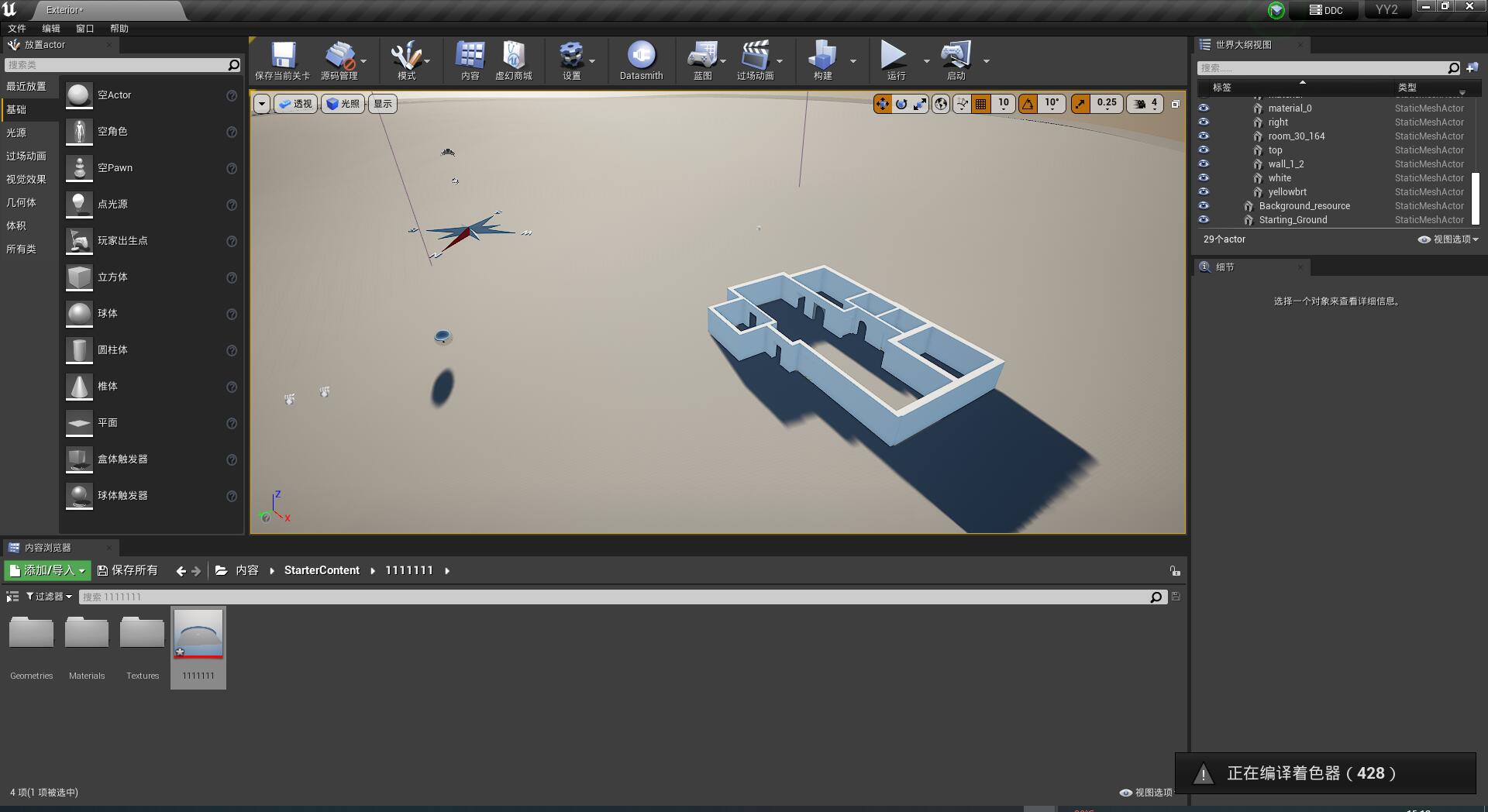
I have successfully imported the sweet home 3D scene into UE4 through Twinmotion2022
Re: View your homes in VR mode
Hi,
I just used Gravity Sketch in Oculus Quest 2. It's free, at least so far but you do have to register your email to be able to import OBJ. I just did and so far, no issues. Quite straight forward. Of course, it is not the full render quality...
My flow was to place through USB the OBJ files in its own directory within Oculus --> storage\Gravity Sketch\Import Library but you can also use cloud:
https://help.gravitysketch.com/gravity- ... ffJ5UVSe72
To move inside you squeeze the grab trigger on your non-drawing hand:
https://help.gravitysketch.com/gravity- ... ffJ5UVSe72
Amazing! Thanks to everyone that made this possible! [=D>]
Eduardo
I just used Gravity Sketch in Oculus Quest 2. It's free, at least so far
but you do have to register your email to be able to import OBJ. I just did and so far, no issues. Quite straight forward. Of course, it is not the full render quality...My flow was to place through USB the OBJ files in its own directory within Oculus --> storage\Gravity Sketch\Import Library but you can also use cloud:
https://help.gravitysketch.com/gravity- ... ffJ5UVSe72
To move inside you squeeze the grab trigger on your non-drawing hand:
https://help.gravitysketch.com/gravity- ... ffJ5UVSe72
Amazing! Thanks to everyone that made this possible! [=D>]
Eduardo
Re: View your homes in VR mode
Sorry! The right link for the import part is:
https://help.gravitysketch.com/gravity- ... SSZX8PEPuh
https://help.gravitysketch.com/gravity- ... SSZX8PEPuh
Who is online
Users browsing this forum: No registered users and 1 guest