This topic has been viewed 2345 times and has 4 replies
Thread status:
How can I do this? [img]http://www.sweethome3d.com/images/flags/en_small.gif[/img]
k005
Posts: 60 Joined: Sat Aug 06, 2022 1:23 pmCountry: TURKEY
Post
by k005 Fri Aug 12, 2022 1:12 pm
Hello everyone
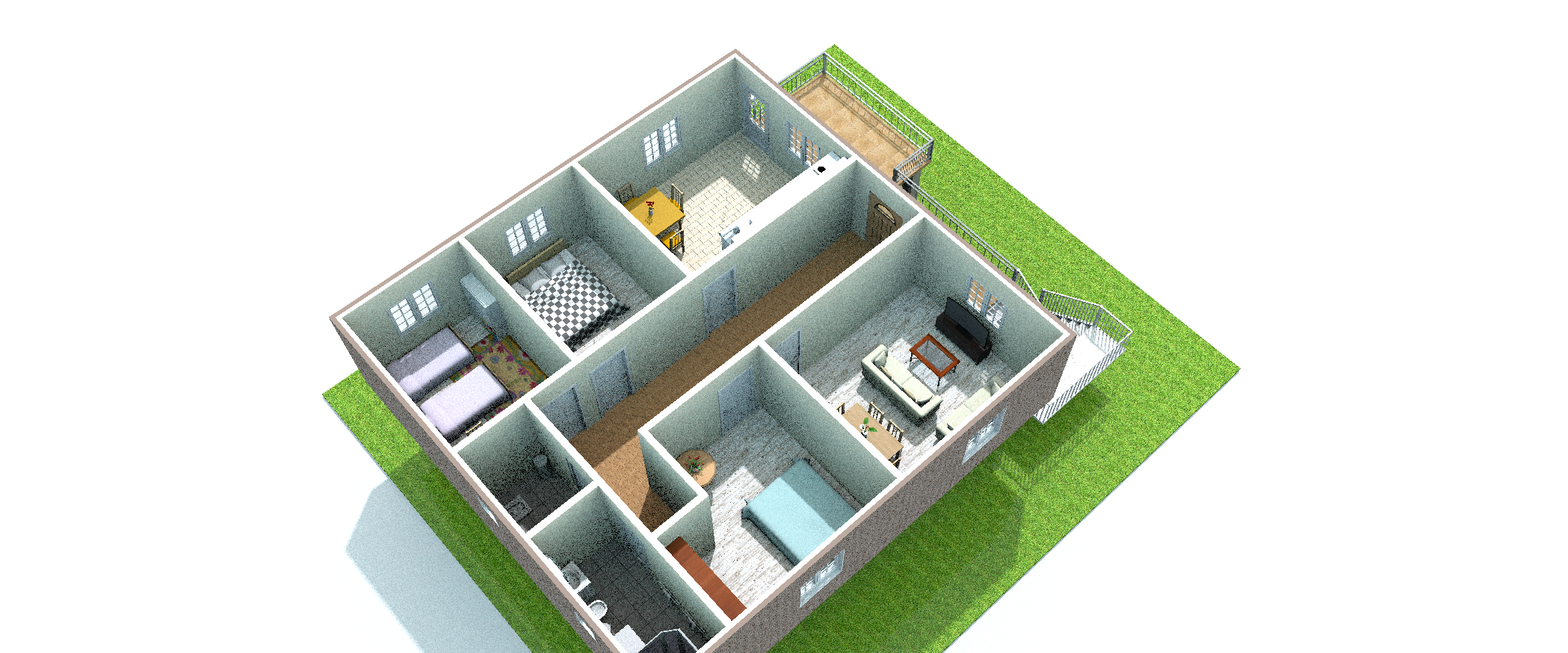
I did a study. I got a render. But the result was like this. am i making a mistake somewhere?
How can I get a quality image?
Puybaret
Posts: 9440 Joined: Mon Nov 07, 2005 12:00 pmCountry: Paris, France
Contact:
Post
by Puybaret Fri Aug 12, 2022 2:24 pm
No, this is noise, the less noise you want the more time to compute it will take.
Emmanuel Puybaret, Sweet Home 3D creator
k005
Posts: 60 Joined: Sat Aug 06, 2022 1:23 pmCountry: TURKEY
Post
by k005 Fri Aug 12, 2022 2:53 pm
I understand. So what pixel size should I use?
Puybaret
Posts: 9440 Joined: Mon Nov 07, 2005 12:00 pmCountry: Paris, France
Contact:
Post
by Puybaret Fri Aug 12, 2022 3:30 pm
Just try it. It's up to you decide what quality you want and what you want to do with the generated image.
Emmanuel Puybaret, Sweet Home 3D creator
k005
Posts: 60 Joined: Sat Aug 06, 2022 1:23 pmCountry: TURKEY
Post
by k005 Fri Aug 12, 2022 3:39 pm
OK I did it. I tried 1920x1080p in the best quality. it happened.
Users browsing this forum: No registered users and 2 guests