Hello everyone
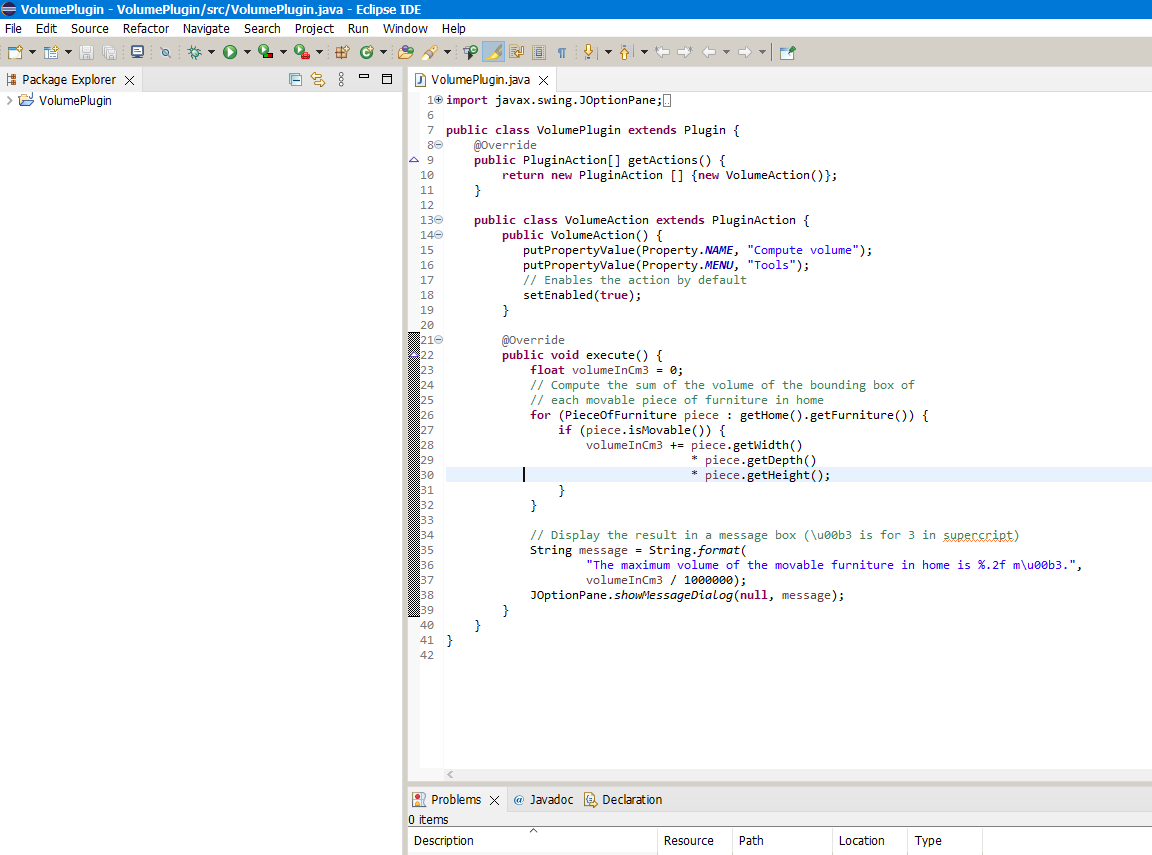
I saved the sample volume plugin as jar extension and copied it to the Plug-in folder. But it doesn't show up in Tools.
where am i doing wrong?
Thank you.
Volume Plugin
This topic has been viewed 8019 times and has 15 replies

Re: Volume Plugin
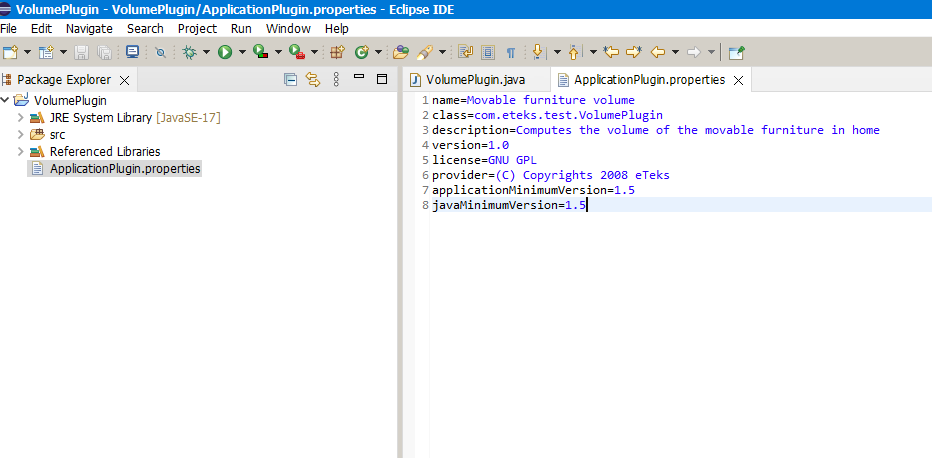
Did you add a ApplicationPlugin.properties file in your JAR file?
Emmanuel Puybaret, Sweet Home 3D creator
Re: Volume Plugin
I guess I didn't add it. (I am new to Java.)
How can I do it ?
How can I do it ?
Re: Volume Plugin
What wasn't clear about it in the Plug-in developer's guide?
Emmanuel Puybaret, Sweet Home 3D creator
Re: Volume Plugin
Is it this way?
Re: Volume Plugin
Yes, just have to follow the next step to get a working plug-in.
Emmanuel Puybaret, Sweet Home 3D creator
Re: Volume Plugin
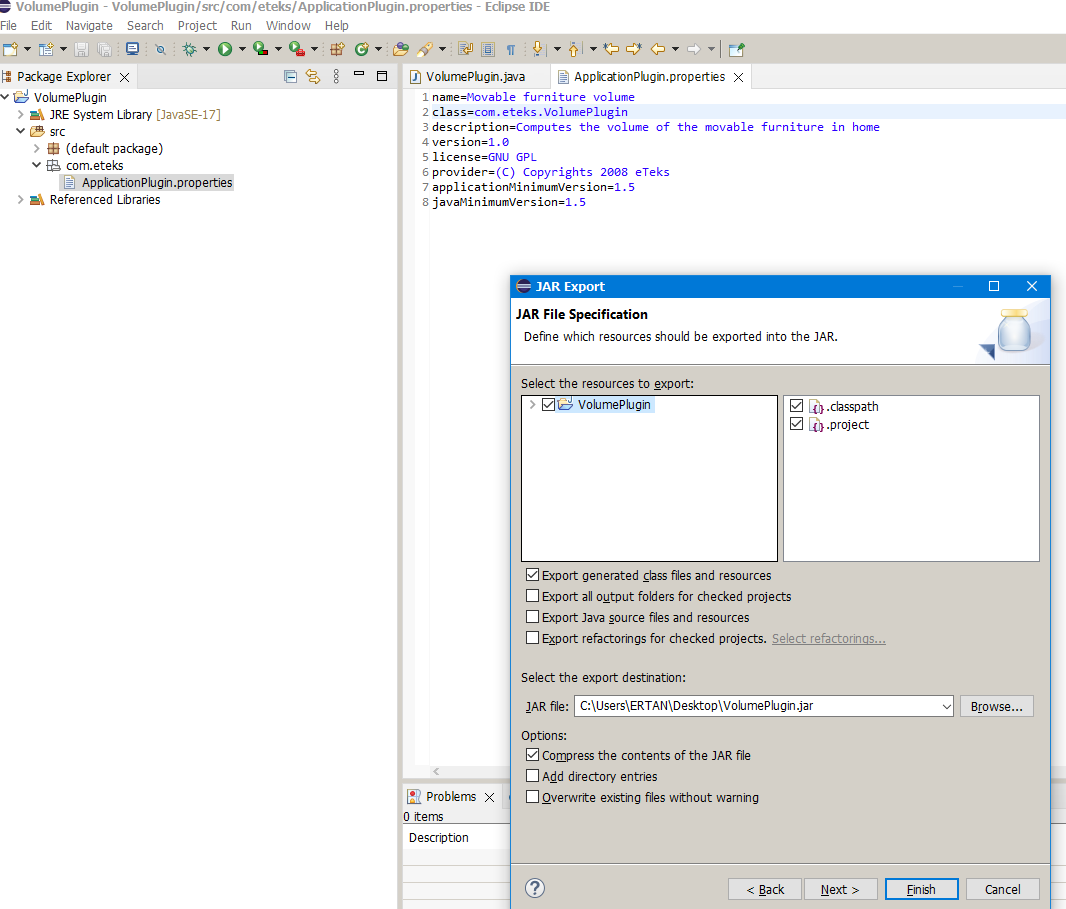
When I export the jar file, it doesn't look like your picture-5... I guess I'm making the mistake in this part..?
-
Daniels118

- Posts: 503
- Joined: Wed Nov 17, 2021 9:04 pm
- Country: Italy
Re: Volume Plugin
The fully qualified class name (package+class name) must match the class parameter in ApplicationPlugin.properties.Move the VolumePlugin.java into the com/eteks folder.
Re: Volume Plugin
I'll start again step by step...
Thank you.
Thank you.
Who is online
Users browsing this forum: No registered users and 1 guest