Hello:
the GenerateRoof Plug-in shows up in my Tools menu, but when I click nothing happens.
I've been trying to figure out how to put a roof on my project for weeks.
Today I am finally going crazy!
Generate roof plugin
This topic has been viewed 2463522 times and has 338 replies

Re: Generate roof plugin
Probably it appear grayed.
Select a room and try again.
Select a room and try again.
A computer program does what you tell it to do, not what you want it to do. Murphy's Law
When all else fails, read the instructions. Murphy's Law
If you don't like "AS IS", DIY. Dorin's law
When all else fails, read the instructions. Murphy's Law
If you don't like "AS IS", DIY. Dorin's law
Re: Generate roof plugin
Follow STRICTLY this steps. I will not writing twice.
1. Open a new file, draw approximately your walls (it is only for learning so, the accuracy is not so important).
2. Draw a room around walls which represent the roof projection.
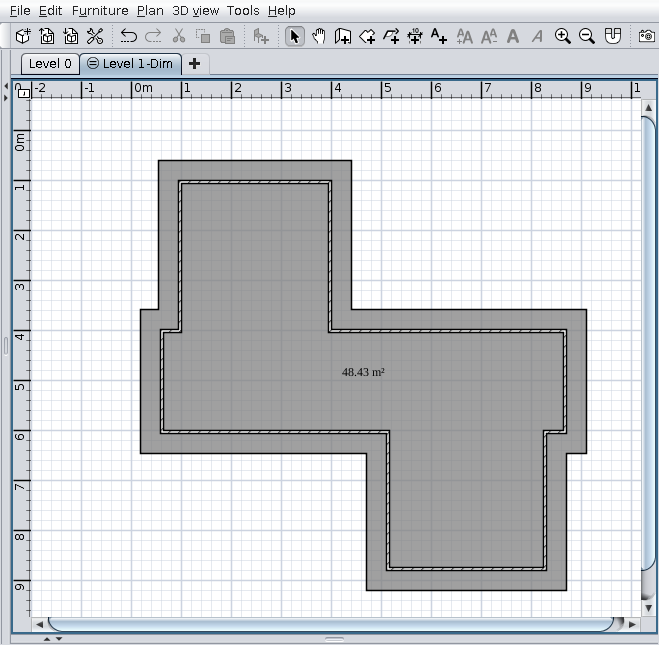
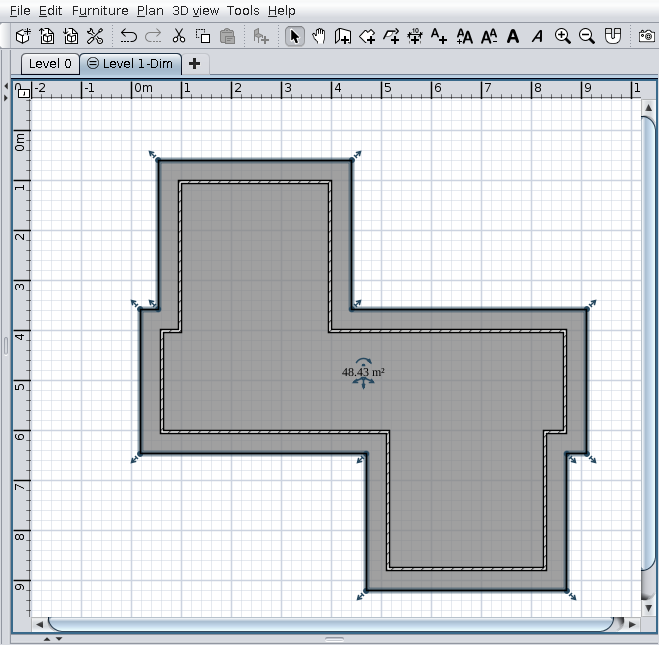
3. Select that room
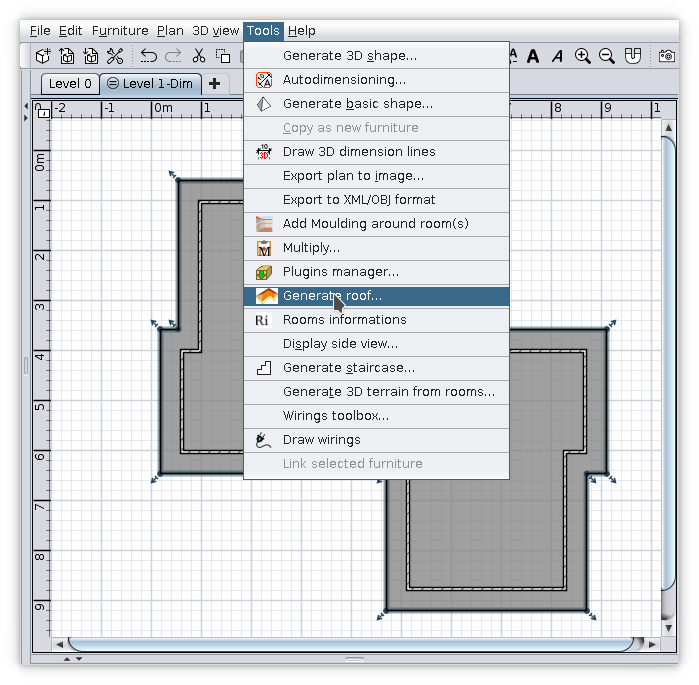
4. Tools -> Generate roof...
5. You should see something like this
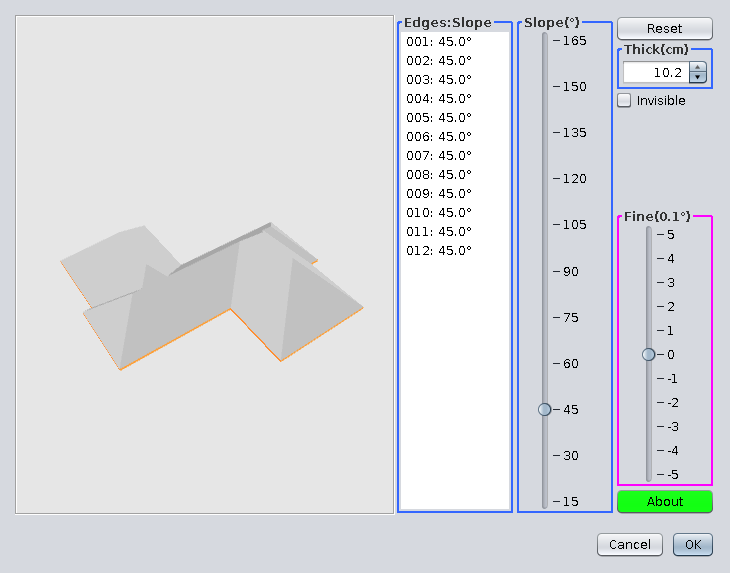
6. Select the triangle faces (4 in this case). Keep Ctrl pressed to do this.
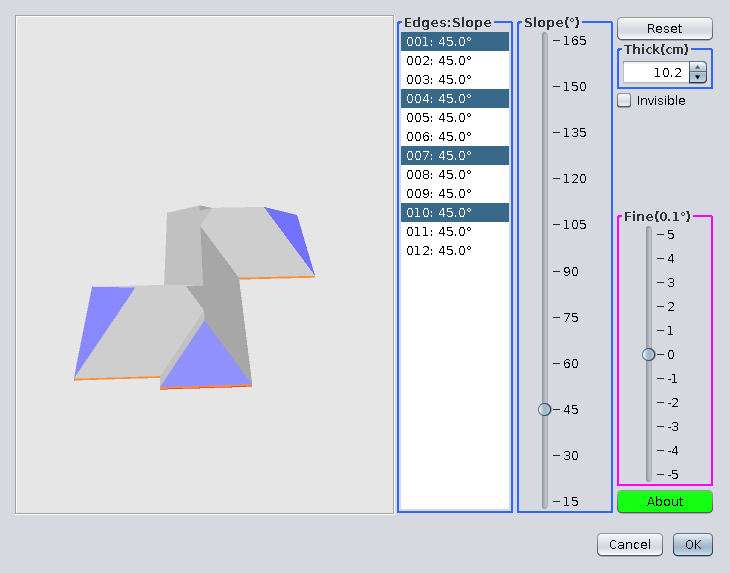
7. Set their slope to 90 degrees
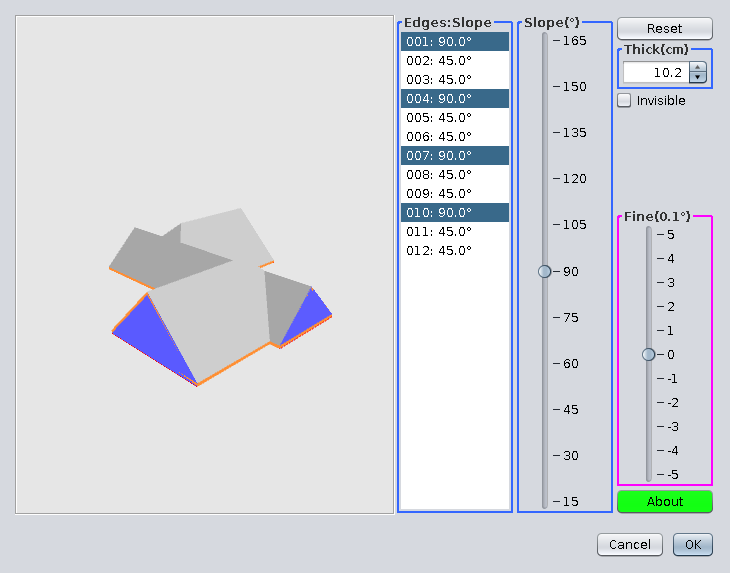
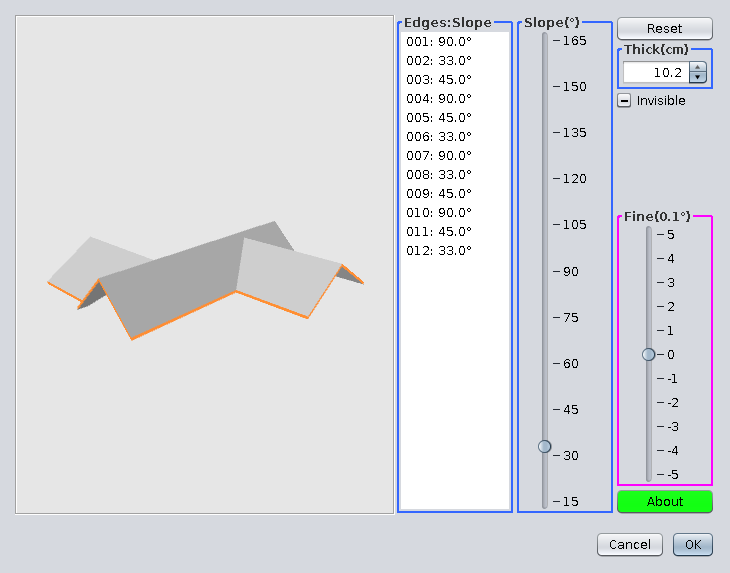
8. Check the Invisible checkbox
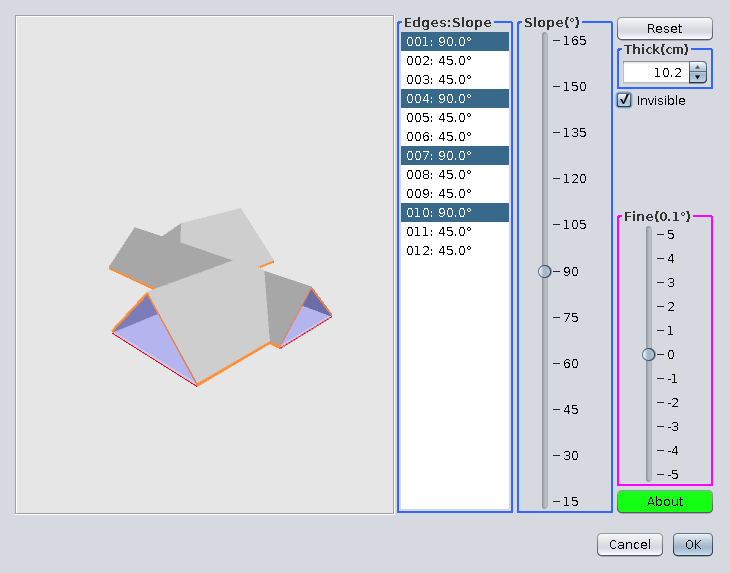
9. Select two faces in front of the house
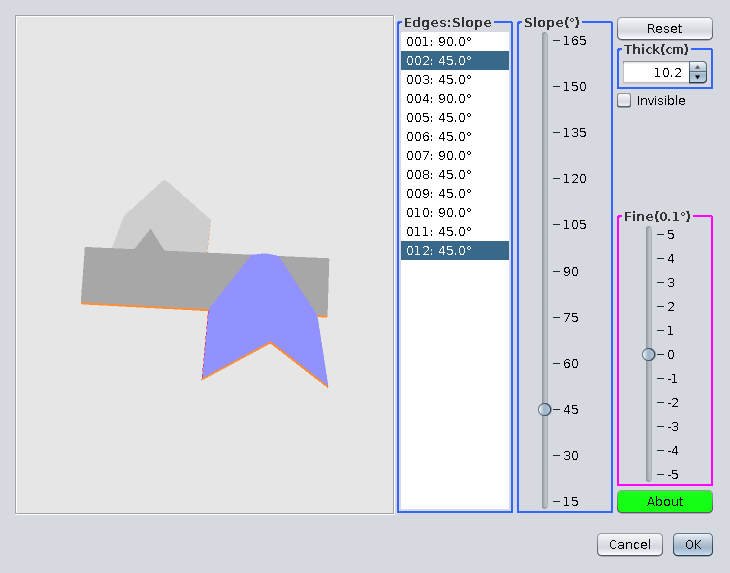
10. Set their slope to 33 degrees
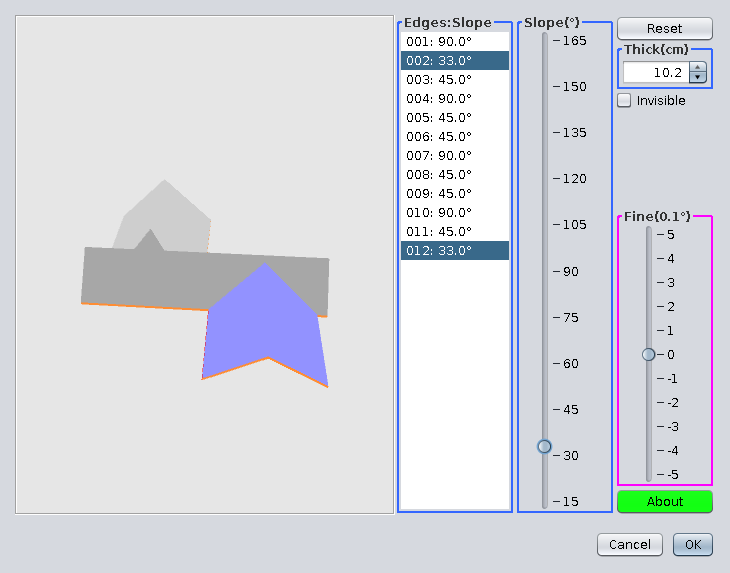
11. Do the same with faces from the back side of the house
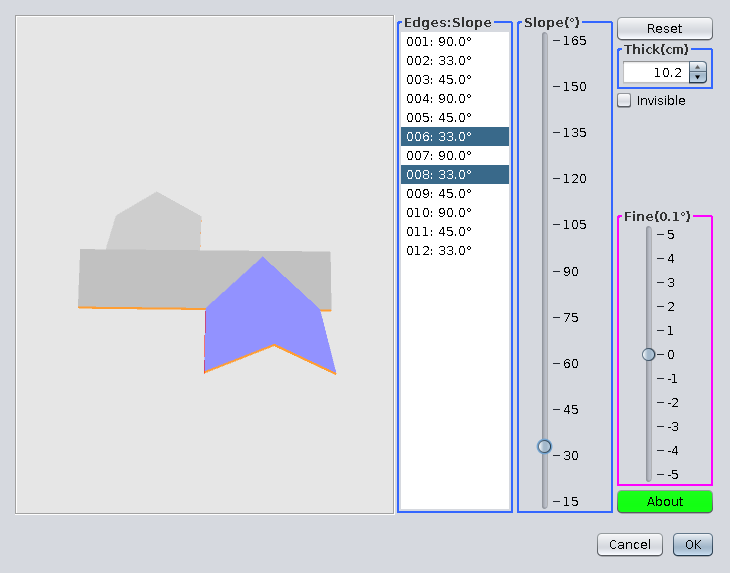
12. Click somewhere outside the roof and you should see this. Click OK.
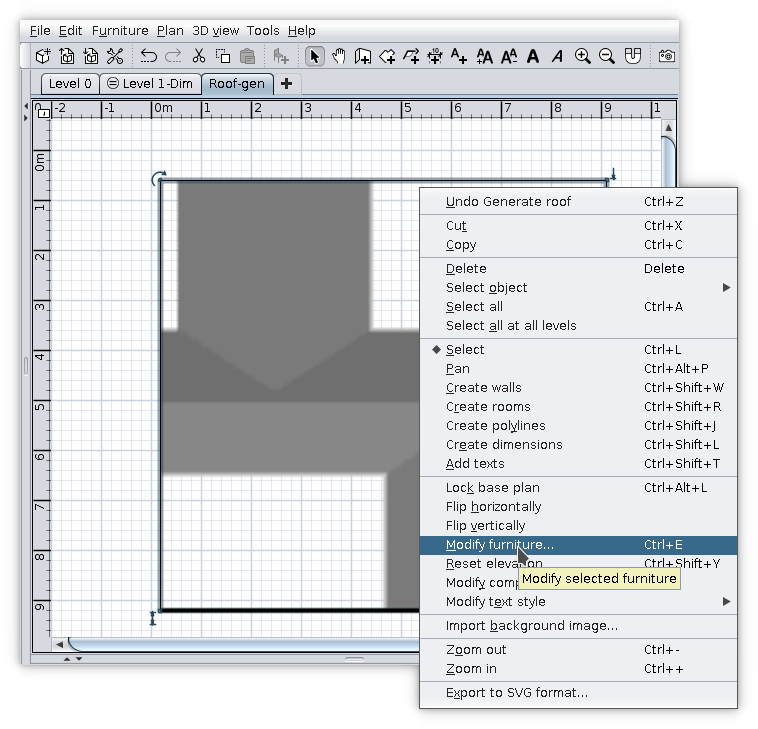
13. On plan, Right click on selected roof and go to Modify furniture... -> Materials -> Modify...
14. Select all upper faces
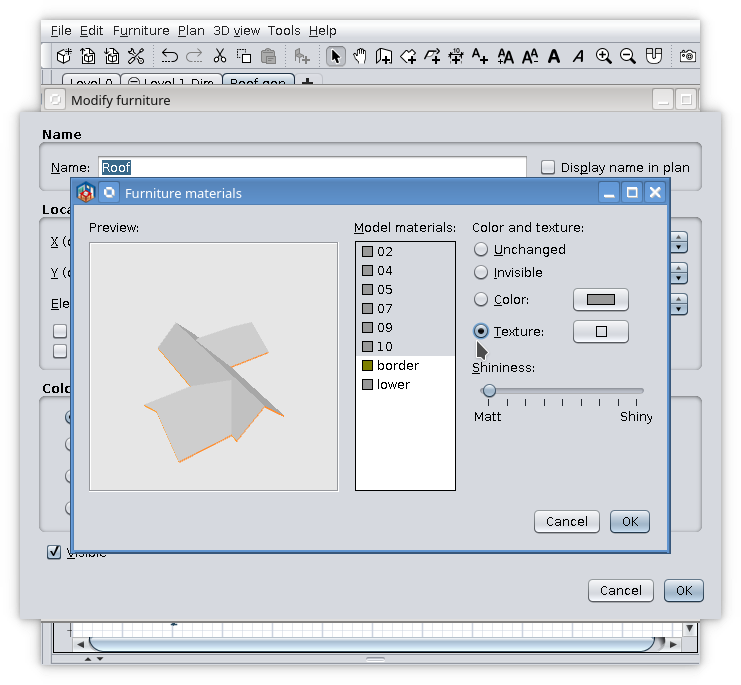
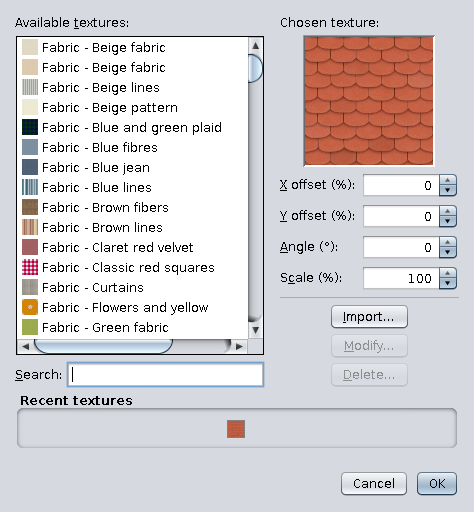
15. Set their texture
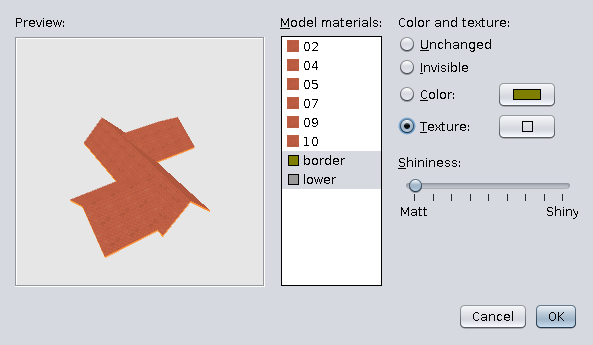
16. Select border and lower
17. Set preferably a different texture
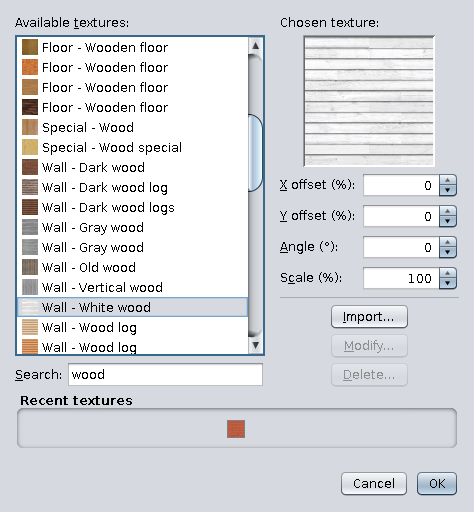
18. This could be the result
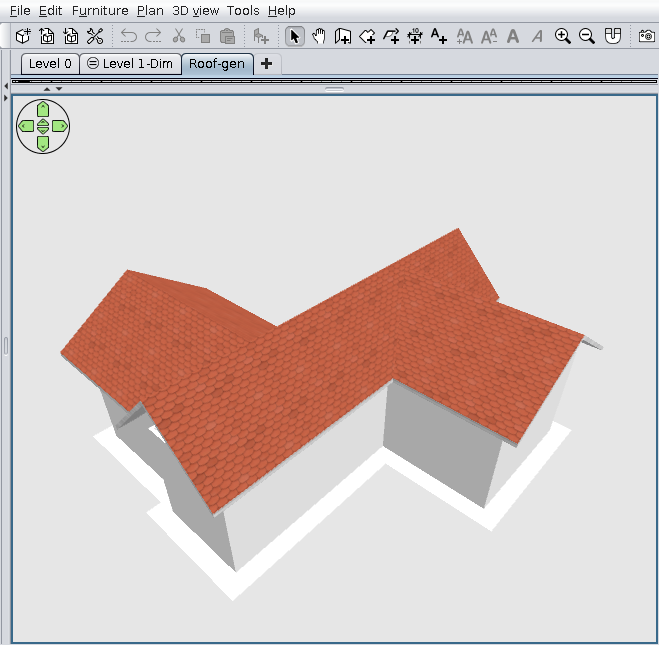
If you are not completely satisfied with the result you could select the generated roof and go back to Tools -> Generate roof.
The plugin it is able now to do this thanks to Daniels118.
1. Open a new file, draw approximately your walls (it is only for learning so, the accuracy is not so important).
2. Draw a room around walls which represent the roof projection.
3. Select that room
4. Tools -> Generate roof...
5. You should see something like this
6. Select the triangle faces (4 in this case). Keep Ctrl pressed to do this.
7. Set their slope to 90 degrees
8. Check the Invisible checkbox
9. Select two faces in front of the house
10. Set their slope to 33 degrees
11. Do the same with faces from the back side of the house
12. Click somewhere outside the roof and you should see this. Click OK.
13. On plan, Right click on selected roof and go to Modify furniture... -> Materials -> Modify...
14. Select all upper faces
15. Set their texture
16. Select border and lower
17. Set preferably a different texture
18. This could be the result
If you are not completely satisfied with the result you could select the generated roof and go back to Tools -> Generate roof.
The plugin it is able now to do this thanks to Daniels118.
A computer program does what you tell it to do, not what you want it to do. Murphy's Law
When all else fails, read the instructions. Murphy's Law
If you don't like "AS IS", DIY. Dorin's law
When all else fails, read the instructions. Murphy's Law
If you don't like "AS IS", DIY. Dorin's law
Re: Generate roof plugin
Whaou, Dorin, thank you very much, it is very clear!!

Re: Generate roof plugin
Thank you Dorin for your patience in explaining, in great detail, how these plugins work. It helps a lot of beginners... like me!
Re: Generate roof plugin
Thank you VeroniQ and Vinci68!
Probably you two are the only one who read it all.
Mainly those who don't need more explanations (VeroniQ).
The rest of the people stop reading at point 3 or 13.
It appear it is a YAUT (Yet Another Useless Tutorial).
Probably you two are the only one who read it all.
Mainly those who don't need more explanations (VeroniQ).
The rest of the people stop reading at point 3 or 13.
It appear it is a YAUT (Yet Another Useless Tutorial).
A computer program does what you tell it to do, not what you want it to do. Murphy's Law
When all else fails, read the instructions. Murphy's Law
If you don't like "AS IS", DIY. Dorin's law
When all else fails, read the instructions. Murphy's Law
If you don't like "AS IS", DIY. Dorin's law

Re: Generate roof plugin
Definitely not a useless tutorial. You have to understand these basic steps before you can start with more complex roofs and start to combine different roofs if a single roof is impossible.
Good work!
Good work!
Dodecagon.nl
1300+ 3D models, manuals, and projects
1300+ 3D models, manuals, and projects
-
crackwood01
- Posts: 68
- Joined: Wed Oct 14, 2020 12:05 am
- Country: Canada
Re: Generate roof plugin
Hi Dorin,
i would like to do a 5 degree slope, but roof generator starts at 15.
How can i do it
i would like to do a 5 degree slope, but roof generator starts at 15.
How can i do it
Re: Generate roof plugin
You can't now.
We work on this so, in the next version, we hope it should be possible (from 1~179).
We still testing it.
We work on this so, in the next version, we hope it should be possible (from 1~179).
We still testing it.
A computer program does what you tell it to do, not what you want it to do. Murphy's Law
When all else fails, read the instructions. Murphy's Law
If you don't like "AS IS", DIY. Dorin's law
When all else fails, read the instructions. Murphy's Law
If you don't like "AS IS", DIY. Dorin's law
-
ndorigatti
- Posts: 66
- Joined: Fri May 12, 2017 9:54 am
- Country: Italia
Re: Generate roof plugin
nah, I red it and appreciate a lot, even if I already used the plugin with success, i found an additional step i wasn't doing.
Unfortunately I'm one of those who reads everything but rarely comments, so sorry for that, but your work is a high level one and really appreciated. I suggest to save it as a PDF, put it online and add in the plugin notes/description so the ones using plugin manager can see a "GUIDE" immediately!
Thanks for your development and infinite patience.
Unfortunately I'm one of those who reads everything but rarely comments, so sorry for that, but your work is a high level one and really appreciated. I suggest to save it as a PDF, put it online and add in the plugin notes/description so the ones using plugin manager can see a "GUIDE" immediately!
Thanks for your development and infinite patience.
Who is online
Users browsing this forum: No registered users and 1 guest