rose Apartment project with lighting by invisible hemispheres. I continue advertising

This topic has been viewed 226258 times and has 291 replies
Thread status: Active
Share your snapshots made with Sweet Home 3D here [img]http://www.sweethome3d.com/images/flags/en_small.gif[/img]
User avatar
GaudiGalopin3324
Posts: 729
Joined: Sat Aug 13, 2022 9:58 am
Country: Russia

Re: Apartment project with lighting by invisible hemispheres. I continue advertising

Post by GaudiGalopin3324 »

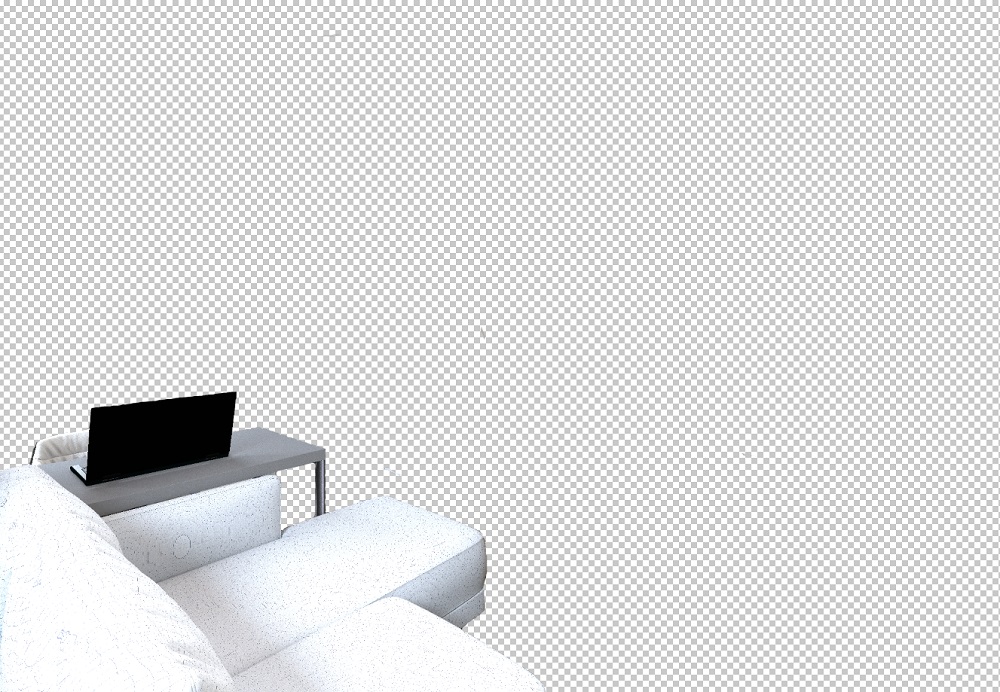
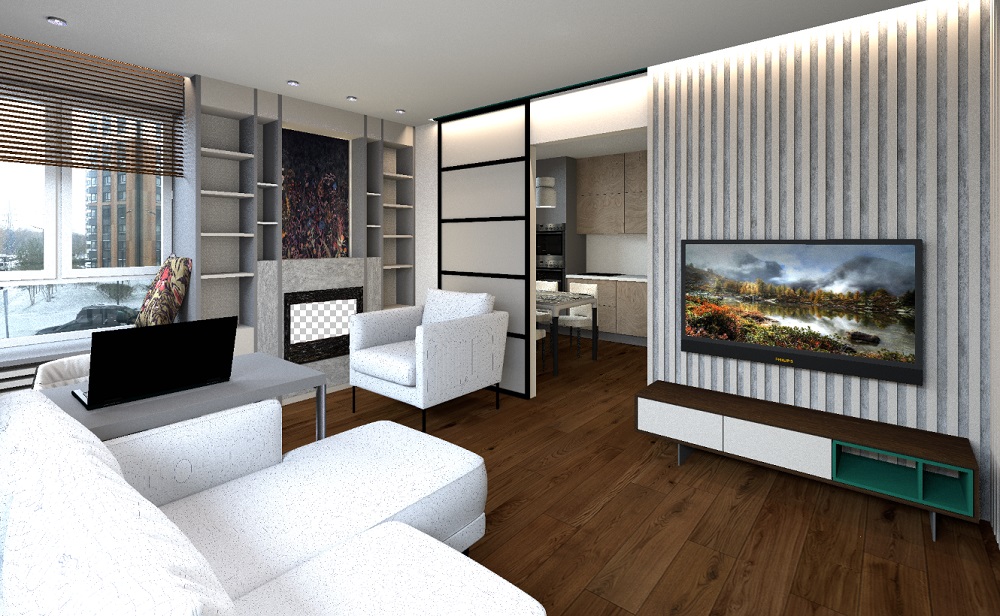
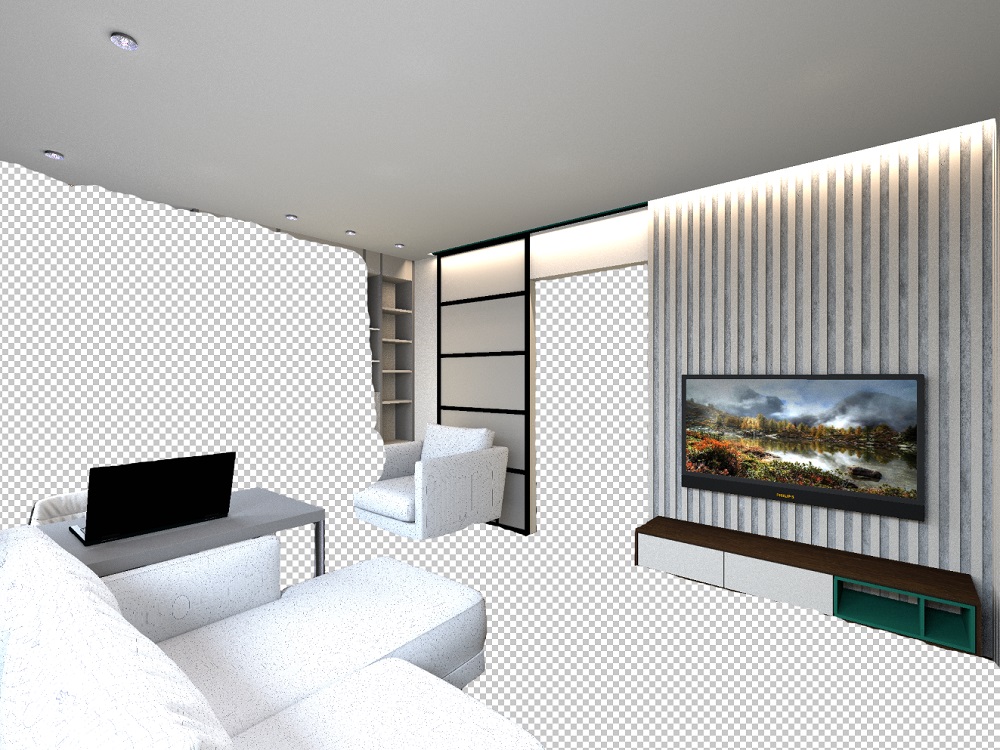
I figured out how to insert GIFs into the SH3D program so that they look natural, so that the shapes overlap with the objects of the room. This is the same method of the invisible box, only it must be used in the video editor. First, I took a basic rendering of the room, picked up the gifs, thought about how these figures on the gifs would be located in the space of the room (which objects would overlap these figures, which would be blocked by the figures themselves). As a result, I made 4 layers. The first one is the basic render. The second one is the same render, only with the fireplace window cut out, where I placed a gif with fire. The third layer is a table, a sofa and a doorway (there will be butterflies flying in the kitchen, a couple of dancers appear from the opening, a girl is standing at the table). And the fourth layer is just the sofa. I made these changes in the photo editor, made a transparent background around the objects. Then you need to arrange these layers in the video editor in the order of overlapping. And place layers with GIFs between the layers. Creating a video clip is interesting because you can split the gif file at the moment when, for example, the hand begins to overlap the wall and at this moment part of the gif is transferred to the layer above. The image starts to overlap what it didn't overlap before. As a result, the figures become almost real in space, although they are not in the scene itself. This is an attempt to depict space on a flat render. These are the layers I made:
Image

Image

Image

The video editor differs from the render in Yafaray in that you can make the borders not very carefully, when superimposed in the video everything will connect without traces (in Yafaray there are white contours). The main thing is to keep the exact dimensions of all layers (this is obtained automatically). And then they connect into a single whole without shifts and contours.
The video is not recommended for people with a weak mind to watch, sorry. I didn't find any other more decent GIFs. [B-)] https://www.mediafire.com/file/culwyodj ... 3.avi/file

VeroniQ
Posts: 886
Joined: Tue Mar 03, 2015 9:01 am
Country: France

Re: Apartment project with lighting by invisible hemispheres. I continue advertising

Post by VeroniQ »

Interesting! What kind or video editor do you use?
User avatar
GaudiGalopin3324
Posts: 729
Joined: Sat Aug 13, 2022 9:58 am
Country: Russia

Re: Apartment project with lighting by invisible hemispheres. I continue advertising

Post by GaudiGalopin3324 »

Hello VeroniQ. I use the free version of the Videopad video editor. It has very simple controls, even I understand. The only limitation is that in the free version, you can export to a video file only in AVI format. Other formats are not supported, only in the paid version.
User avatar
GaudiGalopin3324
Posts: 729
Joined: Sat Aug 13, 2022 9:58 am
Country: Russia

Re: Apartment project with lighting by invisible hemispheres. I continue advertising

Post by GaudiGalopin3324 »

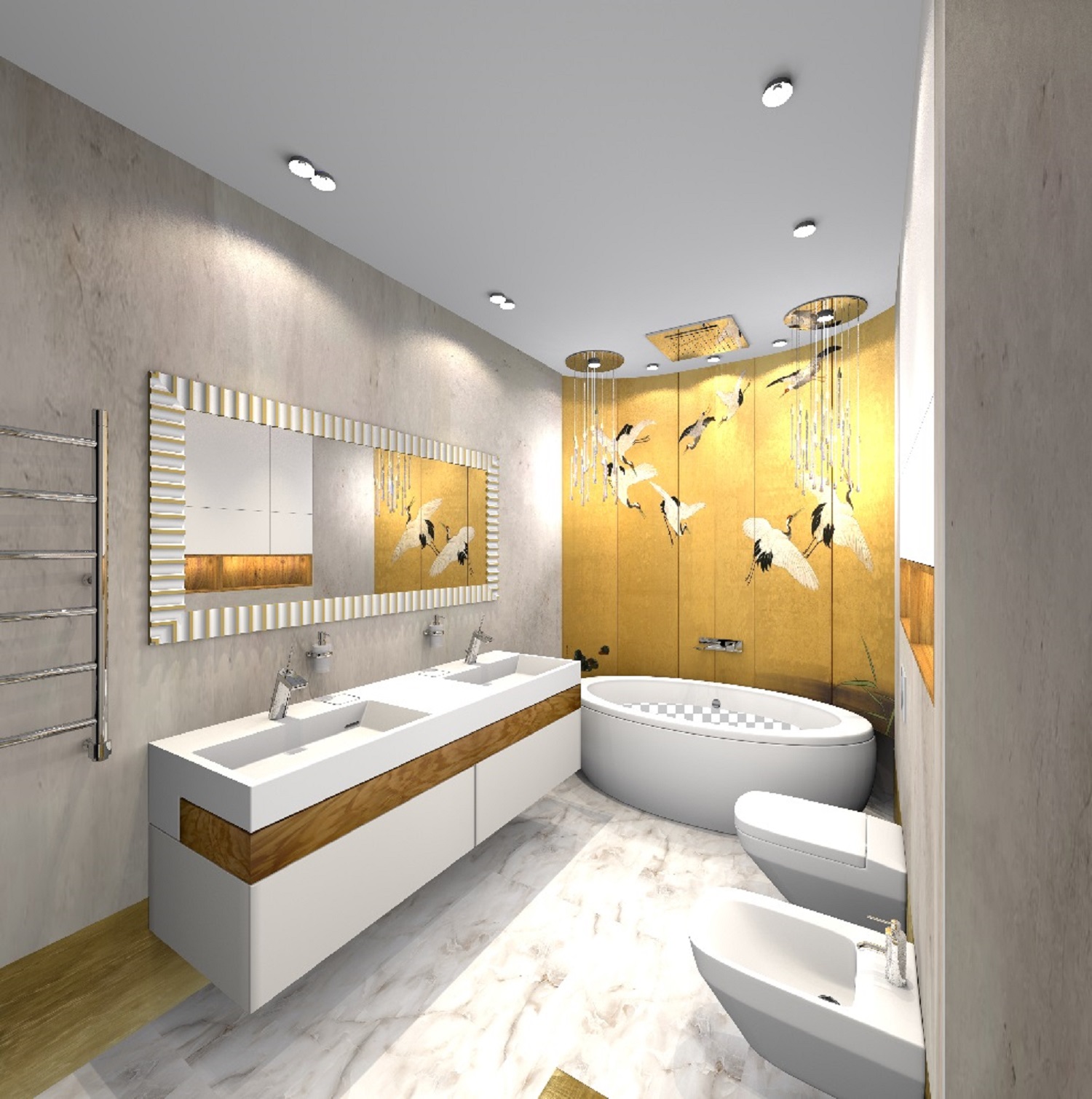
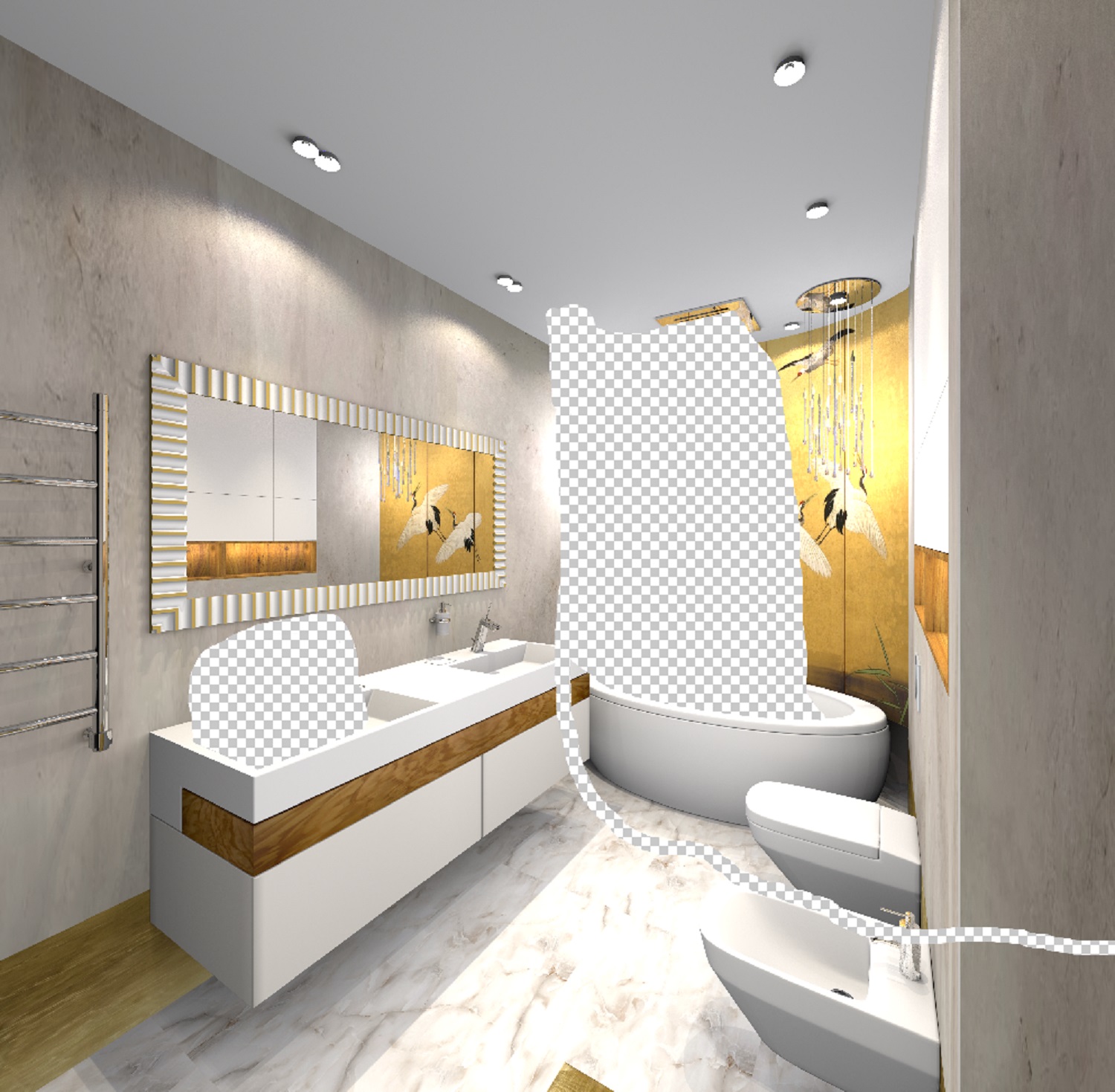
I made two masks from my render. With a hole for water in the bathtub and a corner of the sink for a cat. I arranged them in the order of overlap and placed GIFs between the layers. I'm trying to make a stream of water from a watering can, but it doesn't work out yet, a difficult task with falling water.

Image

Image

Please note - you can not do it very carefully, everything will be smooth when applied, the boundaries of the layers are not visible. The main thing is to make the edge of the hole smooth, the rest is not important.

The animated picture is here https://www.mediafire.com/file/d2ls9gm7 ... 7.avi/file
User avatar
GaudiGalopin3324
Posts: 729
Joined: Sat Aug 13, 2022 9:58 am
Country: Russia

Re: Apartment project with lighting by invisible hemispheres. I continue advertising

Post by GaudiGalopin3324 »

I made water from the overhead shower. It is a difficult task for me, I continue to experiment.. [:((]

https://www.mediafire.com/file/omb0hmnb ... 9.avi/file
User avatar
Keet
Posts: 1807
Joined: Fri Apr 08, 2022 7:13 am
Country: Netherlands

Re: Apartment project with lighting by invisible hemispheres. I continue advertising

Post by Keet »

That water would look great for a waterfall!
Dodecagon.nl
1300+ 3D models, manuals, and projects
User avatar
GaudiGalopin3324
Posts: 729
Joined: Sat Aug 13, 2022 9:58 am
Country: Russia

Re: Apartment project with lighting by invisible hemispheres. I continue advertising

Post by GaudiGalopin3324 »

This is the case when you are trying to create a hyperrealistic picture. And one mistake spoils everything at once. There is no such failure in the traditional SH3D visualization system, because there is no such task initially. Visualizations in ordinary SH3D do not cause such criticism, because there is no task of hyperreality. The most annoying thing is that I made transparent water, it is in the working file!! But there's no way I can keep it like this, I'm doing something wrong. All the time, opaque colored water is obtained, as if foamed.
User avatar
GaudiGalopin3324
Posts: 729
Joined: Sat Aug 13, 2022 9:58 am
Country: Russia

Re: Apartment project with lighting by invisible hemispheres. I continue advertising

Post by GaudiGalopin3324 »

Partially, the situation with the failure is saved by the frivolity of the author's attitude, humor. If you try not to smile, it's harder. [:D]
User avatar
Ceciliabr
Posts: 637
Joined: Sun Jul 07, 2013 3:41 pm
Country: Copenhagen, Denmark
Contact:

Re: Apartment project with lighting by invisible hemispheres. I continue advertising

Post by Ceciliabr »

Hi!
Watched your video. Nice idea.
Let me give you a little tip:
When you want to insert gifs, you should first import some models of people in the right size and render it. That way you get the right size and perspective on you gifs. Try that and you will be amazed how real it can look.

Cecilia
User avatar
GaudiGalopin3324
Posts: 729
Joined: Sat Aug 13, 2022 9:58 am
Country: Russia

Re: Apartment project with lighting by invisible hemispheres. I continue advertising

Post by GaudiGalopin3324 »

I am happy and very impressed by your attention!! Thank you, very good correct advice. I will definitely use it. Please, I really look forward to your advice. You are my ideal in the world of illusion. Your achievements are beyond my desire, thank you again. [:x]
Post Reply New Topic

Who is online

Users browsing this forum: No registered users and 1 guest