
Hi,
When I navigate in "Virtual Visit" mode, navigation goes extreemly fast, when I drag around with the mouse even very slow. Is there anything I can do?
Very sensitive mouse movement
This topic has been viewed 10875 times and has 7 replies
-
waleedfahmy

- Posts: 28
- Joined: Mon Aug 05, 2019 11:23 pm
- Country: Egypt
Re: Very sensitive mouse movement
I can't control navigation with mouse perfectly too , so I prefer navigating with keyboard , arrows keys for directions , pgUp, PgDn for tilting up and down , Home and End for changing virtual eye elevation
Re: Very sensitive mouse movement
Hi Svedel77,
In this blog article, you can find the list of all the keyboard shortcuts. It might help you for some actions...
In this blog article, you can find the list of all the keyboard shortcuts. It might help you for some actions...
Re: Very sensitive mouse movement
OK, thank you very much.
Re: Very sensitive mouse movement
Necroposting, but I have the same problem on MacOS Ventura 13 with a touch pad. On the plan display, two-finger-drag moves WAY too fast, and command-two-finger-drag zooms WAY too fast. (Motion in the 3D view seems fine.)
If I could cut the sensitivity by about a factor of 5, life would be great. (Yes, I could use keyboard shortcuts, but I'd rather control fluid movement by using a fluid input tool.)
Are there any behind-the-scenes configuration variables to change this?
If I could cut the sensitivity by about a factor of 5, life would be great. (Yes, I could use keyboard shortcuts, but I'd rather control fluid movement by using a fluid input tool.)
Are there any behind-the-scenes configuration variables to change this?
Re: Very sensitive mouse movement
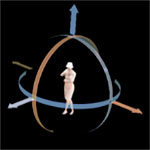
What you can try is to grab your angle symbol and, still holding the left mouse button, move your cursor far away form the camera or object you are turning. Then you will at least have super-control of your angles.
Re: Very sensitive mouse movement
Thanks, but I have no problem with dragging and rotating objects. It's changing the plan view with my touch pad that's whacko.
To clarify: two-finger-drag scrolls the plan view horizontally or vertically, but moves about 1/10 of the view with each tiny motion (way, way too much). And command-two-finger-drag zooms about 1% with each tiny motion (better, but still too much).
To clarify: two-finger-drag scrolls the plan view horizontally or vertically, but moves about 1/10 of the view with each tiny motion (way, way too much). And command-two-finger-drag zooms about 1% with each tiny motion (better, but still too much).
Re: Very sensitive mouse movement
Opps! The quote disappeared, My post here was meant for svedel77, and anyone else who is using a mouse.
Who is online
Users browsing this forum: No registered users and 2 guests