Interesting that it still ran! [:)] If it is helpful my kitchen test scene contains several very high resolution textures (1280x1280) for the female model and it rendered fine with 512MB with the swap file on default 'let Windows manage swap file'
End users shouldn't really be disabling their swap file unless they have 3-4GB or more of memory, even then there isn't really much of a performance gain, especially under Windows 7 which now handles memory and paging much more efficiently.
db4tech
Increase memory
This topic has been viewed 56121 times and has 39 replies

Re: Increase memory
My main goal is and will always be to let a maximum count of users run Sweet Home 3D out of the box. If this implies that I must support those who disabled their swap file, then it should run for them too.
Emmanuel Puybaret, Sweet Home 3D creator
Re: Increase memory
Very wise I can fully understand your thinking but you also want users with newer computer systems to appreciate just how good your program is. So with that in mind, how about option 3 ? [:)]
Instead of writing complex code to check a users memory or swap file availability, produce 2 Windows versions for download or Online use, by changing just the small area of code that requests either 512 or 1024MB.
Could be advertised as something like the following:
Instead of writing complex code to check a users memory or swap file availability, produce 2 Windows versions for download or Online use, by changing just the small area of code that requests either 512 or 1024MB.
Could be advertised as something like the following:
- 1GB version (For power users) provides greatly improved rendering speed.
- 512MB version (Designed for computers with less memory and for older systems) rendering speeds will be slower.[/list=1]
db4tech

Re: Increase memory
db4tech:
Selling ideas??
Hans
Selling ideas??
Hans
Re: Increase memory
He He [:))]
I like it Hans!
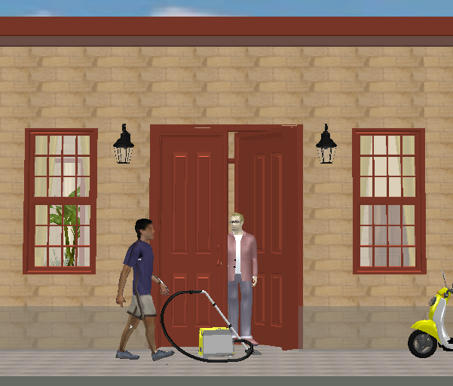
By the way the vacuum cleaners are on special offer at the moment but it is a time limited offer. Not to mention the fact the colour even matches your scooter! [:D]
db4tech
I like it Hans!
By the way the vacuum cleaners are on special offer at the moment but it is a time limited offer. Not to mention the fact the colour even matches your scooter! [:D]
db4tech
Re: Increase memory
Is there a way of doing this in 3.0 beta ?
Re: Increase memory
Sanjoy,
My guess is that you can do the xMx-thing once the installed version 3.0 is ready.
Hans
My guess is that you can do the xMx-thing once the installed version 3.0 is ready.
Hans

Re: Increase memory
You can change the max memory used by Sweet Home 3D only on the installer version, by changing the value in the -Xmx Java option:
- under Linux, edit SweetHome3D script and update the 1024 value in the option -Xmx1024m,
- under Mac OS X, right click on Sweet Home 3D application icon, select Show Package Contents, open Contents folder, edit Info.plist file by dragging its icon on TextEdit application, and update the 1024 value in the text <string>-Xmx1024m</string>,
- under Windows, create a text file named SweetHome3D.l4j.ini in the same directory as SweetHome3D.exe, and write the max memory Java option in that file, for example:for 2 GB, then relaunch Sweet Home 3D.Code: Select all
-Xmx2048m
On all systems, 1024m means 1024 MegaBytes.
I'm running windows 7, and I create text file SweetHome3D.l4j.ini.
content of the text file:
-Xmx2048m
when I run the exe file, there's an error occur
" Could Not Create The Java Virtual Machine"
Re: Increase memory
Hi fhoofman,
I'm also using Windows 7 but also tried with XP SP3.
Windows seems to be limited to a maximum of (around) 1536 (1.5) to start without the error you mentioned.
From all the tests I carried out before (on the previous pages) there's no real benefit on going higher than 1024 anyway.
So if you want to try it, my recommendation is to use. [:)]
-Xmx1024m
db4tech
I'm also using Windows 7 but also tried with XP SP3.
Windows seems to be limited to a maximum of (around) 1536 (1.5) to start without the error you mentioned.
From all the tests I carried out before (on the previous pages) there's no real benefit on going higher than 1024 anyway.
So if you want to try it, my recommendation is to use. [:)]
-Xmx1024m
db4tech
Re: Increase memory
The Info.plist file on mac is protected and can not be changed. How can this be fixed?
Who is online
Users browsing this forum: No registered users and 1 guest