Hello,
I, like many others, am trying to make a 3D model of my house. At the kitchen section, i have challenges. When searching the recommended sites for 3D models, i often stumble upon models with several kitchen cabinets, doors and so forth, in one model. For example this: https://3dwarehouse.sketchup.com/model/ ... n-Cabinets
How can i pick one of the items in this model and import it into my house model?
Also, in my mission of being as precise as possible, i have (of course) found a lot of furniture that is not present as 3D models, for example cat furniture or other furniture that is old or very local.
I have no experience with creating 3D models of any kind. Can anyone point me in the direction of the best-fitted guide for this? I see that if i search youtube for videos of creating 3d models of furniture, a whole plethora comes up with different approaches, use cases, 3D rendering programs and qualities of their result.
I was hoping for a guide more specified towards users that are creating 3D models of their furniture, simply for the 3D model of their house and using 'Sweet Home 3D' - i don't know if that is asking for too much.
Thanks in advance
How to use 3D models with several items?
This topic has been viewed 18127 times and has 24 replies

Re: How to use 3D models with several items?
For the kitchen there are several possibilities:
1. The Sweet Home 3D catalog already has individual cabinets to create a kitchen
2. There are individual cabinets in some of the other Furniture Libraries (i.e. Scopia)
3. On my site Dodecagon.nl I offer two kitchen libraries. Import them and you can create your own kitchen.
4. You can create your own cabinets
For other furniture,
Very recently our friend GaudiGalopin3324 experimented with AI to create 3D models from a photo. It depends on the photo but the results are very promising. Otherwise you have to keep searching. Sweet Home 3D can import multiple different formats so you are not limited to the OBJ/MTL format. Often 3D models are available in DAE or 3DS format. Of course you can always create your own furniture.
1. The Sweet Home 3D catalog already has individual cabinets to create a kitchen
2. There are individual cabinets in some of the other Furniture Libraries (i.e. Scopia)
3. On my site Dodecagon.nl I offer two kitchen libraries. Import them and you can create your own kitchen.
4. You can create your own cabinets
For other furniture,
Very recently our friend GaudiGalopin3324 experimented with AI to create 3D models from a photo. It depends on the photo but the results are very promising. Otherwise you have to keep searching. Sweet Home 3D can import multiple different formats so you are not limited to the OBJ/MTL format. Often 3D models are available in DAE or 3DS format. Of course you can always create your own furniture.
Dodecagon.nl
1300+ 3D models, manuals, and projects
1300+ 3D models, manuals, and projects
-
GaudiGalopin3324

- Posts: 729
- Joined: Sat Aug 13, 2022 9:58 am
- Country: Russia
Re: How to use 3D models with several items?
hi. The easiest and most effective way to create a model is by using a photo. You need to find a photo on a white background. There are usually a lot of them on sellers' websites. And now here you need to upload this photo. As a result, you will receive a GDB file that our SH3D program does not read. But there are many free converters, you need to transfer this file from GLB to DAE. This whole operation took me 6 minutes, and as a result, I have a great, very detailed model for SH3D. It's very simple! You just have to try.
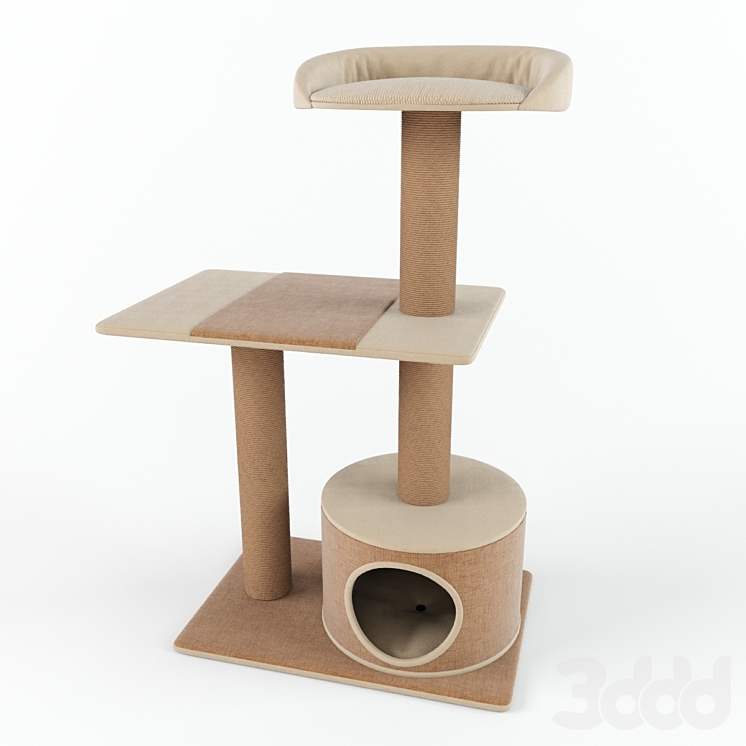
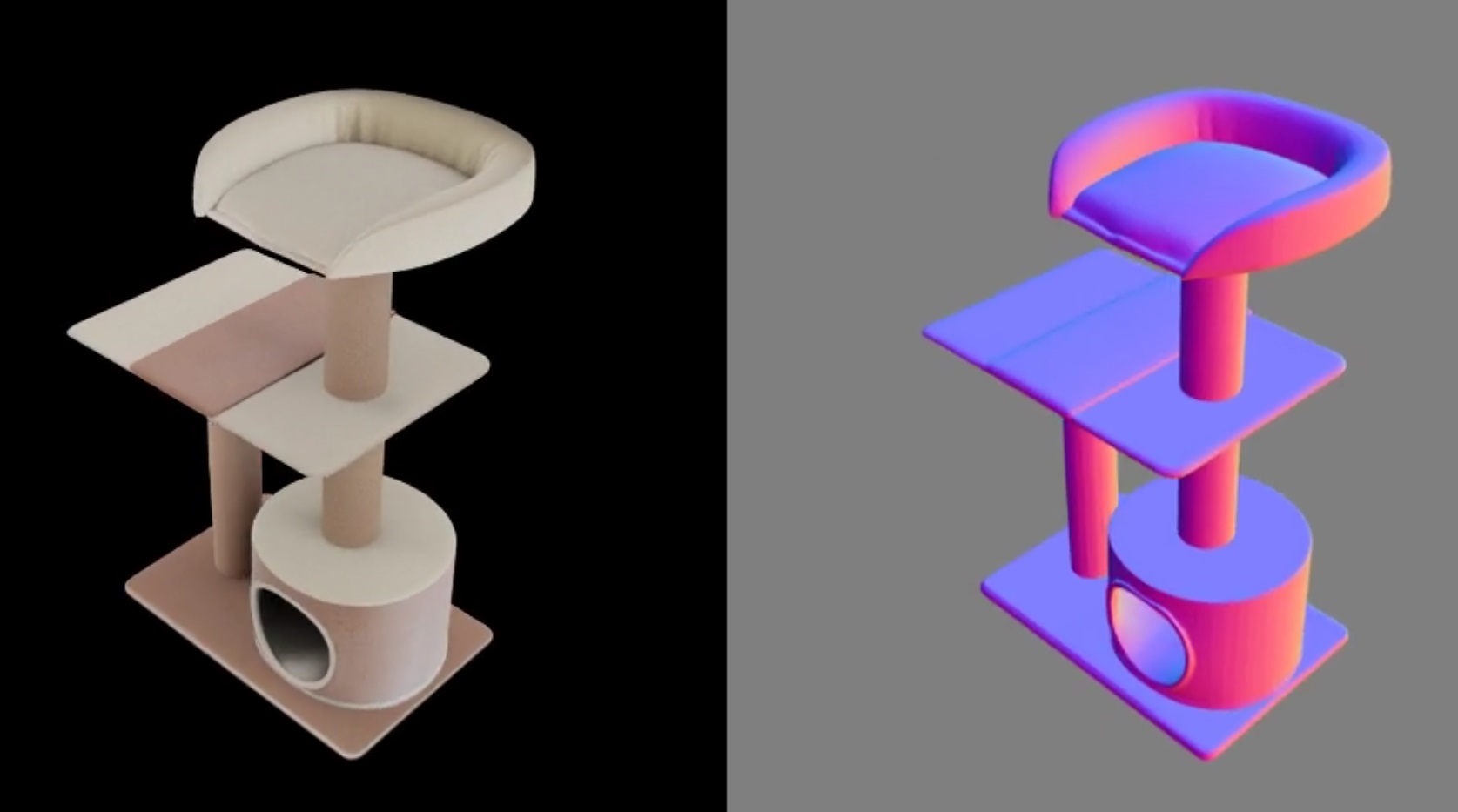
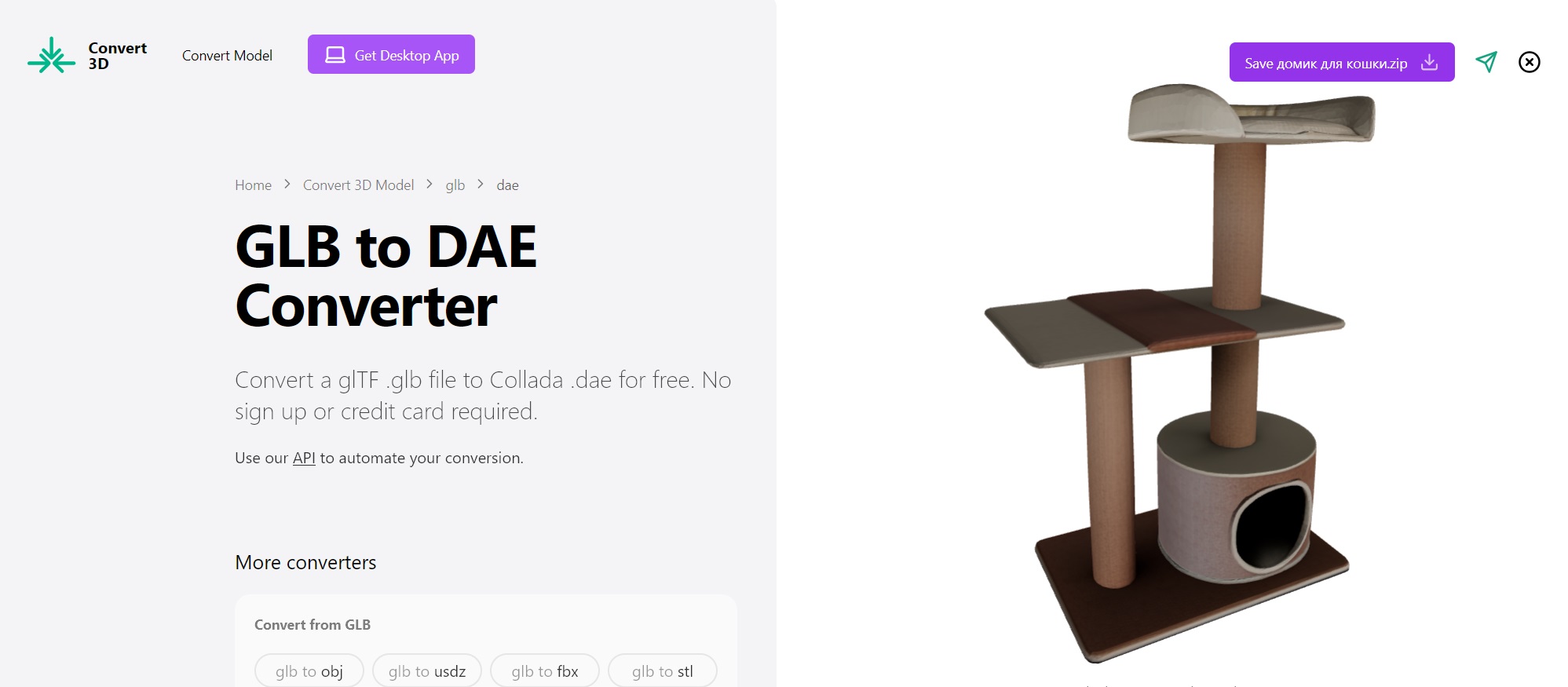
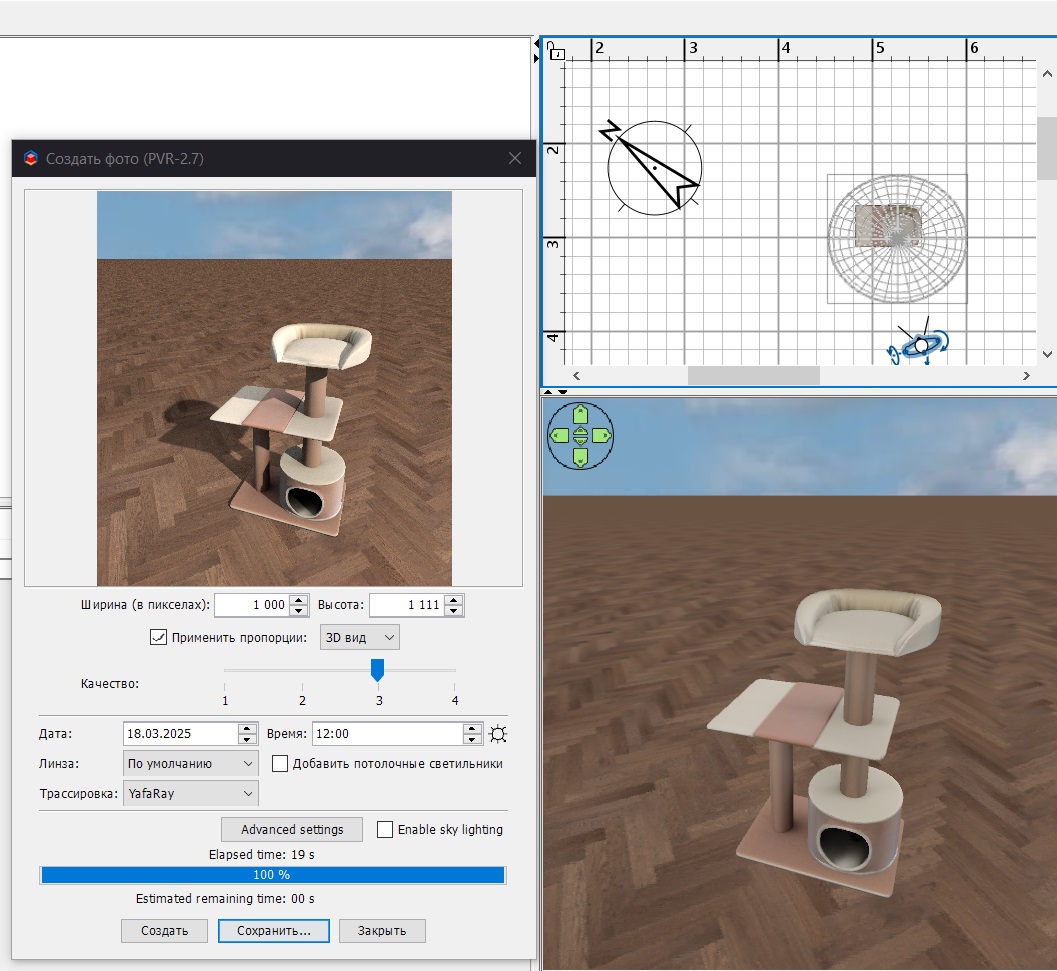
It took me 8 minutes from the found photo to the rendering in SH3D. The result is very good in quality. It's really very simple.
It took me 8 minutes from the found photo to the rendering in SH3D. The result is very good in quality. It's really very simple.
Re: How to use 3D models with several items?
Thanks for your reply!
I've looked at a lot of 3D models, but some i've had trouble finding, except in these "bundled" 3D models of several cabinets, so i thought i would ask how others use them.
Do you know how to and can you explain it to me?
I have already imported a lot of libraries and even though they cover a lot, it's not all. Additionally, it's not only kitchen furniture, it could also be other, usually IKEA furniture, like clothes cabinets, that are part of these larger 3D models of multiple cabinets and cabinet doors. It would be a big help to know how to utilize these.
I also tried creating my own, which did not go well, but with the method described from @GaudiGalopin3324 i will give it another go with some of my more unique furniture, like the cat furniture. Thanks for the tip!
I've looked at a lot of 3D models, but some i've had trouble finding, except in these "bundled" 3D models of several cabinets, so i thought i would ask how others use them.
Do you know how to and can you explain it to me?
I have already imported a lot of libraries and even though they cover a lot, it's not all. Additionally, it's not only kitchen furniture, it could also be other, usually IKEA furniture, like clothes cabinets, that are part of these larger 3D models of multiple cabinets and cabinet doors. It would be a big help to know how to utilize these.
I also tried creating my own, which did not go well, but with the method described from @GaudiGalopin3324 i will give it another go with some of my more unique furniture, like the cat furniture. Thanks for the tip!
-
GaudiGalopin3324
- Posts: 729
- Joined: Sat Aug 13, 2022 9:58 am
- Country: Russia
Re: How to use 3D models with several items?
I do not know how to divide someone else's model into parts. But I can tell you how to make any rectangular model yourself. This is done using the "BOX" shape from the SH3D kit. There are two methods. . A very simple one and the second one is more complex. For example, you need to make an IKEA PAX cabinet. We need to study the dimensions of this cabinet. For example, the size of a case without a door is 50 cm wide, 58 cm deep, and 236 cm high. Make a box with these dimensions. Then select the type of door. For example, this one. Download the image from the front view. not from the side. Crop this image exactly along the edge in the program. I use Paint. So that only the door remains without a background. Save it as a texture in SH3D. Now you need to make a box 50 cm wide, 2 cm deep and 229 cm high. Lift this box 7 cm above the floor. On the front side of the box, stretch the texture with the image of the door, make all the sides gray. You'll end up with a closet like this. It's an easy way. The second way is to make the cabinet look like a real one, with thin walls and all the internal shelves. Then you can open the door a little and see its contents. Everything is done using boxes. A little longer. You only need to draw a dimensional diagram on paper and make this cabinet without haste. You've already spent a lot of time building a house. We spent time looking for other people's beautiful, but not quite necessary models. Now you can start making your own models. And spend your time on this job. That's my advice to you.
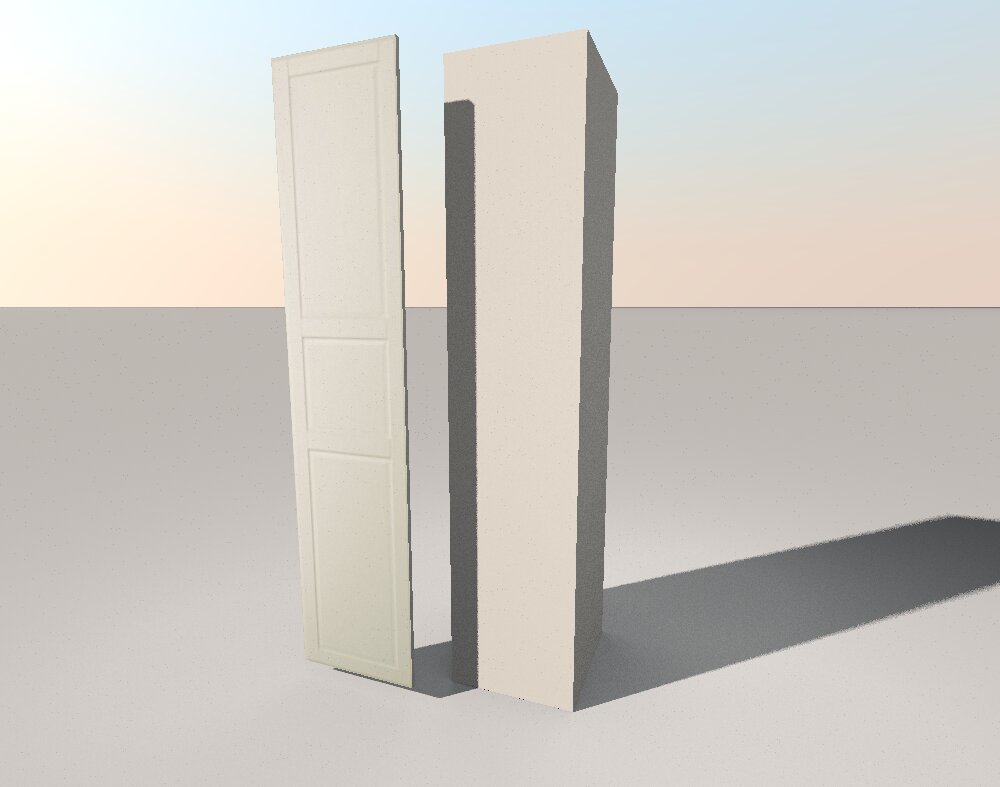
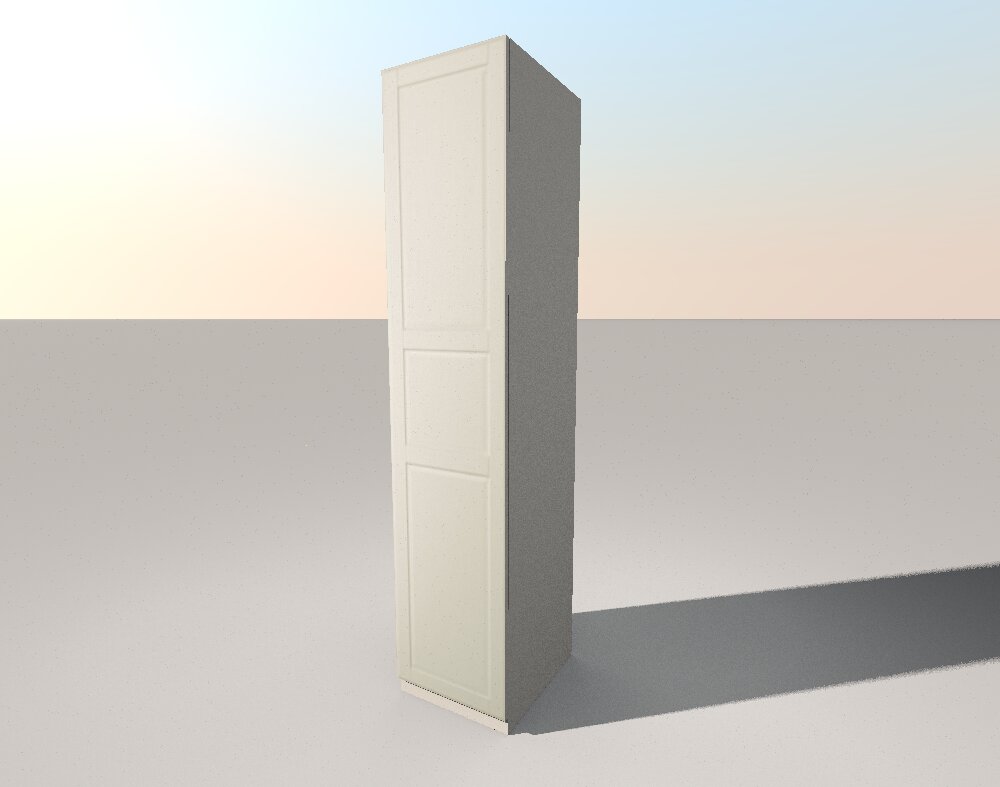
but what about the furniture handle by the cabinet? AI will come to the rescue here. Take a photo of the desired pen from the website on a white background. Upload it to the website (see the link above, Trellis). Click in order. You will get a great pen model in an obscure GLB format. Convert it to the DAE format. I'm using This Converter here.
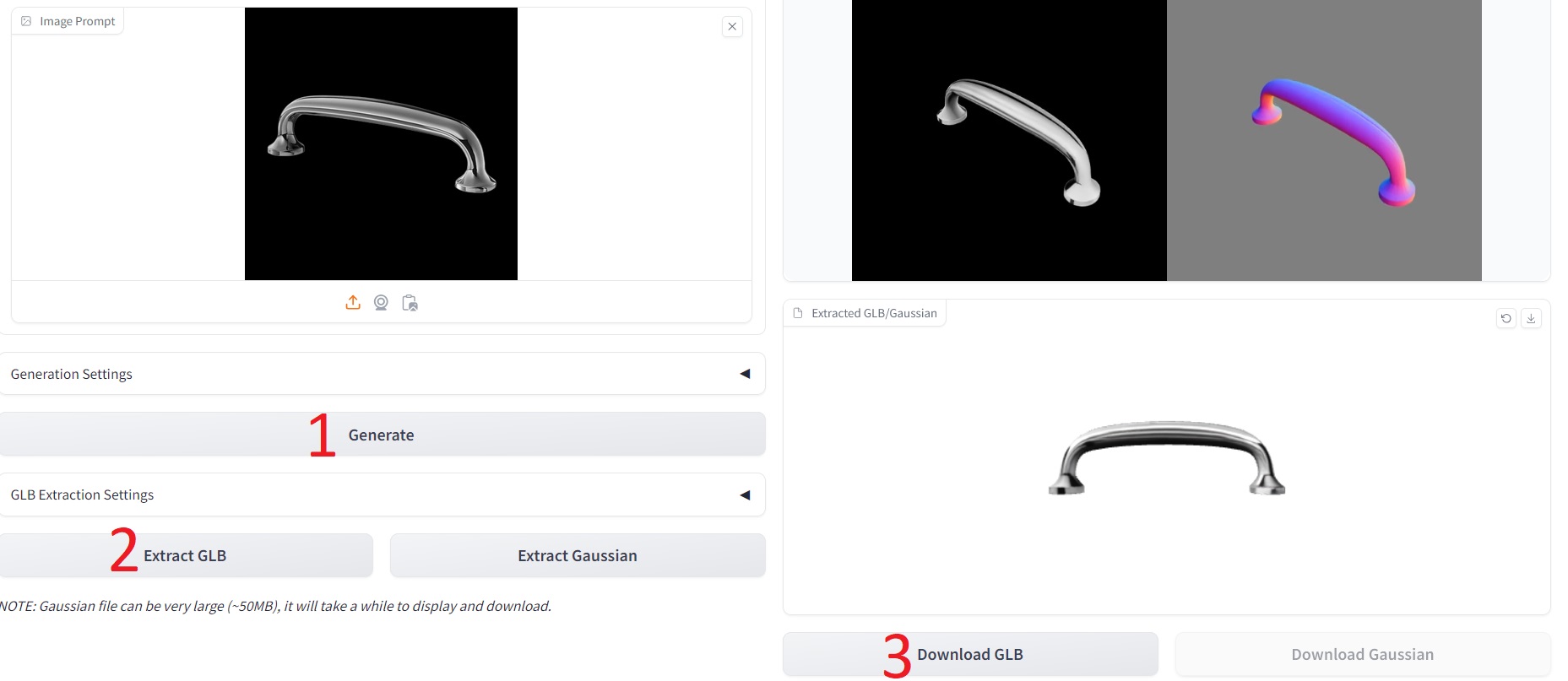
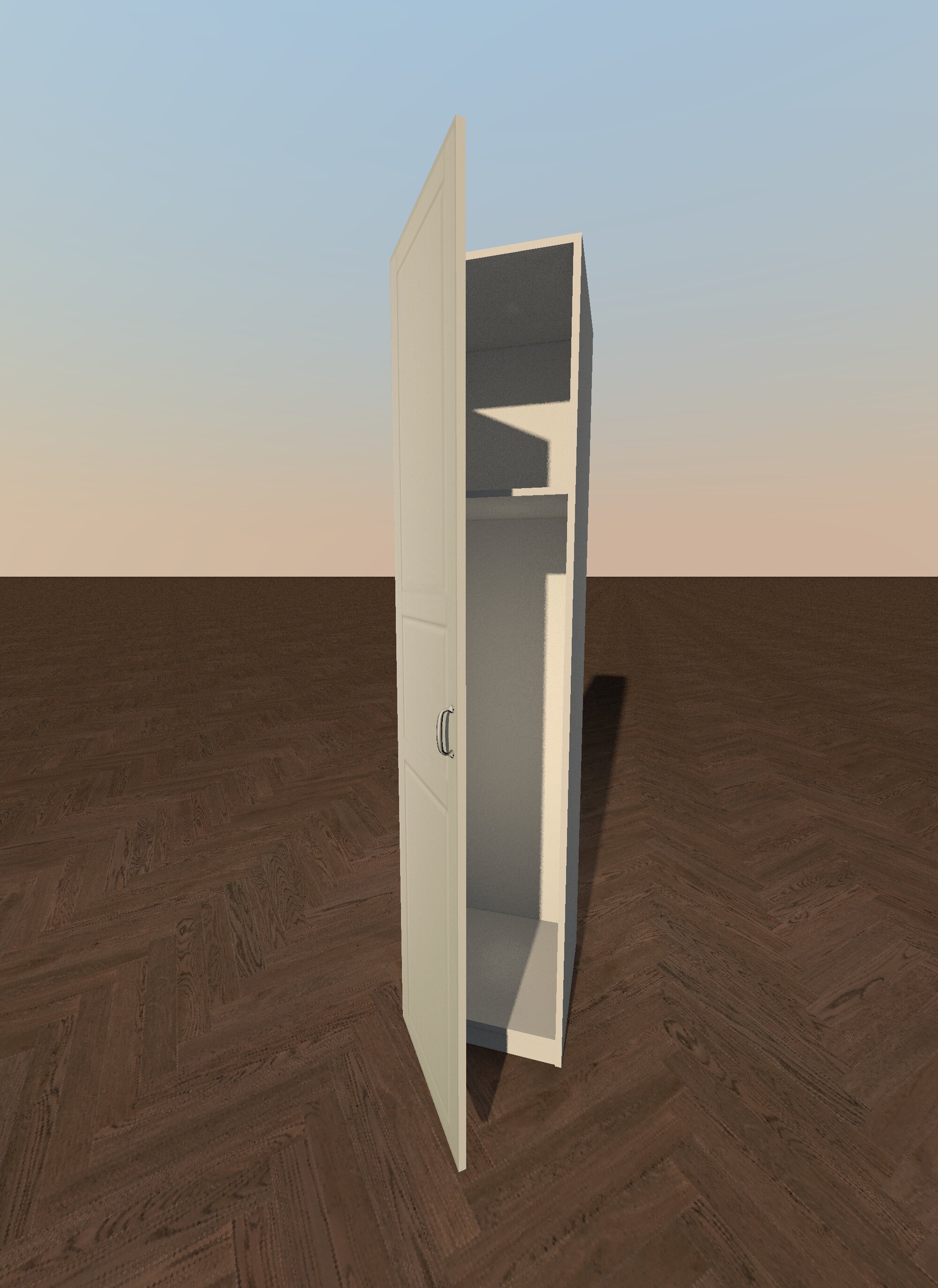
but what about the furniture handle by the cabinet? AI will come to the rescue here. Take a photo of the desired pen from the website on a white background. Upload it to the website (see the link above, Trellis). Click in order. You will get a great pen model in an obscure GLB format. Convert it to the DAE format. I'm using This Converter here.
Re: How to use 3D models with several items?
Hello again @GaudiGalopin3324,
You have really resparked my interest and my hope to finish this project, thank you!
I tried to run through your manual with pictures of a office desk from this website:
https://www.dpj-workspace.com/dk/haeve- ... -100x60_cm
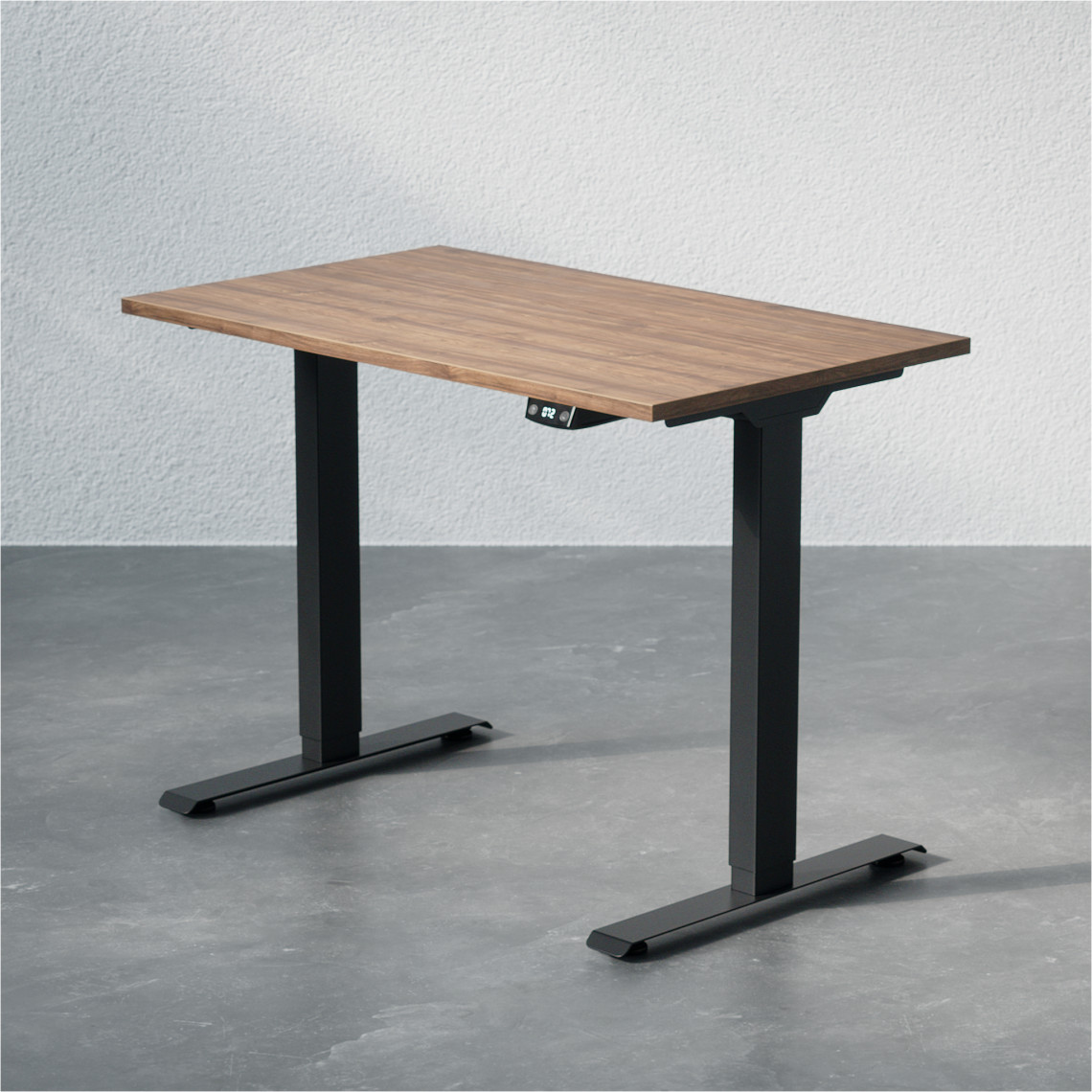
Ran it through the website and got a beautiful 3D model in the correct colors and all! The only thing is the legs, specifically the feet of the legs, where it has taken some of the background with it, it seems.
I also converted it with a free online converter and got a zip file. When unzipping the file and then uploading the .dae file, i got an error, but when i uploaded the whole zip file i got a success.
However... There are no colors on the model.

Do you know what went wrong? I was hoping that i could fix it by modifying the materials of the model, and providing the tabletop with one color and the frame with another, but the whole model is one piece.
Can you help me proceed with this?
You have really resparked my interest and my hope to finish this project, thank you!
I tried to run through your manual with pictures of a office desk from this website:
https://www.dpj-workspace.com/dk/haeve- ... -100x60_cm
Ran it through the website and got a beautiful 3D model in the correct colors and all! The only thing is the legs, specifically the feet of the legs, where it has taken some of the background with it, it seems.
I also converted it with a free online converter and got a zip file. When unzipping the file and then uploading the .dae file, i got an error, but when i uploaded the whole zip file i got a success.
However... There are no colors on the model.
Do you know what went wrong? I was hoping that i could fix it by modifying the materials of the model, and providing the tabletop with one color and the frame with another, but the whole model is one piece.
Can you help me proceed with this?
Re: How to use 3D models with several items?
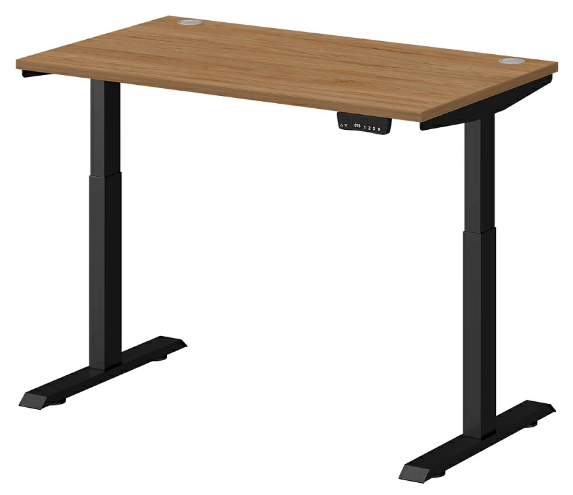
It seems something went wrong with my second picture, here it is:

-
GaudiGalopin3324
- Posts: 729
- Joined: Sat Aug 13, 2022 9:58 am
- Country: Russia
Re: How to use 3D models with several items?
hi. Great, everything is starting to work out! The first condition for success is to find a picture on a white background, if the background is mottled or uneven, then the AI will not be able to cope. I found this table on a white background by searching. It will be better with this picture. In order for the color to appear on the model in the program after downloading the ZIP archive, you need to slightly shift the runners in the gloss line in the texture settings, a little. The color will appear immediately.
-
GaudiGalopin3324
- Posts: 729
- Joined: Sat Aug 13, 2022 9:58 am
- Country: Russia
Re: How to use 3D models with several items?
Hello again @GaudiGalopin3324,
Thank you very much for your wisdom, your time and your patience. I am very grateful.
For some reason, i (SH3D) wasn't able to read your zip file, but i managed to get a good 3D model of the desk after some time. Thanks!
Straight to another challenge: Like many others, i have a lot of IKEA furniture. For instance, we just bought some IKEA BILLY Bookcases. There are several versions, so i attached (hopefully correct!) a picture of the exact version. Measurements are W80xD41xH202.

Now to the challenge: As you can see on the attached picture, with the furniture follows small white handles. My wife didn't want those, instead she bought golden handles. exactly these (danish website):
https://copenhagenhomedesign.dk/collect ... iv-messing#
the 30 mm kind. I have also attached a picture of them below.


How would you change out the handle, when there is already one on the picture?
Again, thank you very much for all your help
Thank you very much for your wisdom, your time and your patience. I am very grateful.
For some reason, i (SH3D) wasn't able to read your zip file, but i managed to get a good 3D model of the desk after some time. Thanks!
Straight to another challenge: Like many others, i have a lot of IKEA furniture. For instance, we just bought some IKEA BILLY Bookcases. There are several versions, so i attached (hopefully correct!) a picture of the exact version. Measurements are W80xD41xH202.
Now to the challenge: As you can see on the attached picture, with the furniture follows small white handles. My wife didn't want those, instead she bought golden handles. exactly these (danish website):
https://copenhagenhomedesign.dk/collect ... iv-messing#
the 30 mm kind. I have also attached a picture of them below.
How would you change out the handle, when there is already one on the picture?
Again, thank you very much for all your help
Who is online
Users browsing this forum: No registered users and 2 guests