c'est un format AVI compliqué, désolé, j'ai reformaté en normal, MP4.
une petite chanson sur la mer. MP4 [:">]
 connecting SH3D and AI for work
This topic has been viewed 124527 times and has 57 replies
-
GaudiGalopin3324

- Posts: 729
- Joined: Sat Aug 13, 2022 9:58 am
- Country: Russia
-
GaudiGalopin3324
- Posts: 729
- Joined: Sat Aug 13, 2022 9:58 am
- Country: Russia
Re: connecting SH3D and AI for work
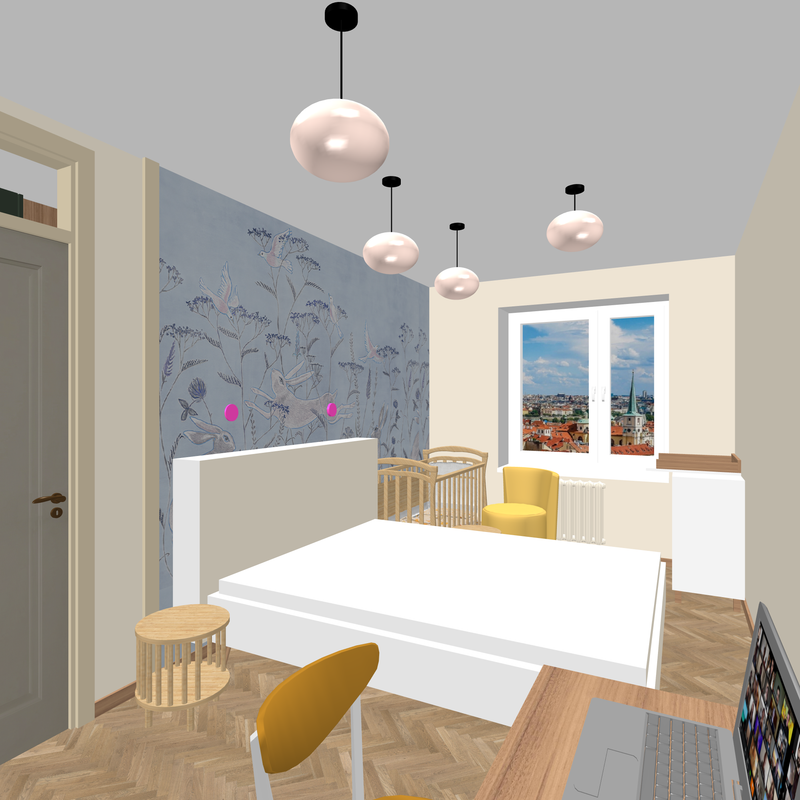
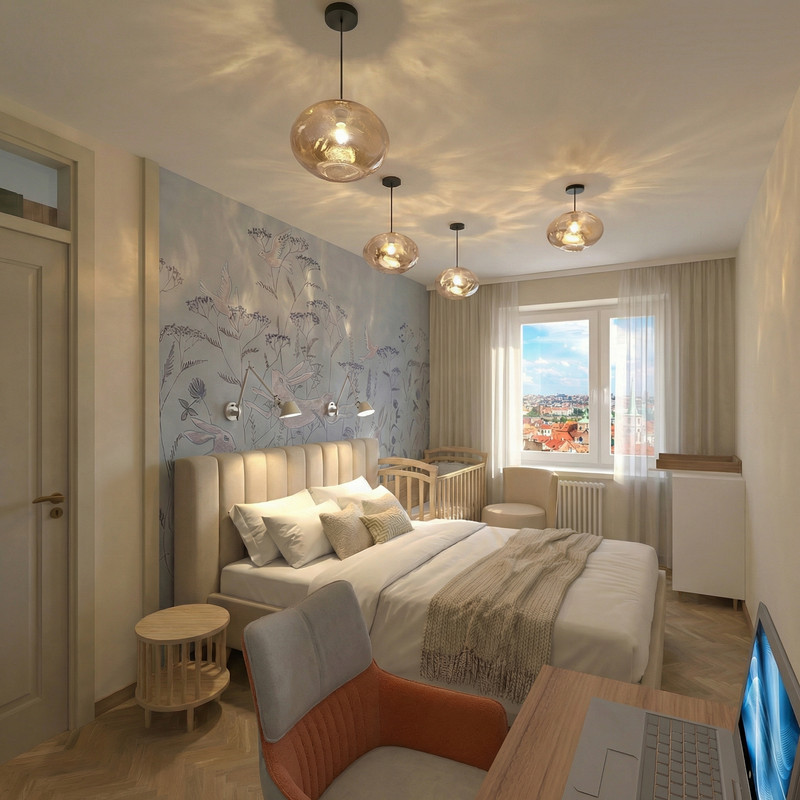
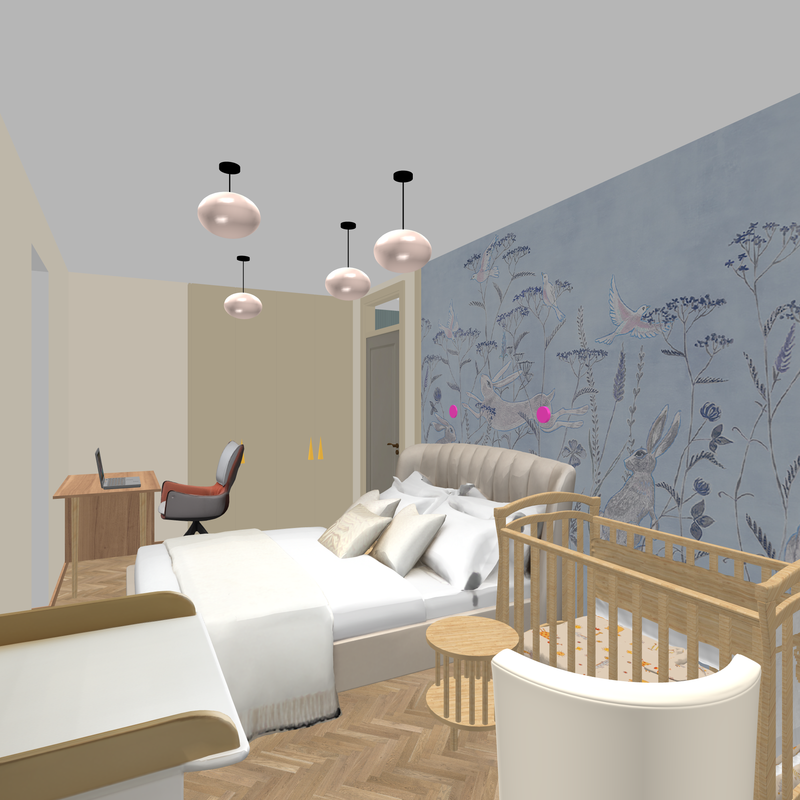
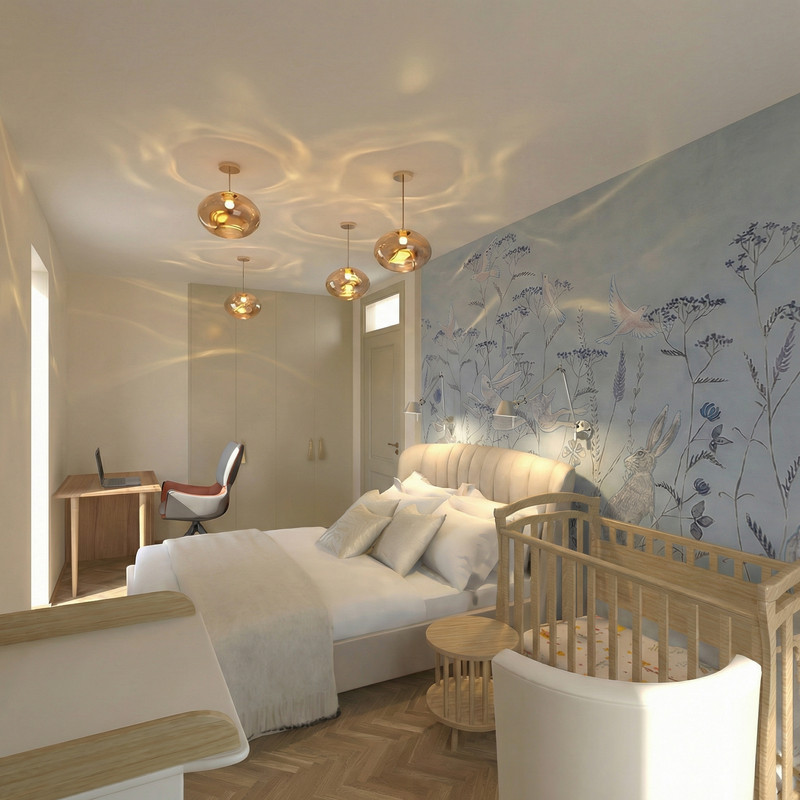
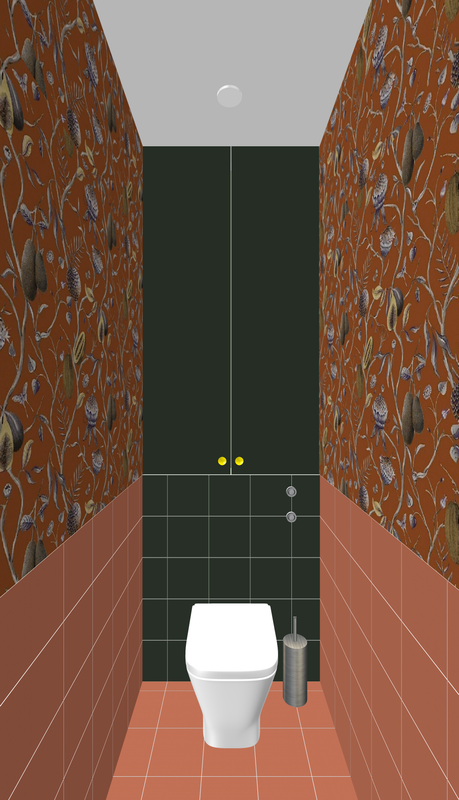
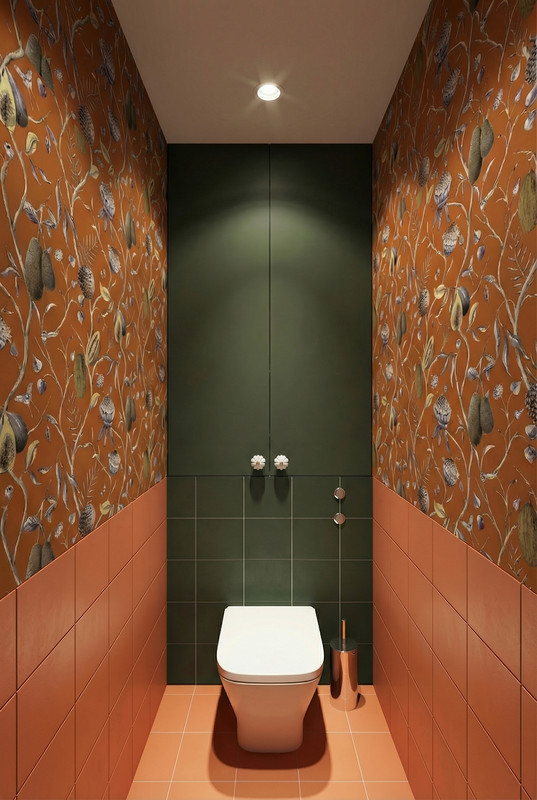
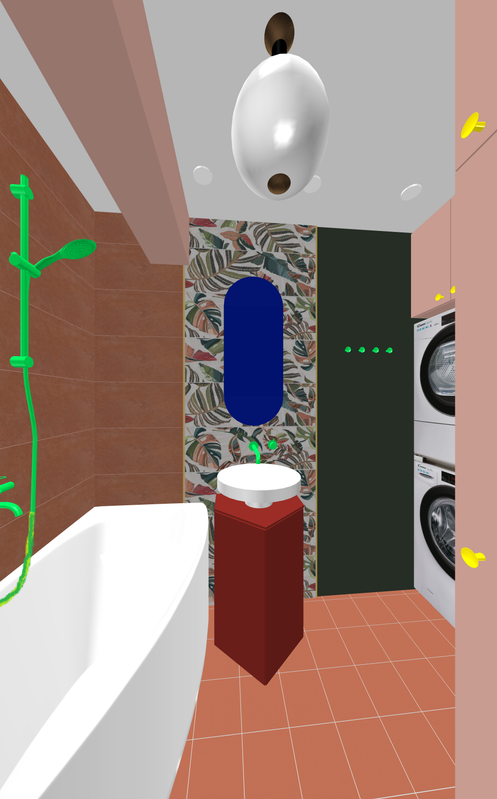
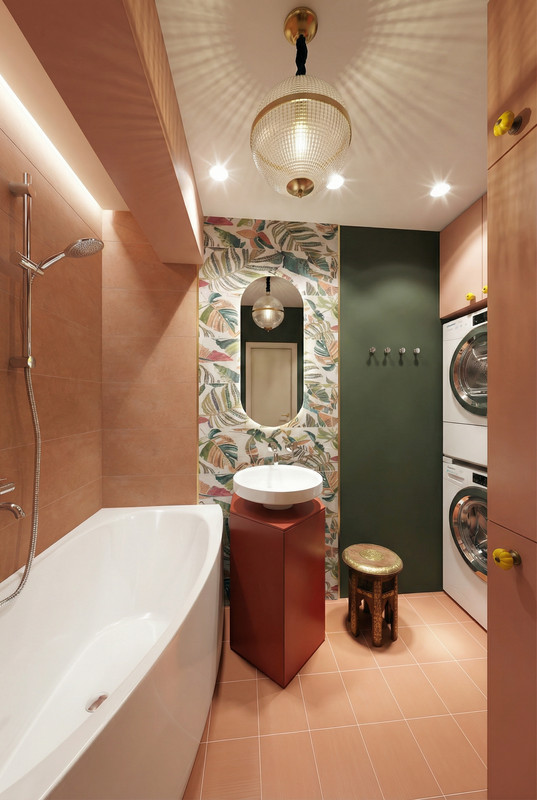
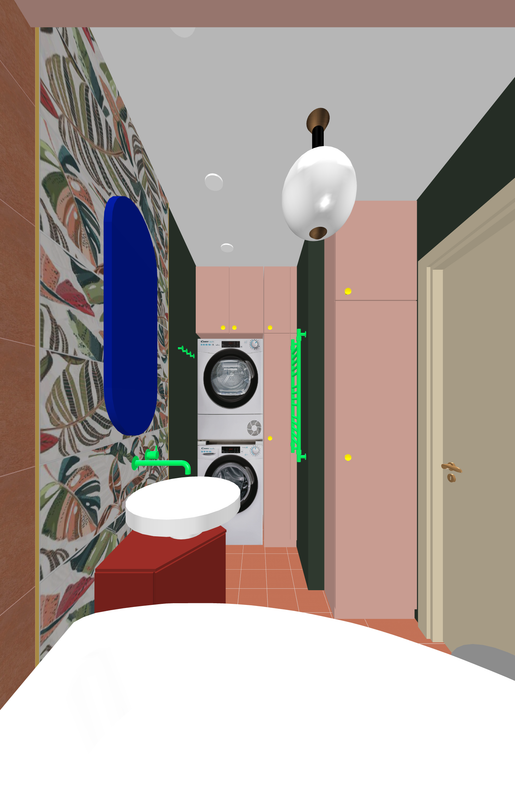
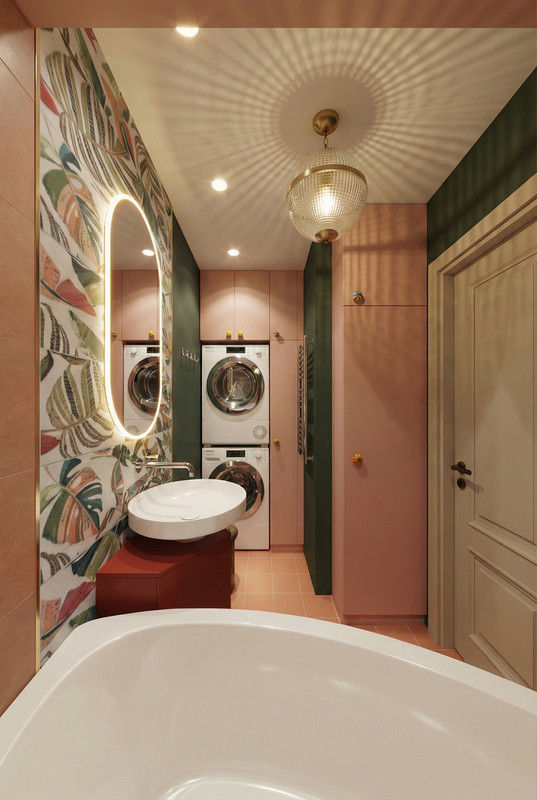
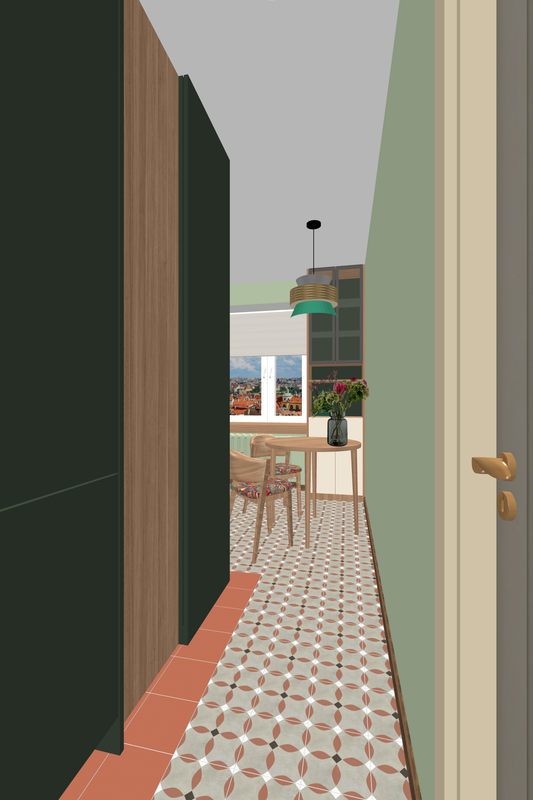
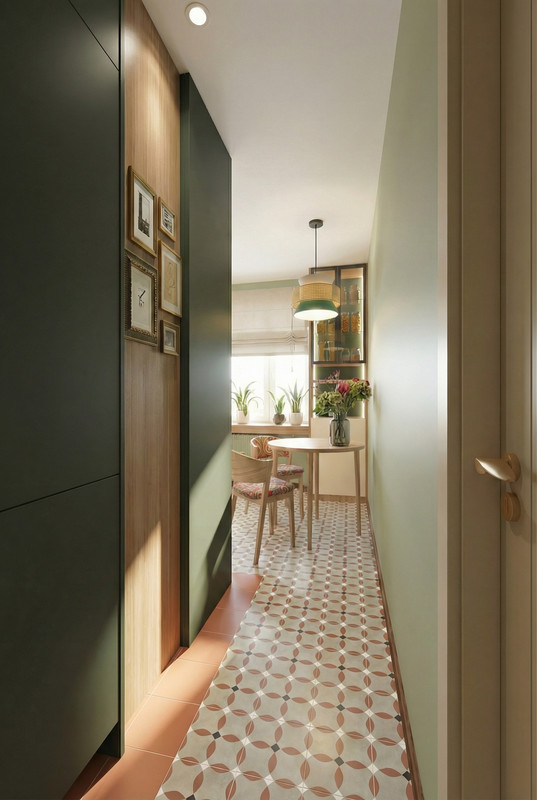
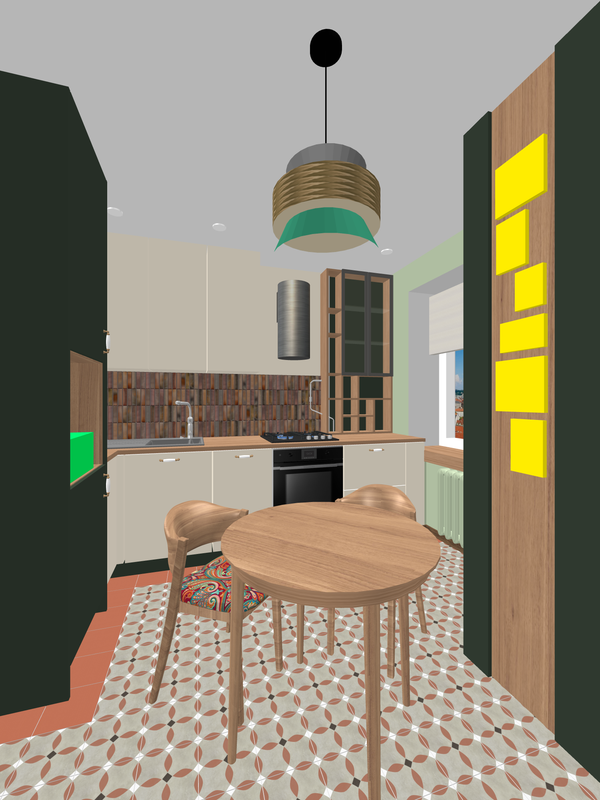
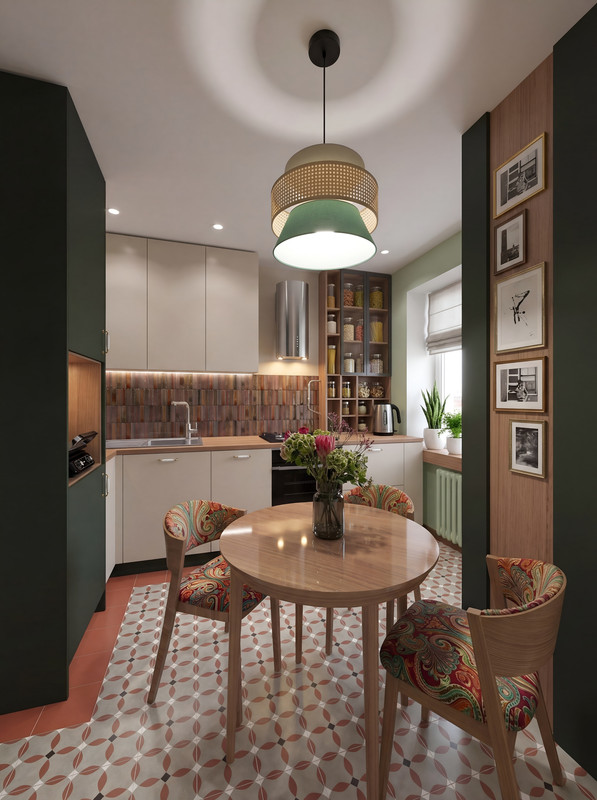
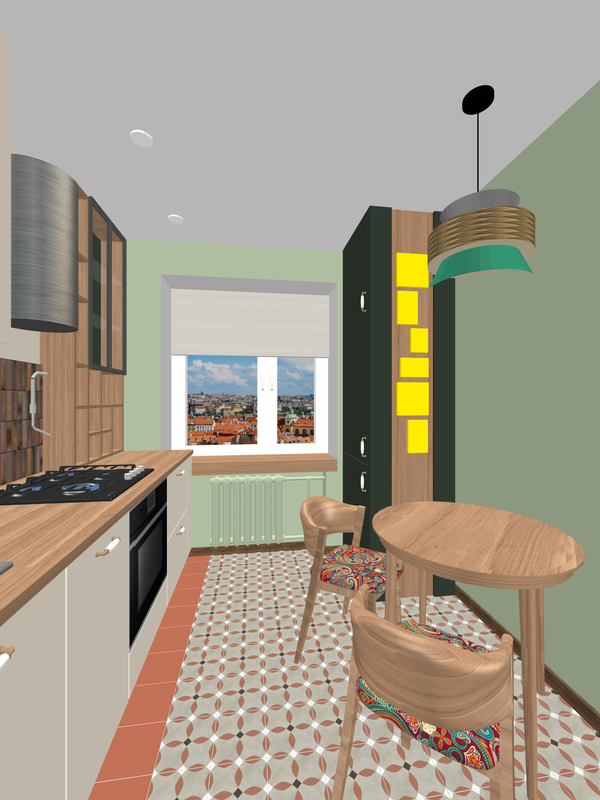
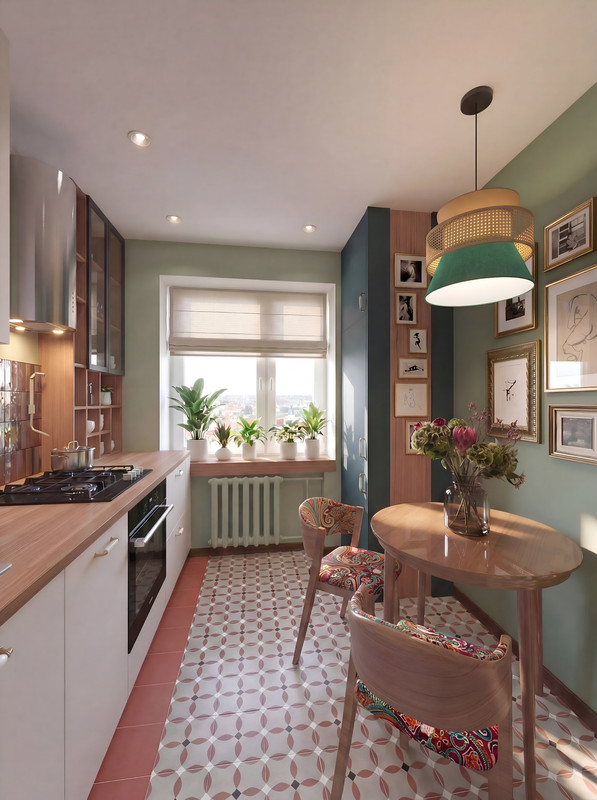
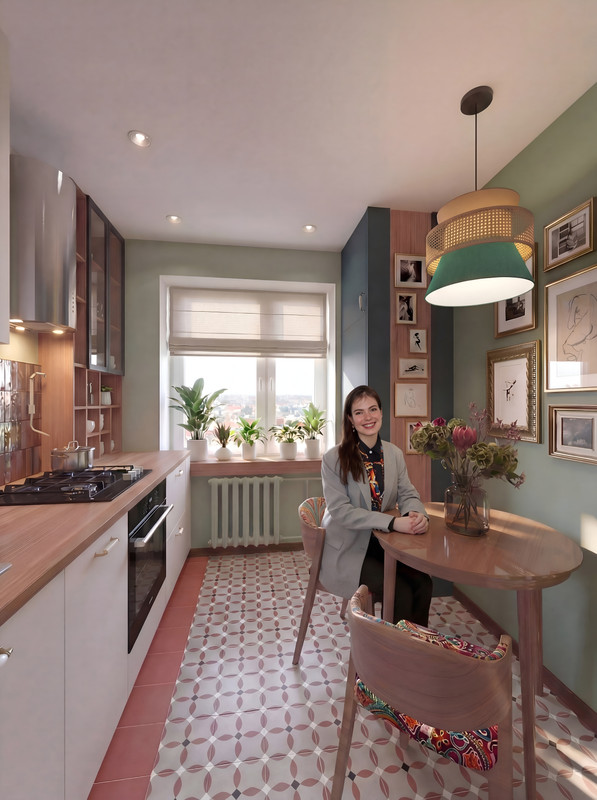
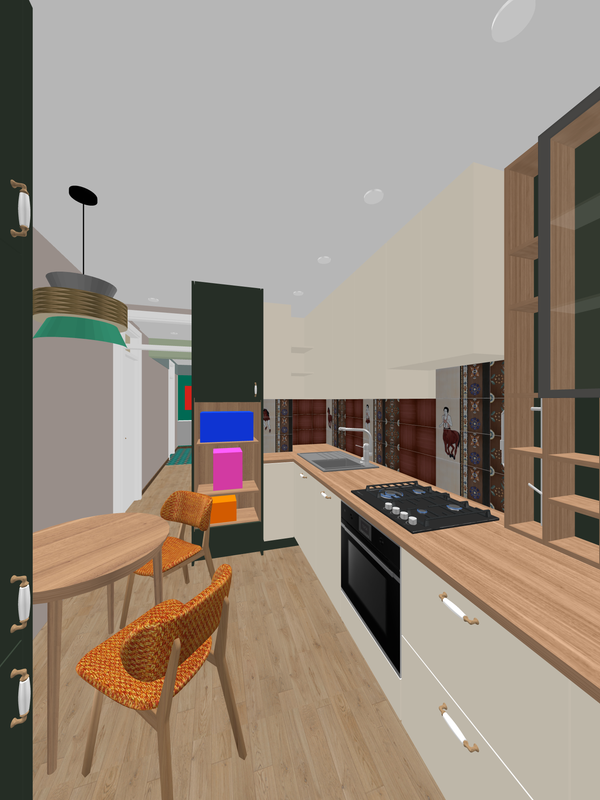
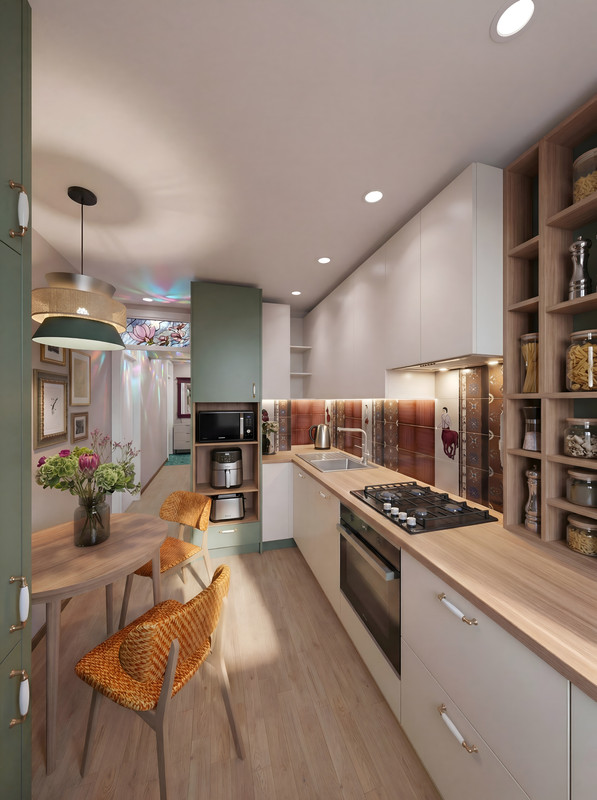
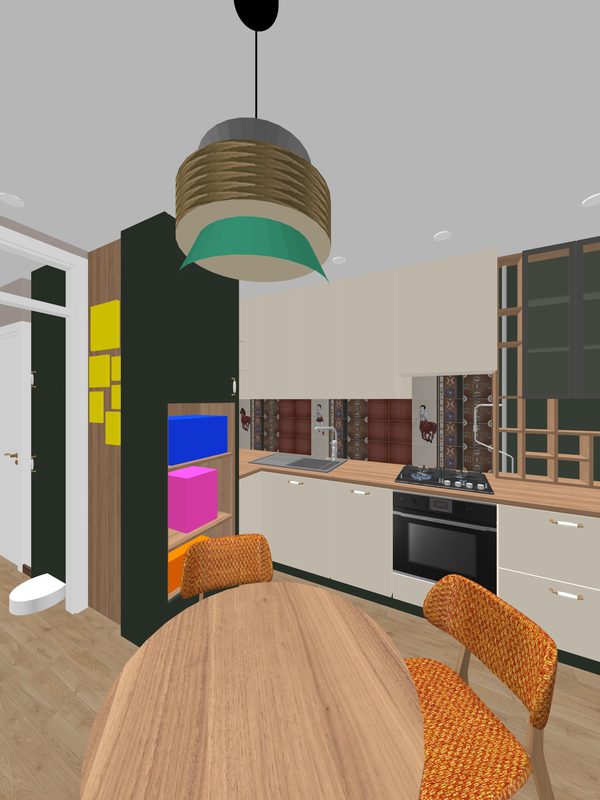
I just made a small apartment project. All the initial design was done in autocad and in SH3D, the final visualization for the client using AI. Please take a look at what it looks like. I will be showing the 3D view of SH3D and the finishing visualization of AI based on this render. SH3D rendering without light exposure, 3000 pixels quality. In general, I think combining design in SH3D with processing in AI is very promising and well-controlled. Yes, you have to go through several attempts and mistakes to achieve the desired result, but with a competent text task, the result is very good. Check out these pairs of renders.
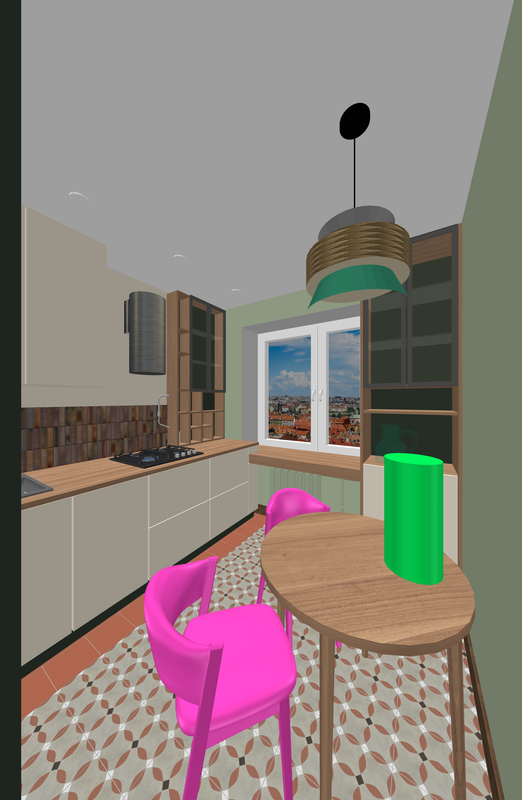
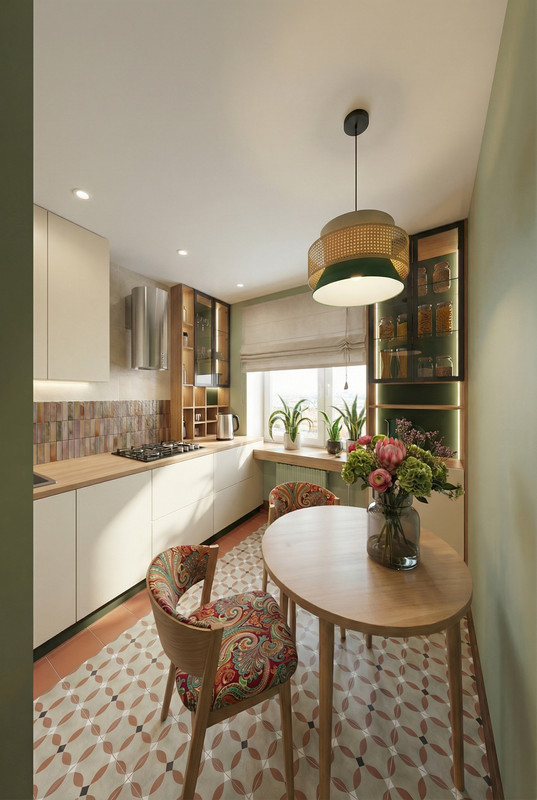
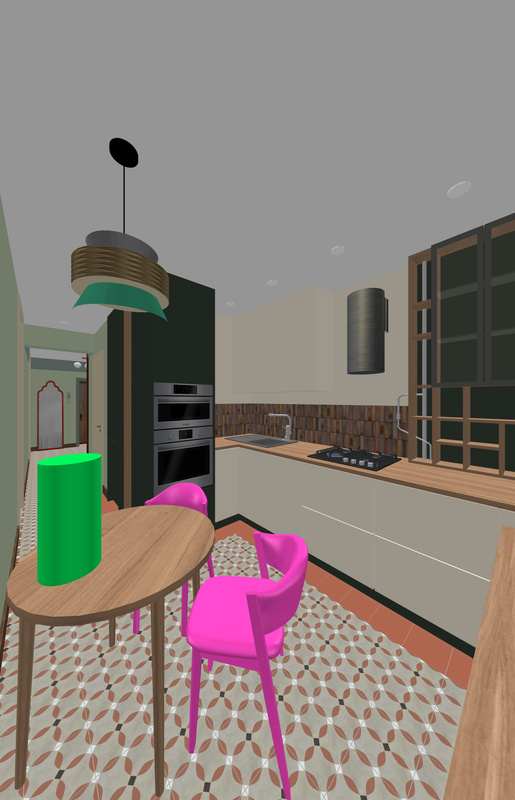
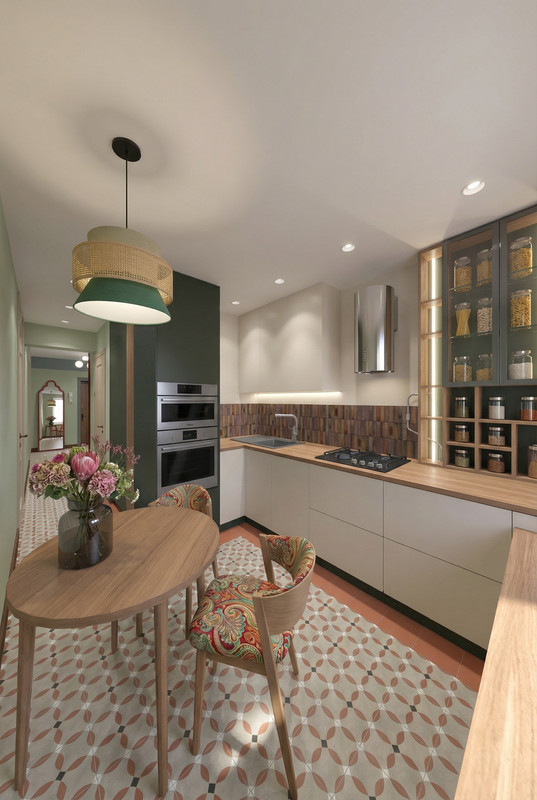
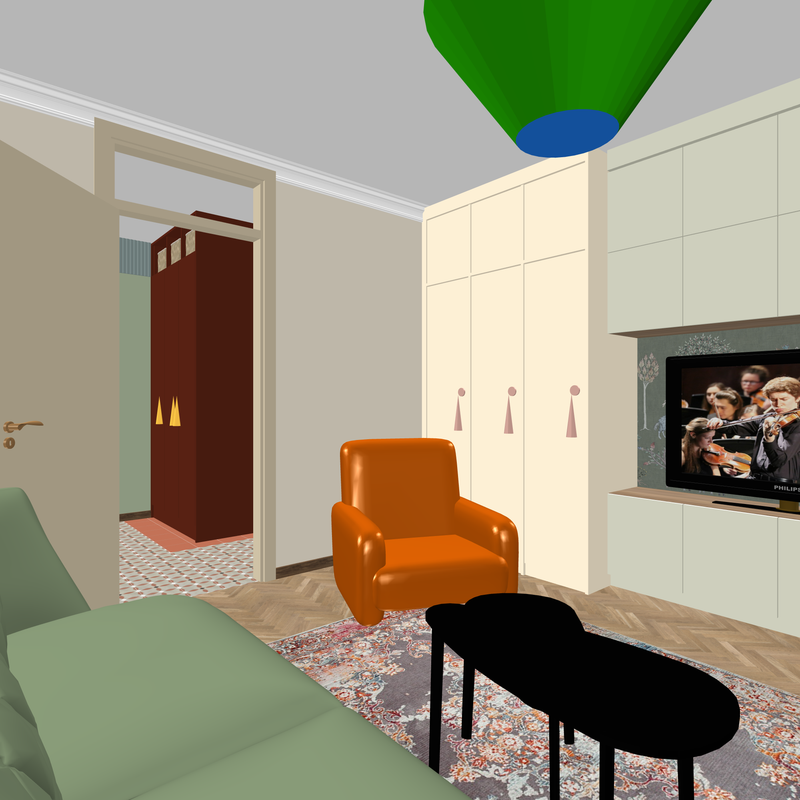
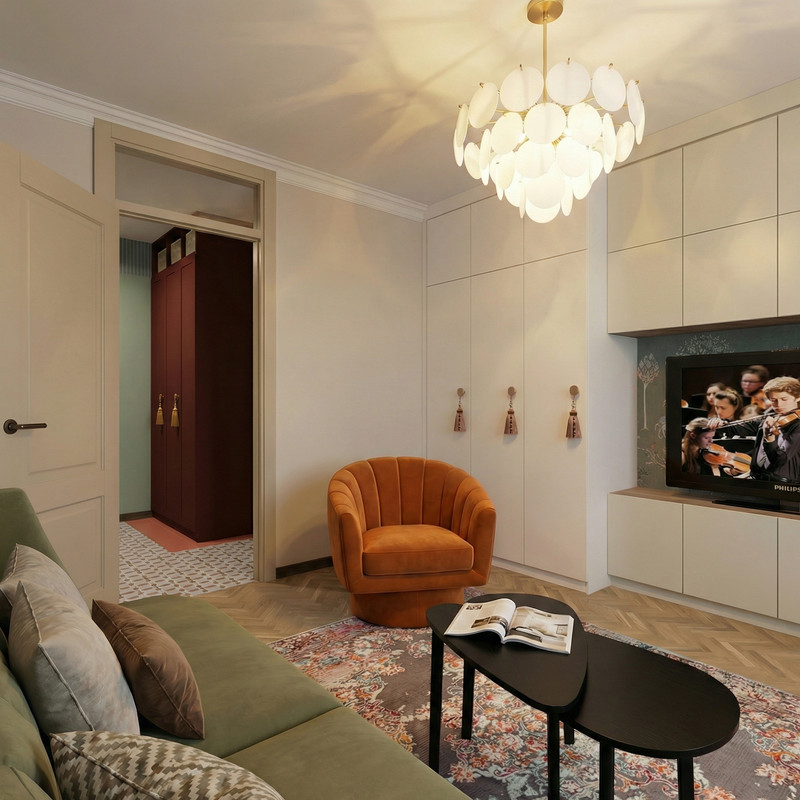
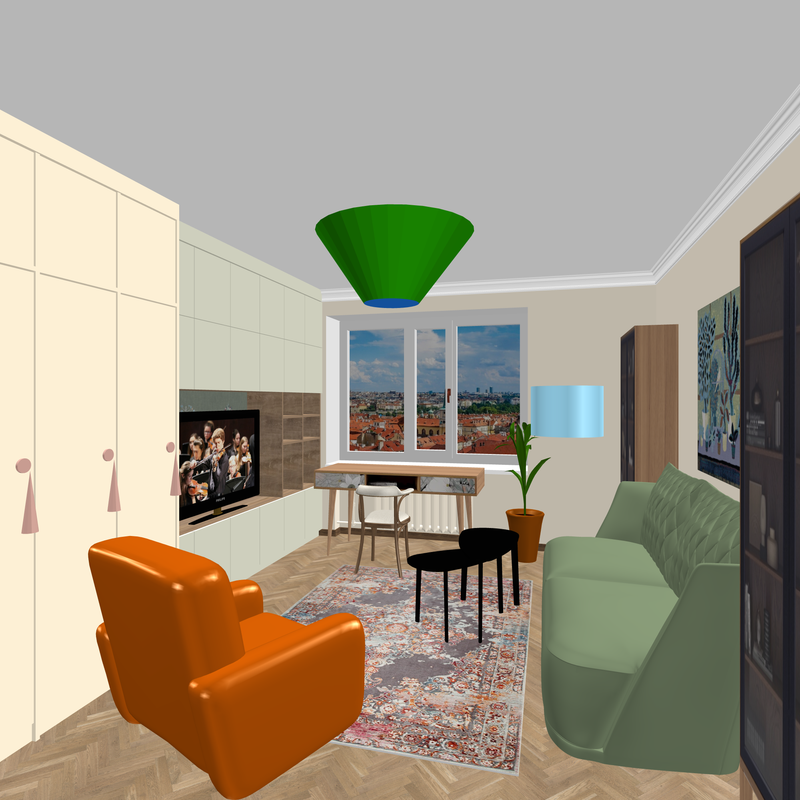
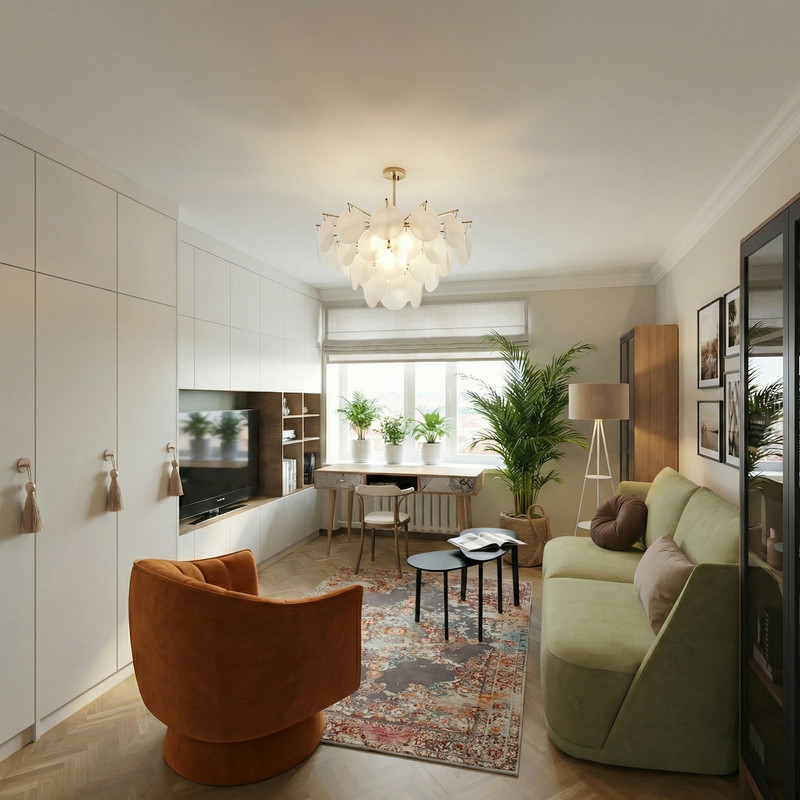
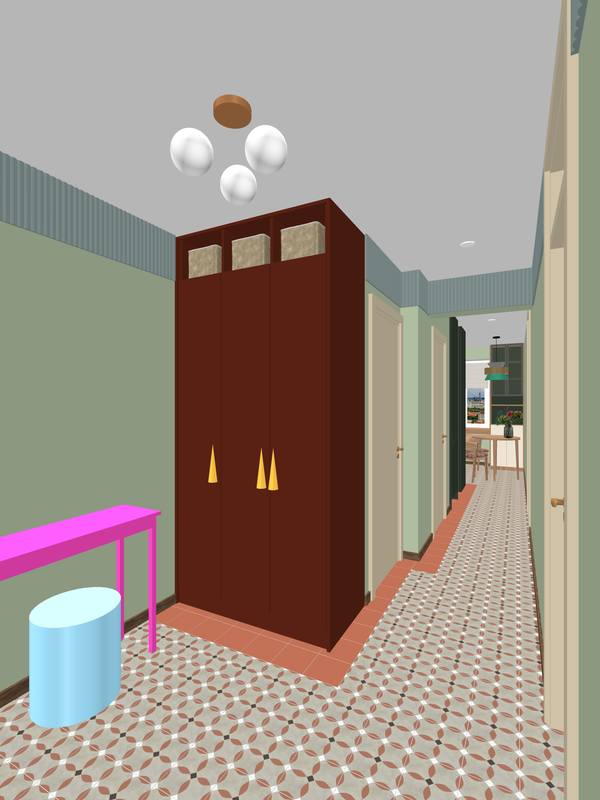
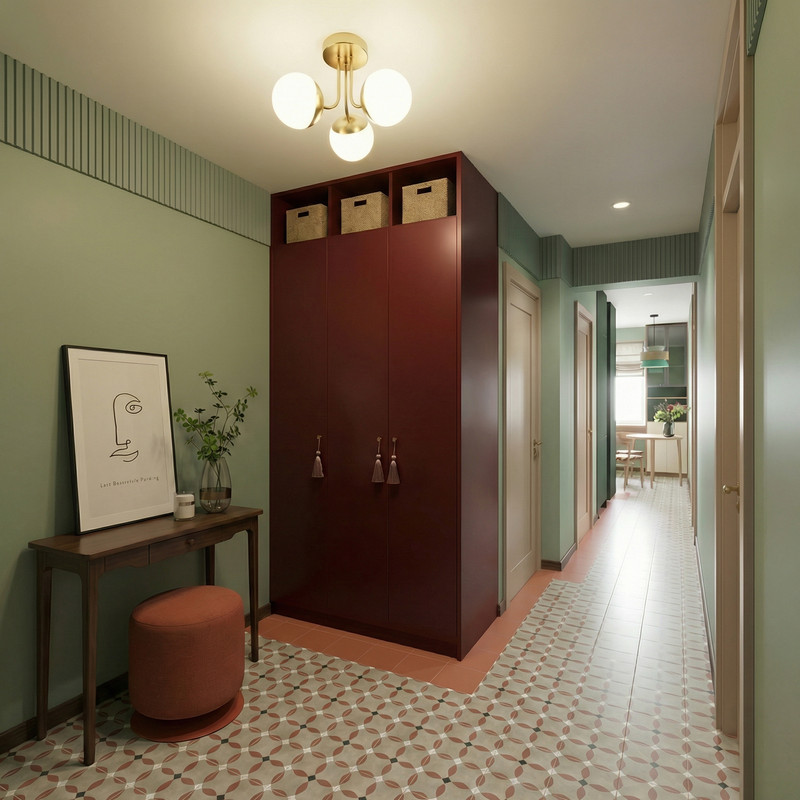
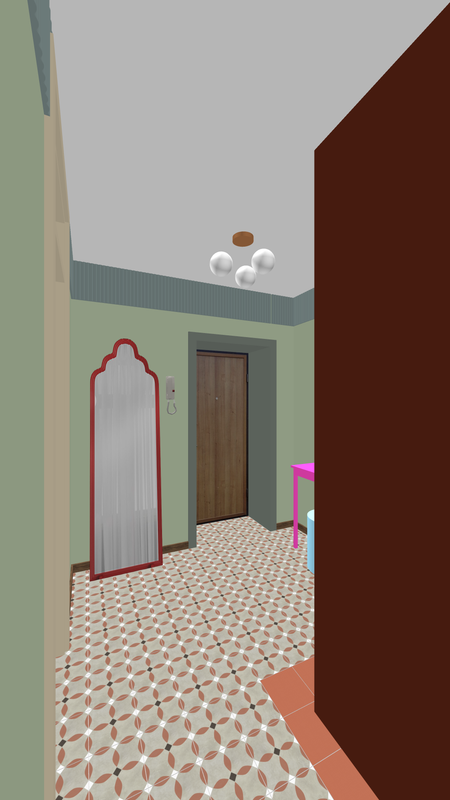
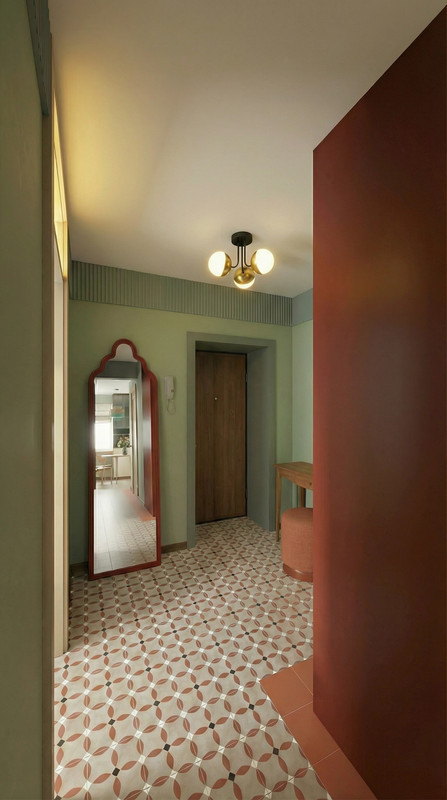
interestingly, with the help of AI, it is possible to make a true reflection in the mirror of something that is not in the frame, but is in reality behind the viewer. To do this, I inserted into the AI task a fragment from an earlier AI render with the desired area of the room to be reflected. In general, it turned out, although of course there are some lies, but almost imperceptibly.
[:D] [:D] [:D] [:x]
Thus, the main task in working with AI is to keep it under control as much as possible, and then the result will be predictable. And always start with proper design using SH3D. The ideas should be yours alone, without tricks and tinsel. And fix the weaknesses of SH3D with a more resilient AI employee. [B-)]
interestingly, with the help of AI, it is possible to make a true reflection in the mirror of something that is not in the frame, but is in reality behind the viewer. To do this, I inserted into the AI task a fragment from an earlier AI render with the desired area of the room to be reflected. In general, it turned out, although of course there are some lies, but almost imperceptibly.
[:D] [:D] [:D] [:x]
Thus, the main task in working with AI is to keep it under control as much as possible, and then the result will be predictable. And always start with proper design using SH3D. The ideas should be yours alone, without tricks and tinsel. And fix the weaknesses of SH3D with a more resilient AI employee. [B-)]
-
GaudiGalopin3324
- Posts: 729
- Joined: Sat Aug 13, 2022 9:58 am
- Country: Russia
 [:">]
[:">]-
GaudiGalopin3324
- Posts: 729
- Joined: Sat Aug 13, 2022 9:58 am
- Country: Russia
-
GaudiGalopin3324
- Posts: 729
- Joined: Sat Aug 13, 2022 9:58 am
- Country: Russia
-
GaudiGalopin3324
- Posts: 729
- Joined: Sat Aug 13, 2022 9:58 am
- Country: Russia
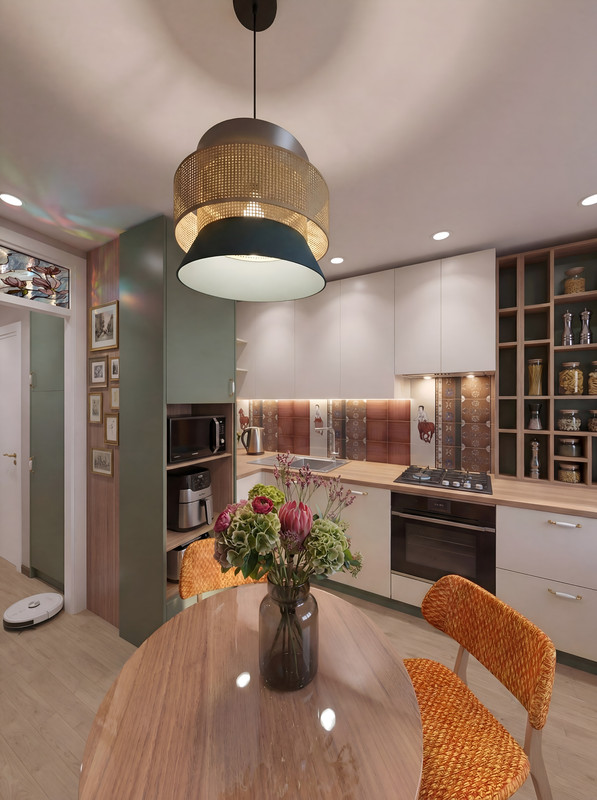 [:">]
[:">]-
GaudiGalopin3324
- Posts: 729
- Joined: Sat Aug 13, 2022 9:58 am
- Country: Russia
Re: connecting SH3D and AI for work
If you don't know how to paint with watercolors, that's no problem. You can have the AI do the work for you just this once. The main thing is to start in SH3D. Remember the correct order for any final step: first SH, then whatever you want in the AI. Not the other way around.
1.SH3D
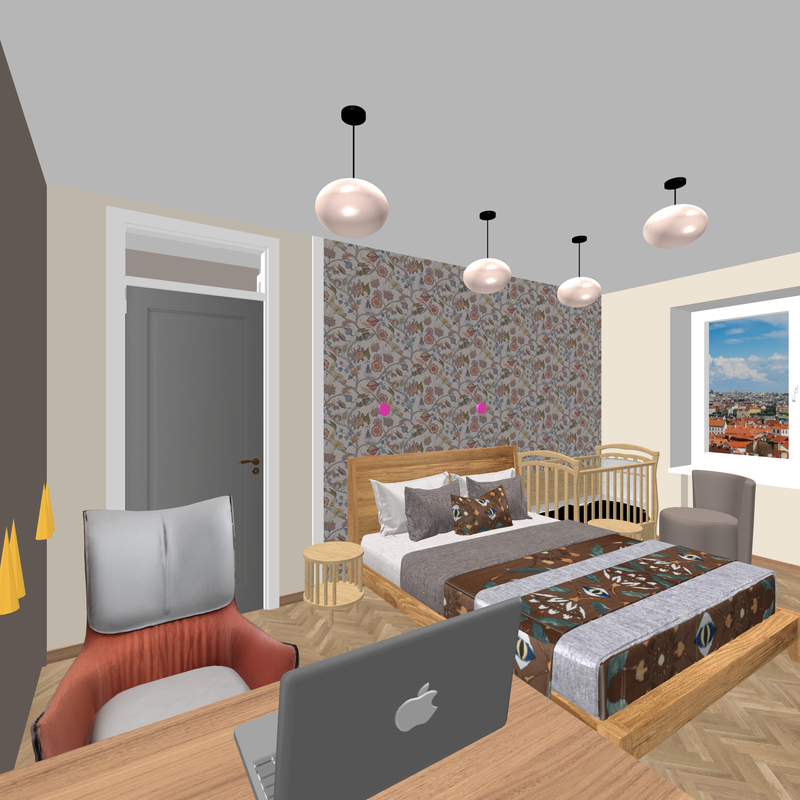
2.AI
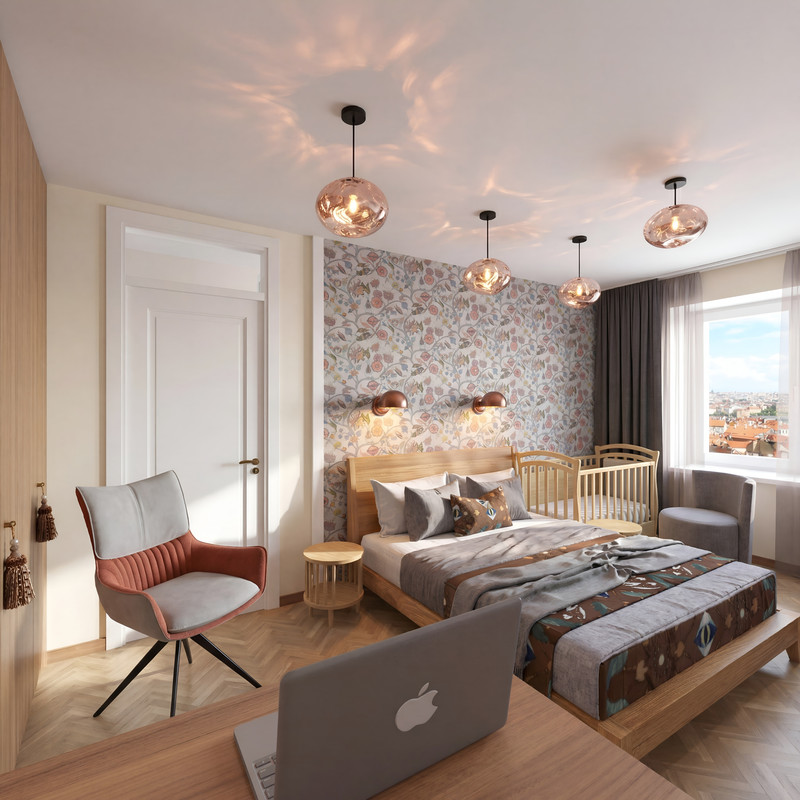
3.watercolor
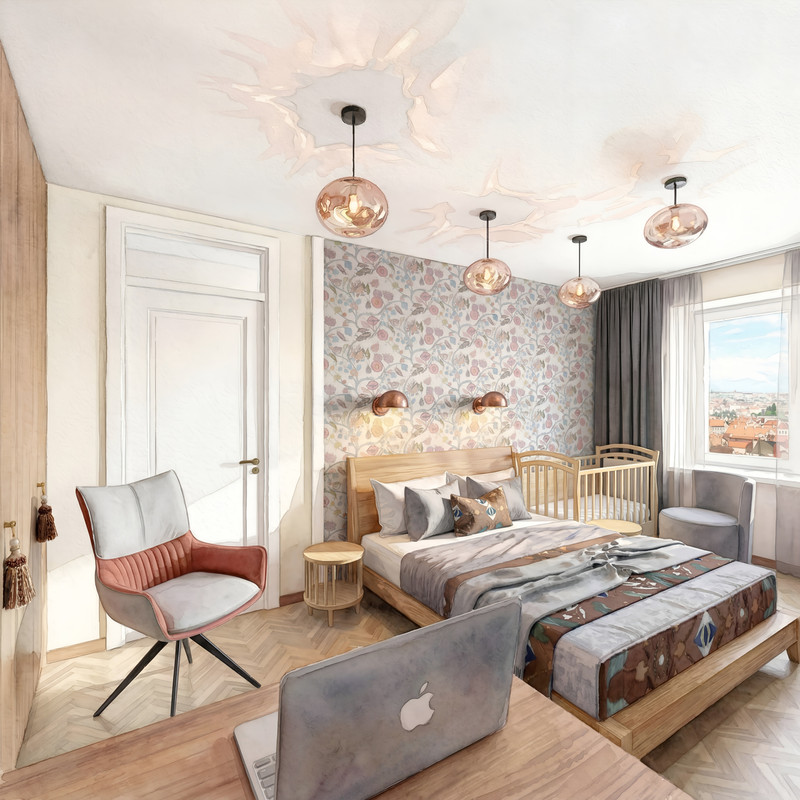
1.SH3D
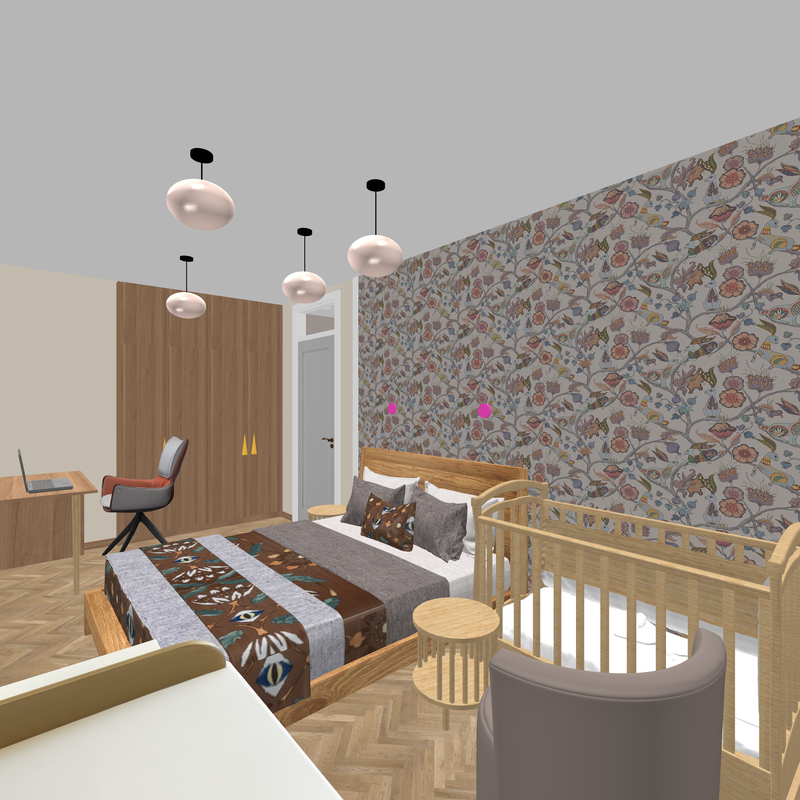
2.AI
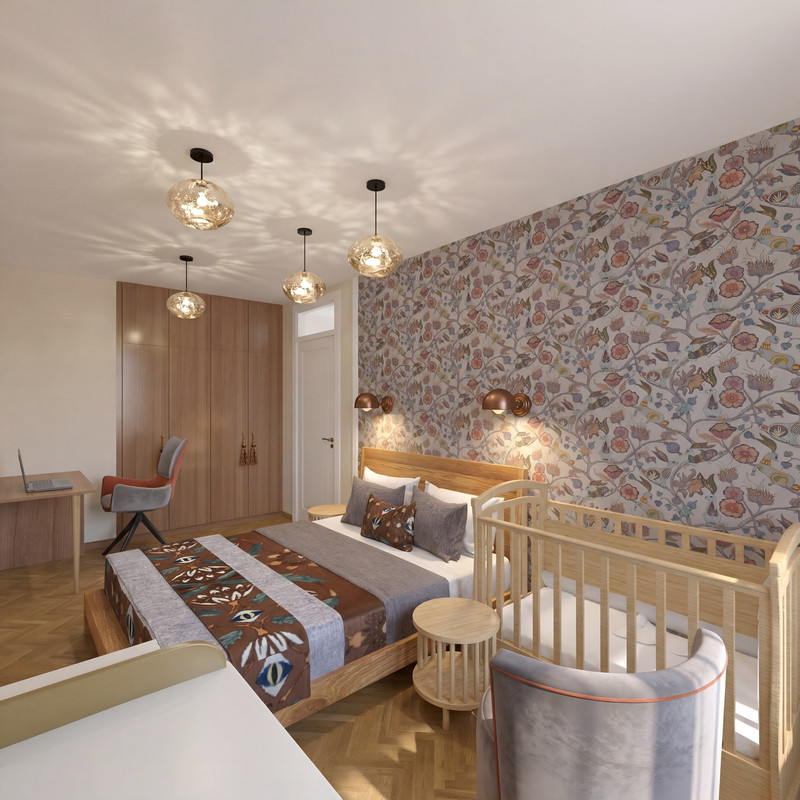
3.watercolor
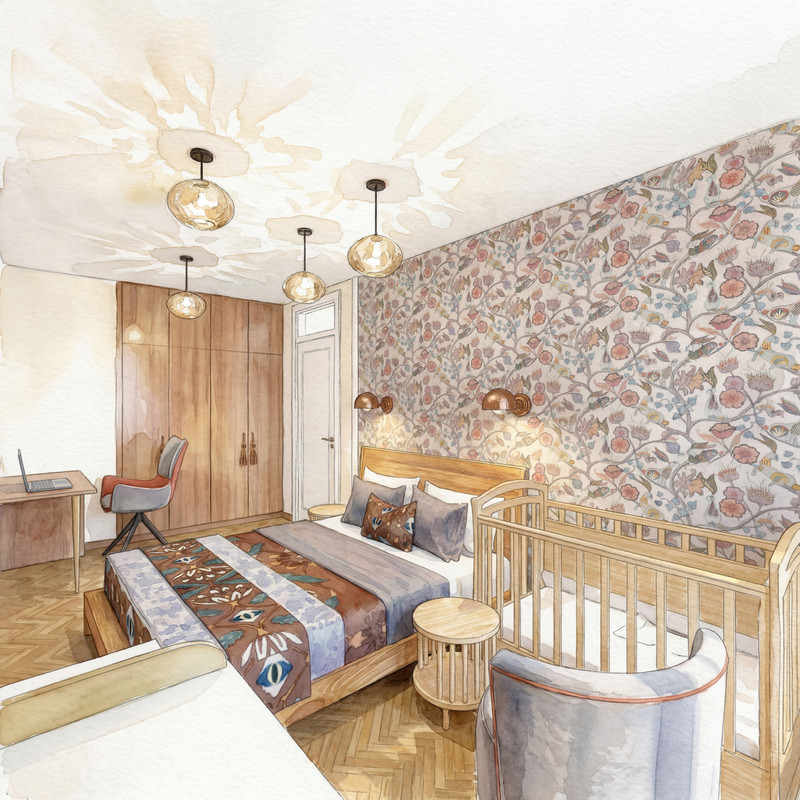 [B-)] [:D]
1.SH3D
2.AI
3.watercolor
1.SH3D
2.AI
3.watercolor
[B-)] [:D]Re: connecting SH3D and AI for work
That water colour effect is brilliant! Nice one.
-
GaudiGalopin3324
- Posts: 729
- Joined: Sat Aug 13, 2022 9:58 am
- Country: Russia
Re: connecting SH3D and AI for work
I remembered a joke. Two friends run into each other. One asks the other, “Can you play the violin?” The other replies, “I don’t know—I’d have to try. Maybe I can.” So, I should try my hand at watercolor painting—maybe I’ll turn out just as good as AI))) [:D] [:D] [:D]
-
GaudiGalopin3324
- Posts: 729
- Joined: Sat Aug 13, 2022 9:58 am
- Country: Russia
Re: connecting SH3D and AI for work
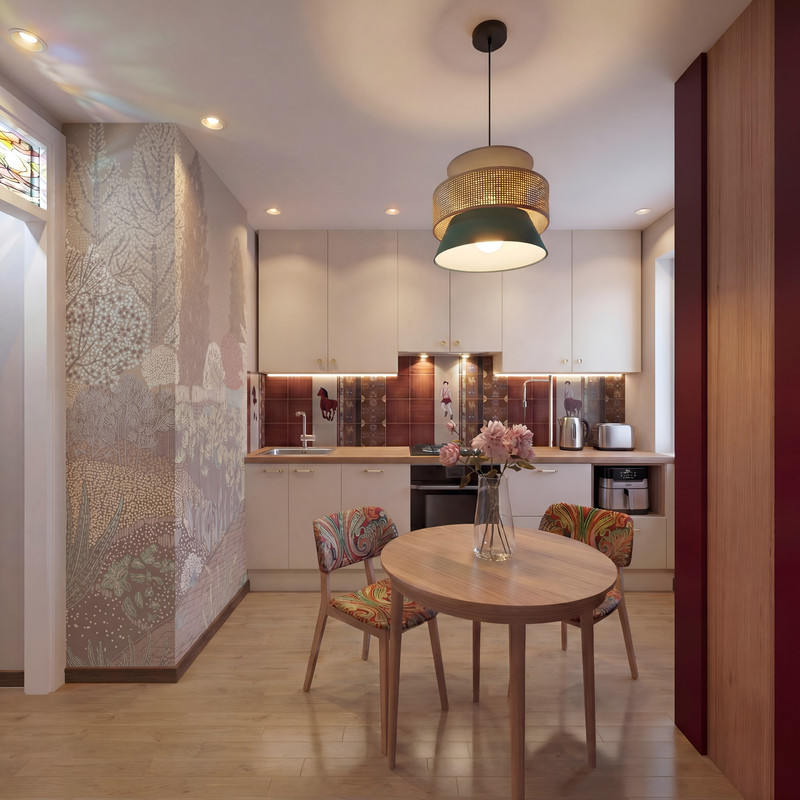
Another benefit of AI: if you need to test a complex texture on a wall in different color combinations, this is possible. First, you need to create an initial version in SH3D. For two surfaces separated by an outside corner, I always prepare two texture sections from a single piece, cutting along the wall’s corner line. This is a complex procedure that takes a lot of effort. Each section of the wall is assigned its own texture section. The result is a pattern that’s cut off at the corner of the wall, just like when you hang patterned wallpaper. Using AI, I get a realistic look like this with lighting. But here’s the thing—if you have texture options in a different color, the AI can replicate this wallpaper application with a new color scheme; you just need to ask it to combine everything. Ask firmly and without hesitation. Let it work without any fuss.
SH3D
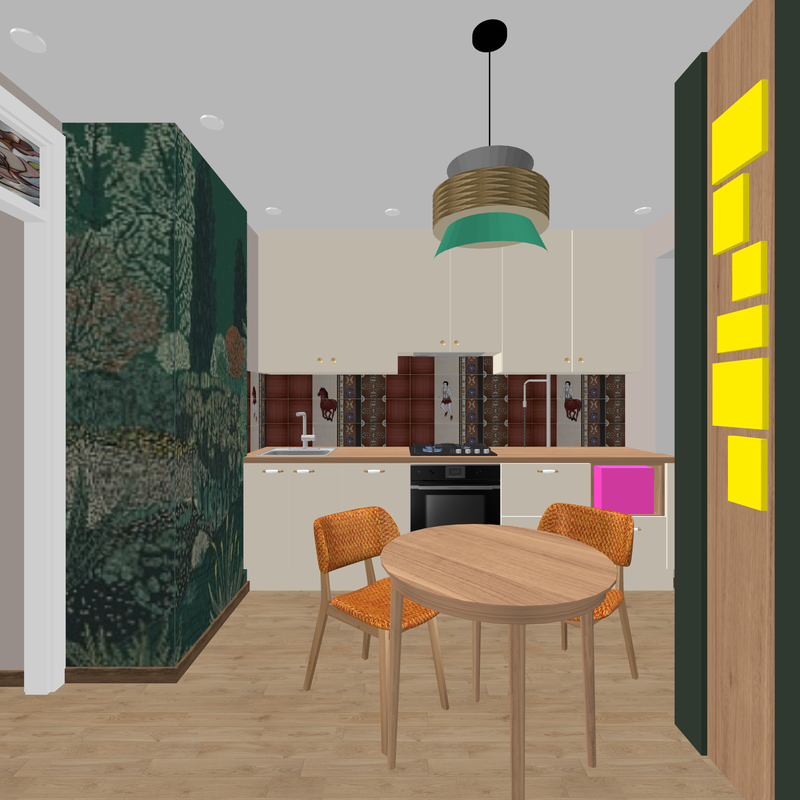
AI
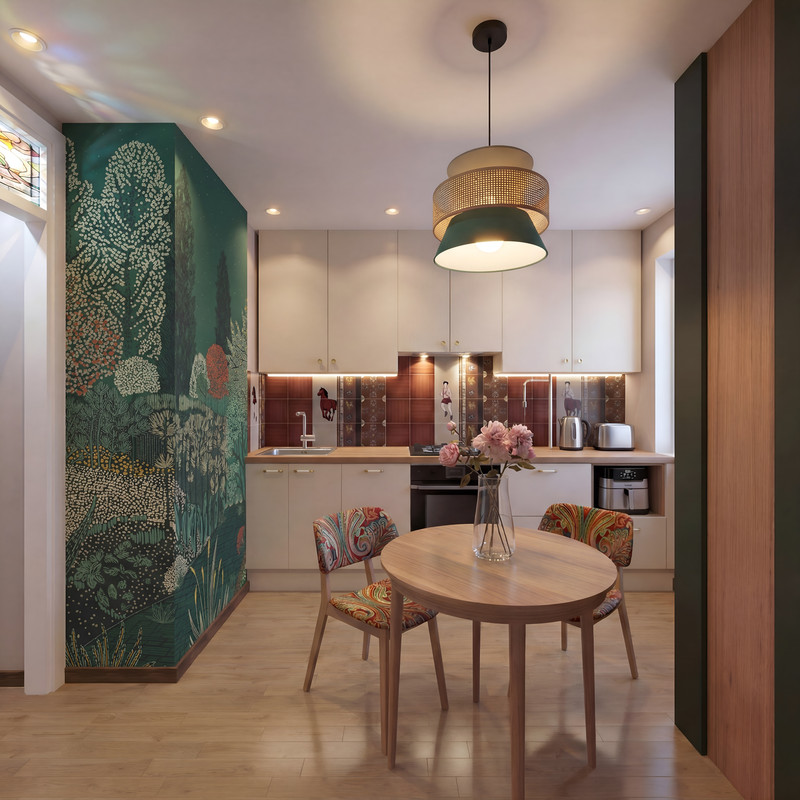
Other color options for this texture.
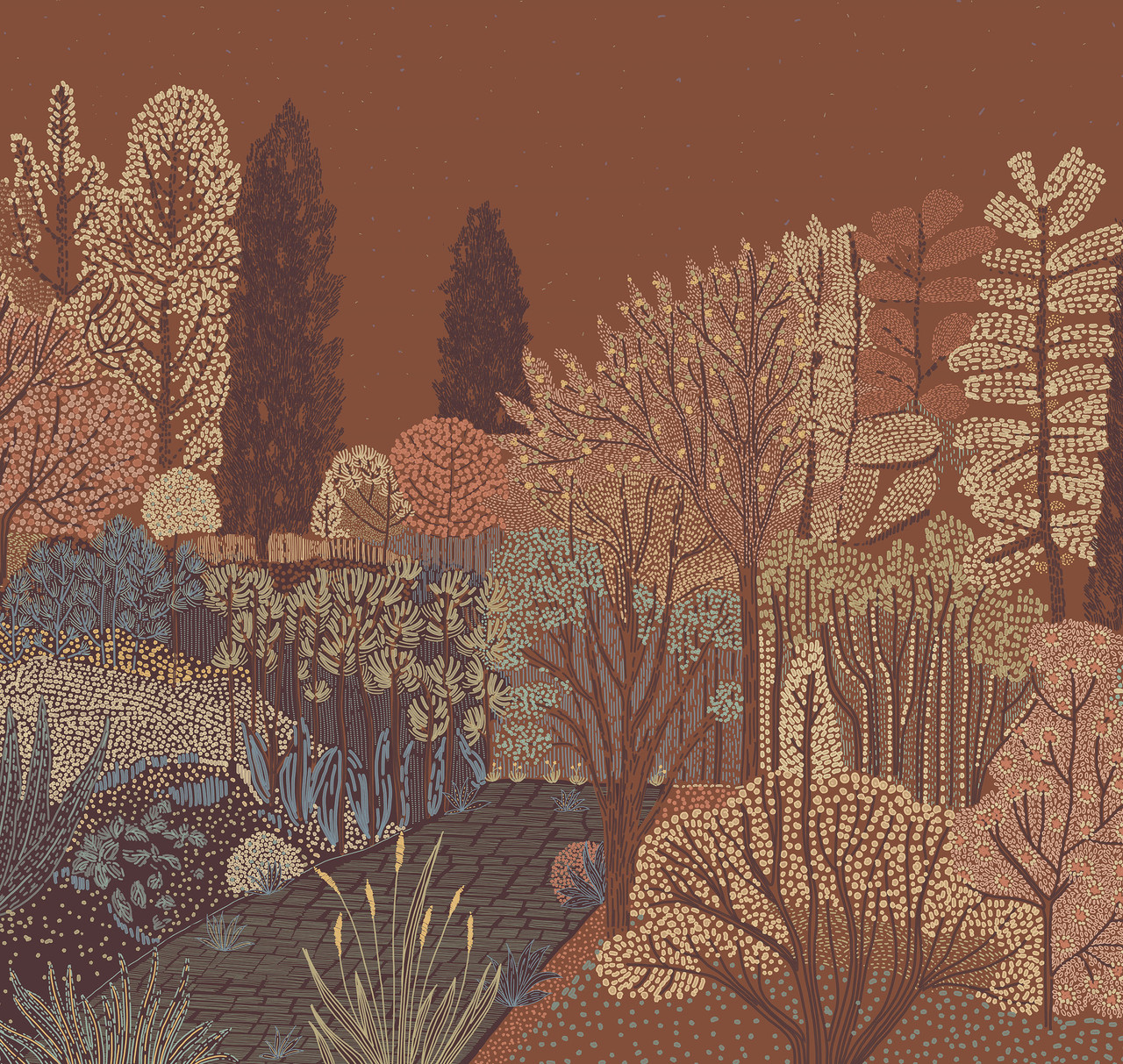
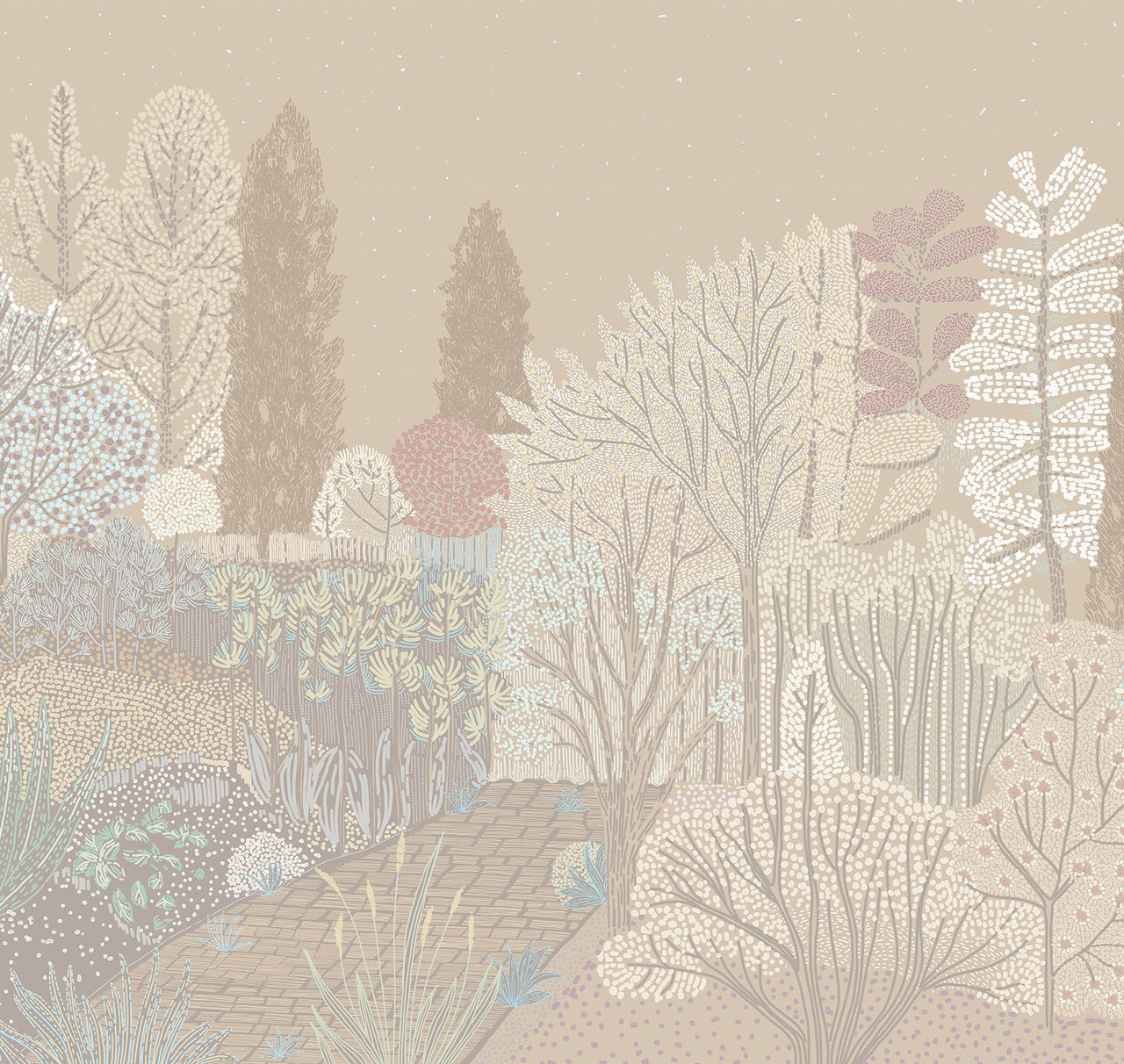
Get to work, you lazybones.
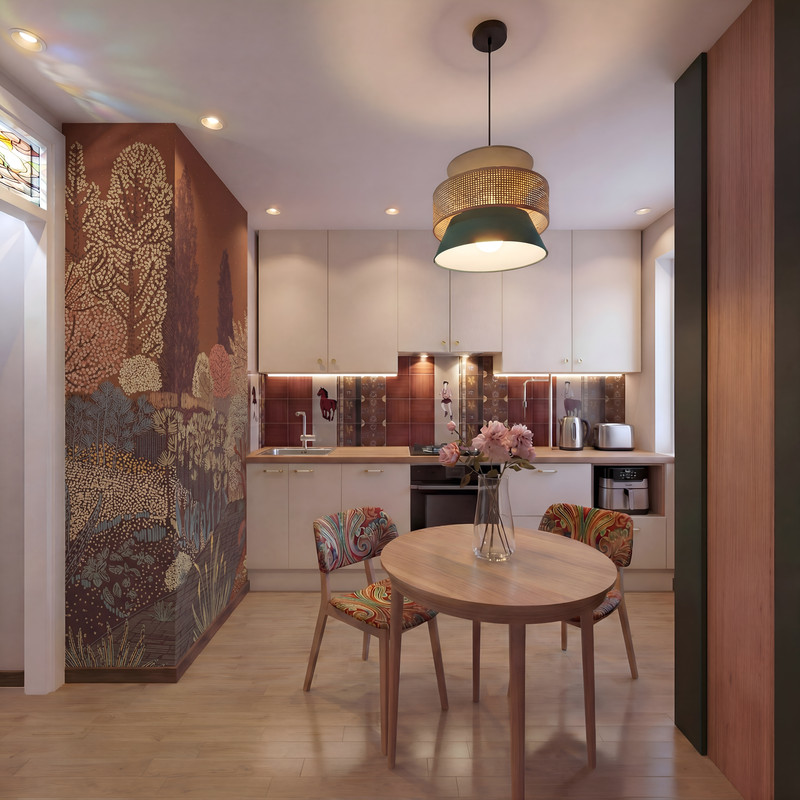
[:">]
Translated with DeepL.com (free version)
Translated with DeepL.com (free version)
SH3D
AI
Other color options for this texture.
Get to work, you lazybones.
[:">]
Translated with DeepL.com (free version)
Translated with DeepL.com (free version)
Who is online
Users browsing this forum: No registered users and 2 guests