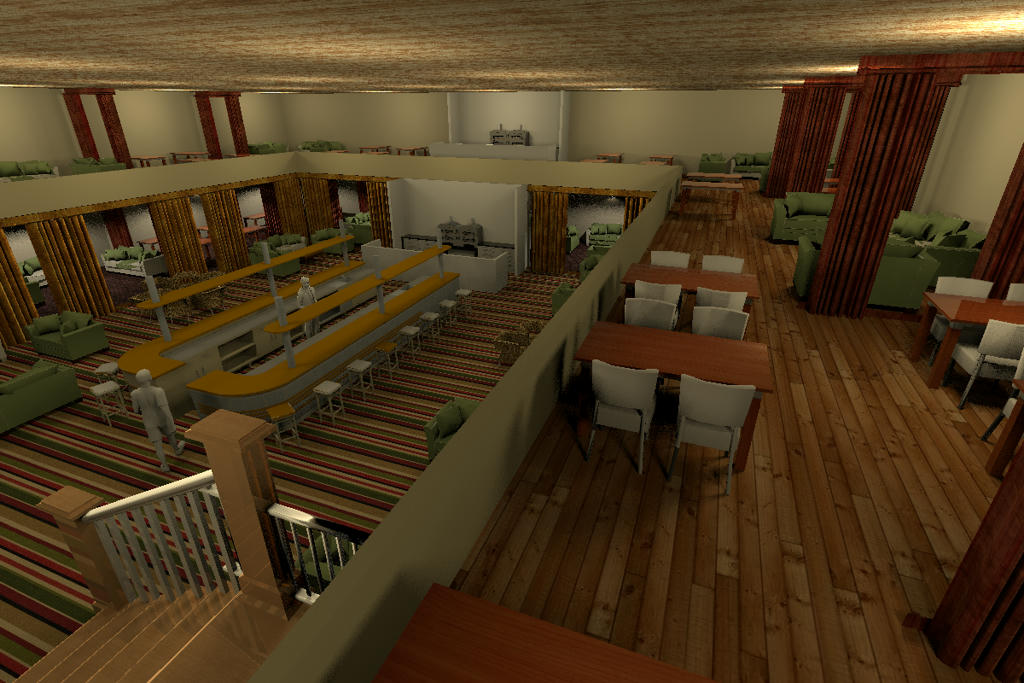
2 floor restaurant.

This topic has been viewed 34153 times and has 33 replies
Thread status: Active
Discuss anything here [img]http://www.sweethome3d.com/images/flags/en_small.gif[/img]
User avatar
hansmex
Posts: 4027
Joined: Sat Sep 26, 2009 11:36 am
Country: Netherlands

Re: 2 floor restaurant.

Post by hansmex »

Another picture of the restaurant with gallery. It's about time to hire a chef!

Hans

Click here for a larger picture.
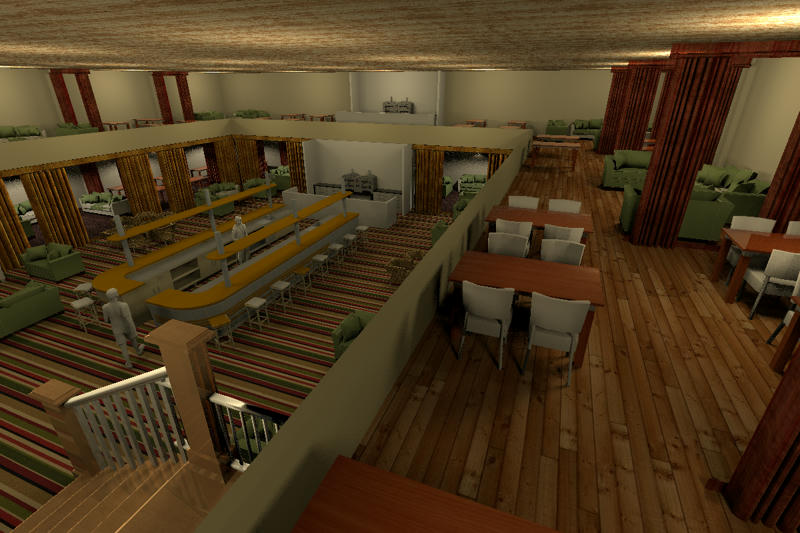
Image
Hans

new website - under constuction
hansdirkse.info
User avatar
wrosun
Posts: 96
Joined: Wed Nov 17, 2010 8:44 am
Country: Pokhara, Nepal

Re: 2 floor restaurant.

Post by wrosun »

Nice work there hans....really nice floor texture for the gallery...but i dont like the roof texture...
User avatar
hansmex
Posts: 4027
Joined: Sat Sep 26, 2009 11:36 am
Country: Netherlands

Re: 2 floor restaurant.

Post by hansmex »

wrosun,

Thank you!
The nice thing about SH3D is, that you can design your own restaurant, with all your favourite textures! [:))]

I sent you a link to the texture.

Hans
Hans

new website - under constuction
hansdirkse.info
User avatar
wrosun
Posts: 96
Joined: Wed Nov 17, 2010 8:44 am
Country: Pokhara, Nepal

Re: 2 floor restaurant.

Post by wrosun »

ya! i meant that that was carefullt designed ..i guess you know what i actually mean [:))]

Anyway i dont see the link where is it...???
Fintan
Posts: 21
Joined: Sun Oct 10, 2010 12:52 pm

Re: 2 floor restaurant.

Post by Fintan »

Hans: here is the share:
http://www.sweethome3d.com/support/forum/viewthread_thread,2002_lastpage,yes#8901

I will have a look at the rest tonight :)
User avatar
hansmex
Posts: 4027
Joined: Sat Sep 26, 2009 11:36 am
Country: Netherlands

Re: 2 floor restaurant.

Post by hansmex »

Fred,

Here is part 1
Here is part 2

I have taken the liberty to adapt your files a bit in order to explain a few things.

When you draw a multi-level building it is very important that you work with exact X,Y coordinates. Hand-drawn walls will never stack properly and result in ragged walls, corners, etc. The most important change I made is change all coordinates in such a way that the ground floor and first floor have the exact same X,Y coordinates for walls, floors, etc.

This also makes it much easier to place furniture in a correct manner; in this case, e.g., with logical distances between two rows of restaurant tables.

Just have a look and compare what I did with your own design.

Hans
Hans

new website - under constuction
hansdirkse.info
Fintan
Posts: 21
Joined: Sun Oct 10, 2010 12:52 pm

Re: 2 floor restaurant.

Post by Fintan »

Thank you Hans,
I had a look and see your point.

I made a few changes to the gallery and tried to "copy as new furniture" again but still cannot paste into "restaurant". [>:)]

This should be straight forward enough but I just cannot see what I am doing wrong.

I have SH3d 2.6 (?) on a friends windows computer and will play with that later.

I have uploaded the changed designs to the same link as before.
If you want to have a look. I really appreciate your help and efforts [:)] [:)]

Best Greetings
Fred
User avatar
hansmex
Posts: 4027
Joined: Sat Sep 26, 2009 11:36 am
Country: Netherlands

Re: 2 floor restaurant.

Post by hansmex »

Fred,

I have forgotten all about v2.6. That was ages ago, in another life.
Please update to v3.0 (not v3.1) and make sure you have the latest updates of the plug-ins.
Follow exactly the description in this post: I wrote it while doing a step-by-step myself to make sure I didn't omit the tiniest detail.

I now notice one other thing. You wrote
Since I didn't have: a plugins dir in .eteks/sweethome3d/plugins I created one and then moved the plugins over to that dir
Maybe here we have the problem?

- Which operating system do you have? Am I correct that it's Linux/Ubuntu? The dot in ".eteks" makes me think so.
- In the menu, can you see the new command Tools --> Copy as new furniture ?
- Do you have other plug-ins installed? Do they work correctly?
- Do you open BOTH files before you make your selection, and before you give the command Tools --> Copy as new furniture ?

I don't want to seem overbearing, but this method really works. If there is an English word you don't understand, send me an email or PM in German, and we'll try and sort it out in German if that's easier for you. The language problem then lies with me, as my English is better than my German, but at least you will understand all nuances and can ask the right questions.

Hans
Hans

new website - under constuction
hansdirkse.info
Fintan
Posts: 21
Joined: Sun Oct 10, 2010 12:52 pm

Re: 2 floor restaurant.

Post by Fintan »

Hello Hans and thank you for your input.
- Which operating system do you have? Am I correct that it's Linux/Ubuntu? The dot in ".eteks" makes me think so.
- In the menu, can you see the new command Tools --> Copy as new furniture ?
- Do you have other plug-ins installed? Do they work correctly?
- Do you open BOTH files before you make your selection, and before you give the command Tools --> Copy as new furniture ?
Yes, to all of the above.

I was trying out my designs on my friends windows laptop with vers. 2.6.

Made no real difference.

As a Californian, English should not be a problem [;)]

All plugins are latest. The version on my machine is 3.0.

I'll go through your step-by-step again. and report back.

Cheers
Fred
Fintan
Posts: 21
Joined: Sun Oct 10, 2010 12:52 pm

Re: 2 floor restaurant.

Post by Fintan »

Well, I went through the step-by step again.Nada.

I don't know if the plugin "copy as new furniture" is working correctly.

I can see it under tools when I select something.
With nothing selected it is greyed out.

When applying copy as new furniture it shows a progress bar and then nothing.

Pasting into another (ALREADY OPEN) design simply does not work here.

Where does it copy to?

Maybe I could import to furniture from there?

I have all the pieces finished but cannot seem to combine them.
[:(]
Post Reply New Topic

Who is online

Users browsing this forum: No registered users and 1 guest