Hello
First a big thanks for this program, but I have a problem.
I need a kind of cut-out-tool to make holes in a wall with angle and without a frame.
I need this for my top floor flat, so is there anything I can use?
thx
Cut out
This topic has been viewed 15838 times and has 26 replies

Re: Cut out
Import the invisible box selecting the Door or window option during the 3rd step, and use one or more boxes of this kind to cut any wall or group of walls (it will cut only walls).
See also this discussion.
See also this discussion.
Emmanuel Puybaret, Sweet Home 3D creator
Re: Cut out
Hmm, I implement the invisible box, but after small test it doasn't solve my problem.
I will check the thread... thx
I will check the thread... thx

Re: Cut out
Mic,
Maybe this invisible hatch will solve your problem?
And eh, don't forget to check Door/Window while importing, or it won't insert itself in the wall.
Hans
Maybe this invisible hatch will solve your problem?
And eh, don't forget to check Door/Window while importing, or it won't insert itself in the wall.
Hans
- Attachments
-
- hatch invisible.zip
- (1.27 KiB) Downloaded 11297 times
Re: Cut out
Now it works basically.
check Door/Window while importing... was my mistake, thx for the hint
Problem is, I need an invisible wall/box or whatever which can make an angle on the top. Same system as normal wall have...sloping wall.
Is this possible?
check Door/Window while importing... was my mistake, thx for the hint
Problem is, I need an invisible wall/box or whatever which can make an angle on the top. Same system as normal wall have...sloping wall.
Is this possible?
Re: Cut out
Mic,
Maybe you can apply a transparent texture to (a part of) the wall?
It will show up as black in the design, but will be invisible when you make a photo render.
Hans
Maybe you can apply a transparent texture to (a part of) the wall?
It will show up as black in the design, but will be invisible when you make a photo render.
Hans
- Attachments
-
- empty transparent.gif (1.95 KiB) Viewed 14817 times
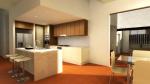
Re: Cut out
Are you trying to do something like this????Problem is, I need an invisible wall/box or whatever which can make an angle on the top. Same system as normal wall have...sloping wall.
Is this possible?

Design created by Macfrog
Click to browse to the Original thread
if it is so then its quiet simple...? let me know if its the same thing you are trying to do or not??
Re: Cut out
Something like this.... The red area has to be removed.

Re: Cut out
Mic,
Share your design, or [url=mailto:[email protected]]send it[/url] to me. I don't understand exactly what you want.
Hans
Share your design, or [url=mailto:[email protected]]send it[/url] to me. I don't understand exactly what you want.
Hans
Who is online
Users browsing this forum: No registered users and 1 guest