This doesn't work.
When you put a door in the outer wall and you open it then you are looking at the inner wall.
hen3
Cavity walls without a redesign...
This topic has been viewed 22614 times and has 13 replies
Re: Cavity walls without a redesign...
Not an ideal solution, but I've had to do this a few times to deal with such a wall: install the door, then change the width of the door (10-inches instead of 3-inch, for example), then use the arrow keys to move the door to cover both walls. PITA, but works. 

-
AlbertKakiay

- Posts: 22
- Joined: Sat May 25, 2019 5:54 am
- Country: Indonesia
Re: Cavity walls without a redesign...
No need redesign, add new wall as skin with cavity space. Adjust door and window.
I call it Skin, the same structure with different facade.
I call it Skin, the same structure with different facade.
Re: Cavity walls without a redesign...
I have a feeling my point has been misunderstood.
Draw a wall as per normal, open the modify walls dialogue box, select the NEW Cavity wall hatching.
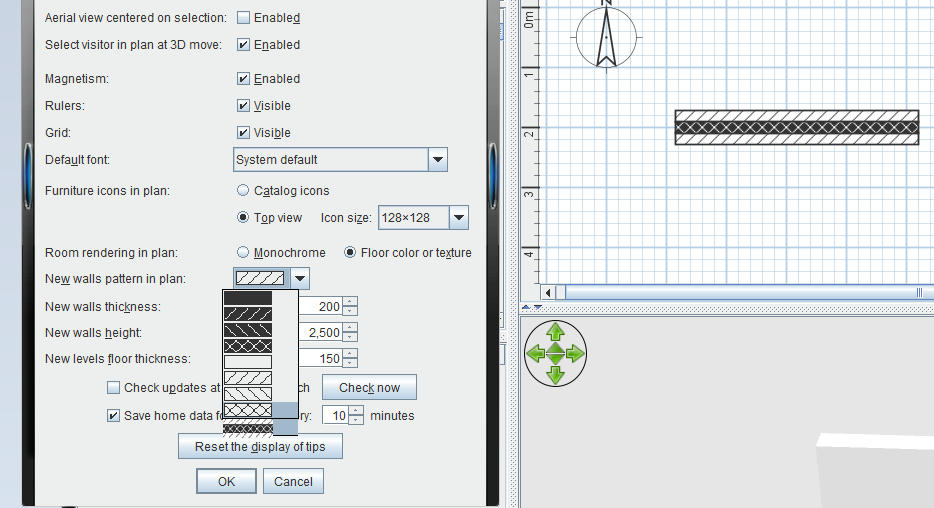
Windows and doors then act as normal, without the need for extra walls or positioning issues.
Any printed docs would then appear to have cavity walls
Very small programme change compared to to creating actual cavity walls
Draw a wall as per normal, open the modify walls dialogue box, select the NEW Cavity wall hatching.
Windows and doors then act as normal, without the need for extra walls or positioning issues.
Any printed docs would then appear to have cavity walls
Very small programme change compared to to creating actual cavity walls
Who is online
Users browsing this forum: No registered users and 2 guests