Kitchen I made

This topic has been viewed 9044 times and has 3 replies
Thread status: Active
Share your snapshots made with Sweet Home 3D here [img]http://www.sweethome3d.com/images/flags/en_small.gif[/img]
Post Reply New Topic
alf1203
Posts: 7
Joined: Sun Jun 21, 2020 12:18 am
Country: United States

Kitchen I made

Post by alf1203 »

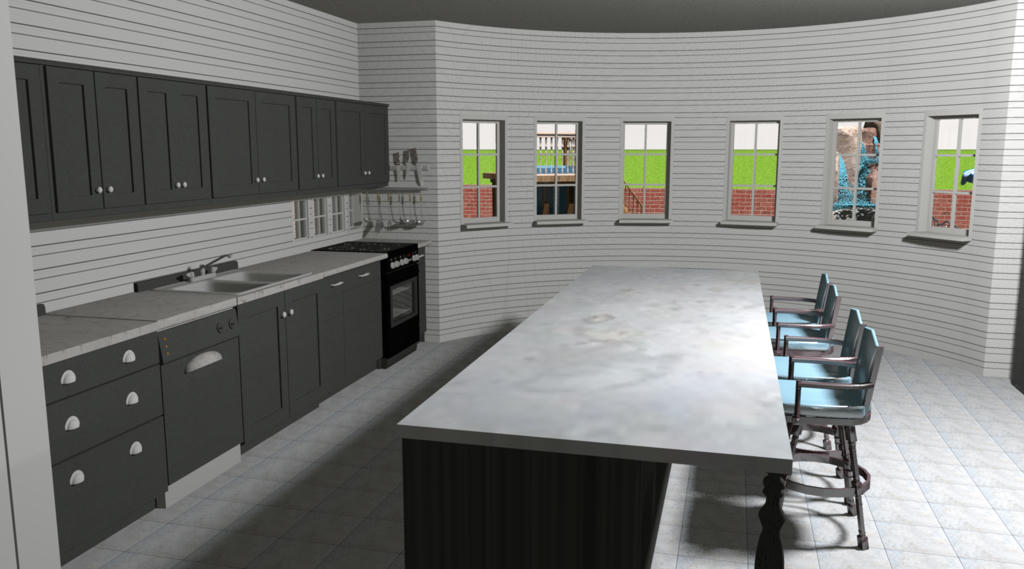
Hello all, I have been using Sweet Home 3D for a few years now and I just created a kitchen that has windows looking at the backyard that I think looks pretty good, although it is a little bare.
I see images of homes that are created and they are amazing and am a little bit jealous!
If you can check out what I did and have any comments or suggestions on how to make it look better please let me know!
Also, I am having a heck of a time attempting to create a video, it literally will not work, the "create video button" is greyed out, any hints on how to create it? I saw the FAQ on it but that didn't help unfortuantely.
Thank you, Brett!!

Image
User avatar
bdfd
Posts: 2614
Joined: Sat Mar 29, 2014 7:17 am
Country: LILLE, Les Hauts de France, Western Europa

Re: Kitchen I made

Post by bdfd »

Good beginning ! [;)]
.
Evil progresses when good people do nothing!
---
SH3D 7.1 and nothing else - W11 64b in 4K
User avatar
Ceciliabr
Posts: 637
Joined: Sun Jul 07, 2013 3:41 pm
Country: Copenhagen, Denmark
Contact:

Re: Kitchen I made

Post by Ceciliabr »

I think your kitchen is very nice!
To improve your image, I suggest you work on the lighting.
First of all get rid of the ceiling light, and add light sources under the upper cabinets.
Then you could add some light sources over the table.

I think that will be a good starting point.

Cecilia
alf1203
Posts: 7
Joined: Sun Jun 21, 2020 12:18 am
Country: United States

Re: Kitchen I made

Post by alf1203 »

Cecelia, thank you! I actually don't have any lights in there, that was how it tun red out after I exported it as an image; I will take the advice on the lighting and the cabinets!
Post Reply New Topic

Who is online

Users browsing this forum: No registered users and 2 guests
