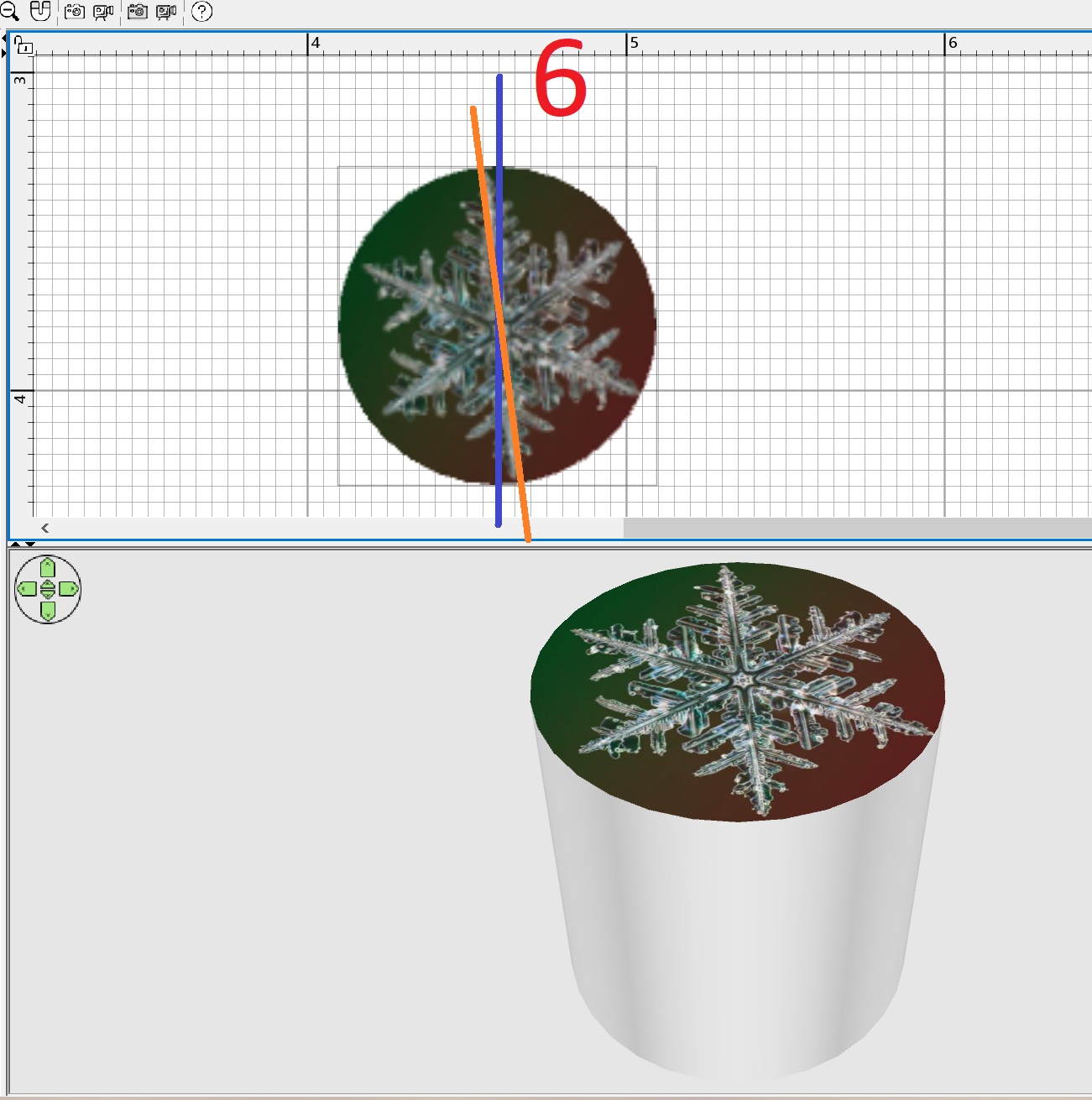
 the texture on the TOP of the cylinder does not turn out to be smooth
This topic has been viewed 2765 times and has 2 replies
-
GaudiGalopin3324

- Posts: 729
- Joined: Sat Aug 13, 2022 9:58 am
- Country: Russia
the texture on the TOP of the cylinder does not turn out to be smooth
I often replace round models with an image on the top surface of the cylinder. For example, you can make a clock or a round picture in a frame. Or a porthole. But in SH3D, the vertically positioned texture lies down with a rotation of 6 degrees (this is a bug). If you then rotate such a cylinder along the X axis by 270 degrees and hang this disk with a texture on the wall, the "clock" will hang crookedly. Of course I know how to fix this bug. You need to export the curves of the clock to Obj, import it back as a model and turn it 6 degrees clockwise there, align it. But maybe you can just make a 6-degree edit in the program for the top cylinder?

Re: the texture on the TOP of the cylinder does not turn out to be smooth
You're right, texture coordinates are not the best ones on the cylinder model. I fixed it on the model texturableCylinder0.zip which will become the default cylinder in the next version.
Thanks for reporting this.
Thanks for reporting this.
Emmanuel Puybaret, Sweet Home 3D creator
-
GaudiGalopin3324
- Posts: 729
- Joined: Sat Aug 13, 2022 9:58 am
- Country: Russia
Who is online
Users browsing this forum: No registered users and 1 guest